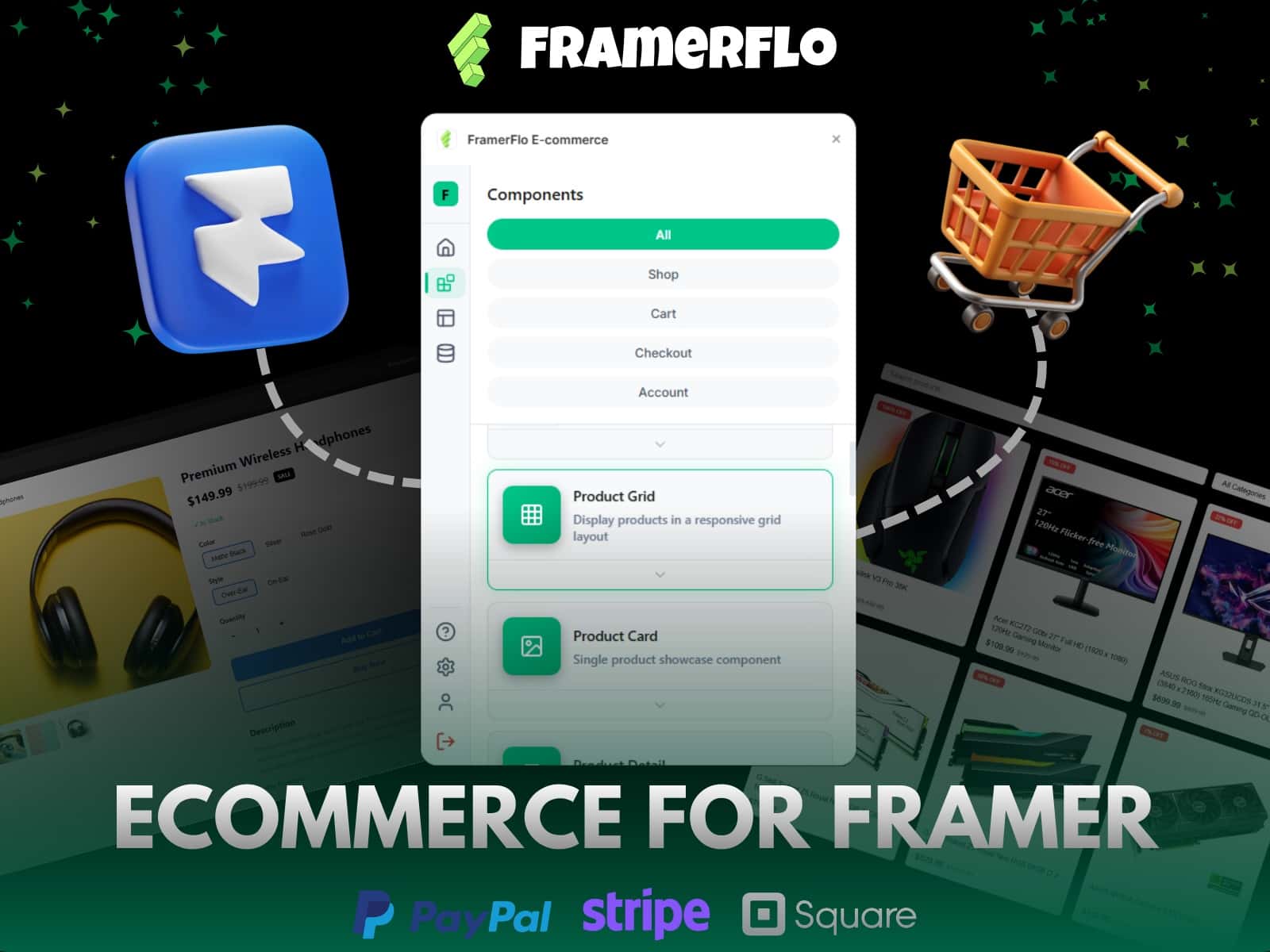
FeCommerce turns Framer into a full WooCommerce storefront. Sync your products into Framer CMS in one click, or pull them live from your store via API, then build a complete shop with drag-and-drop components: a Shop / Product Listing page with search, sort and pagination, Product Pages, Variant Selector, Add to Cart, Buy Now, Cart Drawer, Cart Page, Checkout, and a Mobile Sticky Cart. Every component auto-wires to your live store.
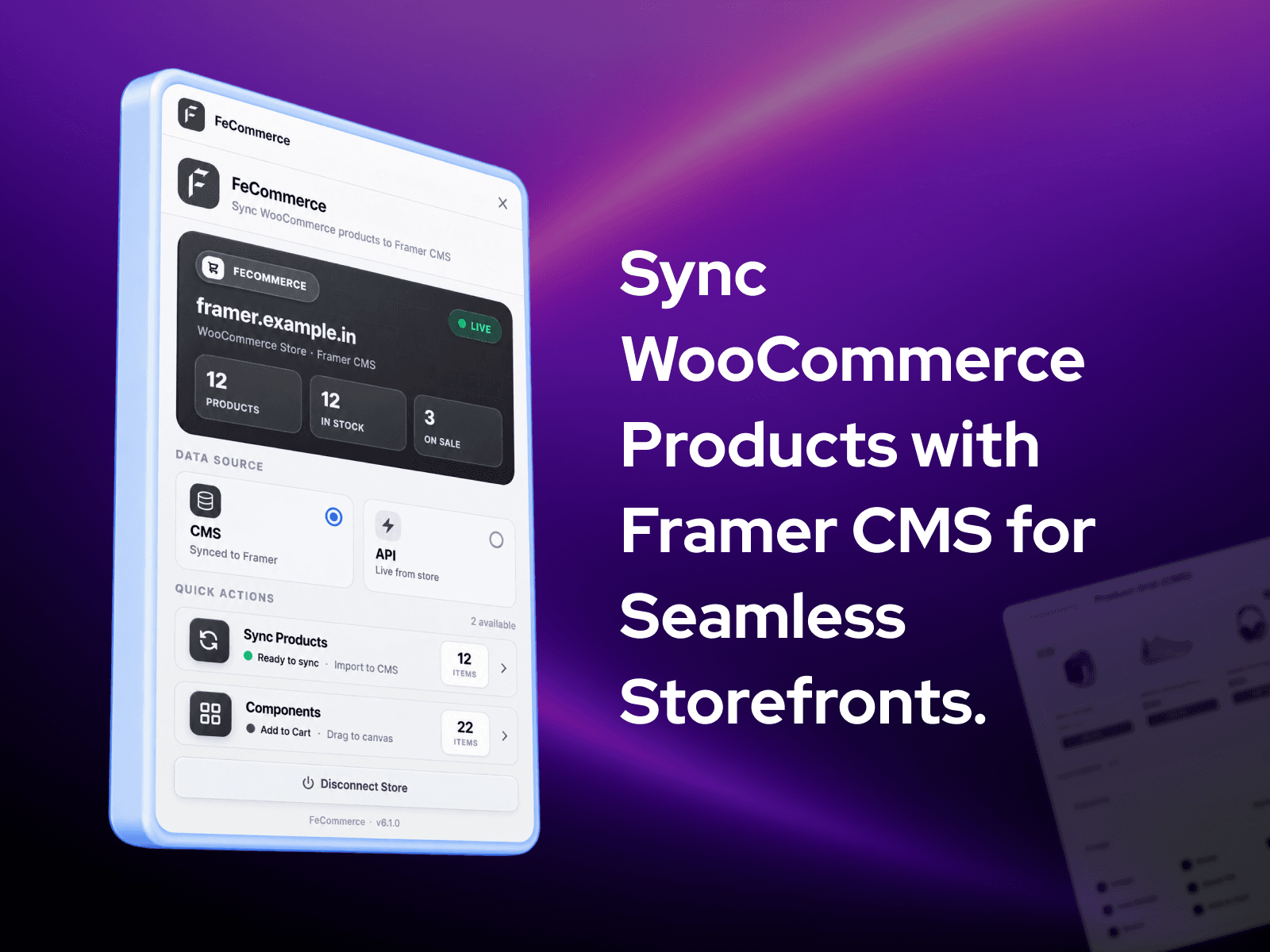
Connect with your store URL and WooCommerce API keys, then choose your data source: CMS (synced to Framer) or API (live from your store). Design pages with Framer's native CMS bindings and let shoppers buy without ever leaving your Framer site. Cash on Delivery checkout works on-page by default, with optional Stripe inline card when the WooCommerce Stripe gateway is enabled.
One-click WooCommerce to Framer CMS sync (titles, prices, images, variants, stock, categories), or pull products live via API; switch data source anytime
Shop / Product Listing page with live search, sorting (price, newest, rating, popularity) and pagination (Load More or numbered pages)
Product Grid (CMS) and Product Detail (CMS) that render entirely from your synced CMS, no API calls, and work on Free plans
Complete component library: Product Page, Variant Selector (pills, swatches or image-switch), Add to Cart, Buy Now, Cart Drawer, Cart Page, Checkout, Mobile Sticky Cart, Price, Price Discount, SKU, Rating, Reviews, Tabs, Share, Inventory Label, Inventory Counter, Quantity, Cart Icon, Cart Item Count
Card and listing animations: entrance effects, image hover zoom, second-image hover swap, quick-add on hover, black-and-white to colour
Product ratings, a Reviews tab, and a "You may also like" related products section
Deep styling controls: typography, colours, card border and shadow, sale badge with percentage off, max-width, text alignment, image aspect and fit
On-page checkout: Cash on Delivery placed natively, plus optional inline Stripe card (when the WooCommerce Stripe gateway is enabled), with live shipping rates and coupon support
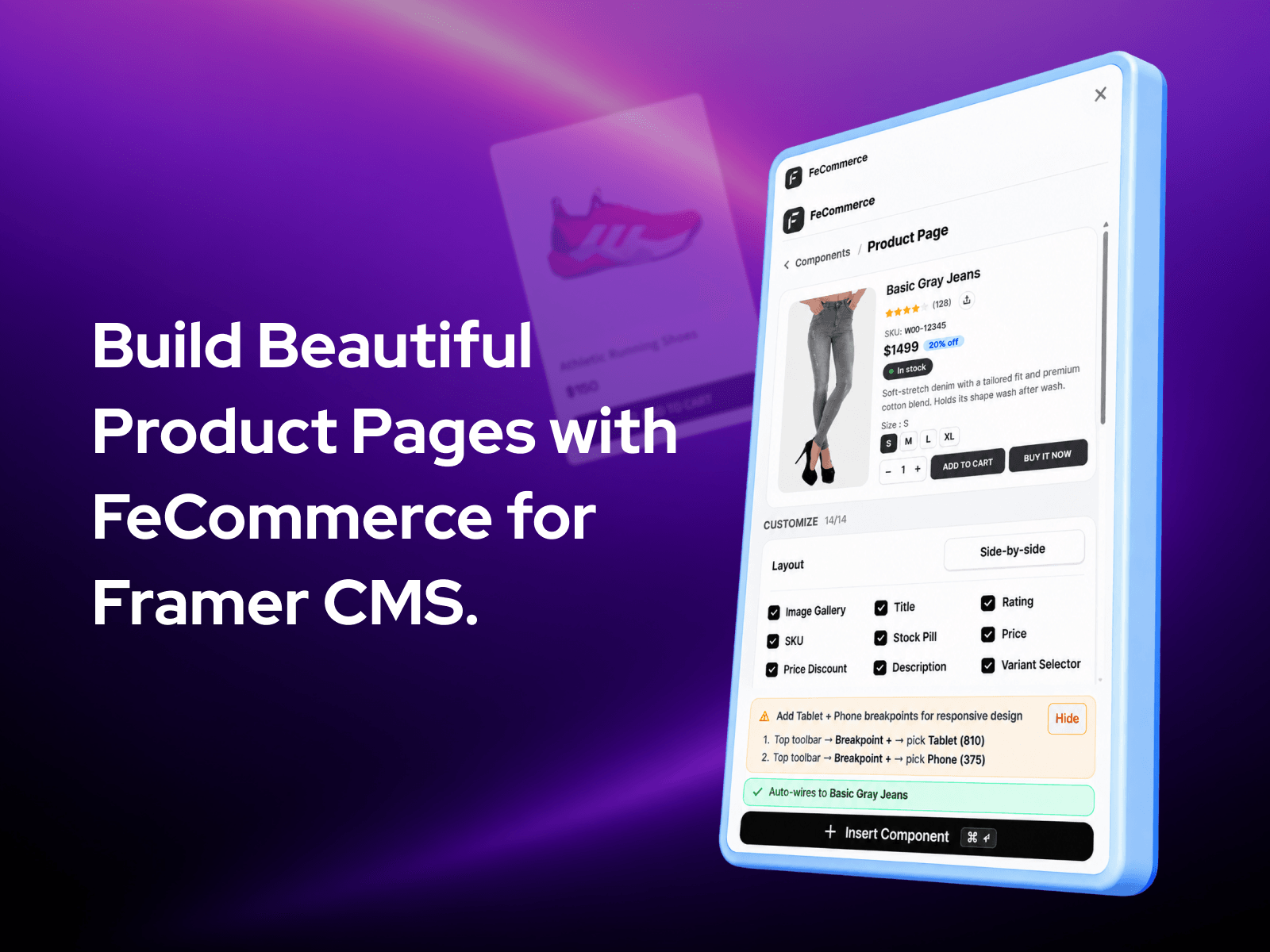
Fully responsive across Desktop, Tablet and Phone, with one-click full Product Page composition and Auto Update to reapply section toggles
Live component previews in the panel, auto-wiring to your picked product, and API credentials remembered between sessions and never exposed in the published bundle
Build and launch a complete storefront inside Framer — shop page with search and sort, product pages, cart and checkout — without leaving the design tool
Shoppers complete checkout on-page, no redirect, faster conversions
Product data stays synced automatically with your WooCommerce store
Compose a full Product Page in one click; toggle sections on or off and re-apply with Auto Update
Premium product cards with hover effects and animations, styled entirely in the panel; mobile gets a permanent Sticky Cart bar
Keep product data in sync automatically and save hours of manual CMS entry and component wiring
Is there a Framer WooCommerce plugin?
Yes. FeCommerce is a free Framer Marketplace plugin that syncs WooCommerce products into Framer CMS and gives you drag-and-drop product, cart, and checkout components.
Do I need to know how to code?
No. You only need your store URL and your WooCommerce API keys. If you can copy and paste, you can run this.
How does the Framer WooCommerce sync work?
The plugin connects to your store through the official WooCommerce REST API, pulls your product data, and imports it into a Framer CMS collection. You then bind those CMS fields to your design.
Do I have to sync products, or can it pull live?Both. CMS mode syncs your products into a Framer CMS collection; API mode pulls live from your store with no sync. You choose under "Data Source".
Can I build a shop or catalog page with search and sorting? Yes. The Product Listing page has live search, sorting and pagination, or use the CMS Product Grid for a synced grid.
What happens when I update a product in WooCommerce?
Open the plugin in Framer and run sync again. Because your credentials are remembered, this is one click.
Can shoppers complete checkout without leaving my Framer site?
Yes. The Checkout overlay collects contact info, shipping address, and payment in-page. Cash on Delivery is placed natively via the WooCommerce Store API. Stripe card payments are available as an optional inline option when the WooCommerce Stripe gateway is enabled on your store.
Does it work on mobile?
Yes. The Product Page is fully responsive and a fixed Mobile Sticky Cart bar gives phone shoppers a permanent Add to Cart and Buy It Now row.
Can I build a full storefront with WooCommerce on Framer?
Yes. You build product listings, category pages, individual product pages, and cart flows inside Framer using the plugin's components. Checkout runs through WooCommerce.
Choose your data source — CMS (products synced to Framer) or API (live from your store) — switch anytime.
New Shop / Listing page (API) — live search, sorting (price, newest, rating, popularity) and pagination (Load More / numbered pages); click-through detail with shareable URLs.
New Product Grid (CMS) & Product Detail (CMS) — render entirely from your synced CMS, no API calls.
Rich right-panel styling — typography, colours, card border/shadow, sale badge with % off, max-width, text align, image aspect/fit.
Cleaner mobile product page (Add to Cart / Buy It Now in the sticky bottom bar); responsive "You may also like".