About Deep Zoom Inline
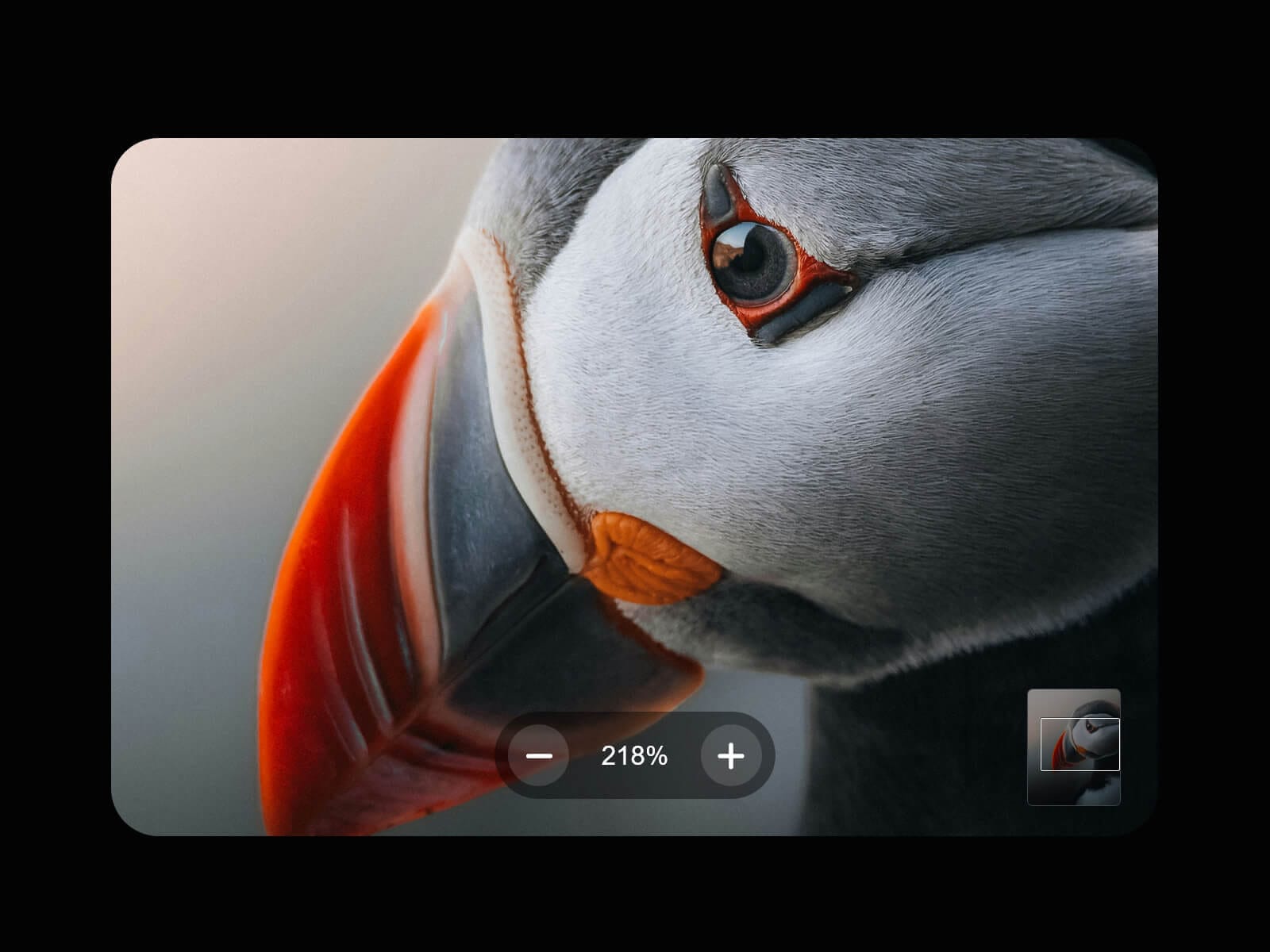
Deep Zoom Inline drops a photo right into your layout and lets visitors zoom into it in place — no popup, no lightbox, just deep zoom exactly where the image already lives.
Ctrl/Cmd + scroll to zoom without hijacking the page's own scroll, drag to pan, or use the on-screen controls.
Want a fullscreen lightbox instead? Check out Deep Zoom, its sibling component.
Usage Note
Upload the highest-quality file you have: there's no separate low-res version, so whatever you set is exactly what gets zoomed into, and a small or compressed file will just look soft once zoomed. That same file loads directly on the page, adding to its weight and your Framer plan's bandwidth.
Key Features
Image
Upload an image or switch Source to URL
Background color shows through when the image's ratio doesn't match the frame
Optional download button, with a custom file name
Zoom
Ctrl/Cmd + scroll to zoom exactly under your cursor — plain scroll still moves the page
Pinch-to-zoom and one-finger pan on mobile
−/+ buttons and a live zoom percentage
Max Zoom, Scroll Intensity, and Zoom Smoothing, all adjustable
Navigation
Draggable minimap shows your position inside a zoomed photo
Escape resets the zoom back to 100%
A brief on-screen hint nudges visitors who scroll without the modifier key
Accessibility
Keyboard support (+/− zoom, Escape) and clear focus handling.
How to Set Up
Drag Deep Zoom Inline onto your canvas
Upload an Image
Set a fixed Width/Height, lock the ratio if you like
Publish
Refund Policy
All sales of digital products are final and non-refundable. Questions? Contact hellonostromostudio@gmail.com before purchasing. Enjoy!