
A quick look at how template previews work in FramerKit 👀
The plugin panel is quite narrow, so I didn't like the idea of making the template card itself scroll on hover. It also conflicted with clicking and dragging templates onto the canvas
So I decided to approach it differently
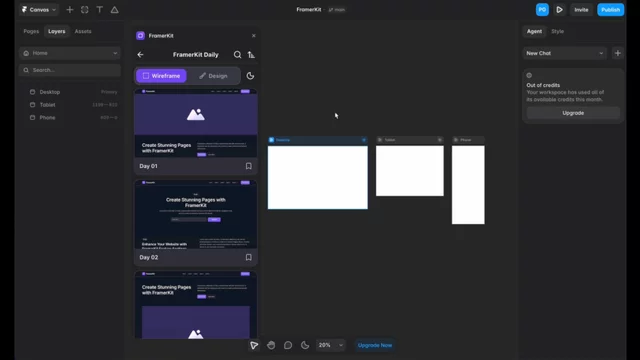
Hover over any template and a dedicated preview panel on the right lets you scroll through the entire page, while the gallery itself keeps working normally
Once you find the right one, just drag it into Framer. It automatically adapts to every breakpoint ✨
With Framer's built-in AI, I think this workflow has become even more powerful
Starting with a complete wireframe structure and using AI to refine the content and design feels much more efficient than spending tokens generating the initial layout from scratch 🤖

A quick look at how template previews work in FramerKit 👀
The plugin panel is quite narrow, so I didn't like the idea of making the template card itself scroll on hover. It also conflicted with clicking and dragging templates onto the canvas
So I decided to approach it differently
Hover over any template and a dedicated preview panel on the right lets you scroll through the entire page, while the gallery itself keeps working normally
Once you find the right one, just drag it into Framer. It automatically adapts to every breakpoint ✨
With Framer's built-in AI, I think this workflow has become even more powerful
Starting with a complete wireframe structure and using AI to refine the content and design feels much more efficient than spending tokens generating the initial layout from scratch 🤖