About Mail Slot
Mail Slot
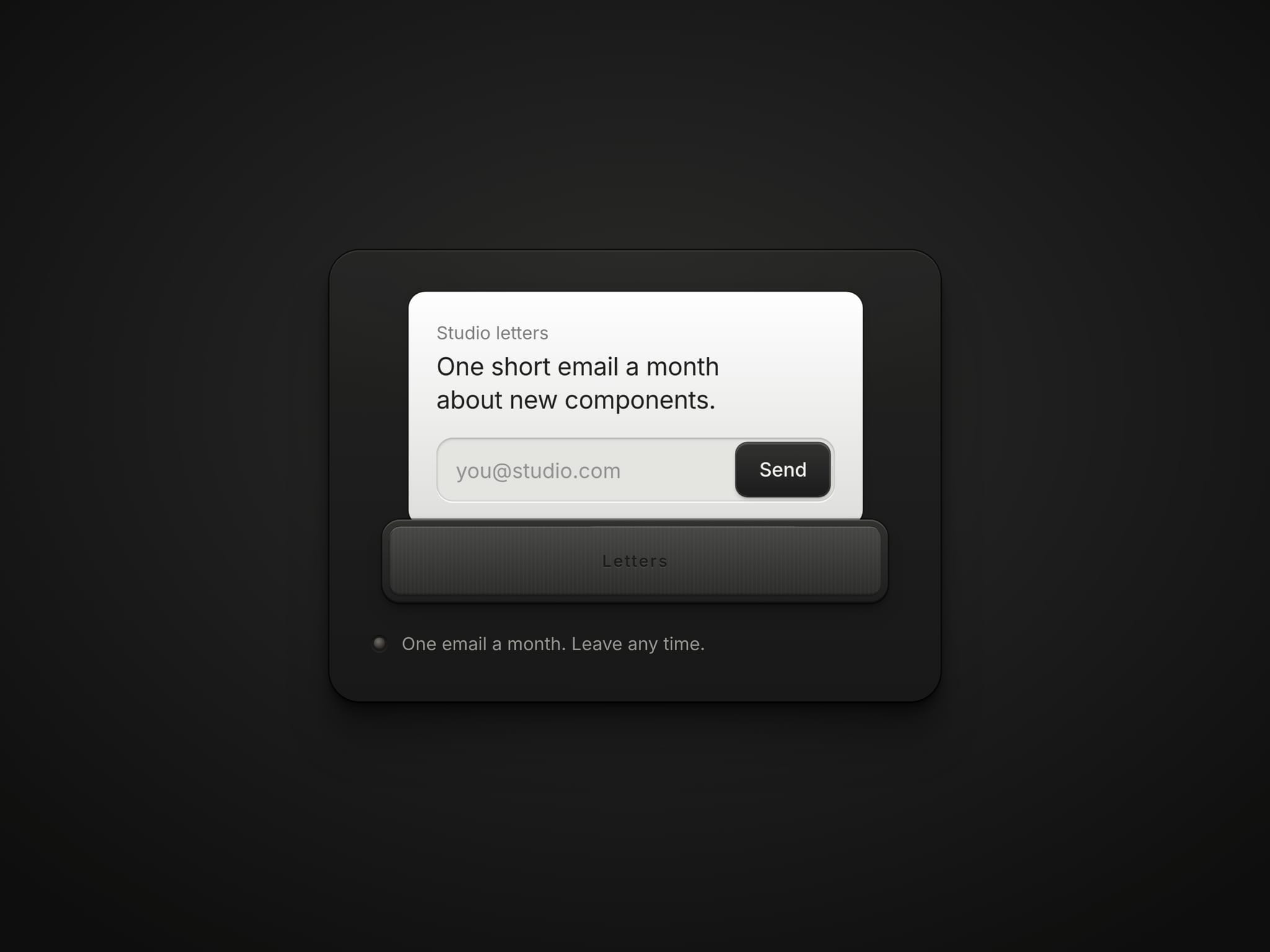
A newsletter signup you post by hand. Type an address and press Send, or grab the card and push it through the slot. The card shoulders the flap open, slides in, and the flap snaps shut behind it. A wrong address bounces the card back out.
Works with Framer Forms
A real form field: place it inside a Form and every address lands in your Framer form submissions, with Framer's spam protection. No extra service.
Real answers: the card waits for the form. Sent shows your thank-you; a failed send throws the card back with your message.
Outside a Form: it runs a demo send, handy for previews.
What you can set
Text: kicker, heading, placeholder, button, the word on the flap, the note, every message and the thank-you
Theme: Dark, Light or Auto, with every colour of the plate, slot, card, field and button for each
Fonts: one control per text layer
Behaviour: drag to post, sound, haptics and the state shown on the canvas
Events: On sent and On error for your own interactions
Built to behave well
Scales down on phones, and the card always fits the slot
Frames run only while something moves; the sound is synthesized, no audio files
Keyboard friendly, Enter to send, status read aloud by screen readers
Respects reduced motion
Getting started
Add a Form to your page and drop Mail Slot inside it
Set the field name your submissions should use (Email by default)
Pick a theme and write your own text