An SEO plugin is an add-on tool that integrates directly into your website builder or CMS to help you optimize your pages for search engines like Google, Bing, and DuckDuckGo. Instead of guessing whether your titles, descriptions, headings, images, and structured data follow SEO best practices, an SEO plugin audits your content in real time and tells you exactly what to fix.
A good SEO plugin acts as your in-app SEO consultant, checking meta tags, analyzing keyword usage, validating heading hierarchy, flagging missing alt text, generating schema markup, previewing how your page will appear in search results and on social media, and measuring page speed. It removes the need to juggle five different external tools (Yoast, Screaming Frog, schema generators, PageSpeed Insights, SERP simulators) by bringing every essential check into one workflow inside the platform you're already designing in.
For Framer users specifically, an SEO plugin solves a real gap. Framer is a visual-first design tool, and while it gives you SEO fields in Site and Page Settings, it doesn't tell you whether your title is the right length, whether your focus keyword appears in the first paragraph, or whether your images are missing alt text. That's where a dedicated Framer SEO plugin becomes essential.
Framer is one of the fastest-growing no-code website builders, but its native SEO controls are minimal, just a few text fields tucked inside settings panels. There's no scoring, no analysis, no schema generator, no preview, and no speed audit built in. If you want to rank on Google, you need to bring those capabilities yourself.
SEO Toolkit is the all-in-one Framer SEO plugin that fills every one of those gaps. Here's why it's genuinely useful for Framer designers, agencies, and site owners:
Built for Framer's workflow. It reads your active page directly from the Framer canvas, your real headings, images, word count, and structure, not a copy-pasted approximation.
Live scoring, not static reports. A speedometer score (0-100) updates as you edit your meta title, description, and focus keyword, so you see the impact of every change immediately.
No external tools needed. SERP previews, social card previews, schema markup, Lighthouse speed tests, and technical audits all run inside the plugin. No tab-switching, no copy-pasting URLs into third-party validators.
Honest about what it does. The plugin is a planning, preview, and analysis layer. It tells you exactly what to put into Framer's Site Settings and Page Settings. The values stay in your control, and nothing gets pushed to your live site without your approval.
Free to use, BYOK for AI. The core toolkit is free. AI-powered alt text generation uses your own OpenAI key (bring-your-own-key), so there are no hidden subscription fees.
Privacy-first. No telemetry, no analytics, no tracking. Your API key (if you add one) lives only in your browser's localStorage and is sent only to OpenAI when you click Generate.
If you're serious about ranking your Framer site on Google, this is the Framer SEO tool that turns guesswork into a checklist.
SEO Toolkit plugs into Framer in three simple steps and then guides you through a complete on-page audit:
Step 1
Open the plugin. Inside your Framer project, select the page you want to optimize and click Plugins → SEO Toolkit. The plugin opens with a live speedometer score for the active page.
Step 2
Walk through the tabs. The plugin is organized into nine focused tabs: Home, Overview, Analyzer, Images, Previews, Schema, Technical, Speed, and Settings. Each tab handles one slice of SEO so you can fix issues systematically instead of being overwhelmed by a 200-item report.
Step 3
Copy the final values into Framer. Once your score is healthy and the Analyzer is clean, copy your finalized SEO title, meta description, slug, OG image, and JSON-LD schema into Framer's Site Settings → General (for site-wide values) or Page Settings (for per-page values). The Images tab is the one exception; clicking Save writes alt text directly back to the canvas.
The plugin auto-saves your drafts per page in your browser's localStorage, so you can close it mid-audit and pick up exactly where you left off.
Here's the complete feature list, organized by what each tab does:
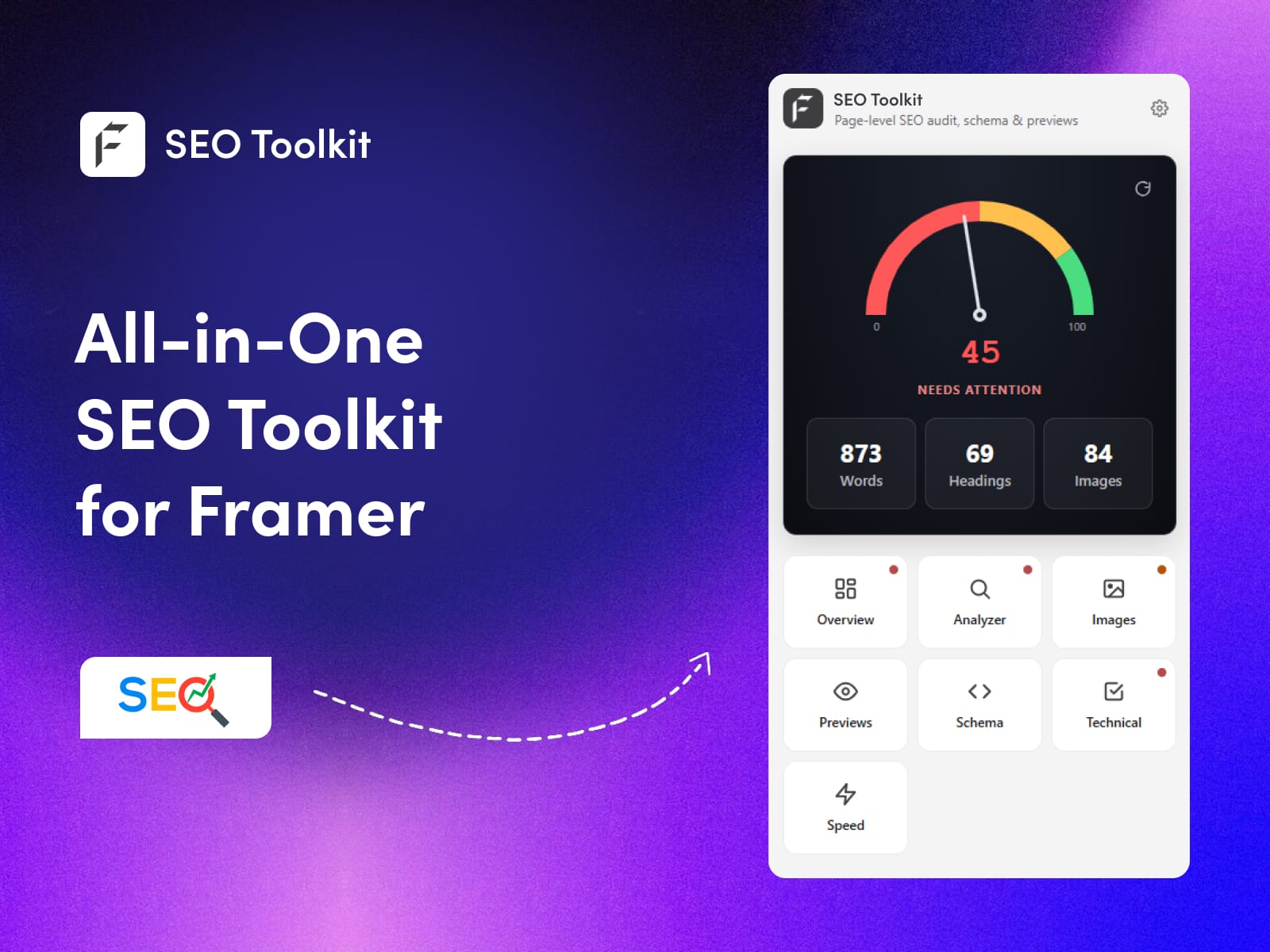
A speedometer SEO score (0-100) for the active page, live counts of words, headings, and images, and a 3×3 grid of tab cards for one-click navigation. A refresh icon re-reads the canvas on demand.
📋 Overview - Meta Tags Control Room
SEO Title editor with a 30-60 character bar that turns green at the optimal length
Meta Description editor with 120-160 character guidance
Focus Keyword field that powers Analyzer checks across title, description, first paragraph, and body density (0.5-3%)
Slug editor with lowercase, hyphen, and 60-char rules
Live metrics tile showing word count, Flesch reading-ease score, keyword density %, and H1 count
🔍 Analyzer - Issue Detection Engine
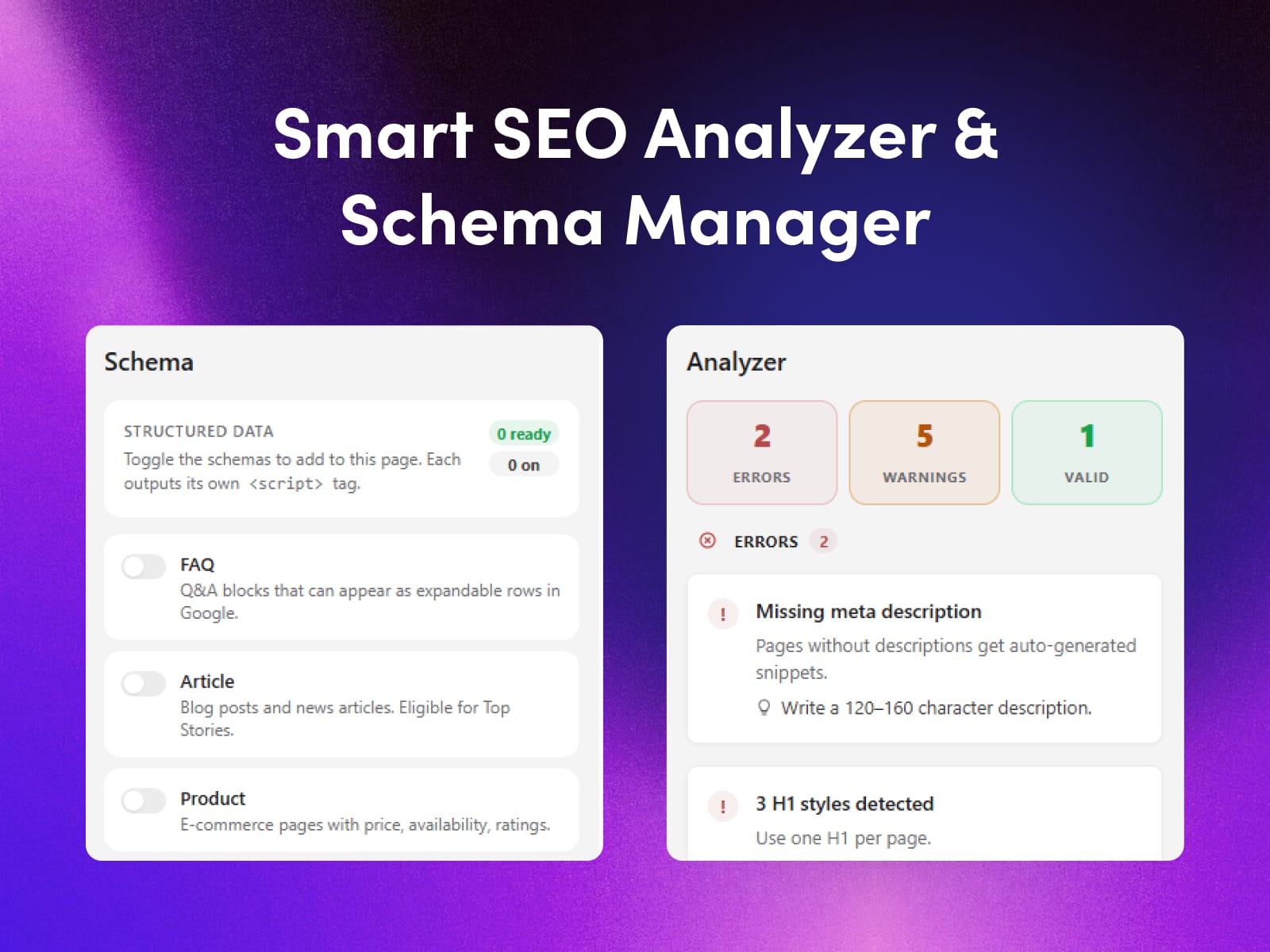
Detailed audit with four buckets:
🔴 Errors (must-fix)
🟠 Warnings (should-fix)
💡 Notes (suggestions)
✅ Valid (collapsible "what you got right").
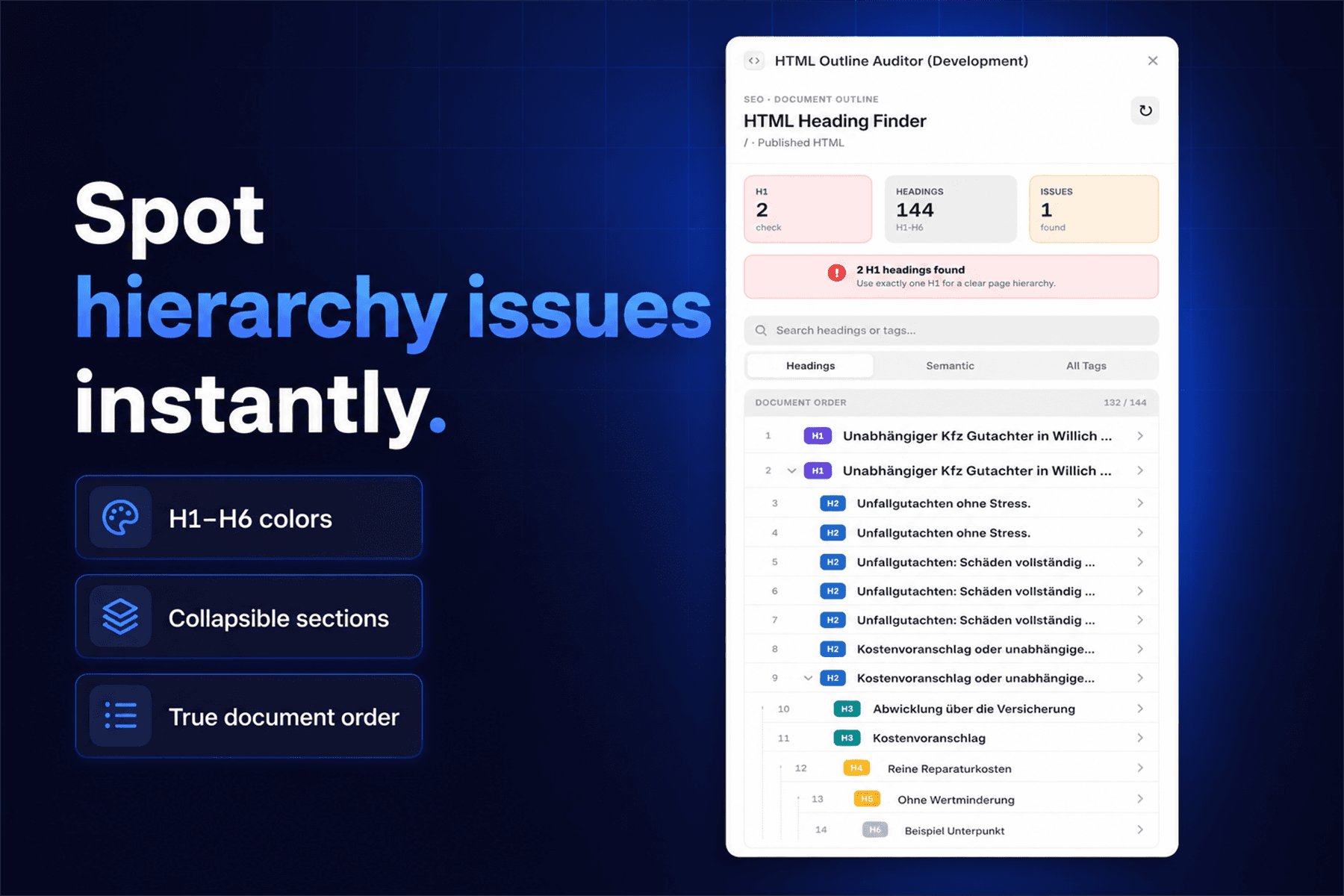
Each issue includes a plain-language fix. A Headings card visualizes your H1/H2/H3 outline.
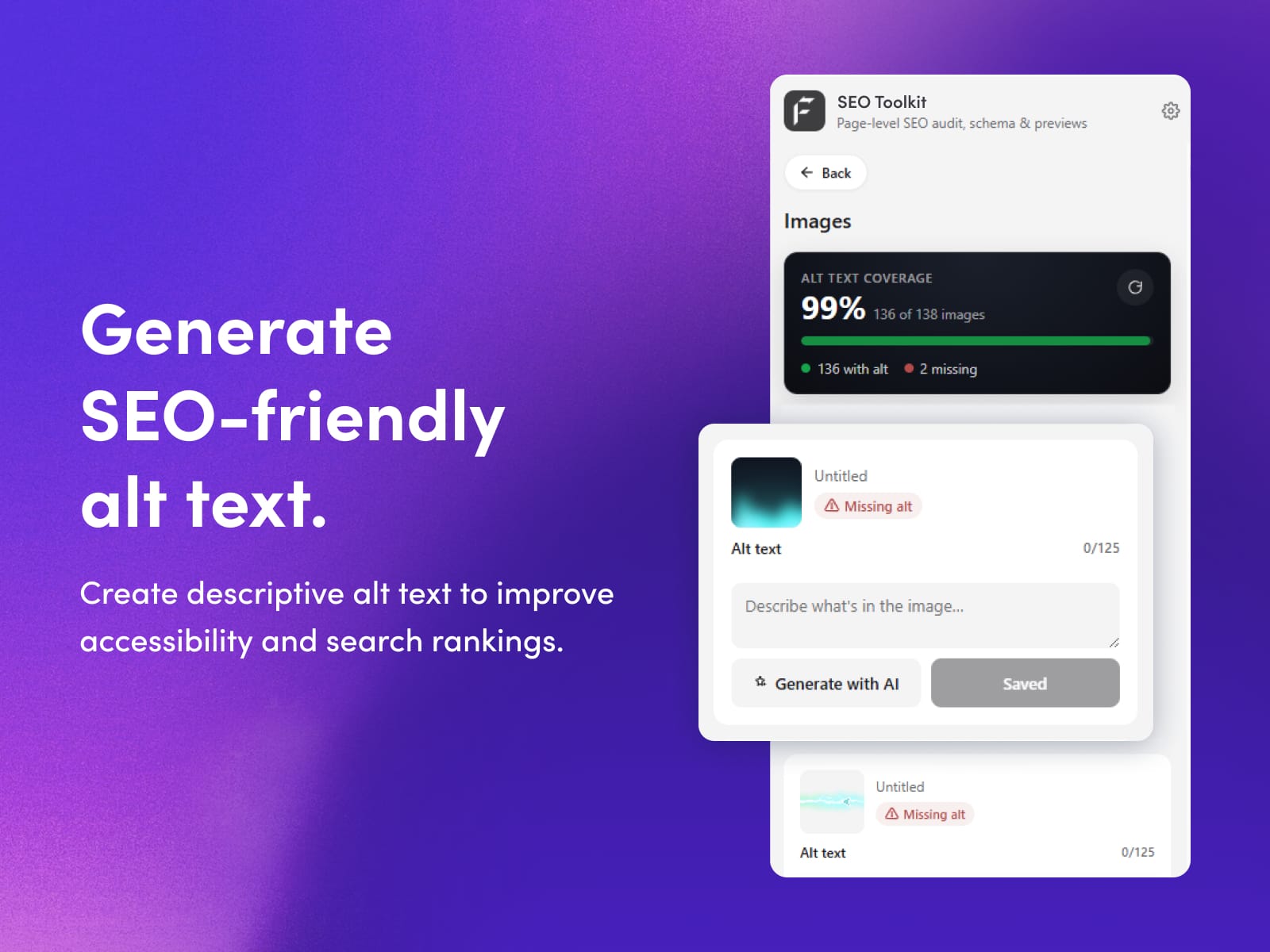
🖼 Images - Alt Text Manager
Coverage gauge showing % of images with alt text
Filter pills (All / Missing / Has alt)
An inline alt-text editor that writes directly back to the Framer canvas
AI Alt Text Generation using your own OpenAI key (gpt-4o-mini by default, gpt-4o optional)
Component-image awareness that tells you when an image lives inside a Framer component master
🌐 Previews - SERP & Social Simulator
Google Search preview with pixel-accurate Desktop / Mobile SERP simulator, real favicon rendering, and correct mobile truncation (55 vs 60 chars)
Social Card previews for Facebook, X (Twitter), and LinkedIn
Editable OG fields: og:title, og:description, og:image URL, twitter:card type
🧱 Schema - JSON-LD Generator (Framer Schema Markup Made Easy)
A complete Framer schema generator supporting 8 schema types: FAQ (expandable Q&A in Google search), Article (Top Stories carousel), Product (price, stock, star ratings), LocalBusiness (Google Maps panel), Event (events carousel), Review (star ratings), BreadcrumbList (hierarchical path display), and Organization (brand knowledge panel).
Toggle the types you need, fill the fields, copy the combined JSON-LD, and paste into Framer's Custom Code. This is the easiest schema markup plugin workflow available for Framer.
🛠 Technical - 9-Point SEO Checklist
Filterable audit (All / Errors / Warnings / Passing) covering title tag presence, meta description presence, single H1 rule, image alt coverage, slug cleanliness, indexability, canonical URL, duplicate title detection, and OG image presence.
⚡ Speed - Real Lighthouse Audit
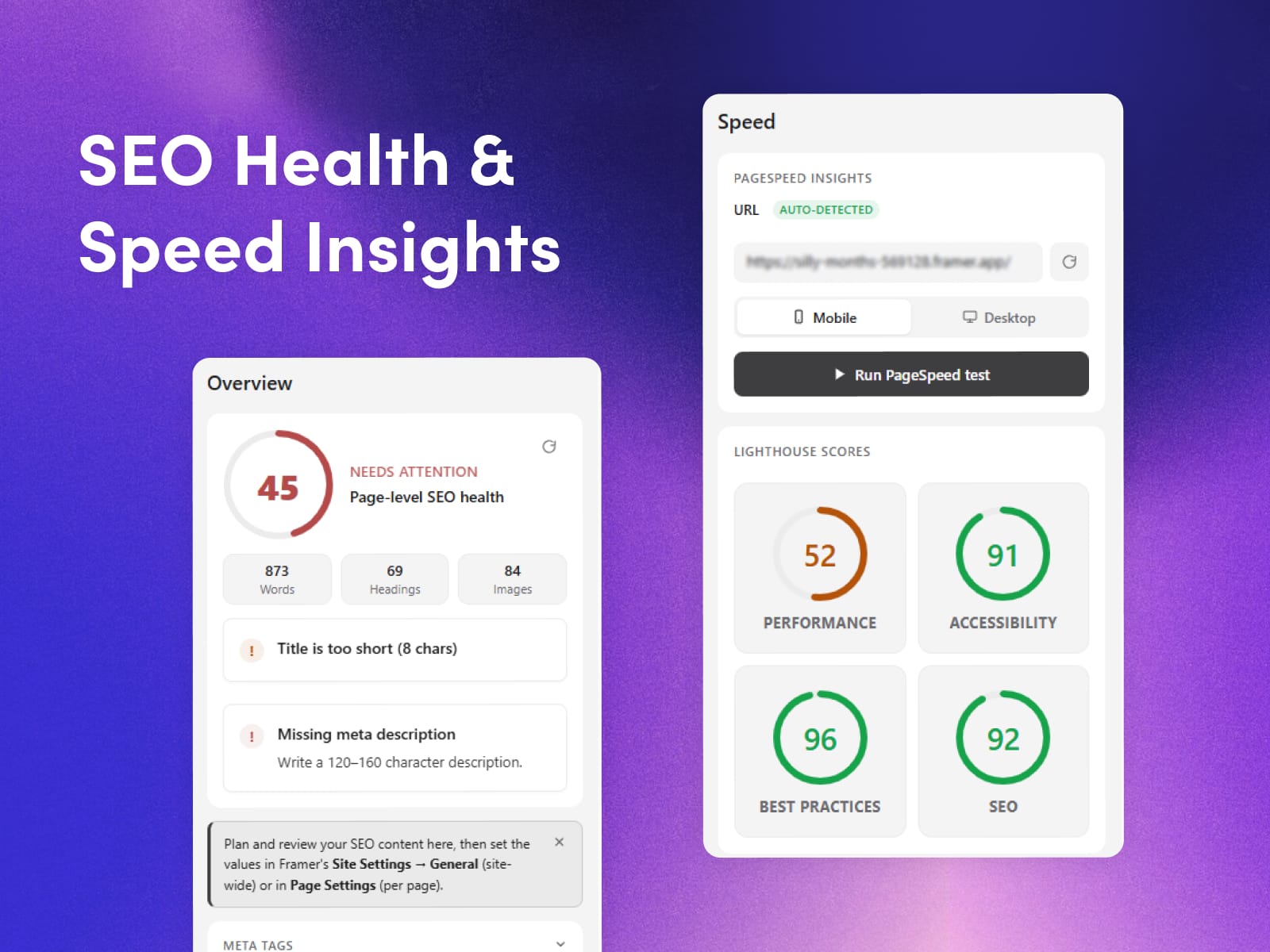
Runs Google's official PageSpeed Insights API (no API key required)
Mobile / Desktop toggle
Ring gauges for Performance, Accessibility, Best Practices, SEO
Lab metrics: First Contentful Paint, Largest Contentful Paint, Total Blocking Time, Cumulative Layout Shift, Speed Index
Expandable Diagnostics list with Lighthouse's specific recommendations
⚙️ Settings
OpenAI API key field (BYOK), model selector (gpt-4o-mini / gpt-4o), and a Test Connection button to verify your key before generating.
🔒 Privacy & Data Handling
API keys stored only in browser localStorage
Keys are transmitted only to api.openai.com, only when you click Generate
Speed tests call Google's public PageSpeed Insights API
Zero telemetry, zero analytics, zero tracking
1) What is an SEO plugin?
Answer:
An SEO plugin is a tool that integrates into your website builder (like Framer, WordPress, or Webflow) to help you optimize your pages for search engines. It analyzes your meta tags, headings, keyword usage, images, schema markup, and page speed in real time and gives you actionable fixes, so you don't have to leave your design environment to run an SEO audit.
2) Which free SEO plugin has the most tools?
Answer:
SEO Toolkit for Framer is one of the most feature-complete free SEO plugins available for Framer, bundling nine integrated tools into one plugin: a live SEO score, meta tag editor, issue analyzer, image alt-text manager, Google SERP preview, social card preview, JSON-LD schema generator (8 schema types), 9-point technical checklist, and real Lighthouse speed audits, all without a subscription. AI alt-text generation uses your own OpenAI key, keeping costs transparent and under your control.
3) Is SEO Toolkit free to use?
Answer:
Yes. The core plugin is completely free with no trial period, no paywall, and no premium tier. The only optional paid component is AI alt-text generation, which uses your own OpenAI API key, so you pay OpenAI directly (typically a fraction of a cent per image with gpt-4o-mini).
4) Do I need an OpenAI API key to use the plugin?
Answer:
No. An OpenAI key is only required if you want to auto-generate image alt text using AI. Every other feature, including the SEO score, analyzer, schema generator, SERP previews, technical checklist, and Lighthouse speed audit, works without any API key.
5) Will this plugin slow down my Framer site or add code to it?
Answer:
No. SEO Toolkit runs entirely inside Framer's plugin panel and does not inject any code, scripts, or tracking into your published website. It's a planning and audit tool, your live site stays exactly as you built it.
6) Does the plugin automatically update my SEO settings in Framer?
Answer:
No, and this is intentional. Framer's plugin SDK doesn't expose Site Settings and Page Settings for writing, so the plugin shows you the optimized values and you paste them into Framer's native fields. The one exception is image alt text, which the plugin can write directly to the canvas. This manual-paste workflow keeps you in control and prevents accidental overwrites.
7) Does it work with Framer CMS pages and dynamic content
Answer:
Yes. The plugin reads whichever page is active on the Framer canvas, including CMS template pages. You'll want to audit your CMS template once, then individual CMS entries inherit the same SEO structure.
Install SEO Toolkit from the Framer Marketplace, open it on any page in your project, and watch your speedometer score guide you to a fully optimized site. Whether you're a solo designer shipping a portfolio or an agency managing dozens of client sites, this SEO plugin for Framer turns search optimization from a chore into a checklist.