knokknokD
knokknokD

knokknokD

Visual designer exploring motion, interaction, 3D, and AI.Creating digital experiences you want to play with, not just look at.

Creator38 Listings
knokknokD
knokknokDin Marketplace·13h

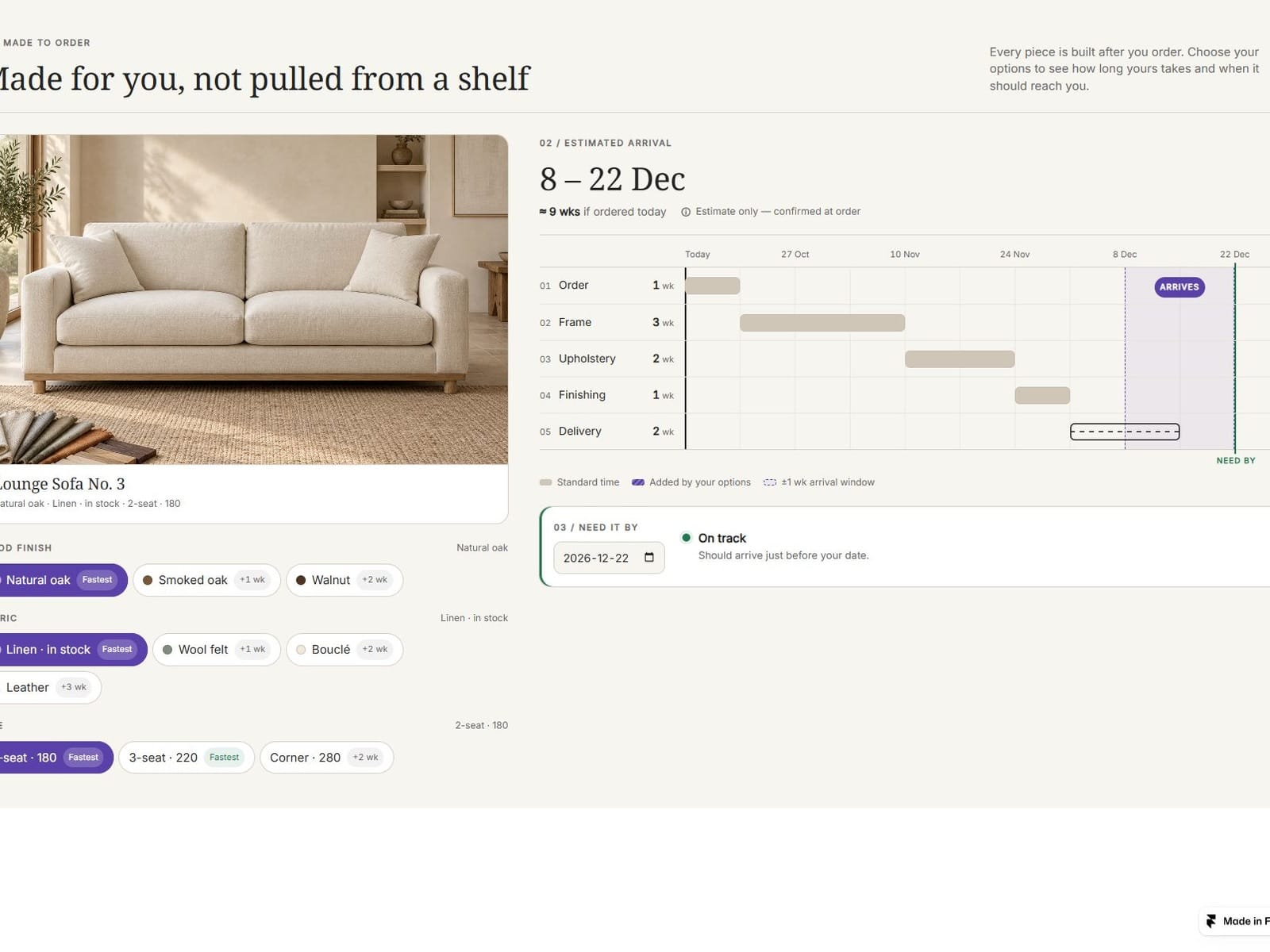
he question every Made-to-Order brand hears the most: "When will mine arrive?"

MadeToOrder is an interactive component that lets customers select options like wood finish, fabric, and size while instantly visualizing a dynamic production timeline and estimated arrival window.

Live Timelines: Stage-by-stage breakdowns that adapt dynamically to custom choices.

"Need It By" Check: Instant deadline tracking with one-tap faster alternatives.

Fully Customizable: Tailor your own stages, weeks, option groups, and locales.

Bring complete transparency to the custom shopping experience and boost conversions. (Made by knokknokD)
knokknokD
knokknokD21h

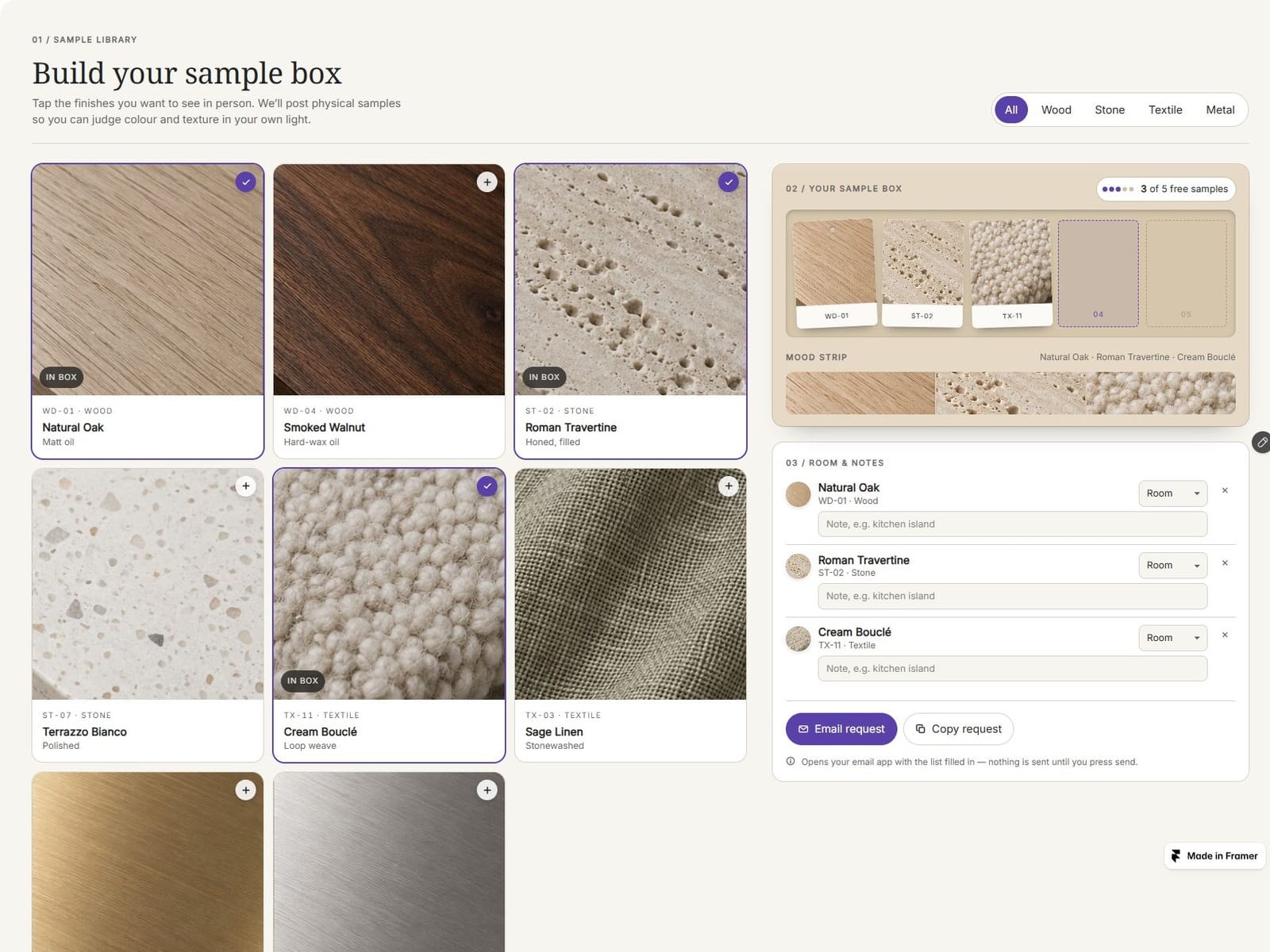
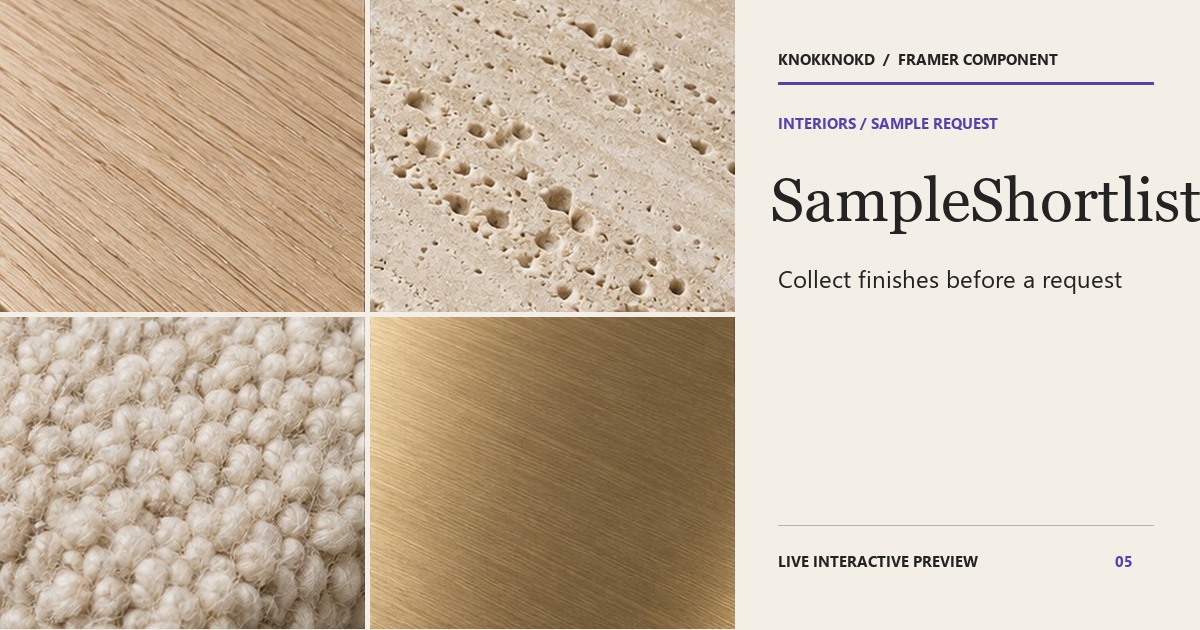
This component solves the biggest headache for interior designers and finishing material retailers—"sample requests scattered all over the place"—in one fell swoop! ✨

When you select a texture you like from a grid of cards that look just like real finishing materials, a chip is inserted diagonally into the kraft-toned sample box on the right, filling the empty slot. The mood strip below displays the selected finishes in a single, continuous row, making it immediately clear that “once you choose, it goes into the box and is ready to ship.” 🛠️📦

Just add this one component to your website! It’ll instantly elevate the quality of your product detail pages. 🤍

SampleShortlist — Collect finishes before a request
resourceful-success-495958.framer.app · Interactive Framer …
knokknokD
knokknokDin Marketplace·21h

🔒 SampleShortlist update: the optional form button now opens your configured URL as-is. It never appends sample picks, room choices, notes, or other visitor data.

Email Request and Copy Request still let visitors prepare their shortlist themselves. Built for interior designers and material studios who want sample requests to feel considered from the first click. ✨

knokknokD
knokknokDin Marketplace·1d

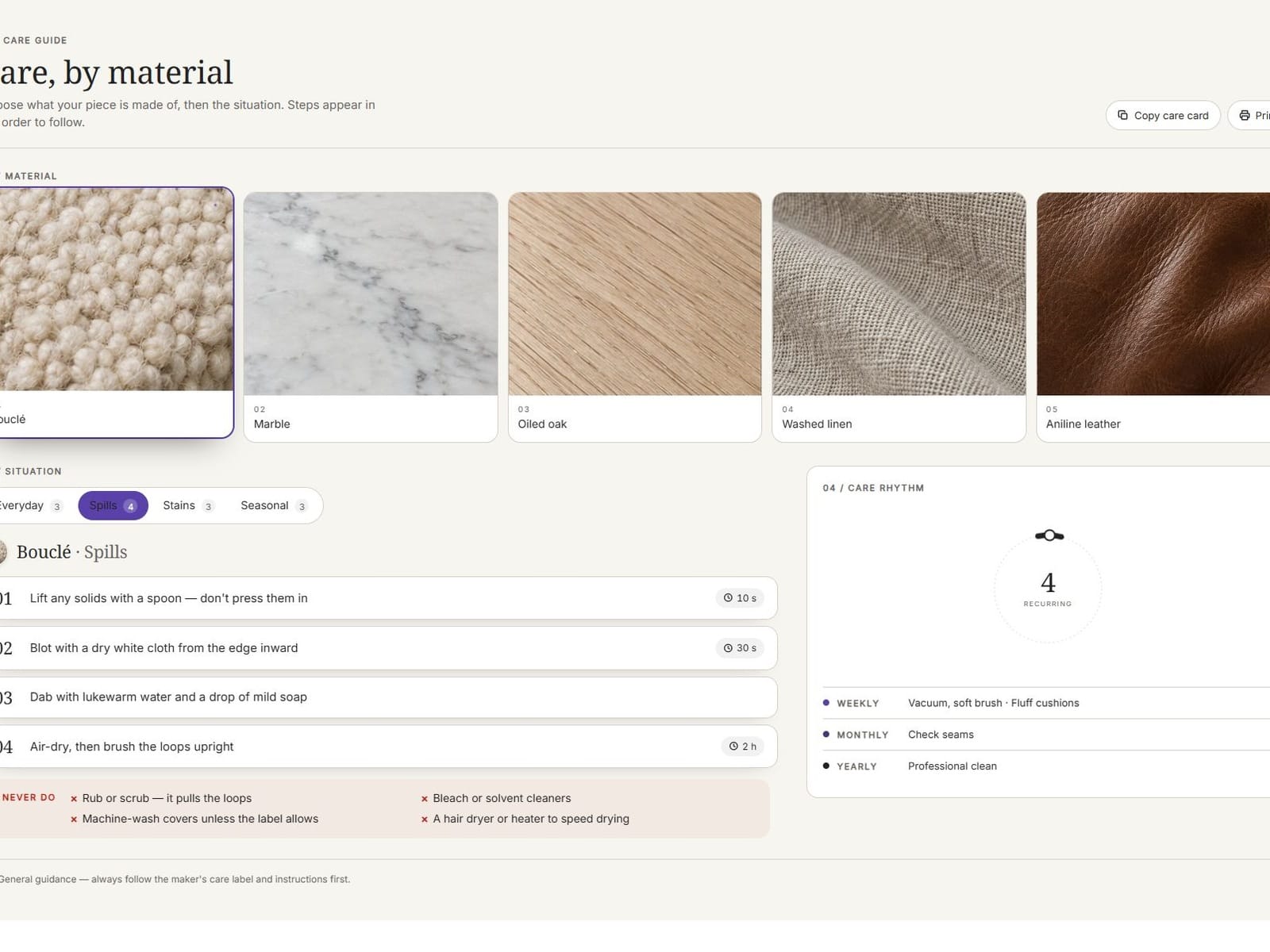
Just released CareSignal! ✨

An interactive component designed to guide users through material and situational care steps with smooth details. Elevate your website’s UI and user experience effortlessly.

knokknokD
knokknokDin Marketplace·2d

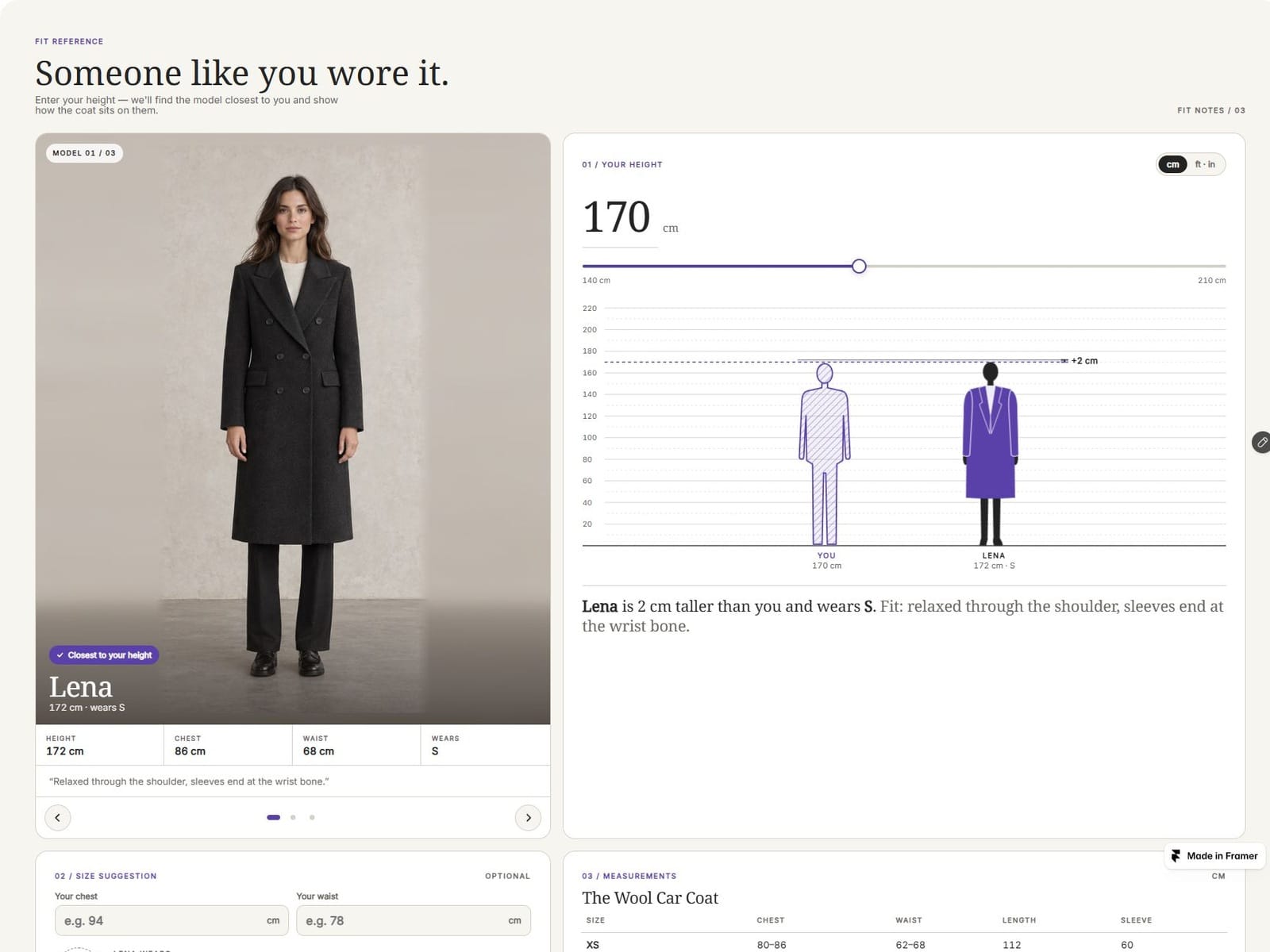
A must-have for customers who have trouble visualizing sizes based on measurements alone 📏 We just added FitReference to the store—it displays a model that’s the perfect fit for your height so you can get a sense of the size! ($15)

It’s sure to be a game-changer that helps reduce return rates on product detail pages. Check it out, and if you like it, please give it a little heart ❤️!

Reposted by knokknokD
knokknokD
knokknokD1w

I’m good at making things. Marketing them… not so much. 🥲

So every like genuinely makes me happy and keeps me making more.

Still wondering though — is a like basically the Framer version of “add to cart”? 👀

If you’re seeing this before buying, here’s a little gift: KNKFAIRY = 30% OFF 🧚

It should work on everything in my store. If it doesn’t, yell at me in the comments and I’ll fix it.

Thanks for supporting a maker who is still learning how to market her stuff. 🤍

knokknokD
knokknokDin Marketplace·3d

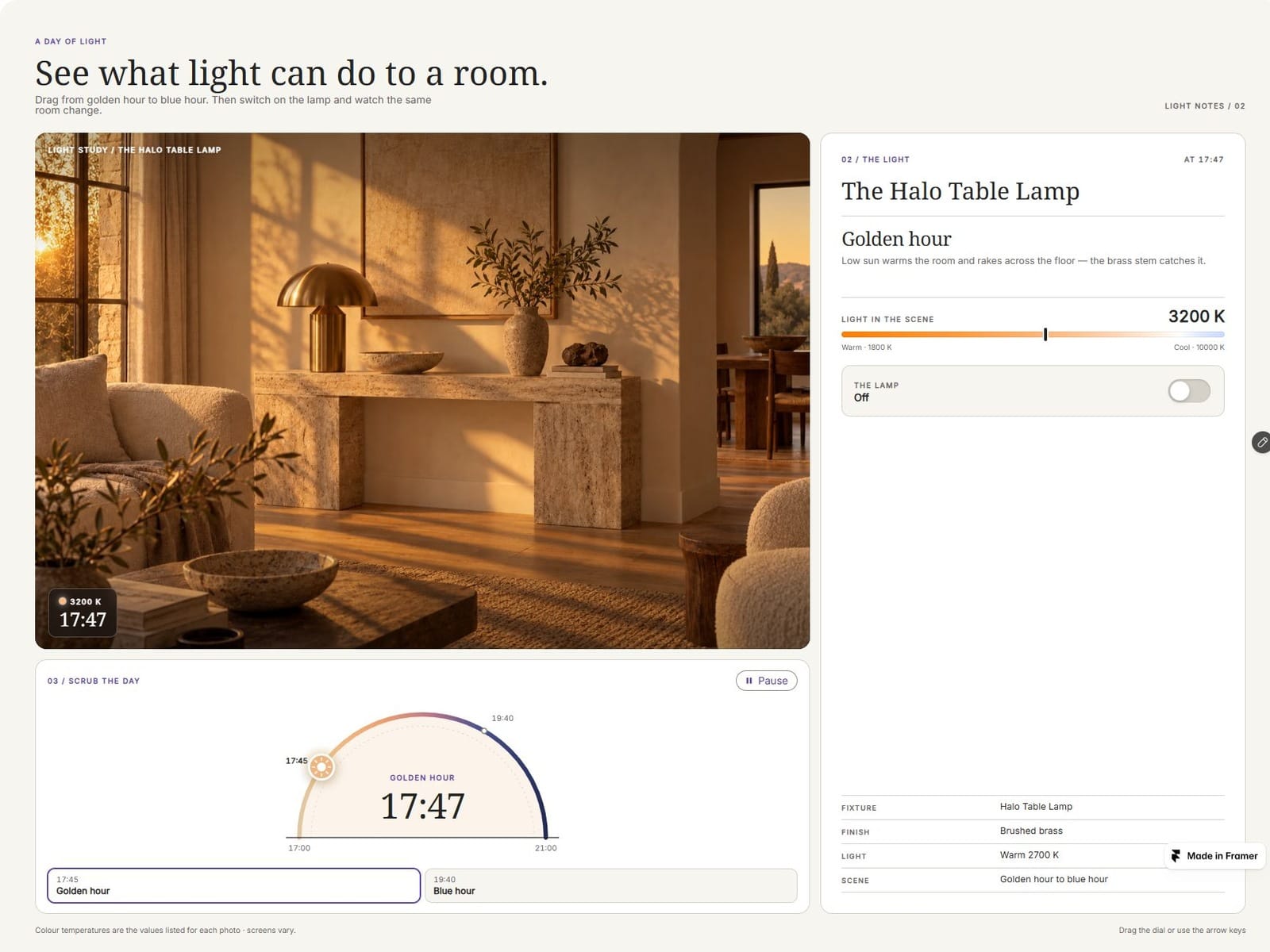
💡 What does this fixture feel like from morning to night? LightMood lets visitors scrub through the same room as daylight changes, then switch the lamp on. Try the live preview and see the light shift.

knokknokD
knokknokDin Marketplace·3d

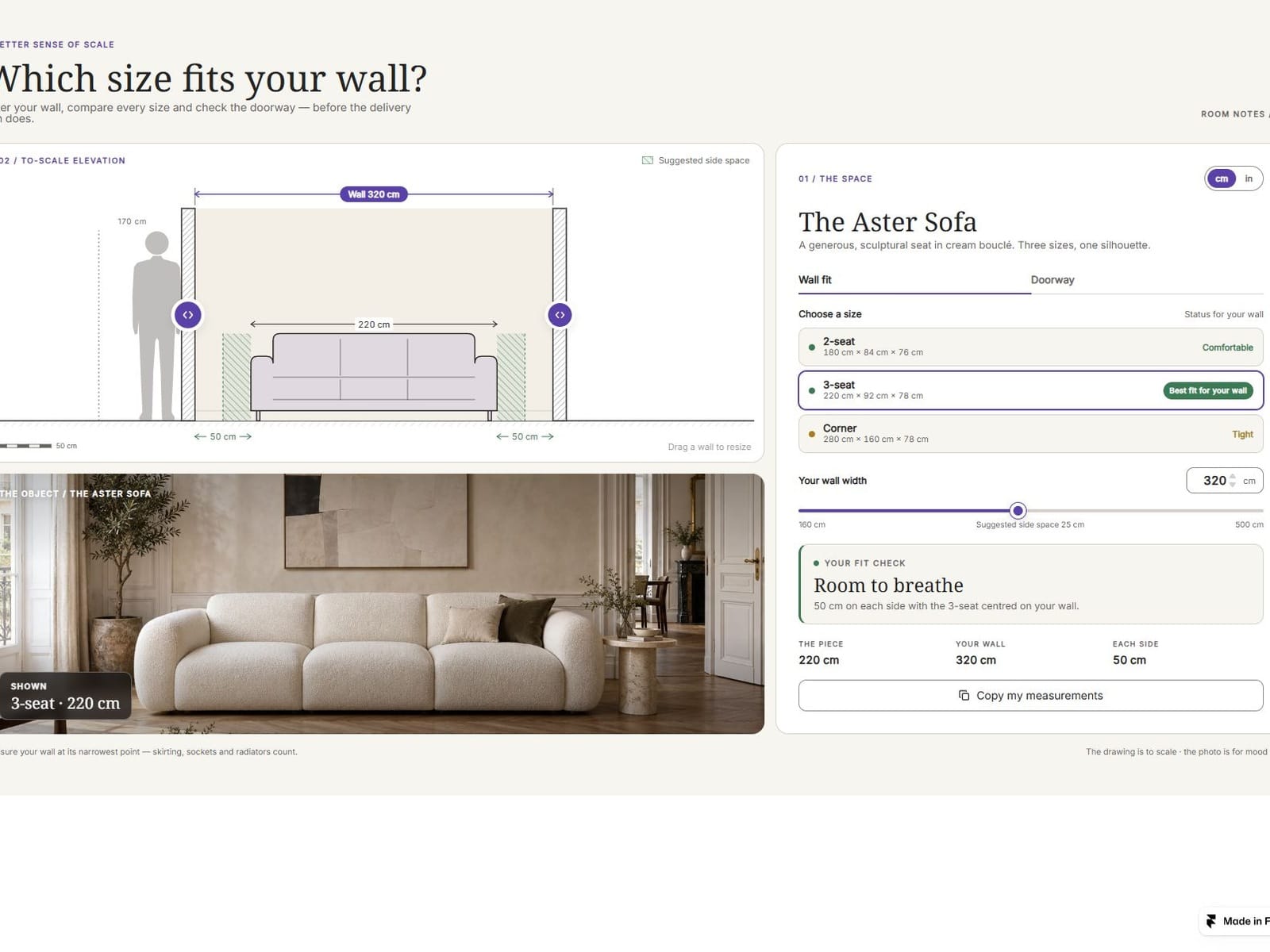
🛋️ Will it fit the wall? RoomScale lets shoppers compare furniture sizes against their own measurements in a live, to-scale drawing. Try the wall slider and doorway check in the preview.

knokknokD
knokknokDin Marketplace·4d

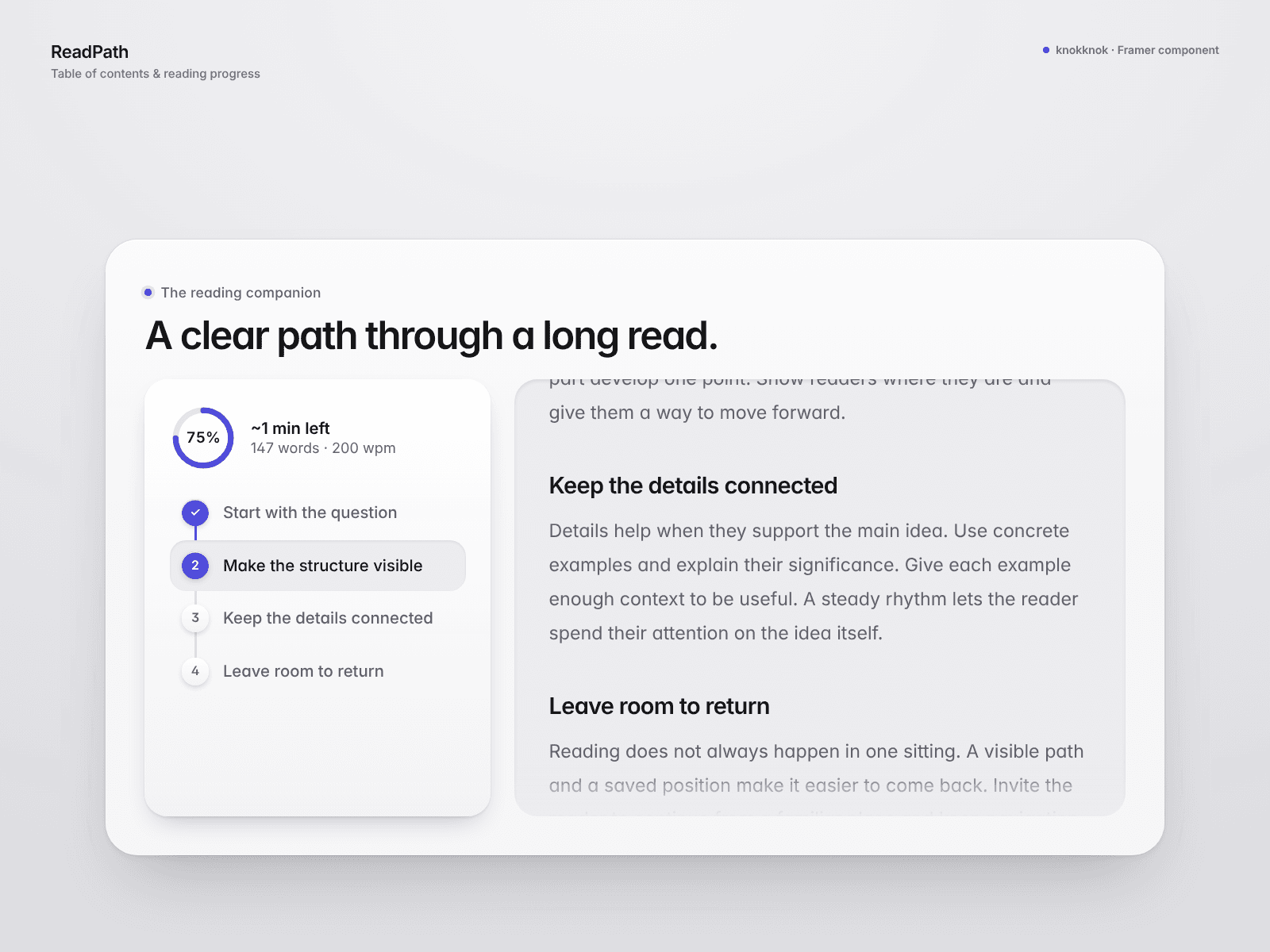
📖 Give long reads a clearer path.

ReadPath adds an automatic table of contents, a progress ring and estimated reading time left to Framer articles.

Visitors can jump between sections or optionally continue from a position saved in their browser. Set a scroll offset for fixed headers.

Page mode reads your published article using CSS selectors. The live preview uses a self-contained demo article.

Try the live preview 👇

https://divine-airport-695116.framer.app/

knokknokD
knokknokDin Marketplace·6d

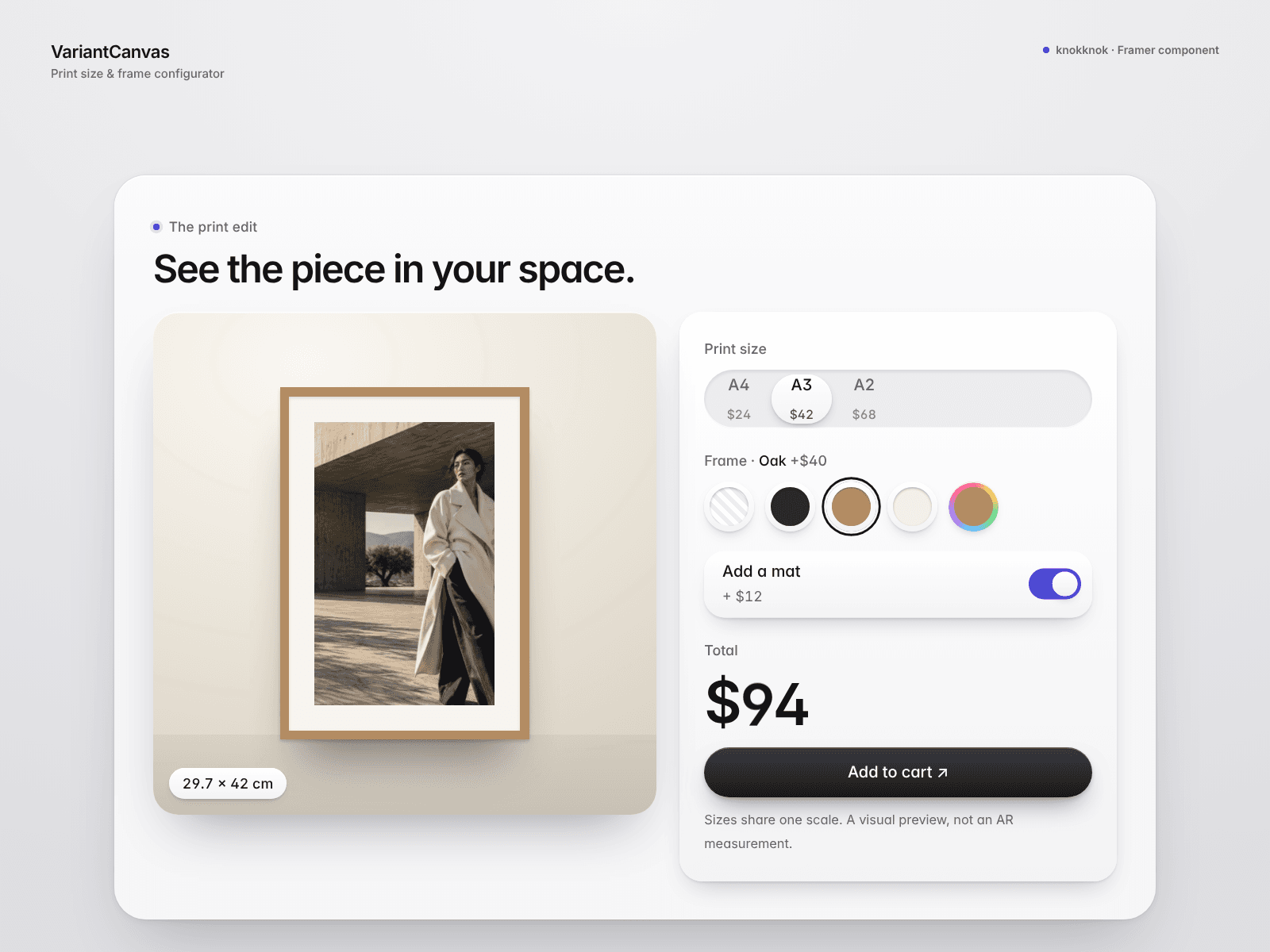
🖼️ Let visitors find their print, frame and mat.

VariantCanvas is an art-print configurator for Framer with size previews, frame colours, an optional mat and a live price total.

Disable unavailable size/frame pairs and link to your product page with the chosen options in URL parameters.

Made for print studios and poster sellers. This is a visual preview, not AR; your store must read the parameters to carry the selection through.

Try the live preview 👇

https://mobile-company-642246.framer.app/

knokknokD
knokknokDin Marketplace·6d

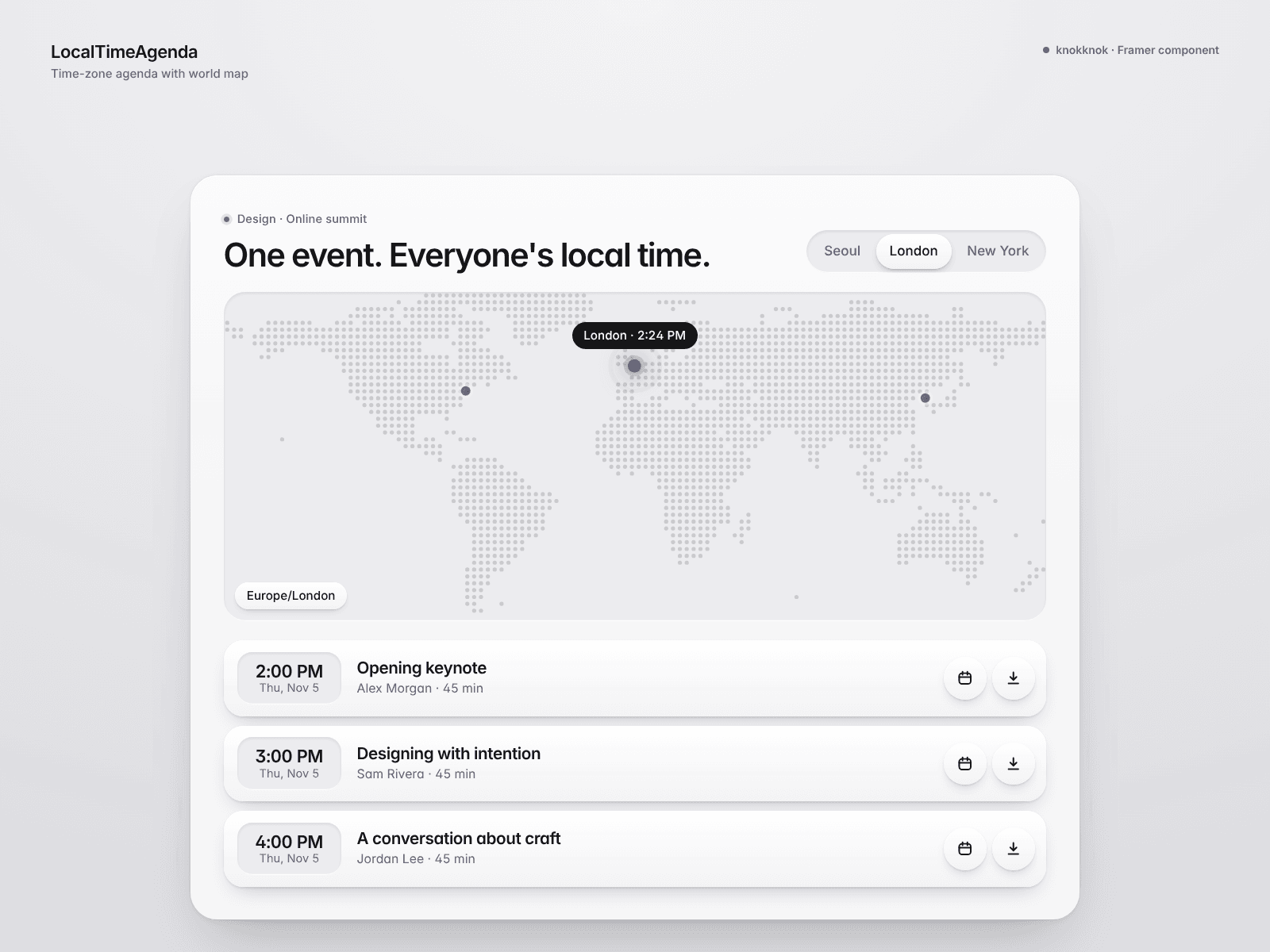
🌍 One event, viewed in local time.

LocalTimeAgenda pairs a dot world map with an event schedule in Framer. Visitors can choose a city or use automatic time-zone detection to see session dates and times in their zone.

Add Google Calendar links and downloadable .ics events, plus optional join links.

Built for international webinars and events. The map is a simplified visual; sessions are entered manually.

Try the live preview 👇

https://exact-updates-252939.framer.app/

knokknokD
knokknokD1w

I’m good at making things. Marketing them… not so much. 🥲

So every like genuinely makes me happy and keeps me making more.

Still wondering though — is a like basically the Framer version of “add to cart”? 👀

If you’re seeing this before buying, here’s a little gift: KNKFAIRY = 30% OFF 🧚

It should work on everything in my store. If it doesn’t, yell at me in the comments and I’ll fix it.

Thanks for supporting a maker who is still learning how to market her stuff. 🤍

knokknokD
knokknokDin Marketplace·1w

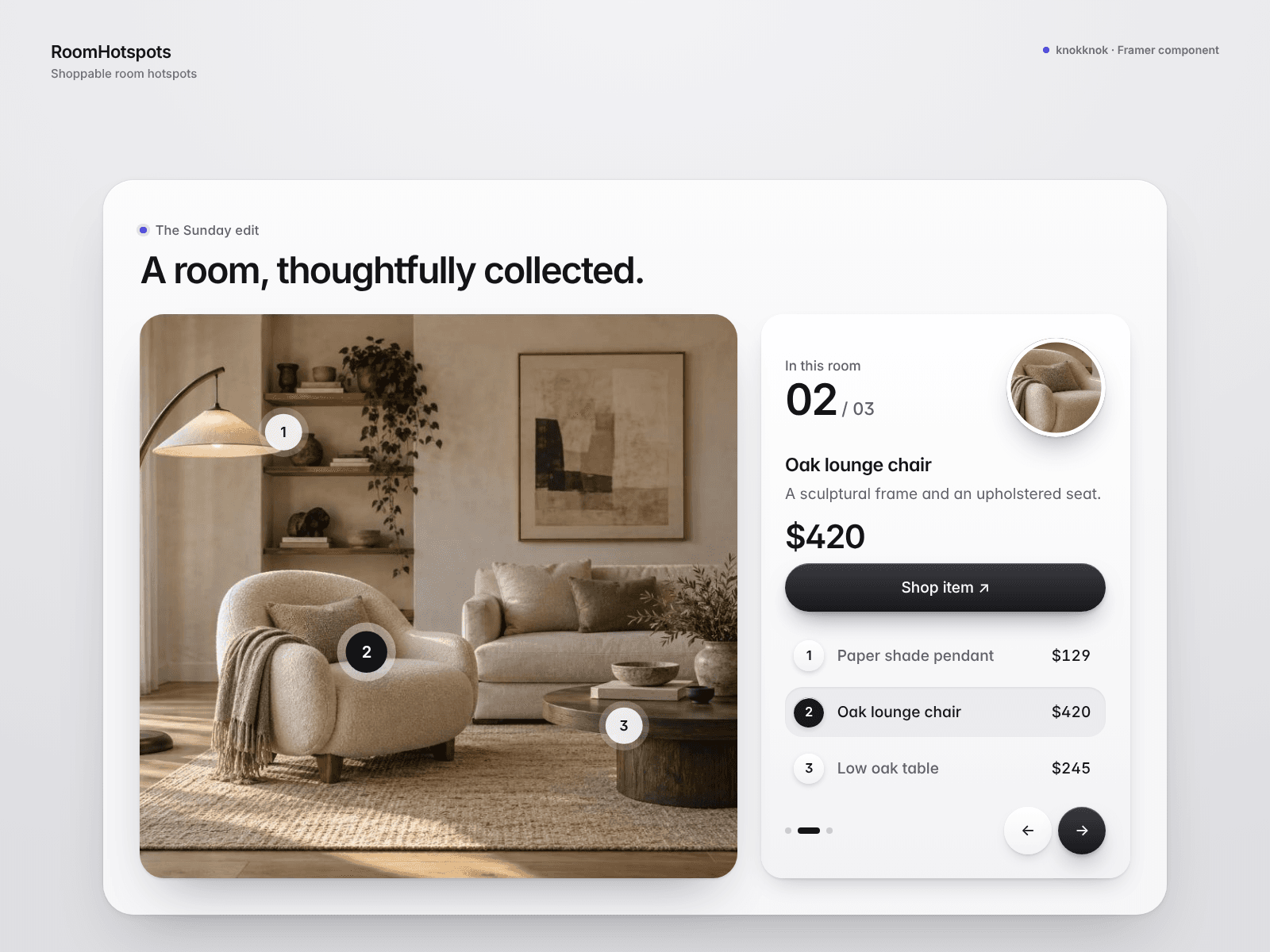
🏡 Turn a room photo into a product story.

RoomHotspots adds interactive pins with prices and product links to your Framer page. A detail lens and linked product list help visitors explore the objects in the image.

Optional affiliate disclosure, sponsored/nofollow link attributes and UTM source settings support affiliate content.

Ideal for interiors and lifestyle editorials. Prices and links are entered manually; preview links are examples.

Try the live preview 👇

https://vibrant-hexagon-318803.framer.app/

knokknokD
knokknokDin Marketplace·1w

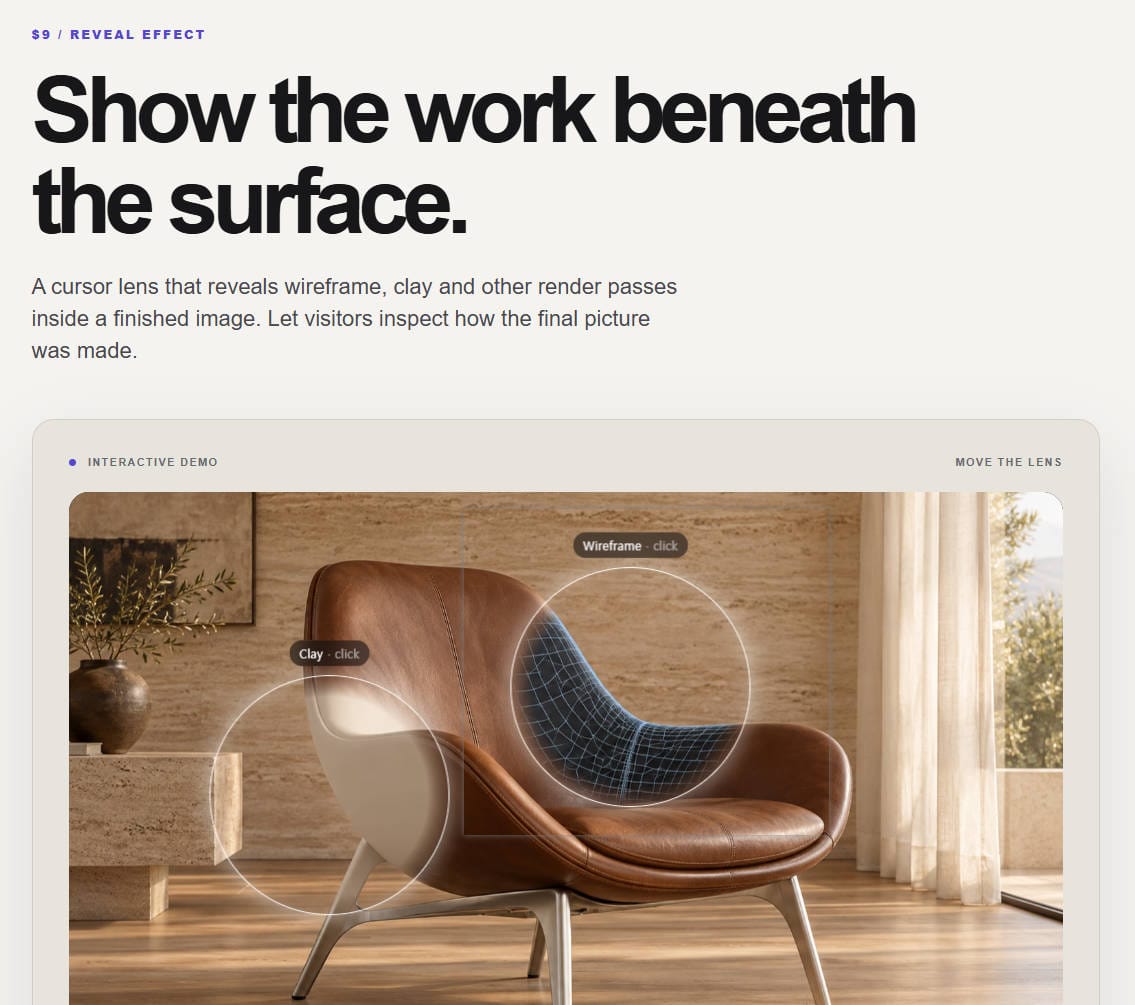
🔍 Let visitors see beneath the final render.

Material Lens reveals a second image only inside a moving cursor lens. Show a wireframe-style pass, clay view or any before/after pair, then switch to a full wipe comparison. Supply aligned images of your own work for the best result.

Move the lens in the live preview 👇

https://fun-pitch-334364.framer.app/

knokknokD
knokknokD1w

Just a quiet builder at heart who struggles with marketing... 😅

I've got a whole stash of components/experiments sitting on my drive, and I’m slowly releasing them one by one!

Honestly, it still feels so surreal whenever someone likes my post or hits follow. Huge thank you to everyone supporting my work—it truly keeps me going! ❤️

Lately, I’ve also been dipping my toes into Reddit and X to share my process. For those of you sharing your work out there—how do you usually handle marketing and stay consistent with posting? I’d love to hear your stories or tips! ☕✨