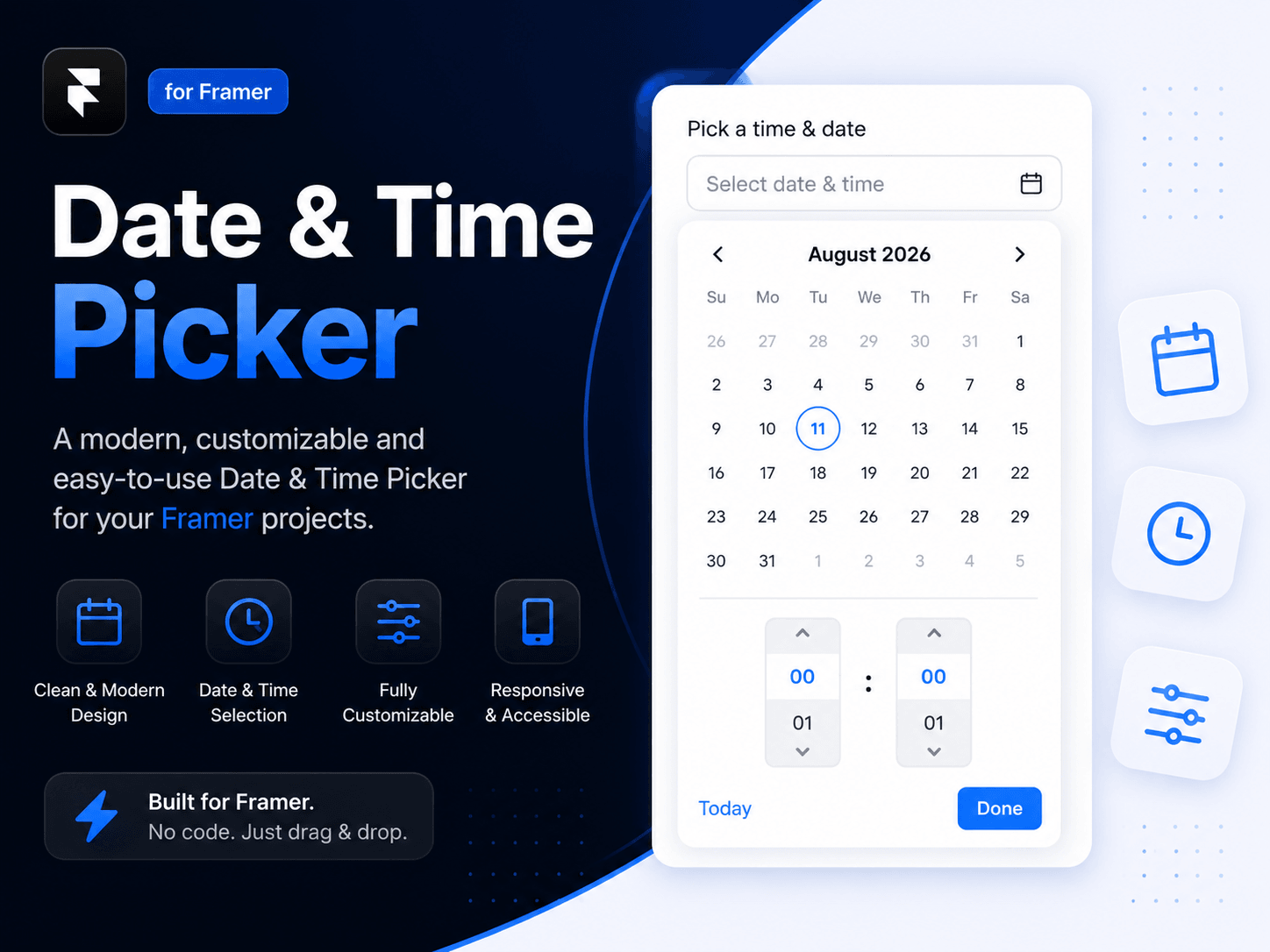
A Form-ready date and time picker for Framer. Let visitors choose a date, select a time with touch-friendly scroll controls, and submit the result through a native Framer form field.
Date and optional time selection
Scrollable hour and minute pickers for mouse and mobile touch
Form-ready Field Name control with ISO date/time submission
Week can start on any day, Sunday through Saturday
12-hour or 24-hour time formats
Configurable minute intervals, date limits, and past-date blocking
Responsive popup positioning that stays within the available screen area
Keyboard support, click-outside closing, and Escape-to-close
Fully customizable typography, colors, borders, radii, spacing, and shadow
Add the component to your Framer project.
Place it inside a Framer Form.
Set Field Name to the submission key you need, such as appointment_datetime.
Leave Value empty to let visitors select their own date and time.
Set date/time format, restrictions, and visual styles from the property panel.
The selected value is submitted as an ISO date/time, for example 2026-08-11T14:30:00.000Z.
Use a valid ISO string in Value only when controlling the picker through a Framer variable or override.
Appointment and consultation bookings
Event registrations
Demo requests
Restaurant or service reservations
Delivery and pickup scheduling
Contact forms requiring preferred dates
Availability and meeting requests
Use the property panel to customize:
Field Name — form submission key
Week Starts — Sunday through Saturday
Show Time / 24-Hour / Minute Step — time behavior
Min Date / Max Date / Disable Past — date availability
Font, colors, borders, radii, padding, and shadows — match any brand
Product: Date & Time Picker for Framer
Delivery: Framer component URL after purchase
Installation: Paste the component URL directly into a Framer project
Support: injamulhaquesomrat@gmail.com

A Form-ready date and time picker for Framer. Let visitors choose a date, select a time with touch-friendly scroll controls, and submit the result through a native Framer form field.
Date and optional time selection
Scrollable hour and minute pickers for mouse and mobile touch
Form-ready Field Name control with ISO date/time submission
Week can start on any day, Sunday through Saturday
12-hour or 24-hour time formats
Configurable minute intervals, date limits, and past-date blocking
Responsive popup positioning that stays within the available screen area
Keyboard support, click-outside closing, and Escape-to-close
Fully customizable typography, colors, borders, radii, spacing, and shadow
Add the component to your Framer project.
Place it inside a Framer Form.
Set Field Name to the submission key you need, such as appointment_datetime.
Leave Value empty to let visitors select their own date and time.
Set date/time format, restrictions, and visual styles from the property panel.
The selected value is submitted as an ISO date/time, for example 2026-08-11T14:30:00.000Z.
Use a valid ISO string in Value only when controlling the picker through a Framer variable or override.
Appointment and consultation bookings
Event registrations
Demo requests
Restaurant or service reservations
Delivery and pickup scheduling
Contact forms requiring preferred dates
Availability and meeting requests
Use the property panel to customize:
Field Name — form submission key
Week Starts — Sunday through Saturday
Show Time / 24-Hour / Minute Step — time behavior
Min Date / Max Date / Disable Past — date availability
Font, colors, borders, radii, padding, and shadows — match any brand
Product: Date & Time Picker for Framer
Delivery: Framer component URL after purchase
Installation: Paste the component URL directly into a Framer project
Support: injamulhaquesomrat@gmail.com