ShimmerAccordion
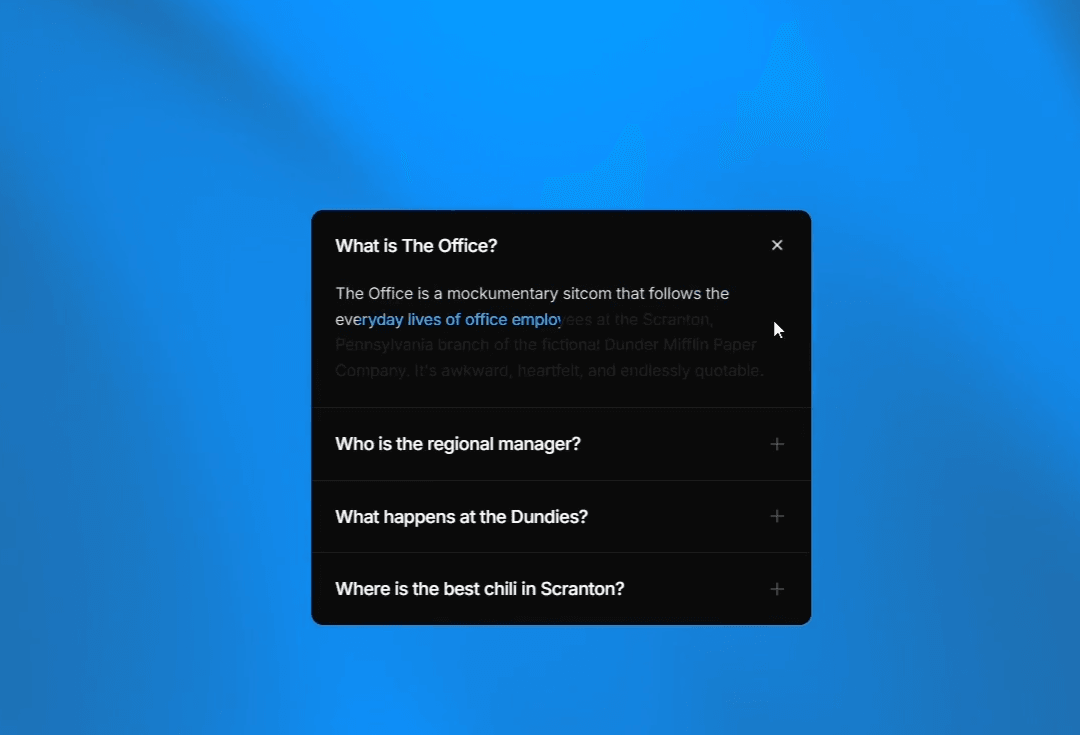
A fully customizable Framer FAQ accordion component. Build expandable FAQ sections where each answer opens with a one-time text shimmer — a bright band sweeps through the copy, then settles into clear, readable text.
How it works
Add FAQ questions and answers directly in the Properties panel, so you can update accordion content or reorder items without touching code. When a question opens, the answer starts dimmed and a shimmer band moves through it once before landing at full opacity. Timing scales with answer length, so short and long FAQ replies feel consistent.
Variables
Items — FAQ questions and answers for your accordion, editable and reorderable without code
Answer Text — Final color of the revealed FAQ answer
Dim Opacity — How faded the accordion answer looks before the shimmer finishes
Shimmer Stops — Color and spread of the shimmer band on FAQ text
Speed — How fast the shimmer moves through each accordion answer; higher is faster
Background / Title / Divider — Colors for the FAQ panel, accordion questions, and separators
Radius & Padding — Roundness and spacing of the accordion container
Multiple Open — Allow more than one FAQ item open at once
Default Open — Which accordion item starts expanded (−1 for all closed)
Title Font / Answer Font — Typography for FAQ questions and answers
Design
A clean FAQ accordion layout with stacked questions, subtle dividers, and expandable answers. The shimmer lives in the answer text itself — not on borders or backgrounds — so your FAQ section stays readable and adapts to light or dark layouts.
Use cases
Website FAQ accordion — Product, pricing, shipping, or onboarding FAQs with a polished reveal
Landing page FAQ section — Expandable accordion answers that address common objections
Help center / support FAQ — Clear accordion FAQs for docs, support, and customer questions
SaaS FAQ page — Feature, billing, and plan comparison questions in a branded accordion

ShimmerAccordion
A fully customizable Framer FAQ accordion component. Build expandable FAQ sections where each answer opens with a one-time text shimmer — a bright band sweeps through the copy, then settles into clear, readable text.
How it works
Add FAQ questions and answers directly in the Properties panel, so you can update accordion content or reorder items without touching code. When a question opens, the answer starts dimmed and a shimmer band moves through it once before landing at full opacity. Timing scales with answer length, so short and long FAQ replies feel consistent.
Variables
Items — FAQ questions and answers for your accordion, editable and reorderable without code
Answer Text — Final color of the revealed FAQ answer
Dim Opacity — How faded the accordion answer looks before the shimmer finishes
Shimmer Stops — Color and spread of the shimmer band on FAQ text
Speed — How fast the shimmer moves through each accordion answer; higher is faster
Background / Title / Divider — Colors for the FAQ panel, accordion questions, and separators
Radius & Padding — Roundness and spacing of the accordion container
Multiple Open — Allow more than one FAQ item open at once
Default Open — Which accordion item starts expanded (−1 for all closed)
Title Font / Answer Font — Typography for FAQ questions and answers
Design
A clean FAQ accordion layout with stacked questions, subtle dividers, and expandable answers. The shimmer lives in the answer text itself — not on borders or backgrounds — so your FAQ section stays readable and adapts to light or dark layouts.
Use cases
Website FAQ accordion — Product, pricing, shipping, or onboarding FAQs with a polished reveal
Landing page FAQ section — Expandable accordion answers that address common objections
Help center / support FAQ — Clear accordion FAQs for docs, support, and customer questions
SaaS FAQ page — Feature, billing, and plan comparison questions in a branded accordion


