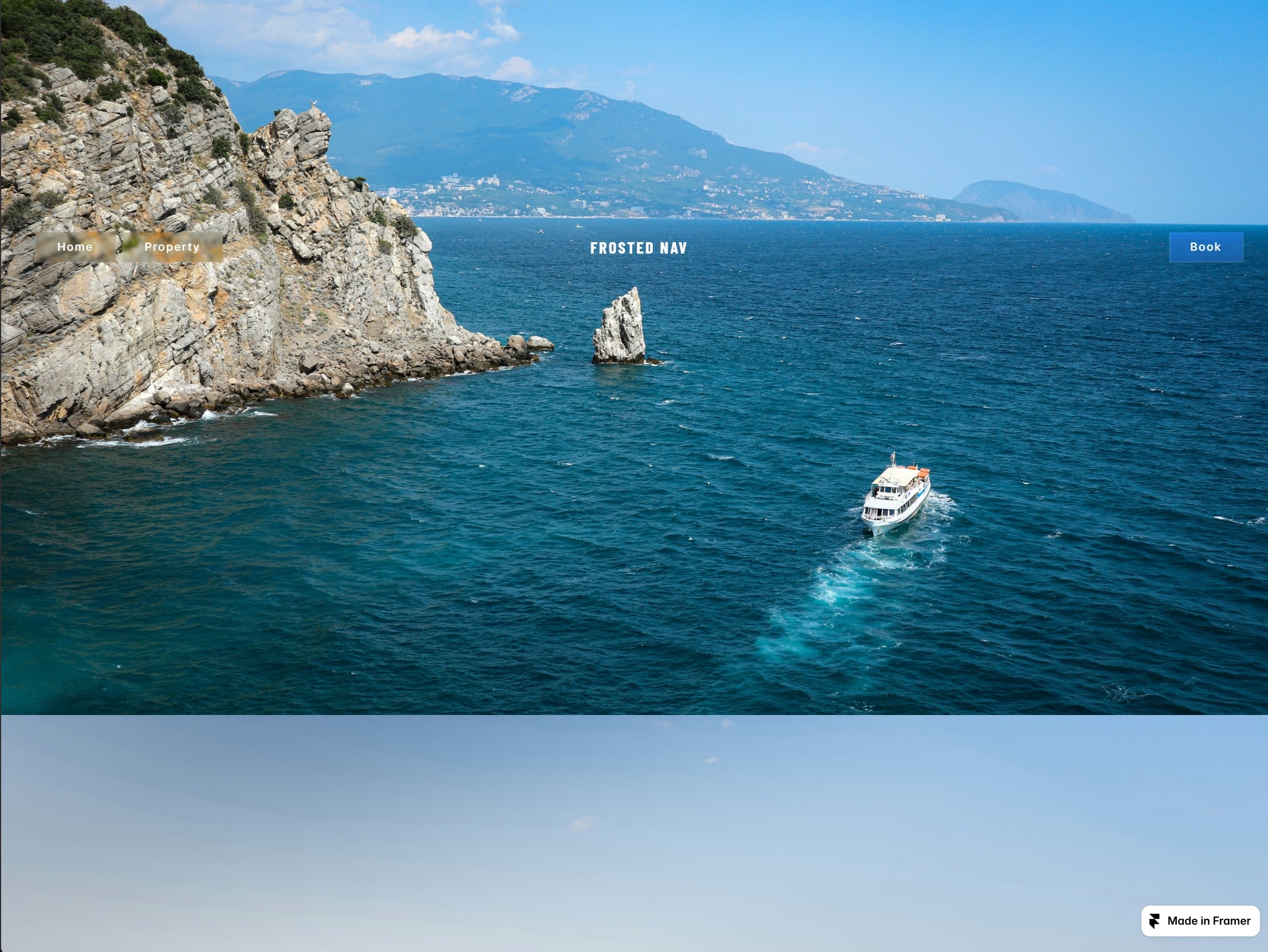
A navigation bar that floats over your page in frosted glass, hides as visitors scroll down and returns as they scroll up. Drop it on a page, type your links in the panel, and it works - no setup, no code.
The bar
Pill-shaped links in frosted glass, over any background
One Frost slider controls the glass - blur, saturation and brightness move together
Wordmark in the centre, or a logo: upload an image or paste SVG code
Pasted SVG can be recoloured to any colour, strokes included
Booking button on the right, outlined or solid
Optional secondary link beside the main set
Add as many links as you need
Where it sits
Hold it at any height on the screen - 0% is the top, 50% the middle, 100% the foot
Preview that position on the canvas instead of publishing to find out
Hide-on-scroll leaves by whichever edge it is nearest to
Offset in pixels for the fine adjustment
The menu
Set the burger width in pixels: below it the bar becomes a menu button
Set it above your widest breakpoint and every visitor gets the burger - a look in its own right
Full-screen menu with its own type, colours and two call-to-action buttons
Page scroll locks while it is open
Made to customise
Type any Google Font name and it loads automatically
Full control over sizes, spacing, padding and letter spacing
84 panel controls, grouped into Links, Brand, Bar, Book Button, Typography, Menu and Behaviour
Respects reduced-motion settings; animation can be turned off entirely
Responsive across desktop, tablet and mobile.

A navigation bar that floats over your page in frosted glass, hides as visitors scroll down and returns as they scroll up. Drop it on a page, type your links in the panel, and it works - no setup, no code.
The bar
Pill-shaped links in frosted glass, over any background
One Frost slider controls the glass - blur, saturation and brightness move together
Wordmark in the centre, or a logo: upload an image or paste SVG code
Pasted SVG can be recoloured to any colour, strokes included
Booking button on the right, outlined or solid
Optional secondary link beside the main set
Add as many links as you need
Where it sits
Hold it at any height on the screen - 0% is the top, 50% the middle, 100% the foot
Preview that position on the canvas instead of publishing to find out
Hide-on-scroll leaves by whichever edge it is nearest to
Offset in pixels for the fine adjustment
The menu
Set the burger width in pixels: below it the bar becomes a menu button
Set it above your widest breakpoint and every visitor gets the burger - a look in its own right
Full-screen menu with its own type, colours and two call-to-action buttons
Page scroll locks while it is open
Made to customise
Type any Google Font name and it loads automatically
Full control over sizes, spacing, padding and letter spacing
84 panel controls, grouped into Links, Brand, Bar, Book Button, Typography, Menu and Behaviour
Respects reduced-motion settings; animation can be turned off entirely
Responsive across desktop, tablet and mobile.
 Tamás Péter