About Component
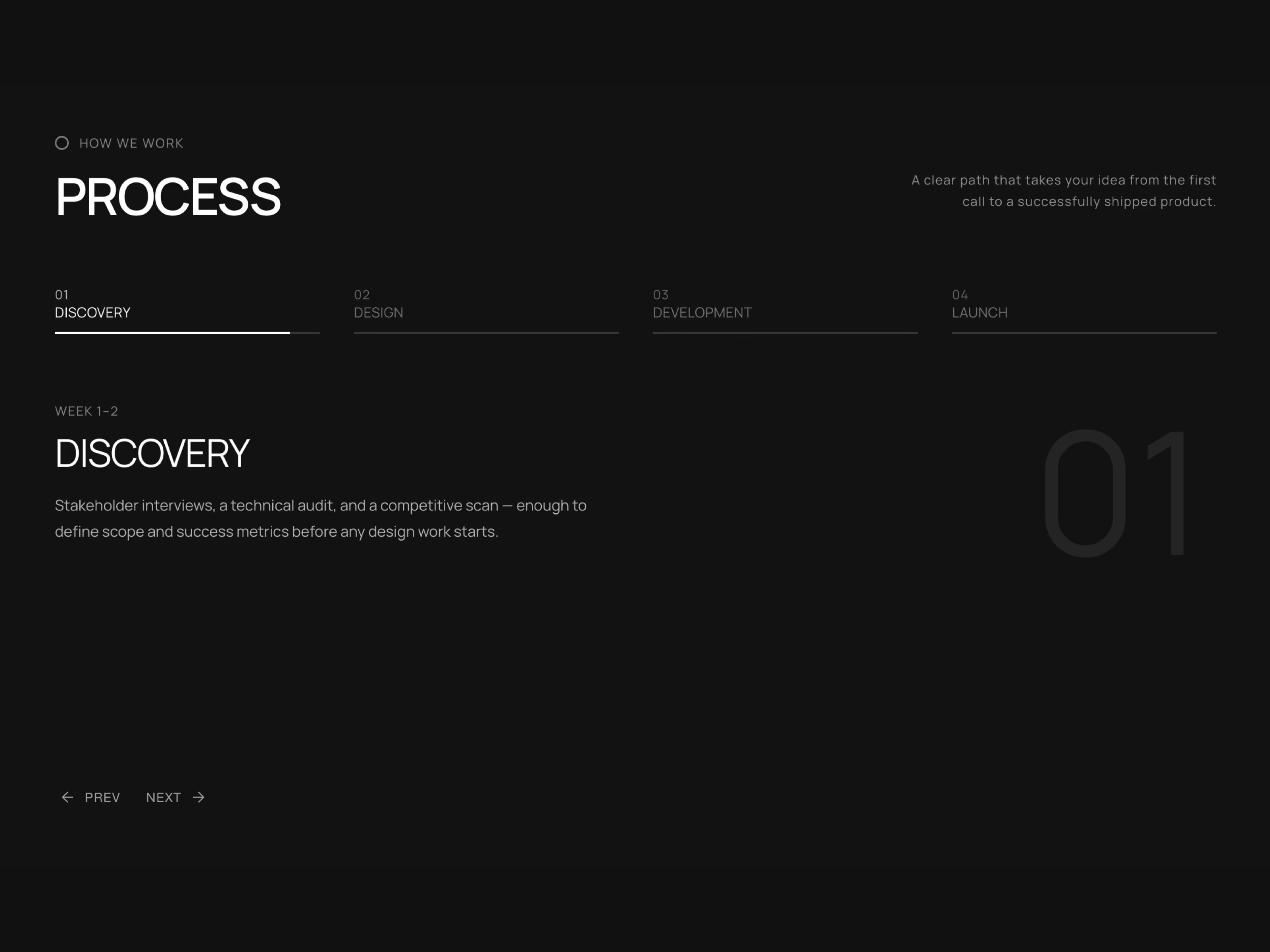
ProcessSection is an animated, step-by-step process component for Framer. A horizontal tab strip with auto-advancing progress bars, like a stories UI, sits above a spotlight stage that reveals one step at a time behind a giant ghost numeral. Fully responsive, keyboard accessible, and customizable to every font, color, and label.
Auto-advancing tab strip with stories-style progress bars Spotlight stage with giant ghost numeral watermark per step Direction-aware slide + fade transition between steps Two-column header — eyebrow, heading and side description 9 independent font controls for every text element Uppercase toggle for eyebrow, heading, tabs, meta and title Adjustable auto-advance speed, in milliseconds Optional Prev / Next navigation buttons Optional eyebrow icon with adjustable size Optional image per step with corner radius control Fully responsive across mobile, tablet and desktop Keyboard accessible — ARIA tabs pattern with arrow key navigation Auto-advance pauses on keyboard focus, never interrupted by hover Schema.org structured data for search & AI crawler visibility Full property controls: fonts, colors, spacing and more Works out of the box — no setup needed
Use Cases
How-it-works & process explainer sections
Agency workflow & methodology pages
SaaS onboarding & product tour steps
Service process breakdowns
Project roadmap & timeline sections
Consulting & studio process pages
App onboarding step showcases
Course & tutorial step breakdowns
Client journey & workflow diagrams
Hiring & recruitment process pages
Real estate buying process pages
Landing page feature walkthroughs
Keywords
process steps, how it works section, animated tabs framer, step by step component, spotlight process ui, process timeline framer, auto advancing tabs, onboarding steps framer, workflow section, process section framer, animated process component, story style tabs, step showcase, process component, tab carousel, roadmap component, explainer section

About Component
ProcessSection is an animated, step-by-step process component for Framer. A horizontal tab strip with auto-advancing progress bars, like a stories UI, sits above a spotlight stage that reveals one step at a time behind a giant ghost numeral. Fully responsive, keyboard accessible, and customizable to every font, color, and label.
Auto-advancing tab strip with stories-style progress bars Spotlight stage with giant ghost numeral watermark per step Direction-aware slide + fade transition between steps Two-column header — eyebrow, heading and side description 9 independent font controls for every text element Uppercase toggle for eyebrow, heading, tabs, meta and title Adjustable auto-advance speed, in milliseconds Optional Prev / Next navigation buttons Optional eyebrow icon with adjustable size Optional image per step with corner radius control Fully responsive across mobile, tablet and desktop Keyboard accessible — ARIA tabs pattern with arrow key navigation Auto-advance pauses on keyboard focus, never interrupted by hover Schema.org structured data for search & AI crawler visibility Full property controls: fonts, colors, spacing and more Works out of the box — no setup needed
Use Cases
How-it-works & process explainer sections
Agency workflow & methodology pages
SaaS onboarding & product tour steps
Service process breakdowns
Project roadmap & timeline sections
Consulting & studio process pages
App onboarding step showcases
Course & tutorial step breakdowns
Client journey & workflow diagrams
Hiring & recruitment process pages
Real estate buying process pages
Landing page feature walkthroughs
Keywords
process steps, how it works section, animated tabs framer, step by step component, spotlight process ui, process timeline framer, auto advancing tabs, onboarding steps framer, workflow section, process section framer, animated process component, story style tabs, step showcase, process component, tab carousel, roadmap component, explainer section


