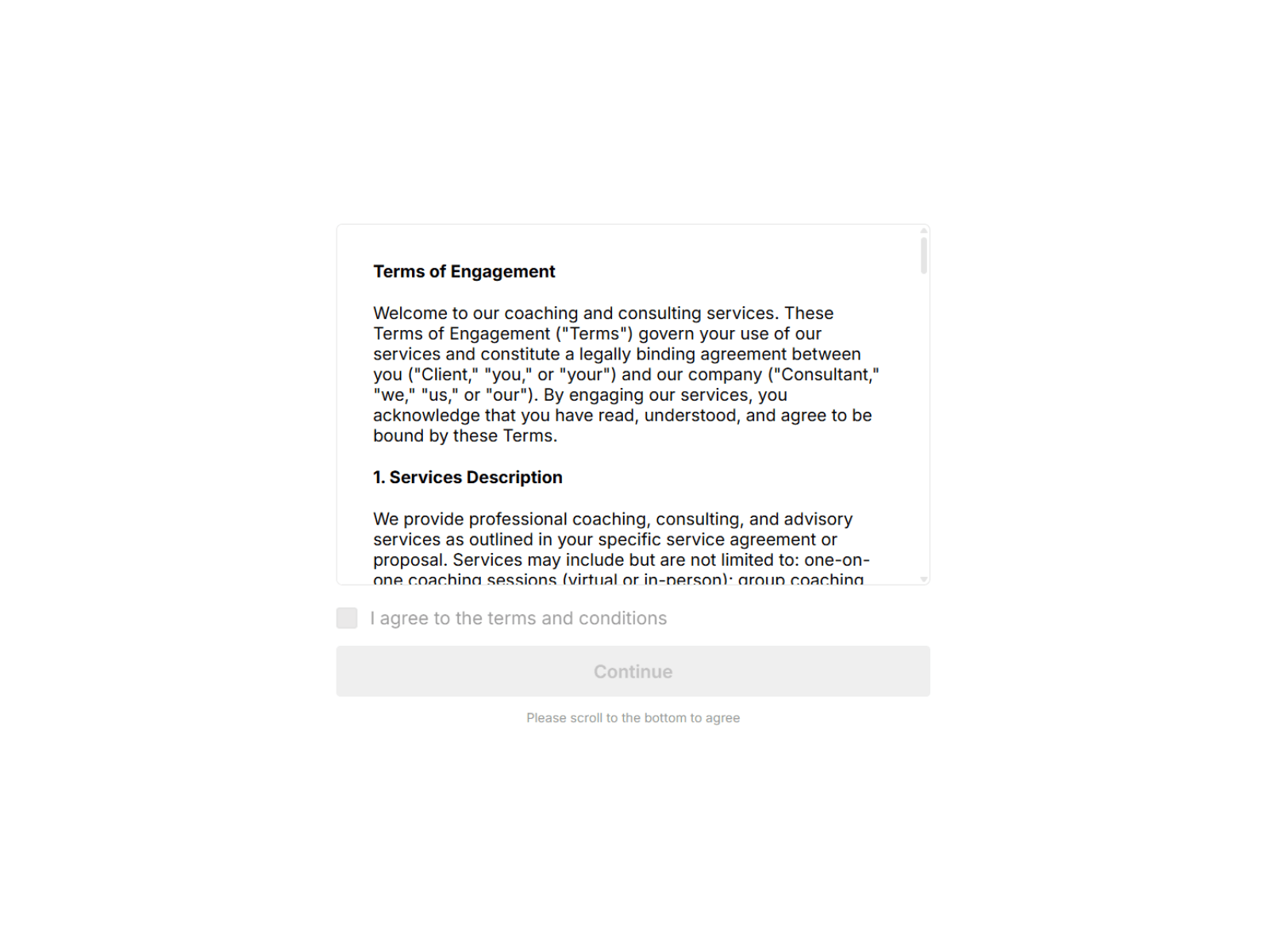
Add a professional terms acceptance step to your client intake, coaching funnel, or service booking page. Agreement Step presents your Terms & Conditions in a scrollable container and gates the action until the user explicitly confirms — no external tools needed. The component handles scroll-to-bottom locking, inline decline feedback, and reveals a form slot only after agreement — all client-side.
Key Features
• Linked Terms Container — Drop in any native Framer text stack with full formatting
• Scroll-to-Bottom Lock — Optionally force users to reach the end before agreeing
• Two Action Modes — Agree/Disagree buttons OR checkbox with optional Continue button
• Inline Decline Message — Soft, non-blocking feedback that keeps the action area live
• Optional Redirects — Send users to a URL on agree and on disagree (same or new tab)
• Optional Post-Agreement Form Slot — Reveals a native Framer form only after consent
• Customizable Checkbox — Size, radius, colors, transition speed, and checkmark weight
• Responsive by Default — Terms content auto-stretches to fill the scroll container width across all breakpoints; no width adjustments needed on your linked stack
• Text Styling — Customize font and size for labels, hints, and buttons
Use Cases
• Coaching agreements and consulting terms
• Fitness liability waivers and medical disclaimers
• Workshop and event participation forms
• Service intake requiring explicit user confirmation
• Any funnel step that needs a consent gate before checkout or booking
Note: This component only handles UI gating only (scroll lock, agree/disagree, inline messaging). Pair it with Framer's native form in the post-agreement slot to collect and store consent data.

Add a professional terms acceptance step to your client intake, coaching funnel, or service booking page. Agreement Step presents your Terms & Conditions in a scrollable container and gates the action until the user explicitly confirms — no external tools needed. The component handles scroll-to-bottom locking, inline decline feedback, and reveals a form slot only after agreement — all client-side.
Key Features
• Linked Terms Container — Drop in any native Framer text stack with full formatting
• Scroll-to-Bottom Lock — Optionally force users to reach the end before agreeing
• Two Action Modes — Agree/Disagree buttons OR checkbox with optional Continue button
• Inline Decline Message — Soft, non-blocking feedback that keeps the action area live
• Optional Redirects — Send users to a URL on agree and on disagree (same or new tab)
• Optional Post-Agreement Form Slot — Reveals a native Framer form only after consent
• Customizable Checkbox — Size, radius, colors, transition speed, and checkmark weight
• Responsive by Default — Terms content auto-stretches to fill the scroll container width across all breakpoints; no width adjustments needed on your linked stack
• Text Styling — Customize font and size for labels, hints, and buttons
Use Cases
• Coaching agreements and consulting terms
• Fitness liability waivers and medical disclaimers
• Workshop and event participation forms
• Service intake requiring explicit user confirmation
• Any funnel step that needs a consent gate before checkout or booking
Note: This component only handles UI gating only (scroll lock, agree/disagree, inline messaging). Pair it with Framer's native form in the post-agreement slot to collect and store consent data.
 Frames & Flow


