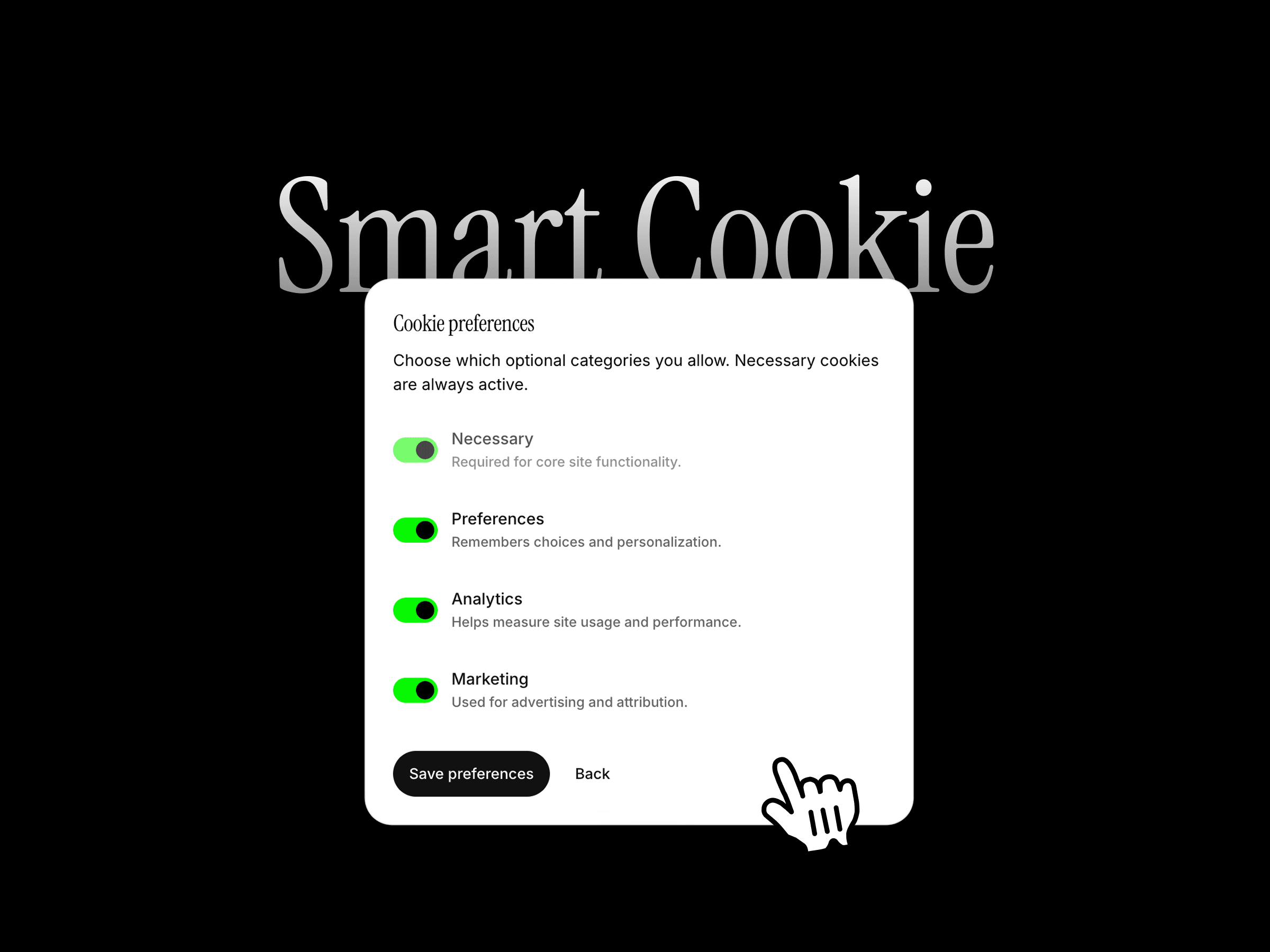
Add a fully customizable cookie consent experience to your Framer site. Smart Cookie Consent lets visitors accept, reject, or manage individual cookie categories through a polished banner, floating panel, or modal.
It is designed for websites that need more control than a simple accept button, with support for consent persistence, category preferences, policy links, script gating, Google Consent Mode, and custom consent events.
How to use
Drop the component onto your site and choose the consent layout, position, and preview mode. Customize the title, message, category labels, descriptions, buttons, policy link, and visual styling directly from the properties panel.
Enable the cookie categories your site uses, then turn on script gating or Google Consent Mode where needed. Visitors can reopen the preferences panel later and update their choices.
Features
Banner, floating panel, and modal layouts
Accept, reject, and manage preferences actions
Necessary, preferences, analytics, and marketing categories
Custom labels and descriptions for every category
Consent versioning and expiration controls
Remembers visitor choices
Optional reject button
Reopen preferences button
Cookie policy label and link
Script gating based on consent
Optional Google Consent Mode support
Custom consent event name
Multiple positions and layout options
Checkbox and switch controls
Custom typography, colors, spacing, borders, and radius
Custom button components and layouts
Responsive across desktop, tablet, and mobile
No external consent platform required
Refund Policy:
Due to the nature of digital products, all sales are final. Once purchased, this component is non-refundable. Please make sure it fits your needs before completing the checkout.
Support: hi@alicorak.com

Add a fully customizable cookie consent experience to your Framer site. Smart Cookie Consent lets visitors accept, reject, or manage individual cookie categories through a polished banner, floating panel, or modal.
It is designed for websites that need more control than a simple accept button, with support for consent persistence, category preferences, policy links, script gating, Google Consent Mode, and custom consent events.
How to use
Drop the component onto your site and choose the consent layout, position, and preview mode. Customize the title, message, category labels, descriptions, buttons, policy link, and visual styling directly from the properties panel.
Enable the cookie categories your site uses, then turn on script gating or Google Consent Mode where needed. Visitors can reopen the preferences panel later and update their choices.
Features
Banner, floating panel, and modal layouts
Accept, reject, and manage preferences actions
Necessary, preferences, analytics, and marketing categories
Custom labels and descriptions for every category
Consent versioning and expiration controls
Remembers visitor choices
Optional reject button
Reopen preferences button
Cookie policy label and link
Script gating based on consent
Optional Google Consent Mode support
Custom consent event name
Multiple positions and layout options
Checkbox and switch controls
Custom typography, colors, spacing, borders, and radius
Custom button components and layouts
Responsive across desktop, tablet, and mobile
No external consent platform required
Refund Policy:
Due to the nature of digital products, all sales are final. Once purchased, this component is non-refundable. Please make sure it fits your needs before completing the checkout.
Support: hi@alicorak.com