About NPS Survey
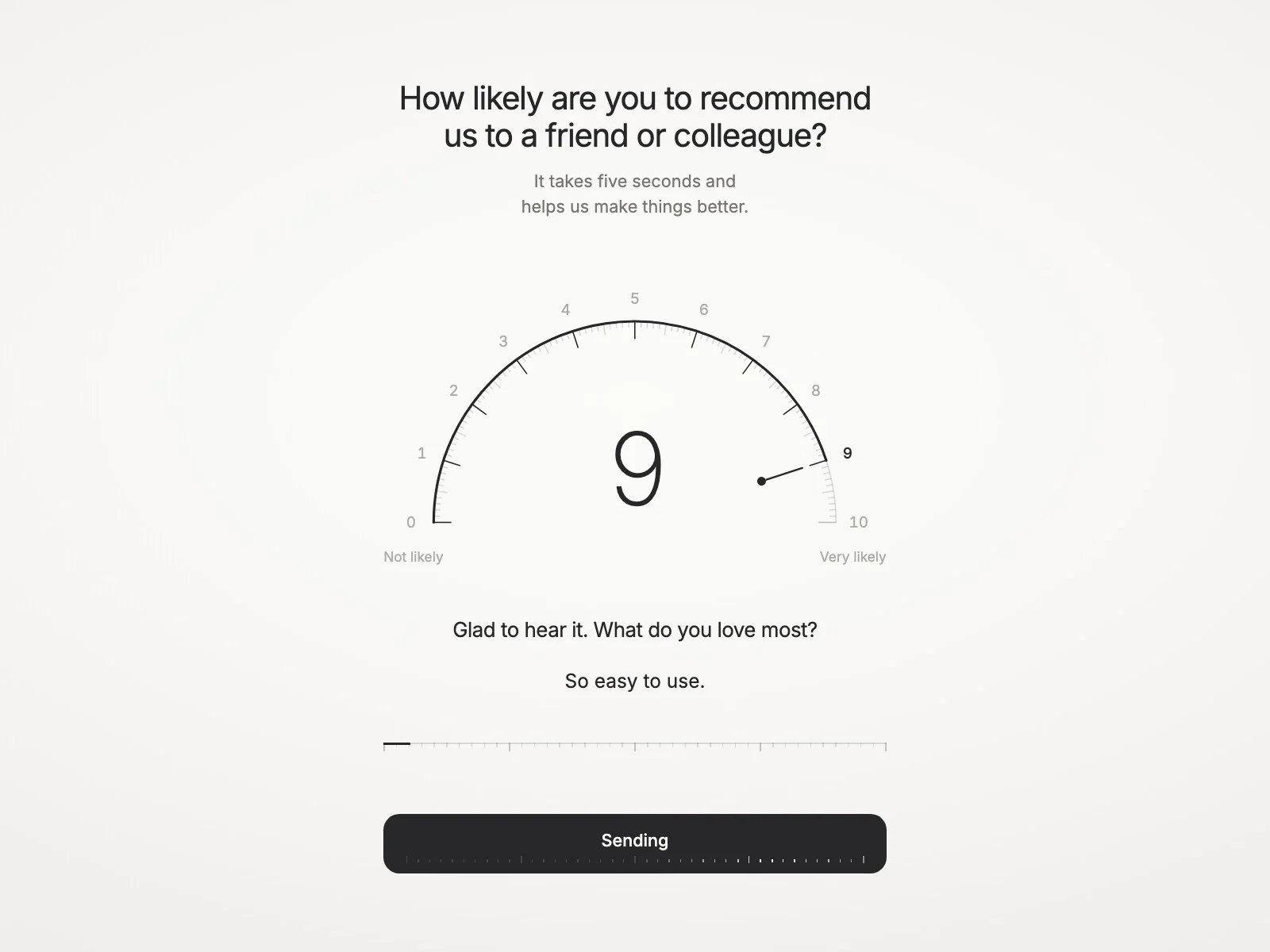
A Net Promoter Score survey on a watch dial. Visitors tap or slide around a fine scale from 0 to 10, the arc fills to their score and the large number fades into focus. A follow-up question opens for a comment, and the answer goes straight into your Framer Form.
What you can set
Content: question, description, end labels, and a follow-up prompt for low, middle and high scores
Sending: it works inside a Framer Form, where the score, its group and the comment arrive as fields and go wherever the form sends them
Required: the form can’t be sent until a score is picked
Thank you: your own title and message, revealed after sending
Theme: Light, Dark or Auto, with separate colours for text, scale, numbers and button
Typography: a font for every layer, from the title to the dial numbers
Messages: every small text can be reworded or translated
Built to behave well
Works with a mouse, touch and the keyboard; scrolling on a phone never changes the score
Screen readers hear the question and the chosen score
Respects reduced motion
Optional analytics events (nps:submit and dataLayer), off by default; the comment is only included if you turn that on
Getting started
Place NPS Survey inside a Framer Form, above the form’s submit button
Write your question and follow-up prompts
Pick a theme and fonts to match your brand