Animsequencer
Build CSS keyframe animations visually — no code needed. Set properties, drag keyframes, pick an easing, and export a ready-to-use Framer Code Override in one click.
About this Plugin
AnimSequencer is a visual CSS keyframe animation builder for Framer. Build animations interactively inside the plugin — set properties at each keyframe, drag the timeline, pick an easing, and AnimSequencer writes the code for you. The output is a production-ready Framer Code Override you can apply to any layer instantly.
Built for designers who want real animation control without touching code, and developers who want to skip the boilerplate.
Quick Start
Open AnimSequencer from the Framer Plugin menu
A default Fade In animation loads automatically — hit ▶ Play to preview it
Adjust Duration, Delay, Easing, and other settings to your liking
Build your keyframes on the timeline — drag markers, toggle properties, set values
Go to the Code tab → click Create Override File
In Framer, select any layer → open the Override panel → apply it
The Editor Tab
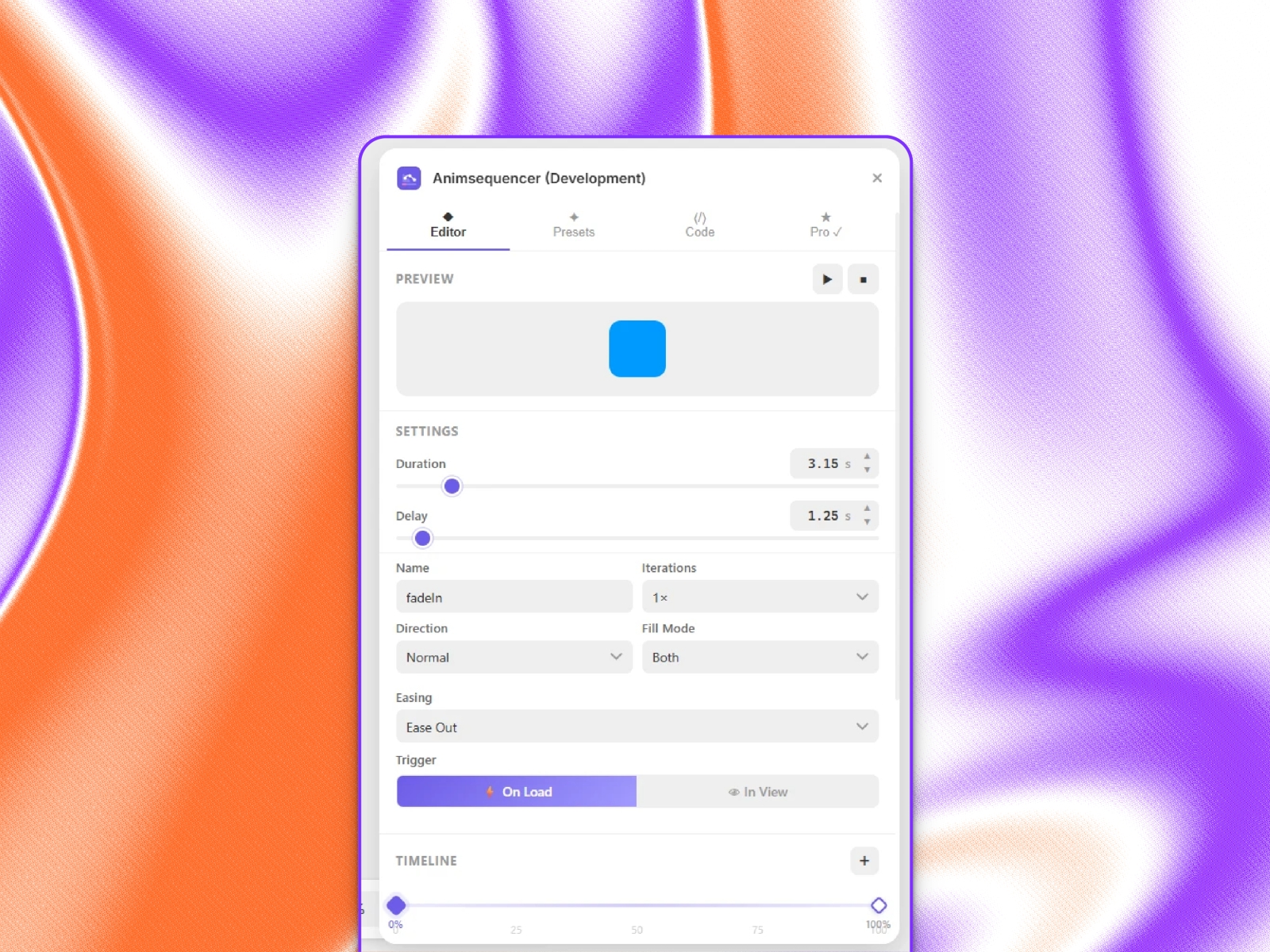
Timeline Drag diamond markers to reposition keyframes (0–100%). Click to select, use + to add new ones, and set exact positions via the input below. Minimum 2 keyframes required.
Keyframe Properties Toggle on any property per keyframe and set its value:
Opacity, Translate X/Y, Scale, Rotate, Skew X/Y
Duration & Delay Slider + text input + ▲▼ arrows for precise control. Values are in seconds.
Easing 5 standard easings for free. 20+ curves on Pro — Spring, Bounce, Elastic, Expo, and more.
Iterations, Direction & Fill Mode Control how many times the animation plays, which direction, and what state the element holds before and after.
Trigger
On Load — plays immediately on Load. Best for hero sections.
In View — fires once when the element scrolls into the viewport using IntersectionObserver. Best for below-the-fold content.
Presets Tab
Ready-made animation templates organized by category. Click any free preset to load it into the Editor instantly. Pro presets are locked without a license.
Free: Fade In, Slide Up, Scale In.
Pro: Slide Down, Slide Left, Slide Right, Bounce In, Rotate In, Pulse, Shake, Float, Fade Out, Zoom Out, Spin, and more
Code Tab
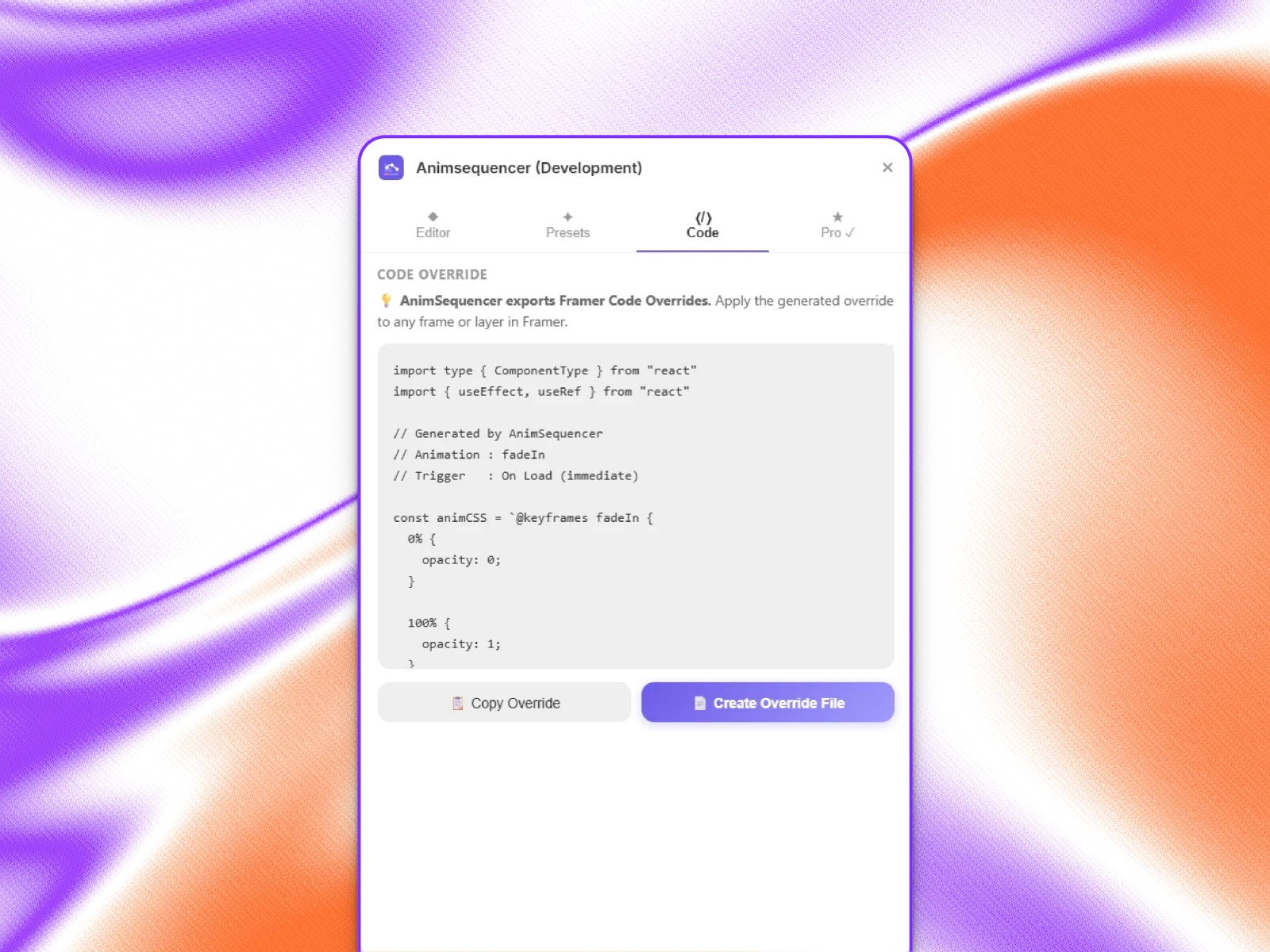
Generates a Framer Code Override — a .tsx file that wraps any component with CSS animation logic.
Copy Override — copies code to the clipboard
Create Override File — injects it directly into Framer's code panel in one click
The override uses display: contents on its wrapper so Framer's stacks and layout remain completely unaffected. For In View animations, IntersectionObserver handles the trigger — plays once, then cleans up automatically.
Free vs Pro
Free includes:
Full keyframe editor and live preview
Up to 3 keyframes
5 easings, 3 presets
Pro adds:
Unlimited keyframes
20+ easings and 15+ presets
Copy code and create override files in Framer
All future updates — one-time lifetime purchase
Details
 Evixel Studio