Brand Guard
BrandGuard validates your Framer project against your brand rules — flagging wrong colors, fonts, forbidden words, inconsistent spacing, and border radius violations in real-time, with one-click navigation to the offending layer.
About this Plugin
BrandGuard is a Framer plugin designed to enforce brand consistency across your projects. As design files scale, it's easy for off-brand colors, unapproved fonts, or forbidden words to slip through. BrandGuard acts as an automated QA layer, scanning your entire Framer project—including frames, text nodes, and asset styles—against custom rules you define. Any violations are surfaced in the issues list, and clicking an issue takes you directly to the offending layer.
Key Features
Brand Rule Sets: Group rules into specific collections (e.g., for different clients or brand variants) and switch between them easily.
Color Rules: Define an approved palette or a list of forbidden colors. BrandGuard checks that values for accurate matching.
Font Rules: Restrict typography to approved font families and enforce minimum font sizes to catch manual overrides.
Terminology Rules: Ban specific words (competitor names, off-brand language) and offer replacement suggestions.
Spacing Rules (Pro): Enforce layout grids by ensuring padding uses specific multiples (e.g., an 8px base) and gaps stay within a defined range.
Border Radius Rules (Pro): Restrict your UI to an allowed list of corner radius values or set a maximum radius limit.
Text Style Usage Rules (Pro): Ensure all text layers are linked to defined text styles in the Assets panel, flagging raw inline formatting.
How to Use BrandGuard
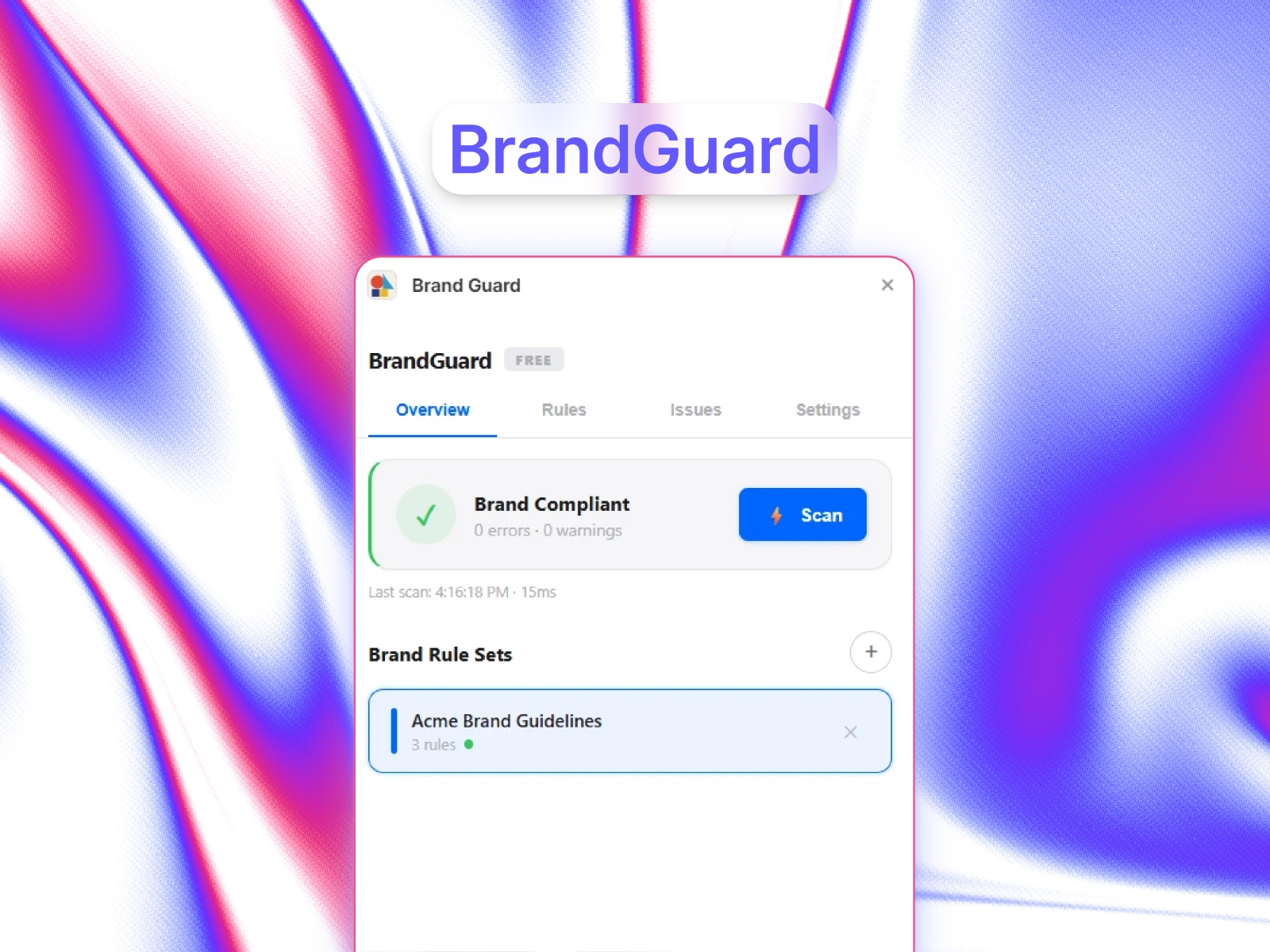
Create a Rule Set: Open the plugin, go to the Overview tab, and create a named rule set.
Define Your Rules: In the Rules tab, add your specific constraints for colors, fonts, terminology, and layout. You can easily toggle individual rules on or off.
Run a Scan: Return to the Overview tab, select your rule set, and click Scan. The plugin checks your entire project in milliseconds.
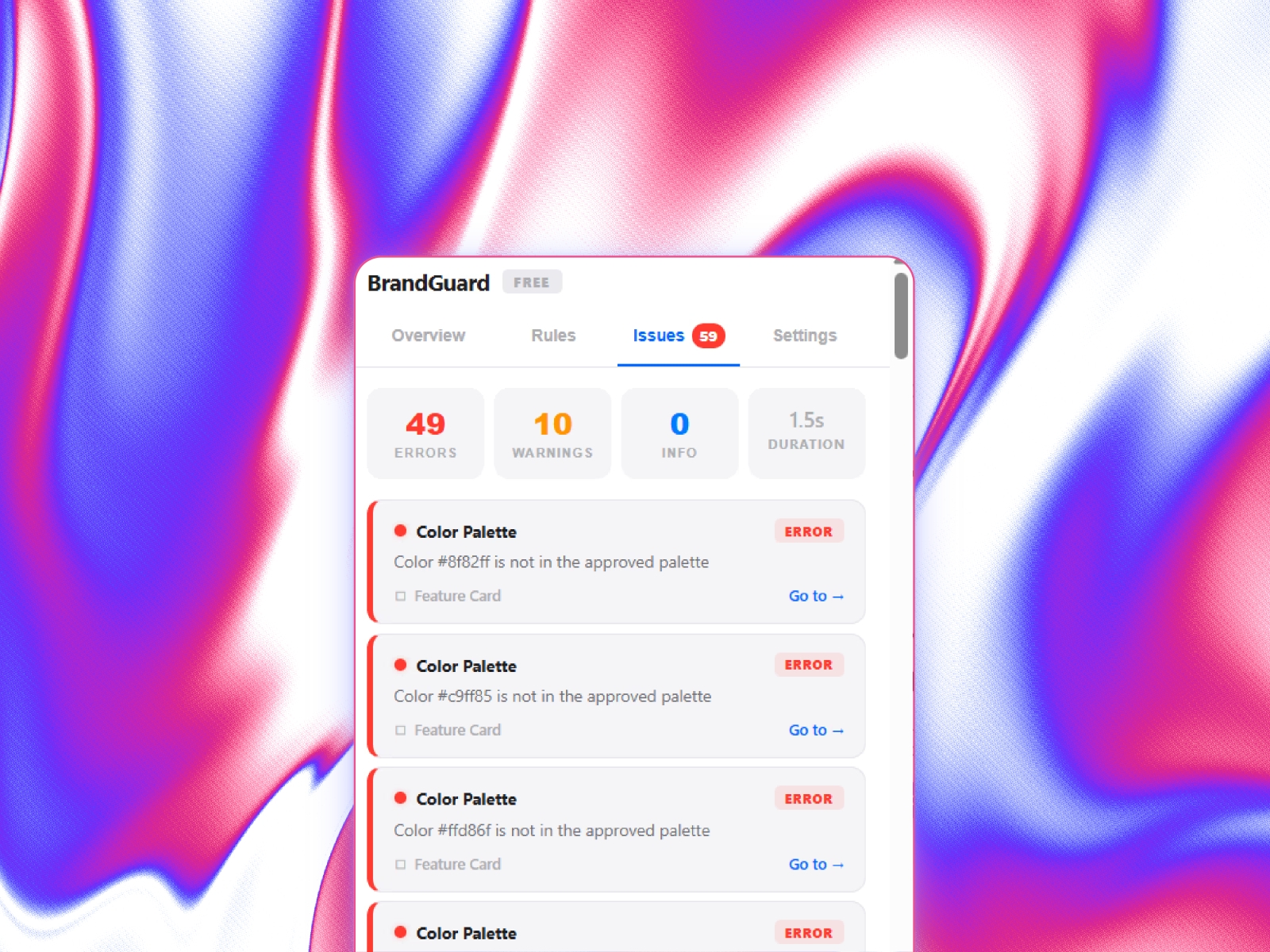
Review and Fix: The Issues tab categorizes violations by severity (Error, Warning, Info). Click any issue card, and BrandGuard will automatically select and zoom to the problem layer on your canvas.
Free vs. Pro Plan
Free Plan:
1 Brand Rule Set
Up to 2 Color Rules
Up to 1 Font Rule
Up to 1 Terminology Rule
Maximum of 3 rules per scan
Does not include Spacing, Border Radius, or Text Style rules
Pro Plan (Permanent access)
Unlimited Brand Rule Sets
Unlimited Color Rules
Unlimited Font Rules
Unlimited Terminology Rules
Access to Spacing Rules
Access to Border Radius Rules
Access to Text Style Usage Rules
Unlimited Total Rules per Scan
Settings Tab
Use the Settings tab to enter your license key to activate Pro features (which will add a gold PRO badge to your plugin) or to check the current plugin version in the About section.
Details
 Evixel Studio