Modern Image Effects
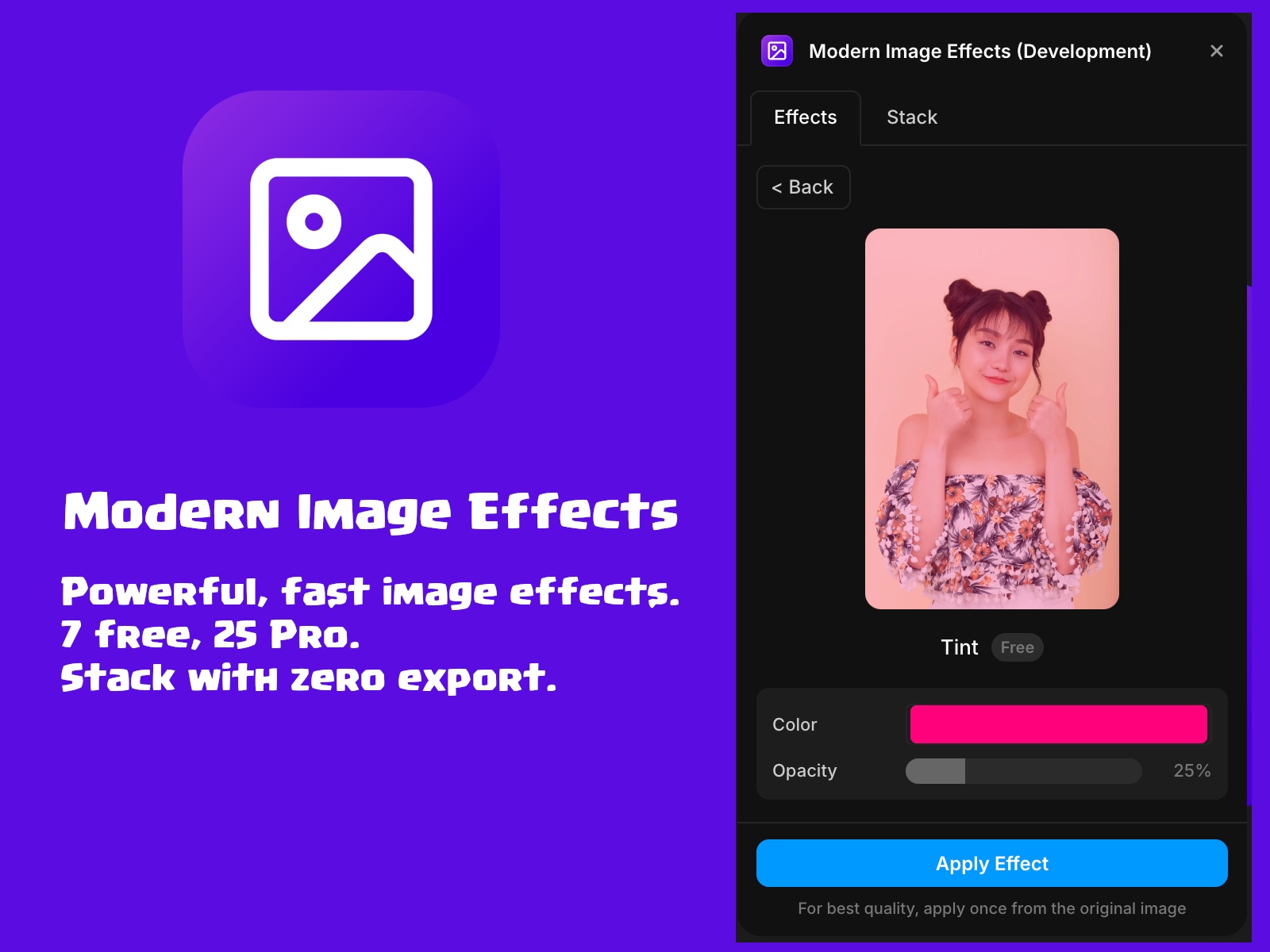
Apply 32 non-destructive image effects directly in Framer — from grayscale and blur to duotone, glitch, halftone, and cinematic grades. Seven effects are free. Unlock all 32 with Pro ($9/year) and stack them in any order for layered results.
About this Plugin
Modern Image Effects
Framer is great for layout. It's not great for image editing — until now. Modern Image Effects brings 32 professional-grade effects directly into your canvas, so you can grade, stylize, and transform images without leaving Framer or opening another app.
What you can do
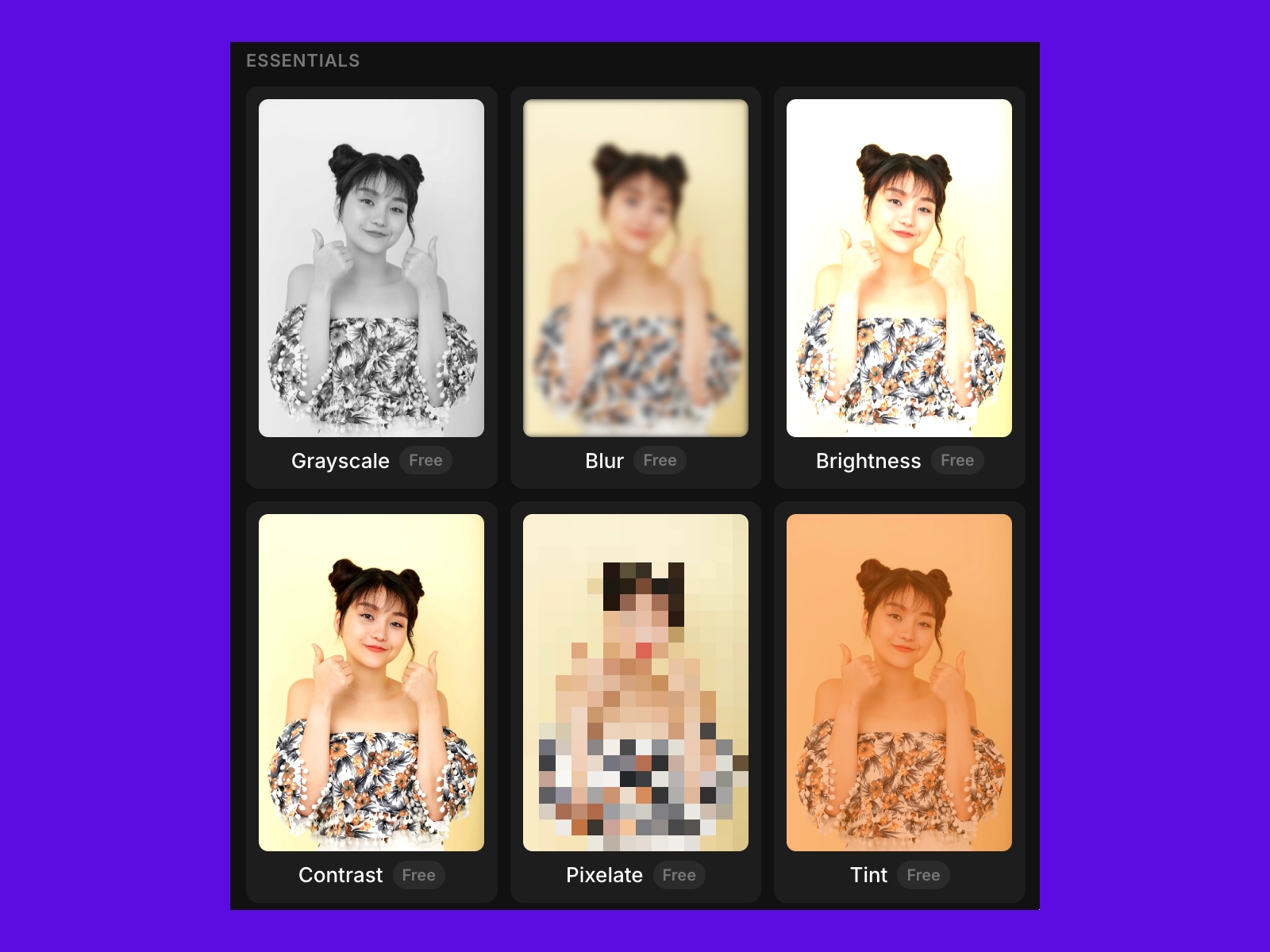
Apply Grayscale, Blur, Brightness, Contrast, Pixelate, Tint, and Retro Dither — free, no account needed
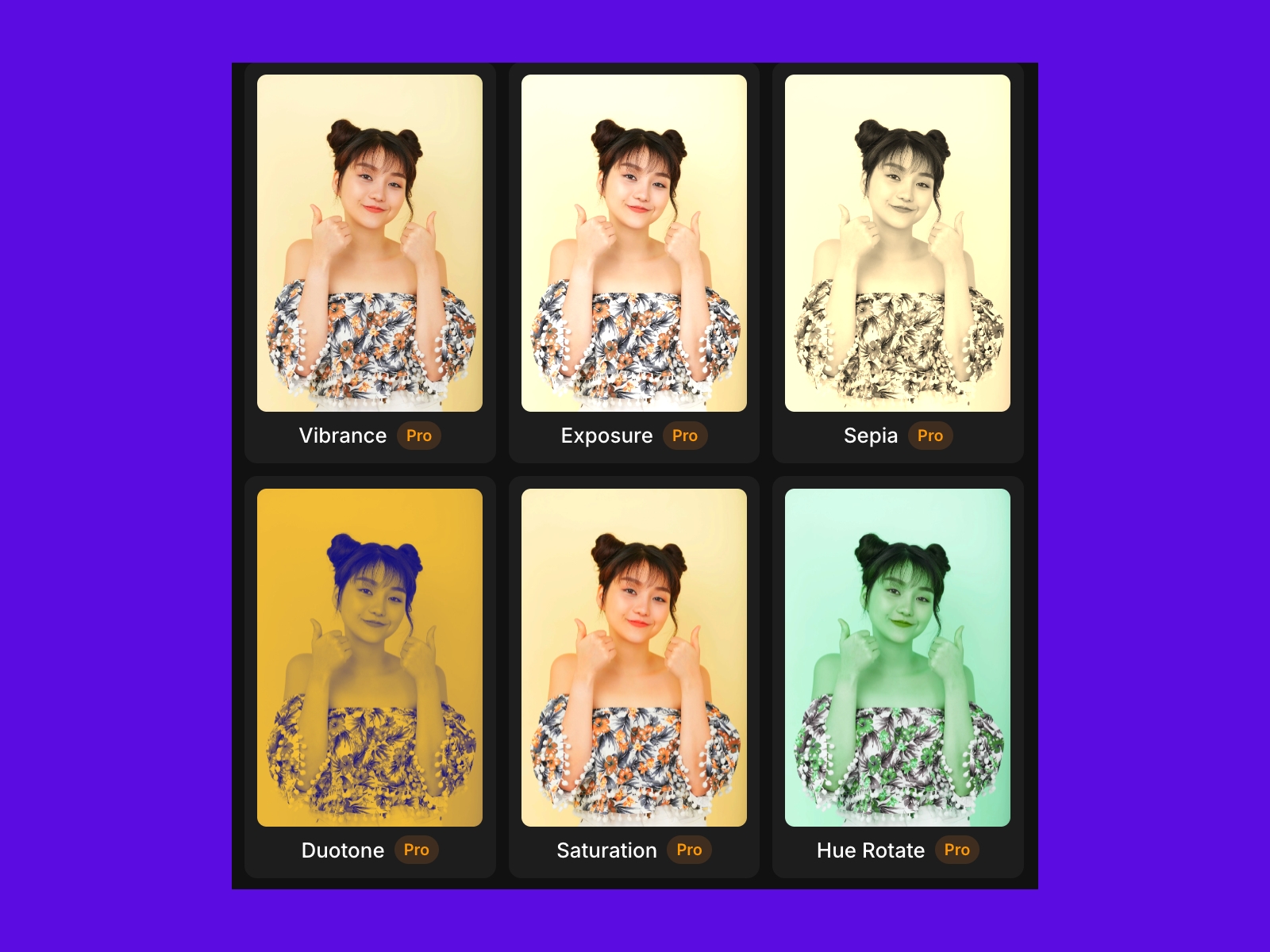
Color grade with Duotone, Sepia, Vibrance, Saturation, Hue Rotate, and the iconic Teal & Orange look
Add cinematic mood with Vignette, Noir, Faded Film, Film Grain, and Cinematic
Get creative with Glitch, Halftone, Emboss, Posterize, Solarize, and Edge Detect
Apply signature effects: Chromatic Aberration, Color Splash, Cross Process, Infrared, and more
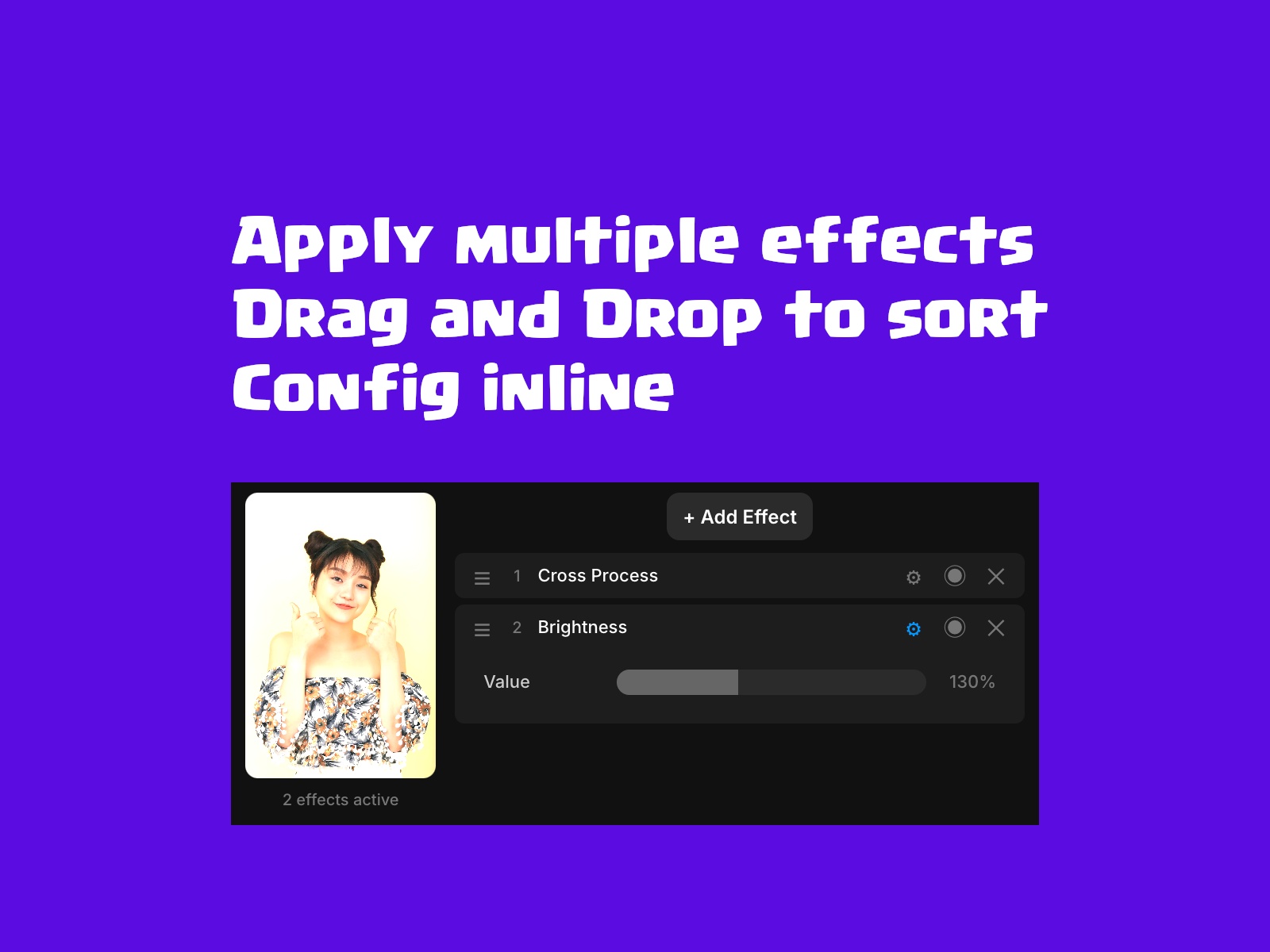
Chain multiple effects in the Stack tab and apply them in sequence
Tweak every effect with live parameter controls before committing
Free vs Pro
Seven effects are completely free — no sign-up, no key required. Unlock all 32 effects plus the Stack tab's full power with a Pro license at $9/year. Click any Pro effect to see the upgrade prompt.
How it works
Select an image layer on your Framer canvas, open the plugin, pick an effect, adjust the parameters, and hit Apply. The image updates in place. That's it — no exports, no round-trips, no friction.
Stack effects
The Stack tab lets you chain effects in any order. Add as many as you want, drag to reorder, toggle individual effects on or off, and preview the composite result live before applying. It's the fastest way to build a consistent visual treatment across your project.
Changelog
Polish UX
Details
 AIPod
AIPod