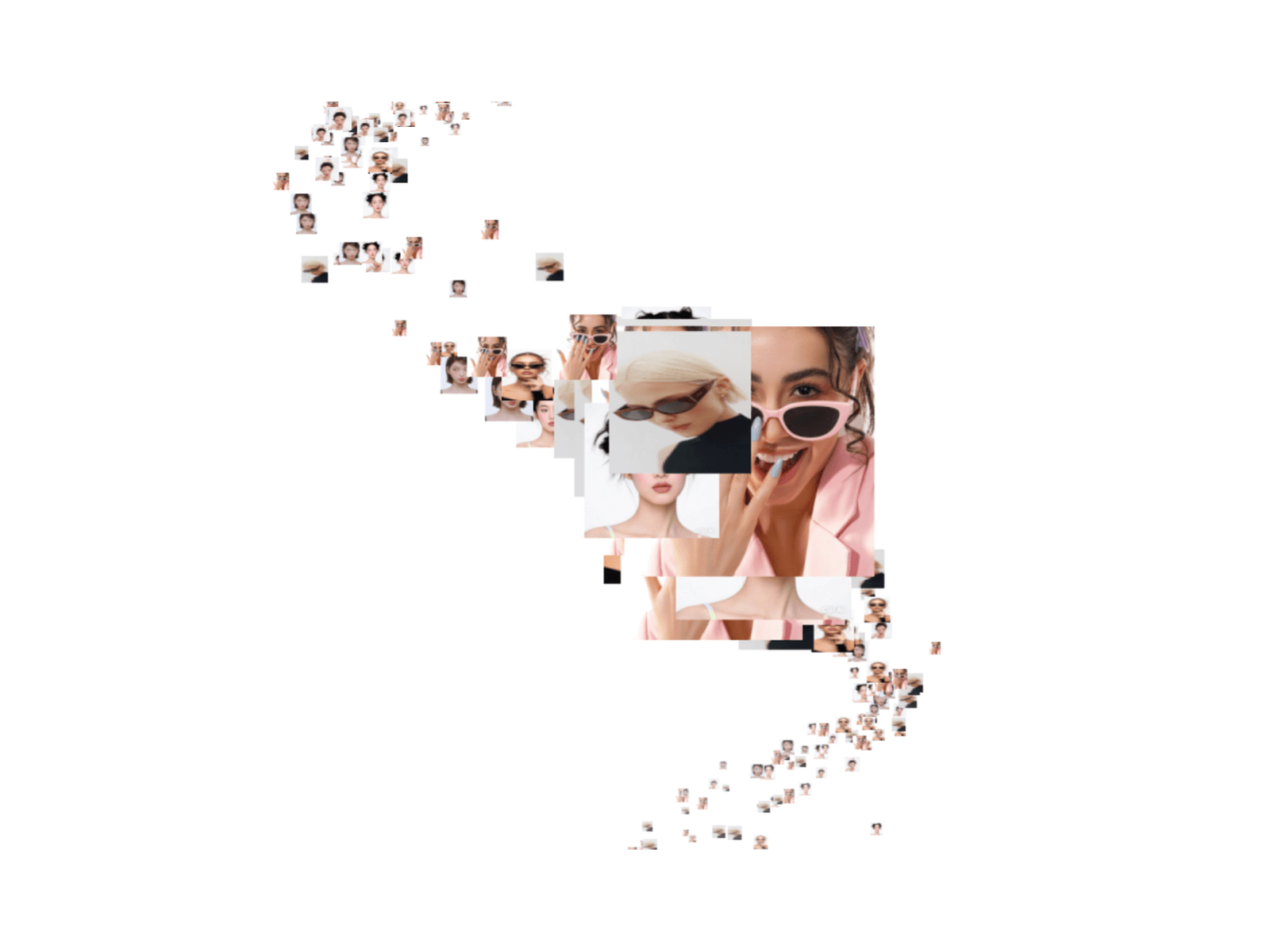
3D Gallery Tunnel is a premium WebGL-powered image gallery that transforms a collection of images into a stunning three-dimensional tunnel experience. Images are distributed along a dynamic 3D path, creating an immersive journey as users scroll through the scene. Smooth camera movement, depth-based scaling, and realistic perspective combine to deliver a modern, cinematic browsing experience that feels fluid and engaging.
Users can navigate naturally using the mouse wheel or touch gestures, while an optional auto-scroll mode continuously moves through the tunnel for an effortless, animated presentation. The component includes four unique tunnel paths—Helix, Figure-8, Spiral, and Wave—that can be switched instantly, each providing a distinct visual experience without reloading the scene. Transitions between paths are smoothly animated for a polished feel.
Built with performance in mind, the component offers extensive customization directly from Framer. Adjust the number of image planes, background color, fog depth, focus distance, maximum image scaling, auto-scroll speed, default path, and the visibility of the path selector and auto-scroll controls. Images can be supplied via direct URLs or uploaded through Framer's image picker, making it easy to integrate into portfolios, photography showcases, product galleries, creative websites, and interactive landing pages.
Key Features
Four switchable tunnel paths: Helix, Figure-8, Spiral, and Wave.
Smooth mouse wheel and touch navigation.
Optional auto-scroll with adjustable speed.
Animated transitions between tunnel paths.
Depth-based image scaling for immersive focus effects.
Adjustable image count for performance and density.
Customizable fog, background, focus distance, and scaling.
Show or hide path selector and auto-scroll controls.
Supports uploaded images and external image URLs.
Responsive WebGL rendering optimized for modern browsers.

3D Gallery Tunnel is a premium WebGL-powered image gallery that transforms a collection of images into a stunning three-dimensional tunnel experience. Images are distributed along a dynamic 3D path, creating an immersive journey as users scroll through the scene. Smooth camera movement, depth-based scaling, and realistic perspective combine to deliver a modern, cinematic browsing experience that feels fluid and engaging.
Users can navigate naturally using the mouse wheel or touch gestures, while an optional auto-scroll mode continuously moves through the tunnel for an effortless, animated presentation. The component includes four unique tunnel paths—Helix, Figure-8, Spiral, and Wave—that can be switched instantly, each providing a distinct visual experience without reloading the scene. Transitions between paths are smoothly animated for a polished feel.
Built with performance in mind, the component offers extensive customization directly from Framer. Adjust the number of image planes, background color, fog depth, focus distance, maximum image scaling, auto-scroll speed, default path, and the visibility of the path selector and auto-scroll controls. Images can be supplied via direct URLs or uploaded through Framer's image picker, making it easy to integrate into portfolios, photography showcases, product galleries, creative websites, and interactive landing pages.
Key Features
Four switchable tunnel paths: Helix, Figure-8, Spiral, and Wave.
Smooth mouse wheel and touch navigation.
Optional auto-scroll with adjustable speed.
Animated transitions between tunnel paths.
Depth-based image scaling for immersive focus effects.
Adjustable image count for performance and density.
Customizable fog, background, focus distance, and scaling.
Show or hide path selector and auto-scroll controls.
Supports uploaded images and external image URLs.
Responsive WebGL rendering optimized for modern browsers.
 Mohd Qasim