Great — free it is. Here's the finalized description (trimmed since pricing doesn't need mentioning for a free component) and the full submission walkthrough for that "New Component" modal you screenshotted.
Final Description (paste as-is):
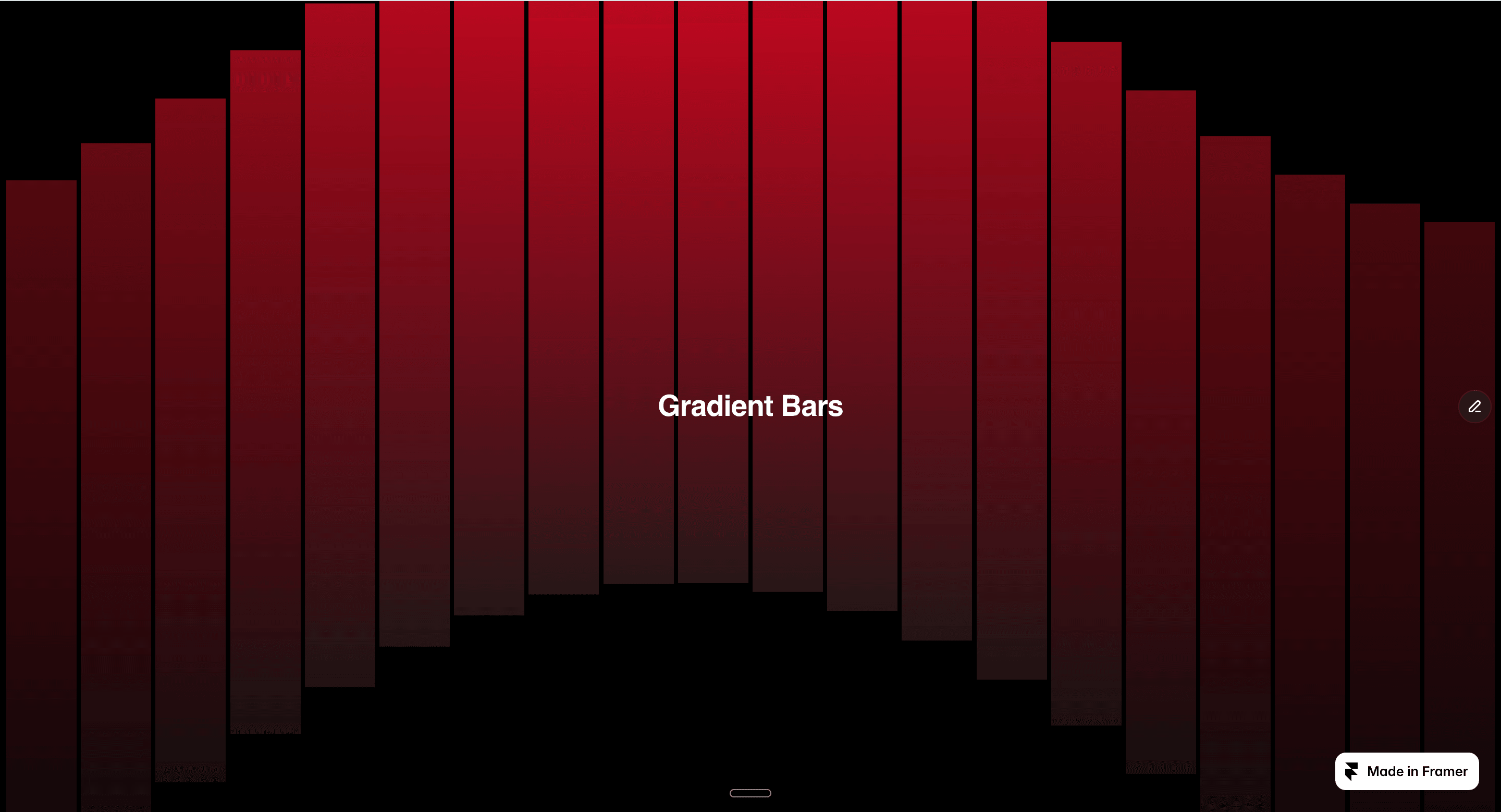
Gradient Bars Background is a fully animated, code-based background component for Framer. It renders a customizable set of gradient bars that pulse, float, or wave behind your content — perfect for hero sections, SaaS landing pages, and portfolio intros that need subtle motion without heavy assets or video.
Everything is controlled from the property panel — no code editing needed:
Bars — set how many bars render (1–80)
Bar Width & Height — fine-tune bar thickness and length
Direction — lay bars out on the Y axis or X axis
Gradient From / To — pick your own two-color gradient
Animation Mode — choose Pulse, Float, Wave, or turn animation off entirely
Duration & Intensity — control animation speed and how far/strong the motion is
Stagger — offset each bar's animation for a rippling, sequential effect
Background Color — set the base background behind the bars
Content Slot — drop in your own layers, or use the built-in center text field for a quick heading
Free to use in any project. Lightweight, dependency-free, pure Framer code — built to stay fast and not bloat your site.

Great — free it is. Here's the finalized description (trimmed since pricing doesn't need mentioning for a free component) and the full submission walkthrough for that "New Component" modal you screenshotted.
Final Description (paste as-is):
Gradient Bars Background is a fully animated, code-based background component for Framer. It renders a customizable set of gradient bars that pulse, float, or wave behind your content — perfect for hero sections, SaaS landing pages, and portfolio intros that need subtle motion without heavy assets or video.
Everything is controlled from the property panel — no code editing needed:
Bars — set how many bars render (1–80)
Bar Width & Height — fine-tune bar thickness and length
Direction — lay bars out on the Y axis or X axis
Gradient From / To — pick your own two-color gradient
Animation Mode — choose Pulse, Float, Wave, or turn animation off entirely
Duration & Intensity — control animation speed and how far/strong the motion is
Stagger — offset each bar's animation for a rippling, sequential effect
Background Color — set the base background behind the bars
Content Slot — drop in your own layers, or use the built-in center text field for a quick heading
Free to use in any project. Lightweight, dependency-free, pure Framer code — built to stay fast and not bloat your site.