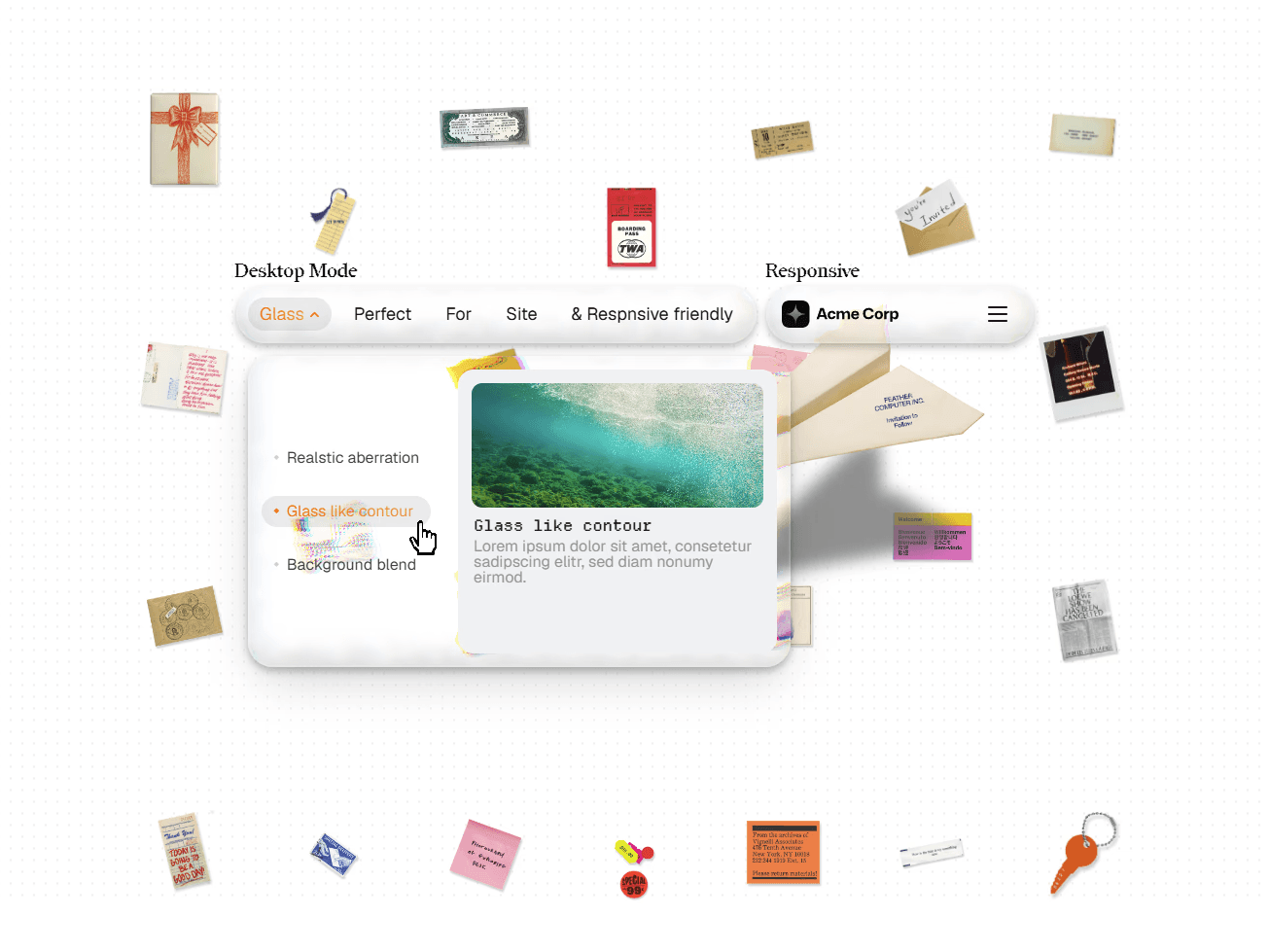
A premium navigation bar featuring realistic glass rendering with refraction, chromatic aberration, edge distortion, and a fully functional mega menu. The mobile drawer is built as its own layout—not just a shrunk version of the desktop navigation.
Most "glass" navbars are just backdrop blur with a white overlay. NavBarGlass includes five switchable rendering modes, letting you balance visual quality and performance from a single property control:
Liquid Glass (CSS): Pure CSS tint, blur, and layered shadows.
Advanced Glass (SVG): Refraction, chromatic aberration, edge distortion, bevels, and specular highlights for a true glass appearance.
CSS Glass: Standard backdrop blur with saturation and edge highlights.
Low-Res Blur: Lightweight blur for performance-sensitive pages.
Solid: A clean, blur-free fallback.
Choose the rendering style that best fits your design instead of relying on a single hardcoded blur.
Mobile is designed independently from desktop.
Use the Mobile toggle in the Properties panel to preview and customize the mobile drawer directly on the Framer canvas. Configure its own background, blur, spacing, breakpoint, and two independent CTA buttons while keeping the same rich link previews as desktop.
Five glass rendering modes
Realistic refraction, chromatic aberration, and edge distortion
Responsive drag-to-resize support
8 independent typography controls
Dock-style hover indicator (optional)
Auto-sizing dropdown columns
Per-link new tab toggle and scroll behavior
Optional tracking ID for analytics
Independent controls for logo, padding, corner radius, and dropdown size
SaaS websites
Product landing pages
Startup websites
Agency projects
Any site that needs a polished, interactive mega menu
1 Framer code component (NavBarGlass)
No external libraries
No CDN scripts
Free lifetime updates

A premium navigation bar featuring realistic glass rendering with refraction, chromatic aberration, edge distortion, and a fully functional mega menu. The mobile drawer is built as its own layout—not just a shrunk version of the desktop navigation.
Most "glass" navbars are just backdrop blur with a white overlay. NavBarGlass includes five switchable rendering modes, letting you balance visual quality and performance from a single property control:
Liquid Glass (CSS): Pure CSS tint, blur, and layered shadows.
Advanced Glass (SVG): Refraction, chromatic aberration, edge distortion, bevels, and specular highlights for a true glass appearance.
CSS Glass: Standard backdrop blur with saturation and edge highlights.
Low-Res Blur: Lightweight blur for performance-sensitive pages.
Solid: A clean, blur-free fallback.
Choose the rendering style that best fits your design instead of relying on a single hardcoded blur.
Mobile is designed independently from desktop.
Use the Mobile toggle in the Properties panel to preview and customize the mobile drawer directly on the Framer canvas. Configure its own background, blur, spacing, breakpoint, and two independent CTA buttons while keeping the same rich link previews as desktop.
Five glass rendering modes
Realistic refraction, chromatic aberration, and edge distortion
Responsive drag-to-resize support
8 independent typography controls
Dock-style hover indicator (optional)
Auto-sizing dropdown columns
Per-link new tab toggle and scroll behavior
Optional tracking ID for analytics
Independent controls for logo, padding, corner radius, and dropdown size
SaaS websites
Product landing pages
Startup websites
Agency projects
Any site that needs a polished, interactive mega menu
1 Framer code component (NavBarGlass)
No external libraries
No CDN scripts
Free lifetime updates


