Oil Paint Canvas — Framer Component
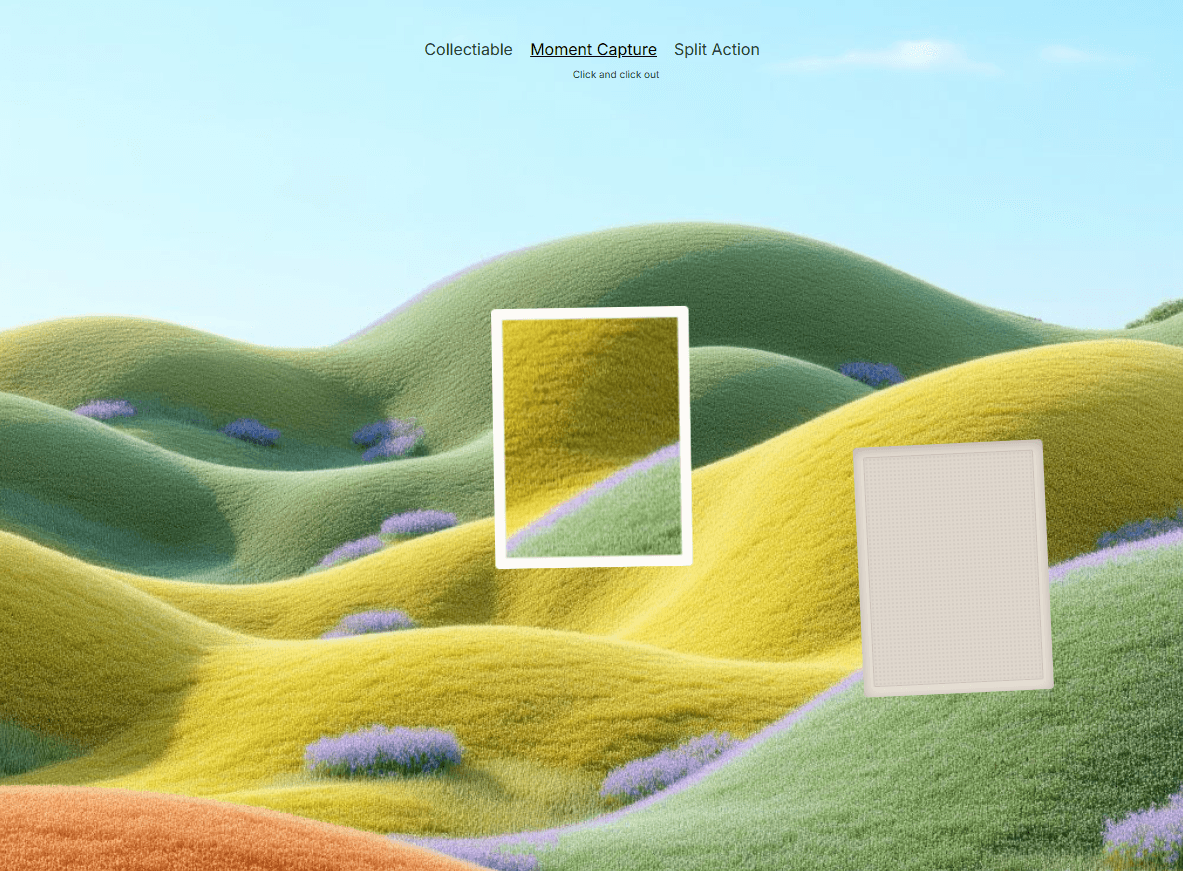
Transform ordinary images into rich, tactile oil paintings with Oil Paint Canvas, an interactive WebGL-powered Framer component designed to bring depth, texture, and movement to modern websites. Add realistic canvas fibers, brush bristles, paint relief, subtle grain, halftone details, gloss, and dynamic paint buildup that responds naturally to your cursor.
Built for designers who want an expressive visual effect without complicated setup, Oil Paint Canvas works directly inside Framer and gives you detailed controls to create anything from subtle editorial texture to dramatic interactive artwork.
Preview:: https://oilpaintcursorcanvas.framer.website/
Oil Paint Canvas is perfect for:
🎨 Creative portfolios and designer websites
🖼 Art galleries and photography portfolios
✨ Hero sections and landing pages
🧑🎨 Artist and illustrator websites
📸 Interactive image showcases
🏛 Luxury, fashion, and editorial websites
🎬 Creative agency and studio websites
🌐 Experimental and immersive web experiences
🖱 Interactive hover effects
📱 Responsive Framer projects
Customize Everything
Make the effect match your visual direction with a powerful set of controls.
Image & Display
Responsive Framer image support
Cover, Contain, and Fill modes
Custom background color
Automatic image fallback
Canvas Texture
Weave size
Weave seams
Canvas shading
Canvas tint
Tint strength
Grain
Halftone
Dot size
Paint Appearance
Effect strength
Relief depth
Gloss
Bristle texture
Brush radius
Drying time
Interaction
Cursor-follow painting
Click & drag painting
Follow speed
Interactive paint buildup
Smooth pointer movement
Animation
Adjustable intro animation
Static mode
Responsive resizing
WebGL-powered rendering
Automatic fallback when WebGL isn't available
Support
Need help setting up Oil Paint Canvas or getting the best performance from your project?
Email: karimsaif010@gmail.com
X: @Karim Saif
I'm happy to help with setup, customization, and troubleshooting.

Oil Paint Canvas — Framer Component
Transform ordinary images into rich, tactile oil paintings with Oil Paint Canvas, an interactive WebGL-powered Framer component designed to bring depth, texture, and movement to modern websites. Add realistic canvas fibers, brush bristles, paint relief, subtle grain, halftone details, gloss, and dynamic paint buildup that responds naturally to your cursor.
Built for designers who want an expressive visual effect without complicated setup, Oil Paint Canvas works directly inside Framer and gives you detailed controls to create anything from subtle editorial texture to dramatic interactive artwork.
Preview:: https://oilpaintcursorcanvas.framer.website/
Oil Paint Canvas is perfect for:
🎨 Creative portfolios and designer websites
🖼 Art galleries and photography portfolios
✨ Hero sections and landing pages
🧑🎨 Artist and illustrator websites
📸 Interactive image showcases
🏛 Luxury, fashion, and editorial websites
🎬 Creative agency and studio websites
🌐 Experimental and immersive web experiences
🖱 Interactive hover effects
📱 Responsive Framer projects
Customize Everything
Make the effect match your visual direction with a powerful set of controls.
Image & Display
Responsive Framer image support
Cover, Contain, and Fill modes
Custom background color
Automatic image fallback
Canvas Texture
Weave size
Weave seams
Canvas shading
Canvas tint
Tint strength
Grain
Halftone
Dot size
Paint Appearance
Effect strength
Relief depth
Gloss
Bristle texture
Brush radius
Drying time
Interaction
Cursor-follow painting
Click & drag painting
Follow speed
Interactive paint buildup
Smooth pointer movement
Animation
Adjustable intro animation
Static mode
Responsive resizing
WebGL-powered rendering
Automatic fallback when WebGL isn't available
Support
Need help setting up Oil Paint Canvas or getting the best performance from your project?
Email: karimsaif010@gmail.com
X: @Karim Saif
I'm happy to help with setup, customization, and troubleshooting.