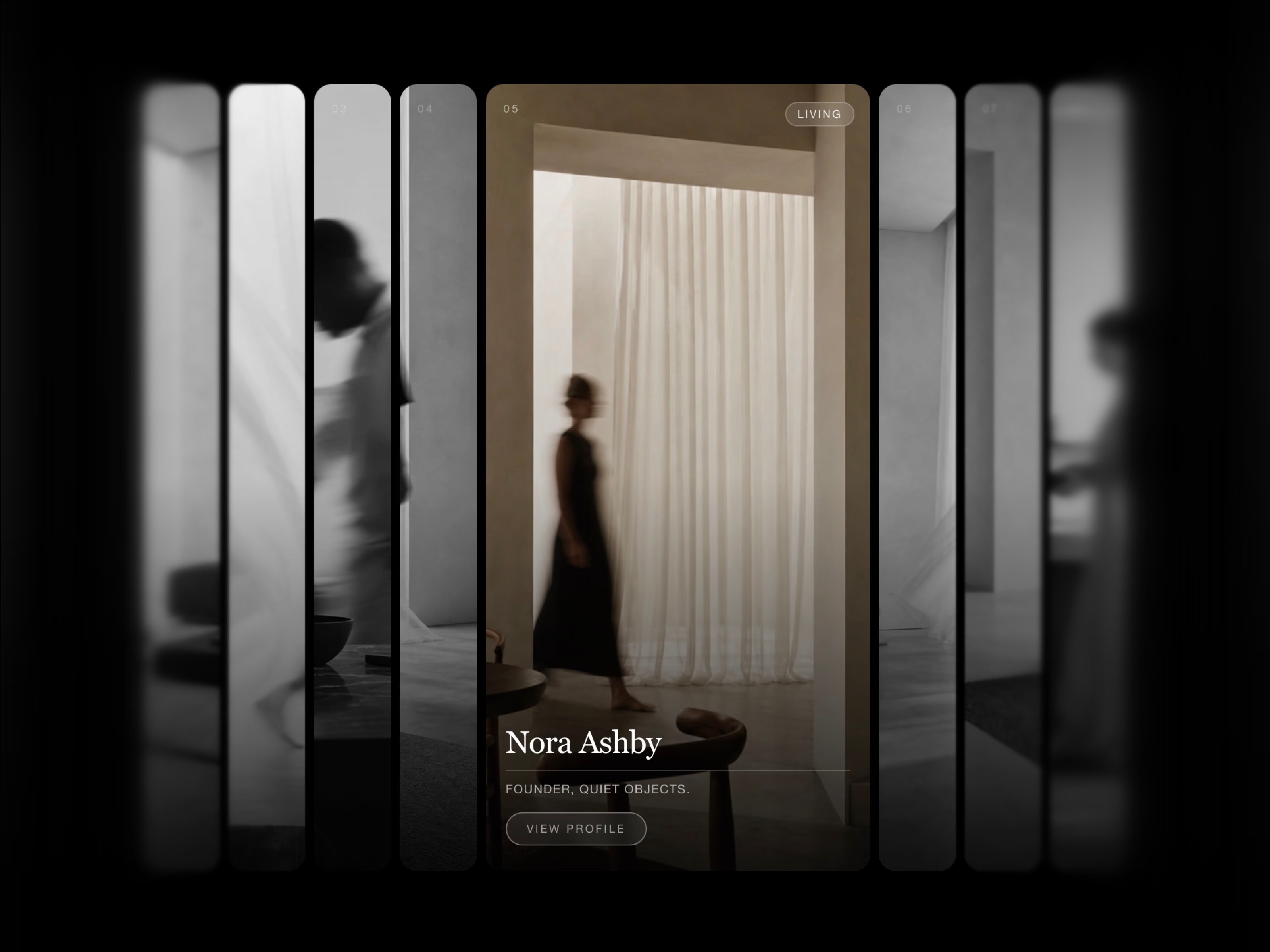
Orbit Carousel — a 3D photo carousel for Framer. A tilted ring of portrait cards turns slowly on its own; visitors can grab, spin and flick it, and the ring keeps gliding before settling back to a calm drift. Cards are curved around the ring, so it stays round from any angle, with real depth — back cards peek out smaller and dimmed.
Great for portfolios, photography, galleries, archival collections and hero sections that need subtle motion.
Live preview • Live preview 2 • Live preview 3
• Spins on its own — a slow idle rotation keeps the section alive with zero input.
• Real flywheel feel — drag or swipe to spin; a flick hands your speed to the wheel and momentum bleeds off over a few seconds. Grab it again to stop instantly.
• Mouse rocking — the composition sways as the cursor moves, and calms when it rests.
• Cinematic intro — cards fly into their slots on load, waiting for photos to decode so none appear empty.
• Never fights your page — ignores mouse wheel and scroll; vertical swipes still scroll, only a horizontal drag turns the wheel.
• Lightweight — zero dependencies, one component, honors reduced-motion.
• Photos — up to 15 (portrait looks best). Under 12 repeat around the ring; none shows placeholder cards.
• Corner Radius — card rounding (0–40 px).
• Clip — crop at the edges, or let cards float outside for more depth.
• Camera Zoom / Shift — frame the shot without distorting the 3D pose.
• Auto Spin — drift speed (0 = still until spun by hand).
• Rocking — sway strength (0–2).
Drop it on the canvas, add up to 15 portrait photos, frame with the Camera controls, tune Motion, publish.
• Photos aren't clickable links yet.
• No CMS — photos are added in the property panel.
• Ring geometry (size, count, tilt, radius) is fixed and tuned; frame it with the Camera.
• Mouse rocking is desktop-only; auto-spin keeps touch alive.
Questions or bugs? kd.des.gn@gmail.com

Orbit Carousel — a 3D photo carousel for Framer. A tilted ring of portrait cards turns slowly on its own; visitors can grab, spin and flick it, and the ring keeps gliding before settling back to a calm drift. Cards are curved around the ring, so it stays round from any angle, with real depth — back cards peek out smaller and dimmed.
Great for portfolios, photography, galleries, archival collections and hero sections that need subtle motion.
Live preview • Live preview 2 • Live preview 3
• Spins on its own — a slow idle rotation keeps the section alive with zero input.
• Real flywheel feel — drag or swipe to spin; a flick hands your speed to the wheel and momentum bleeds off over a few seconds. Grab it again to stop instantly.
• Mouse rocking — the composition sways as the cursor moves, and calms when it rests.
• Cinematic intro — cards fly into their slots on load, waiting for photos to decode so none appear empty.
• Never fights your page — ignores mouse wheel and scroll; vertical swipes still scroll, only a horizontal drag turns the wheel.
• Lightweight — zero dependencies, one component, honors reduced-motion.
• Photos — up to 15 (portrait looks best). Under 12 repeat around the ring; none shows placeholder cards.
• Corner Radius — card rounding (0–40 px).
• Clip — crop at the edges, or let cards float outside for more depth.
• Camera Zoom / Shift — frame the shot without distorting the 3D pose.
• Auto Spin — drift speed (0 = still until spun by hand).
• Rocking — sway strength (0–2).
Drop it on the canvas, add up to 15 portrait photos, frame with the Camera controls, tune Motion, publish.
• Photos aren't clickable links yet.
• No CMS — photos are added in the property panel.
• Ring geometry (size, count, tilt, radius) is fixed and tuned; frame it with the Camera.
• Mouse rocking is desktop-only; auto-spin keeps touch alive.
Questions or bugs? kd.des.gn@gmail.com