Help visitors find answers without scrolling through one long FAQ.
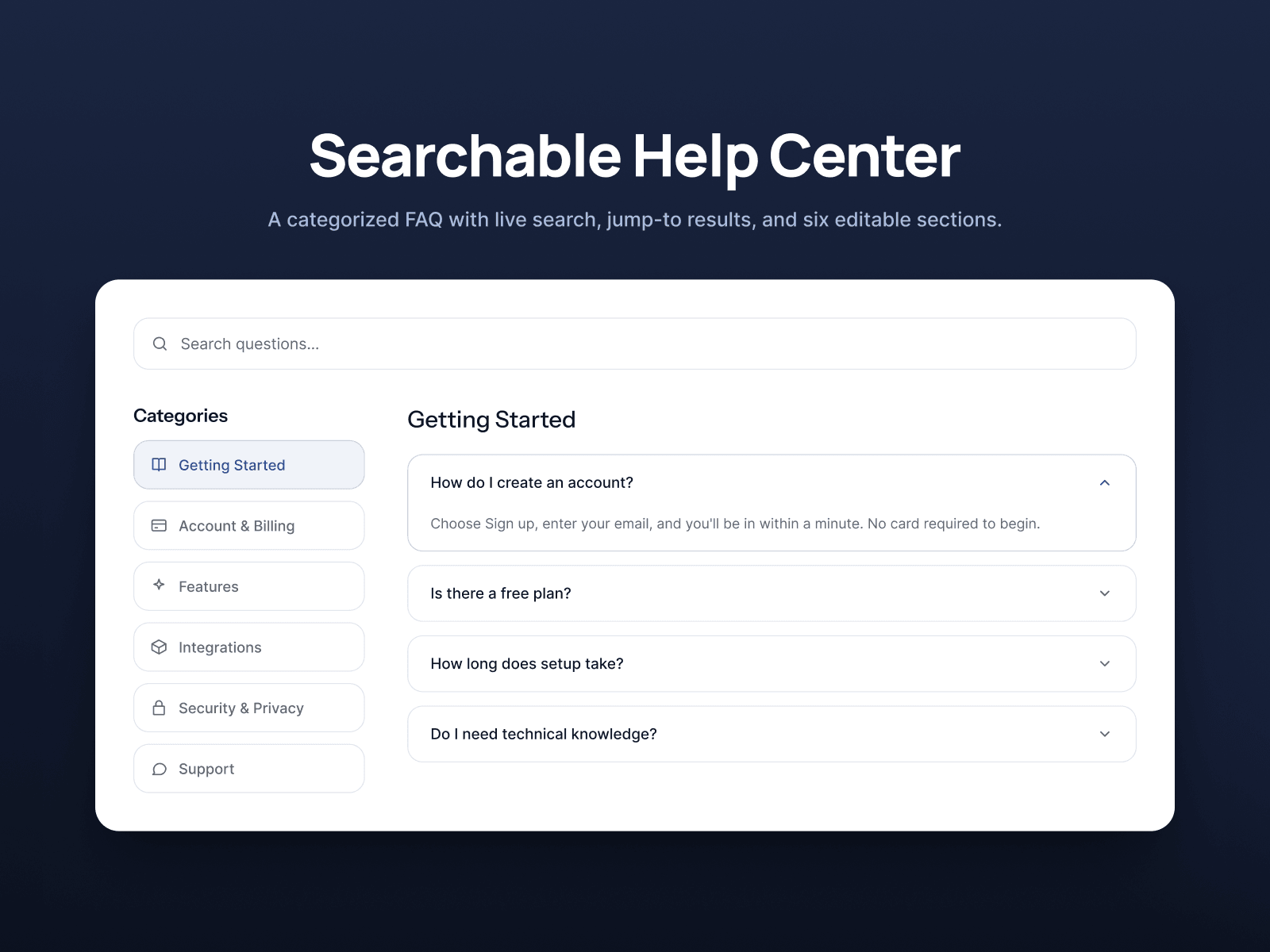
SearchableHelpCenter combines categorized questions, two search behaviors, and an accessible accordion system in one responsive Framer component.
Use Filter List to display every matching question as the visitor types, or Jump To to show search suggestions and take visitors directly to a selected answer. Categories appear as a vertical navigation rail on wider layouts and transform into a horizontally scrollable pill row on smaller screens.
Configure the questions, answers, category names, icons, colors, typography, sizing, breakpoints, search labels, and accordion behavior directly from Framer’s properties panel.
Features
Up to six FAQ categories
Up to 24 questions per category
Filter List and Jump To search modes
Search suggestion dropdown
Built-in icon library and custom Framer icons
Single-open or multi-open accordions
Responsive category navigation
Container-based breakpoints
Custom colors and typography
Keyboard navigation and visible focus states
Reduced-motion support
Static Canvas and export rendering
No external dependencies
Great for SaaS products, support pages, customer portals, services, memberships, online platforms, and knowledge bases.
No code required. Everything is controlled directly from the Framer sidebar.

Help visitors find answers without scrolling through one long FAQ.
SearchableHelpCenter combines categorized questions, two search behaviors, and an accessible accordion system in one responsive Framer component.
Use Filter List to display every matching question as the visitor types, or Jump To to show search suggestions and take visitors directly to a selected answer. Categories appear as a vertical navigation rail on wider layouts and transform into a horizontally scrollable pill row on smaller screens.
Configure the questions, answers, category names, icons, colors, typography, sizing, breakpoints, search labels, and accordion behavior directly from Framer’s properties panel.
Features
Up to six FAQ categories
Up to 24 questions per category
Filter List and Jump To search modes
Search suggestion dropdown
Built-in icon library and custom Framer icons
Single-open or multi-open accordions
Responsive category navigation
Container-based breakpoints
Custom colors and typography
Keyboard navigation and visible focus states
Reduced-motion support
Static Canvas and export rendering
No external dependencies
Great for SaaS products, support pages, customer portals, services, memberships, online platforms, and knowledge bases.
No code required. Everything is controlled directly from the Framer sidebar.