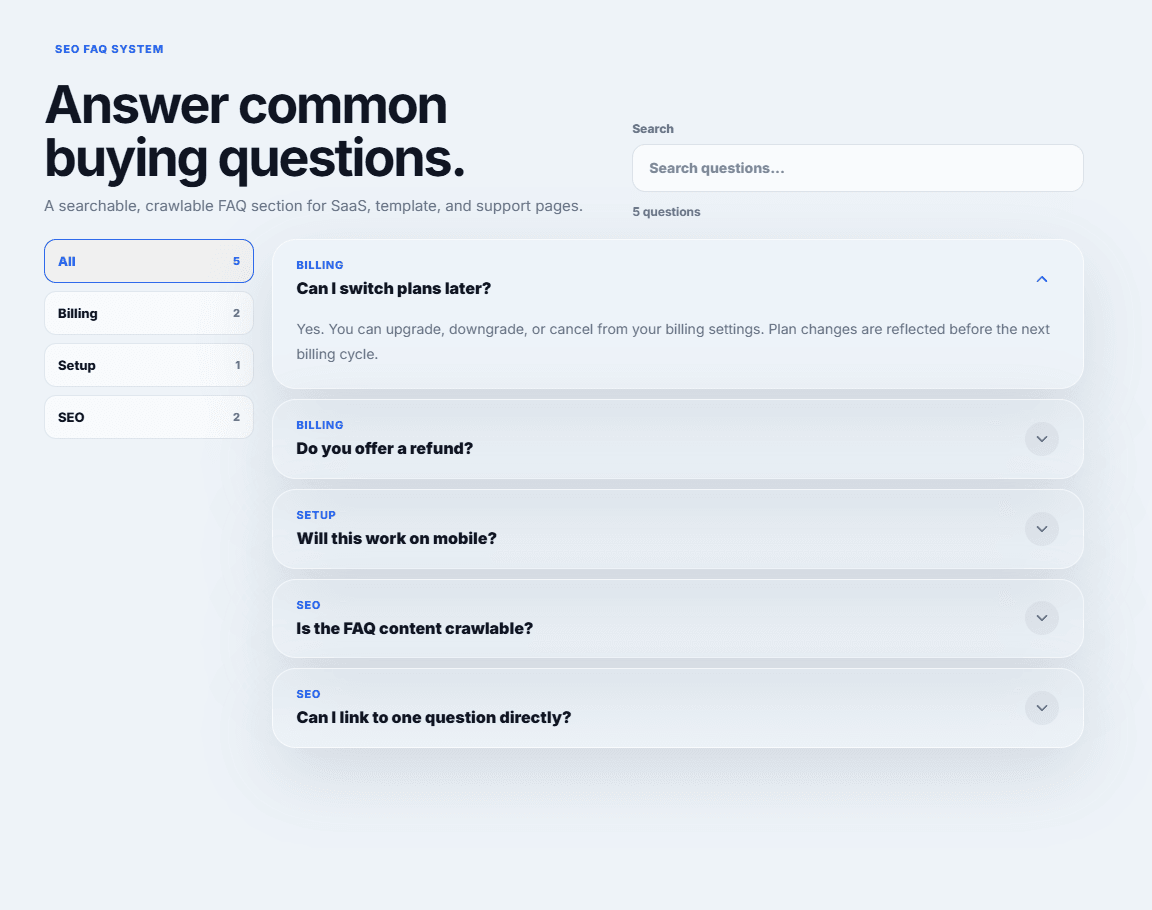
- Searchable FAQ items with match highlighting
- Auto-generated category filters
- Crawlable collapsed answers
- Optional FAQPage JSON-LD schema
- Direct hash links for specific questions
- Single-open or multi-open behavior
- Filled default SaaS/support example content
- Optional iOS-style glass effect
- Five press-only physical interaction presets with no hover wobble
- Static-renderer and Reduced Motion safe behavior
- Responsive layout and keyboard-visible focus states
- SaaS pricing and support pages
- Framer templates
- Product landing pages
- Help centers and resource hubs
- Agencies shipping client FAQ sections
Most FAQ sections stop at expand and collapse. AnswerVault handles the quiet production details that make a FAQ useful after launch: searchable answers, category filtering, crawlable collapsed content, optional structured data, direct links to individual questions, responsive layouts, token-friendly colors, and Framer Canvas safety.
1. Add AnswerVault to a Framer page.
2. Edit FAQ Items in the Properties panel.
3. Toggle Search, Categories, SEO Schema, Glass, and Motion as needed.
4. Preview the page and test search, categories, and question links.
$12 one-time purchase.
Personal and single-business use. Redistribution or resale as a standalone component is not allowed.
Because this is a digital code component, refunds are not available after access unless the component has a reproducible technical issue that cannot be fixed.

- Searchable FAQ items with match highlighting
- Auto-generated category filters
- Crawlable collapsed answers
- Optional FAQPage JSON-LD schema
- Direct hash links for specific questions
- Single-open or multi-open behavior
- Filled default SaaS/support example content
- Optional iOS-style glass effect
- Five press-only physical interaction presets with no hover wobble
- Static-renderer and Reduced Motion safe behavior
- Responsive layout and keyboard-visible focus states
- SaaS pricing and support pages
- Framer templates
- Product landing pages
- Help centers and resource hubs
- Agencies shipping client FAQ sections
Most FAQ sections stop at expand and collapse. AnswerVault handles the quiet production details that make a FAQ useful after launch: searchable answers, category filtering, crawlable collapsed content, optional structured data, direct links to individual questions, responsive layouts, token-friendly colors, and Framer Canvas safety.
1. Add AnswerVault to a Framer page.
2. Edit FAQ Items in the Properties panel.
3. Toggle Search, Categories, SEO Schema, Glass, and Motion as needed.
4. Preview the page and test search, categories, and question links.
$12 one-time purchase.
Personal and single-business use. Redistribution or resale as a standalone component is not allowed.
Because this is a digital code component, refunds are not available after access unless the component has a reproducible technical issue that cannot be fixed.