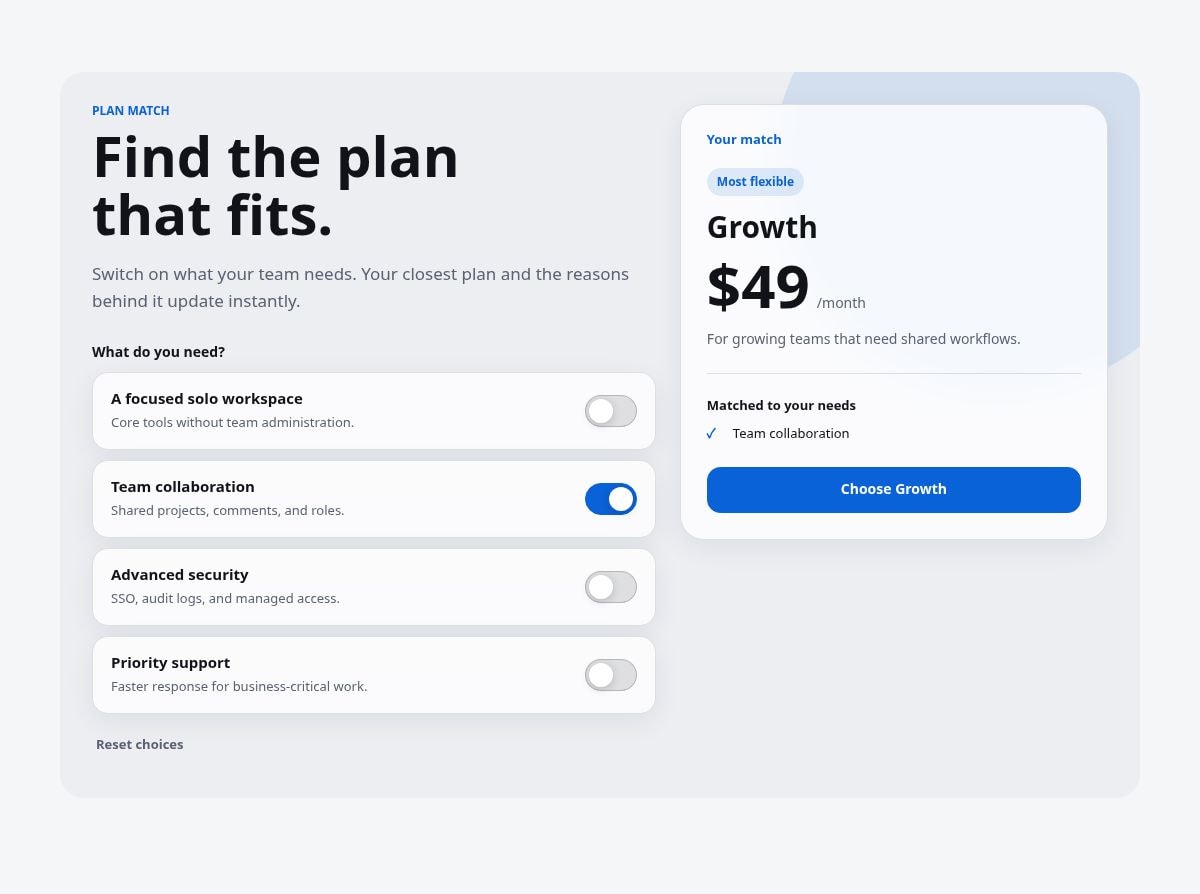
PlanMatch lets visitors switch on the capabilities they need and immediately shows the closest plan, its price, and the reasons behind the match. It replaces hand-wired scoring logic with one responsive Framer Code Component.
- Shows every need on one screen instead of forcing visitors through a long quiz.
- Uses editable weights across two or three plans, so the recommendation logic stays visible and predictable.
- Explains the match with the selected needs that best support the result.
- Optionally syncs selections to one URL query parameter for shareable recommendations.
- Uses semantic switch buttons, visible focus, 44px touch targets, live result announcements, and reduced-motion handling.
- Includes optional Glass UI styling. Turn it off for a solid, neutral interface without losing any function.
- SaaS and AI product pricing
- Membership and subscription tiers
- Productized services
- Agency client projects with several packages
- Any offer where visitors ask “Which plan is for me?”
### Setup
1. Add two or three plans with names, prices, CTA labels, and links.
2. Add up to six needs.
3. Give each need a weight for Plan 1, Plan 2, and Plan 3.
4. Preview the switches and adjust the weights until the recommendation matches your offer.
5. Keep URL Sync on for shareable results, or turn it off for local-only state.
- PlanMatch recommends from the weights you configure; it does not provide financial, legal, or purchasing advice.
- It does not process payments or calculate usage-based prices.
- Use two or three plans and up to six needs in v1.
- If no need is selected, Plan 2 is shown as the flexible starting point.

PlanMatch lets visitors switch on the capabilities they need and immediately shows the closest plan, its price, and the reasons behind the match. It replaces hand-wired scoring logic with one responsive Framer Code Component.
- Shows every need on one screen instead of forcing visitors through a long quiz.
- Uses editable weights across two or three plans, so the recommendation logic stays visible and predictable.
- Explains the match with the selected needs that best support the result.
- Optionally syncs selections to one URL query parameter for shareable recommendations.
- Uses semantic switch buttons, visible focus, 44px touch targets, live result announcements, and reduced-motion handling.
- Includes optional Glass UI styling. Turn it off for a solid, neutral interface without losing any function.
- SaaS and AI product pricing
- Membership and subscription tiers
- Productized services
- Agency client projects with several packages
- Any offer where visitors ask “Which plan is for me?”
### Setup
1. Add two or three plans with names, prices, CTA labels, and links.
2. Add up to six needs.
3. Give each need a weight for Plan 1, Plan 2, and Plan 3.
4. Preview the switches and adjust the weights until the recommendation matches your offer.
5. Keep URL Sync on for shareable results, or turn it off for local-only state.
- PlanMatch recommends from the weights you configure; it does not provide financial, legal, or purchasing advice.
- It does not process payments or calculate usage-based prices.
- Use two or three plans and up to six needs in v1.
- If no need is selected, Plan 2 is shown as the flexible starting point.
 knokknokD