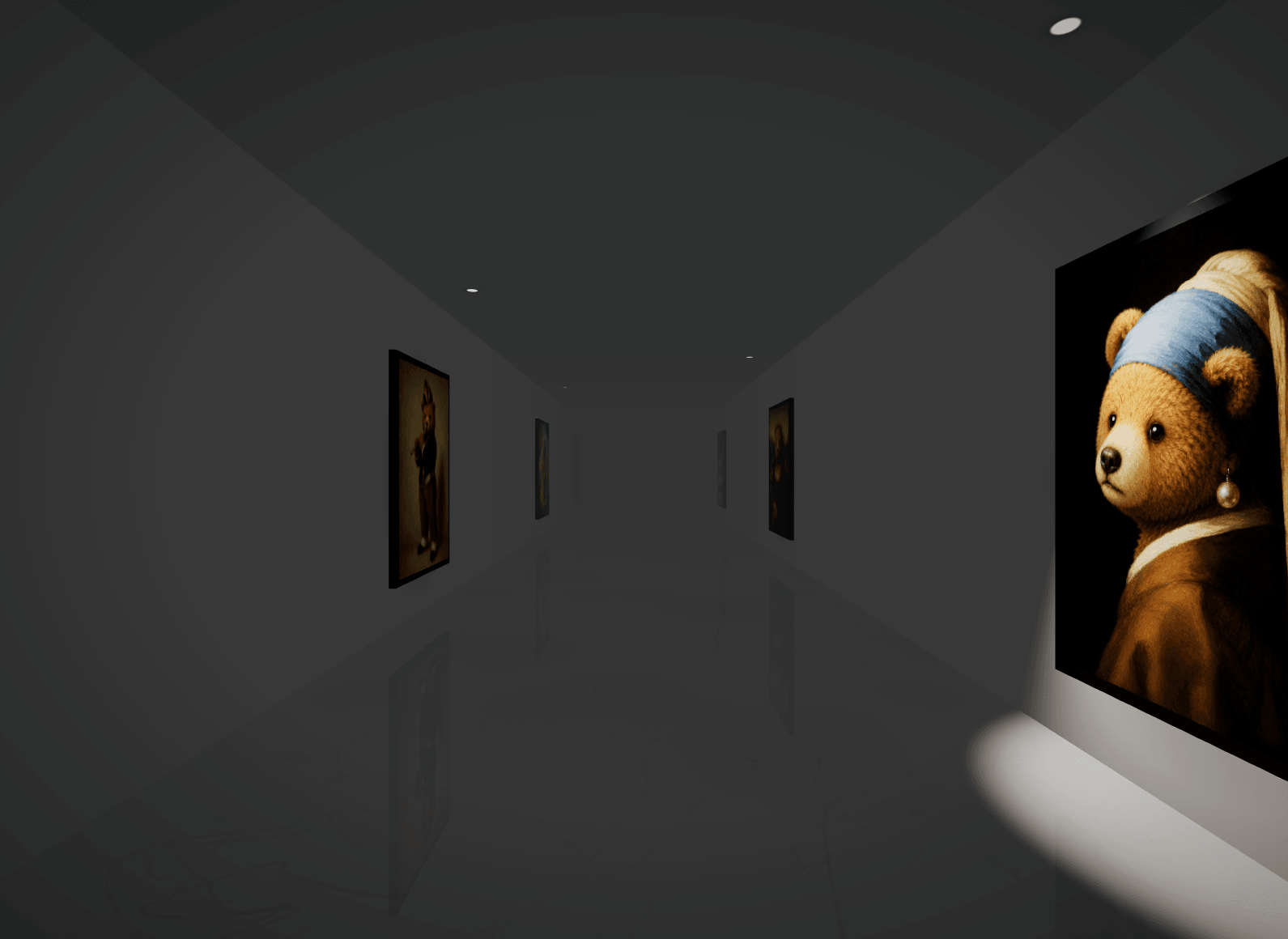
Step into an infinite exhibition! Drop your images into the frames. Scroll to walk endlessly through the hallway, hover to watch the canvas sway gently, and click to step closer to an artwork. Bring the immersive experience of a fine art museum directly to your portfolio or brand lookbook.
CMS List: Artworks hang in your CMS order and stay in sync automatically.
Images: Choose the Images property for a quick manual setup. Add as many images as you want; they will alternate along both walls in an infinite loop.
Scroll: Walk the hallway. Smooth inertia applies to both the mouse wheel and touch controls, creating an endless path in either direction.
Hover: The targeted canvas tilts and sways slightly, with dynamic lighting reacting naturally to the movement.
Click: The camera glides smoothly toward the artwork for a closer look. Click again or scroll to return to your walking path.
Portfolio Showcases: Replace standard image grids with a walkable exhibition. The dramatic lighting on each piece adds striking visual weight to your work.
Fullscreen Heroes & Landings: Drop this component into a full-bleed 100vh section to transform your entire page into a museum.
Please note that animations only work in Preview mode. The component may appear paused or as an empty screen on the Framer editing canvas.
To install the component, please copy and paste the component URL below directly onto your Framer canvas.
Insert a 'Collection List' anywhere on your page. Select CMS in the properties, choose the corresponding collection list, and drag the connector to the 'Collection List'. Done! The hallway now mirrors your CMS content.

Step into an infinite exhibition! Drop your images into the frames. Scroll to walk endlessly through the hallway, hover to watch the canvas sway gently, and click to step closer to an artwork. Bring the immersive experience of a fine art museum directly to your portfolio or brand lookbook.
CMS List: Artworks hang in your CMS order and stay in sync automatically.
Images: Choose the Images property for a quick manual setup. Add as many images as you want; they will alternate along both walls in an infinite loop.
Scroll: Walk the hallway. Smooth inertia applies to both the mouse wheel and touch controls, creating an endless path in either direction.
Hover: The targeted canvas tilts and sways slightly, with dynamic lighting reacting naturally to the movement.
Click: The camera glides smoothly toward the artwork for a closer look. Click again or scroll to return to your walking path.
Portfolio Showcases: Replace standard image grids with a walkable exhibition. The dramatic lighting on each piece adds striking visual weight to your work.
Fullscreen Heroes & Landings: Drop this component into a full-bleed 100vh section to transform your entire page into a museum.
Please note that animations only work in Preview mode. The component may appear paused or as an empty screen on the Framer editing canvas.
To install the component, please copy and paste the component URL below directly onto your Framer canvas.
Insert a 'Collection List' anywhere on your page. Select CMS in the properties, choose the corresponding collection list, and drag the connector to the 'Collection List'. Done! The hallway now mirrors your CMS content.
 mx.bear