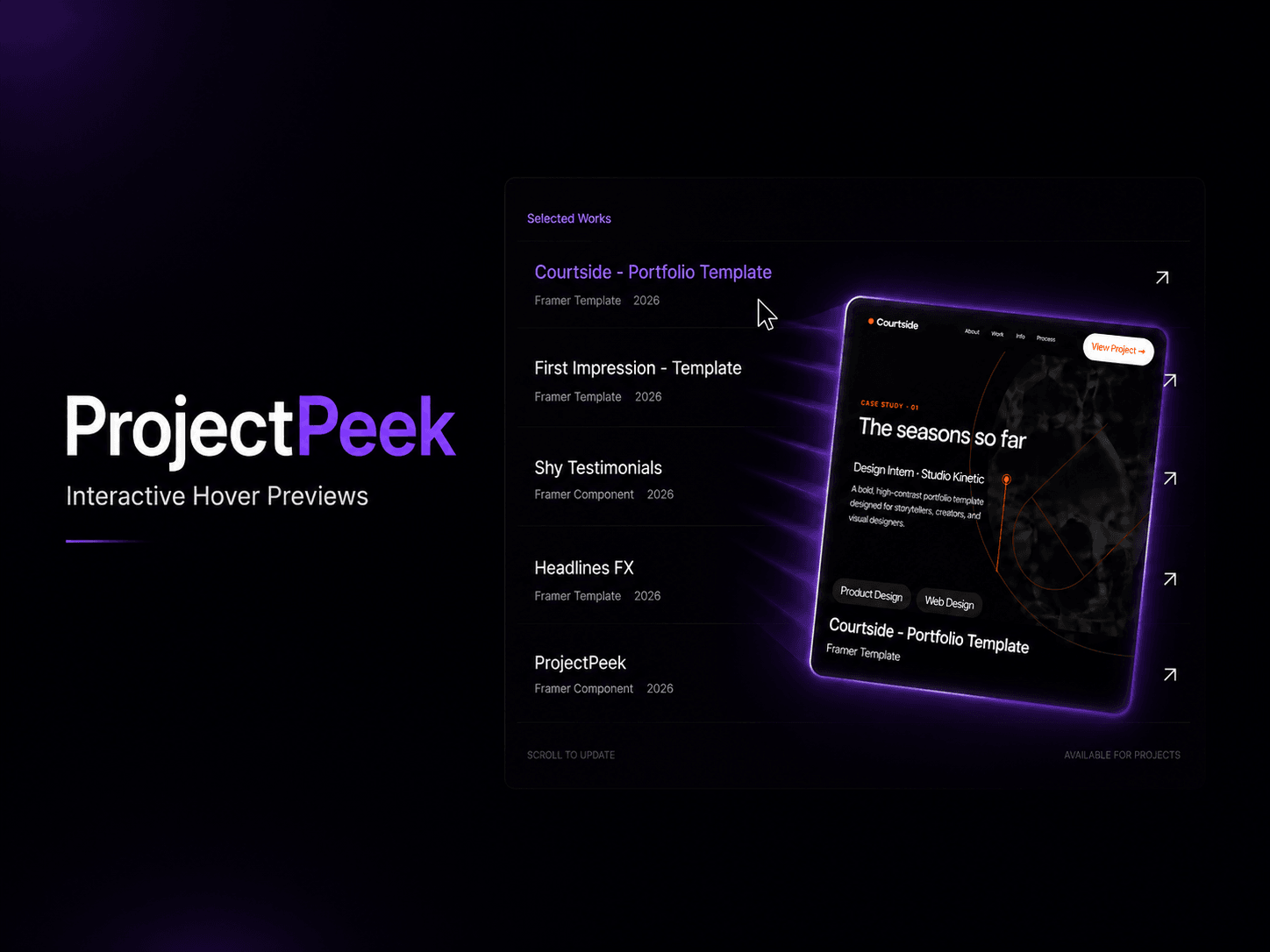
ProjectPeek is a premium hover preview component for Framer that transforms static project lists into interactive experiences.
Display images or videos that smoothly appear and follow the cursor when visitors hover over a project, case study, service, or portfolio item. With natural motion, customizable overlays, tags, CTA buttons, and flexible styling controls, ProjectPeek helps portfolios, agency websites, and product showcases feel more polished and engaging without writing a single line of code.
Whether you're building a designer portfolio, creative agency website, SaaS showcase, or case study archive, ProjectPeek makes it easy to create the kind of premium hover interactions typically found on high-end studio and award-winning websites.
• Image and video previews • Cursor-following and fixed-position modes • Smooth spring-based motion and 3D tilt effects • Project titles, categories, tags, and CTA buttons • Fully customizable sizing, colors, shadows, and glow effects • Mobile-friendly fallback experience • No-code setup inside Framer
• Designer portfolios • Creative agencies • Freelancers • Product showcases • Case study libraries • Studio websites
Drop it into your Framer project, customize the content, and create interactive project previews in minutes.

ProjectPeek is a premium hover preview component for Framer that transforms static project lists into interactive experiences.
Display images or videos that smoothly appear and follow the cursor when visitors hover over a project, case study, service, or portfolio item. With natural motion, customizable overlays, tags, CTA buttons, and flexible styling controls, ProjectPeek helps portfolios, agency websites, and product showcases feel more polished and engaging without writing a single line of code.
Whether you're building a designer portfolio, creative agency website, SaaS showcase, or case study archive, ProjectPeek makes it easy to create the kind of premium hover interactions typically found on high-end studio and award-winning websites.
• Image and video previews • Cursor-following and fixed-position modes • Smooth spring-based motion and 3D tilt effects • Project titles, categories, tags, and CTA buttons • Fully customizable sizing, colors, shadows, and glow effects • Mobile-friendly fallback experience • No-code setup inside Framer
• Designer portfolios • Creative agencies • Freelancers • Product showcases • Case study libraries • Studio websites
Drop it into your Framer project, customize the content, and create interactive project previews in minutes.