Make people watch before they click.
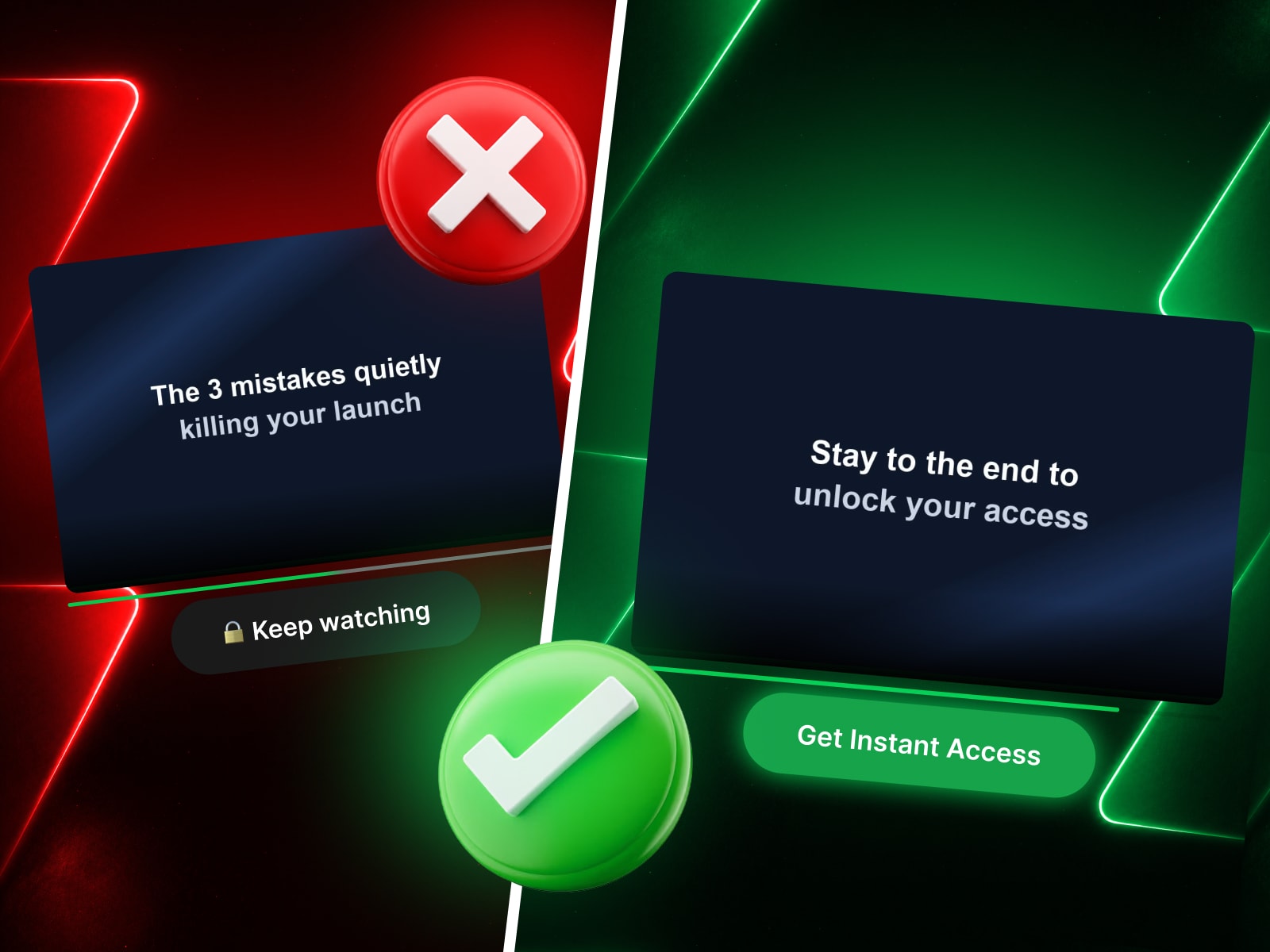
Video Unlock is a Framer code component that puts your call-to-action on a timer the viewer controls with their attention. The button sits below your video in a clearly locked state — dark and unclickable — and only comes alive once the viewer has watched the percentage you choose. When it unlocks, it animates to your "go" color, swaps its label, gains a soft glow, and becomes a real link.
It's the exact mechanic behind high-converting video sales letters (VSLs), course and cohort launches, and webinar replays: the offer button feels earned, not just shown. Instead of hiding your CTA and hoping people scroll, Video Unlock keeps the reward visible the whole time — the viewer watches the button they're working toward.
Why it converts
The locked → unlocked color change is a visible reward, not a hidden reveal — it pulls the eye the moment it fires.
Anti-Skip stops viewers from dragging the scrubber past what they've actually watched, so "watched 65%" means watched.
Remember saves progress in the browser, so a returning visitor who already watched enough sees the button unlocked right away.
Everything you need, nothing you don't 16 focused controls — no wall of settings. Set your unlock percentage, both button labels (🔒 Keep watching → Get Instant Access), both colors, the link, font, radius, and an optional progress bar. Spacing, shadow, and the unlock animation are tuned in and just work.
What's inside
Self-hosted video player (upload MP4 / WebM / MOV) with optional poster
Two-state CTA button — Locked & Unlocked colors and labels
Adjustable unlock threshold (1–100%)
Anti-Skip — blocks scrubbing past the furthest watched point
Remembers progress across visits
Optional progress bar with custom color
Smooth unlock transition with a subtle "pop"
Setup in under a minute Drop it on the page, upload your video, set your unlock percentage, point the button at your checkout link, and match your brand colors.

Make people watch before they click.
Video Unlock is a Framer code component that puts your call-to-action on a timer the viewer controls with their attention. The button sits below your video in a clearly locked state — dark and unclickable — and only comes alive once the viewer has watched the percentage you choose. When it unlocks, it animates to your "go" color, swaps its label, gains a soft glow, and becomes a real link.
It's the exact mechanic behind high-converting video sales letters (VSLs), course and cohort launches, and webinar replays: the offer button feels earned, not just shown. Instead of hiding your CTA and hoping people scroll, Video Unlock keeps the reward visible the whole time — the viewer watches the button they're working toward.
Why it converts
The locked → unlocked color change is a visible reward, not a hidden reveal — it pulls the eye the moment it fires.
Anti-Skip stops viewers from dragging the scrubber past what they've actually watched, so "watched 65%" means watched.
Remember saves progress in the browser, so a returning visitor who already watched enough sees the button unlocked right away.
Everything you need, nothing you don't 16 focused controls — no wall of settings. Set your unlock percentage, both button labels (🔒 Keep watching → Get Instant Access), both colors, the link, font, radius, and an optional progress bar. Spacing, shadow, and the unlock animation are tuned in and just work.
What's inside
Self-hosted video player (upload MP4 / WebM / MOV) with optional poster
Two-state CTA button — Locked & Unlocked colors and labels
Adjustable unlock threshold (1–100%)
Anti-Skip — blocks scrubbing past the furthest watched point
Remembers progress across visits
Optional progress bar with custom color
Smooth unlock transition with a subtle "pop"
Setup in under a minute Drop it on the page, upload your video, set your unlock percentage, point the button at your checkout link, and match your brand colors.


