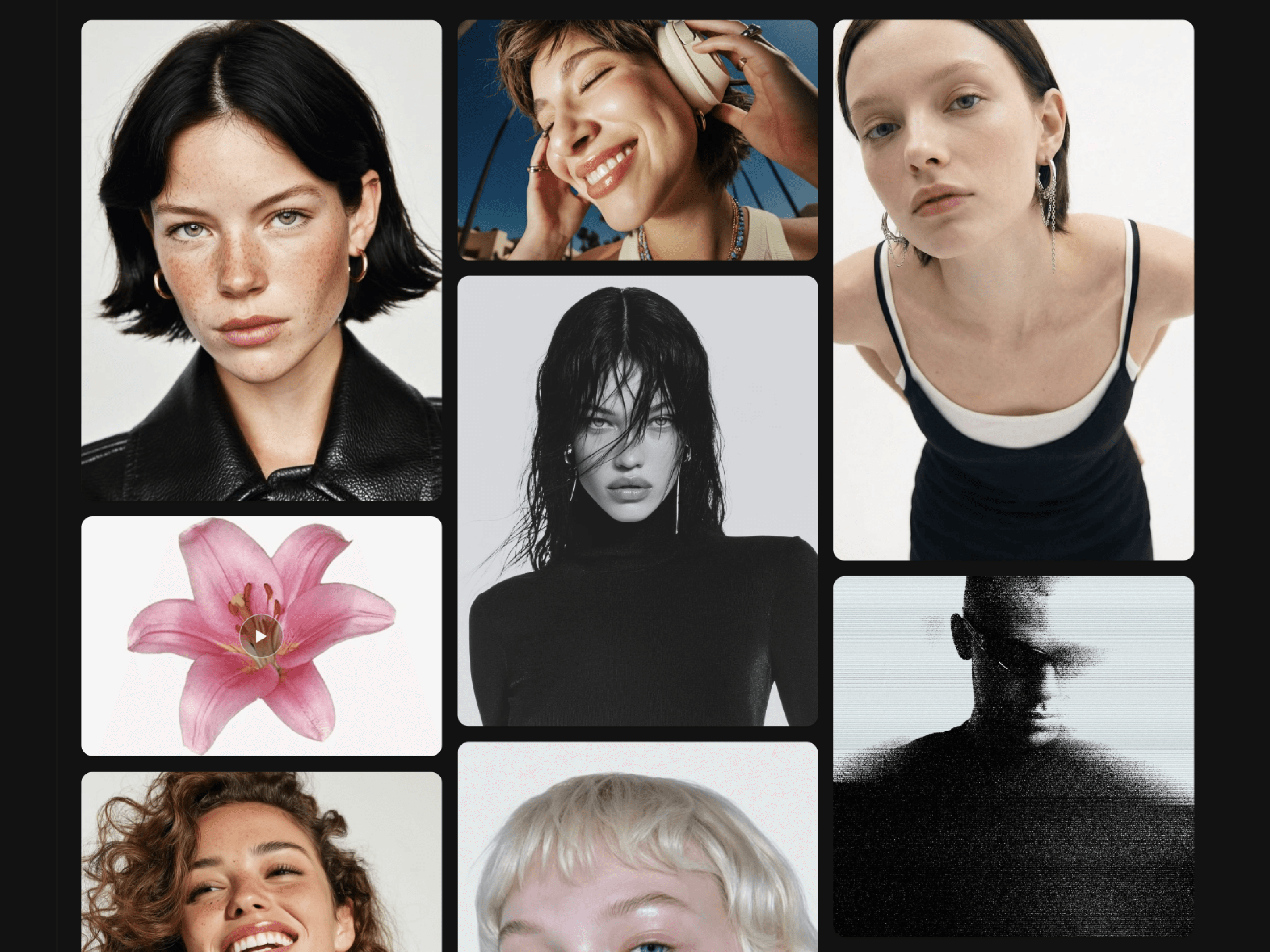
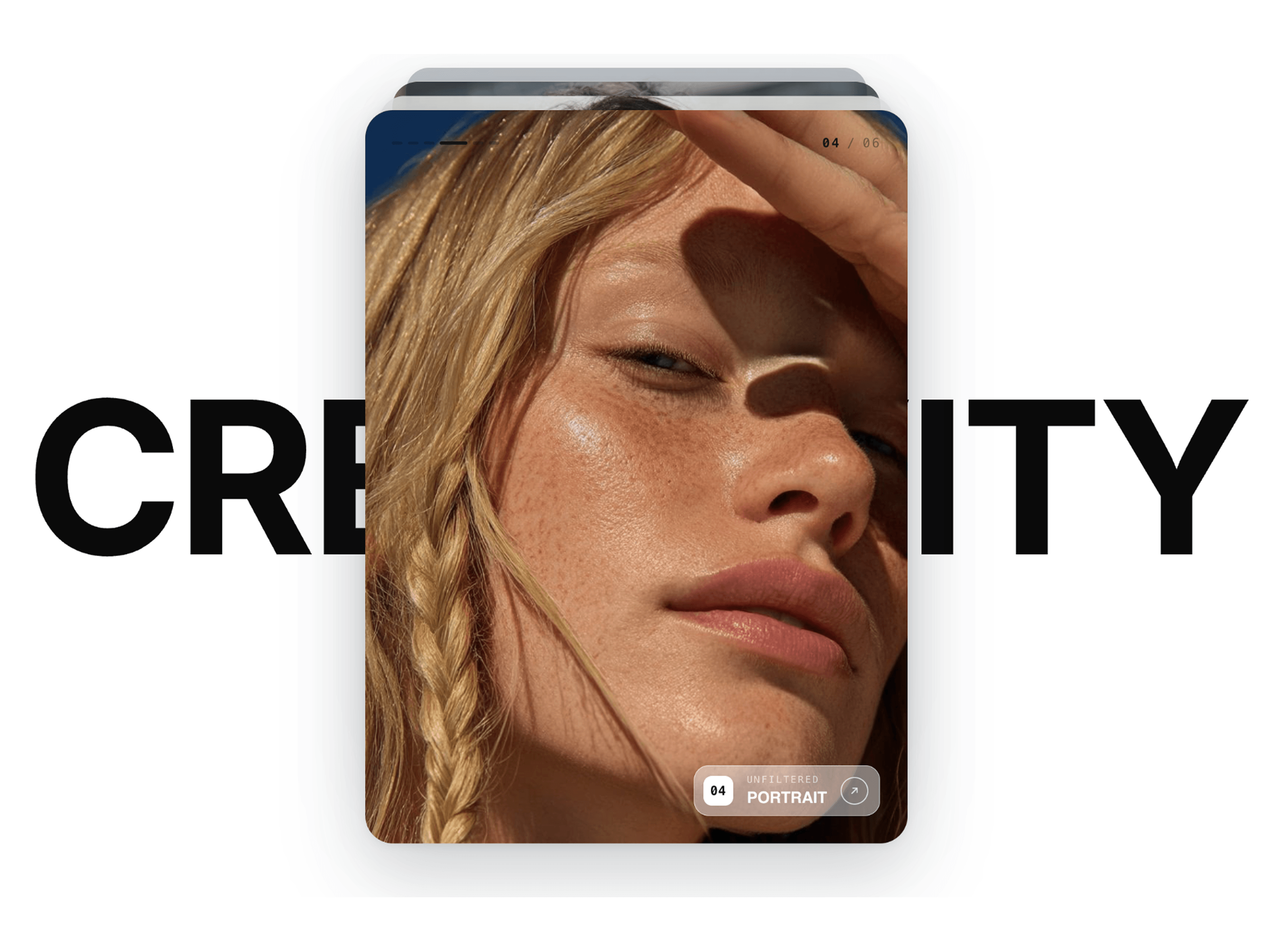
3D Editorial Gallery is a refined editorial-style image gallery for Framer, designed to showcase photography, portfolios, creative projects, and visual stories in a flexible masonry layout. It combines varied image proportions, smooth reveal animations, subtle hover zoom, category filtering, and an immersive focus view for a polished gallery experience.
Add 3D Editorial Gallery to your Framer page
Add your images to the gallery
Add titles, categories, years, and alt text
Choose automatic or manual featured layouts
Customize desktop, tablet, and mobile columns
Adjust spacing, image fit, radius, and hover effects
Choose where metadata appears: hidden, below, or overlay
Enable category filters when needed
Enable Focus View for a fullscreen image experience
Customize typography, colors, and animation
Adjust the layout for different screen sizes
Publish your site and your editorial gallery is ready
Editorial-style masonry image gallery
Responsive masonry grid
Automatic or manual featured layouts
Multiple image proportions and tile sizes
Category filtering
Fullscreen Focus View
Keyboard and touch navigation
Smooth image reveal animations
Subtle hover zoom effects
Optional inspection cursor
Image numbering and metadata
Custom titles, categories, and years
Responsive desktop, tablet, and mobile layouts
Custom typography and colors
Reduced-motion support
Fully customizable in Framer
No-code setup
Perfect for creative portfolios, photography websites, design studios, fashion brands, architecture portfolios, art direction, agencies, and editorial websites. 3D Editorial Gallery brings an editorial photography aesthetic to modern Framer websites with a responsive masonry image gallery, flexible layouts, smooth interactions, and an immersive fullscreen viewing experience.

3D Editorial Gallery is a refined editorial-style image gallery for Framer, designed to showcase photography, portfolios, creative projects, and visual stories in a flexible masonry layout. It combines varied image proportions, smooth reveal animations, subtle hover zoom, category filtering, and an immersive focus view for a polished gallery experience.
Add 3D Editorial Gallery to your Framer page
Add your images to the gallery
Add titles, categories, years, and alt text
Choose automatic or manual featured layouts
Customize desktop, tablet, and mobile columns
Adjust spacing, image fit, radius, and hover effects
Choose where metadata appears: hidden, below, or overlay
Enable category filters when needed
Enable Focus View for a fullscreen image experience
Customize typography, colors, and animation
Adjust the layout for different screen sizes
Publish your site and your editorial gallery is ready
Editorial-style masonry image gallery
Responsive masonry grid
Automatic or manual featured layouts
Multiple image proportions and tile sizes
Category filtering
Fullscreen Focus View
Keyboard and touch navigation
Smooth image reveal animations
Subtle hover zoom effects
Optional inspection cursor
Image numbering and metadata
Custom titles, categories, and years
Responsive desktop, tablet, and mobile layouts
Custom typography and colors
Reduced-motion support
Fully customizable in Framer
No-code setup
Perfect for creative portfolios, photography websites, design studios, fashion brands, architecture portfolios, art direction, agencies, and editorial websites. 3D Editorial Gallery brings an editorial photography aesthetic to modern Framer websites with a responsive masonry image gallery, flexible layouts, smooth interactions, and an immersive fullscreen viewing experience.