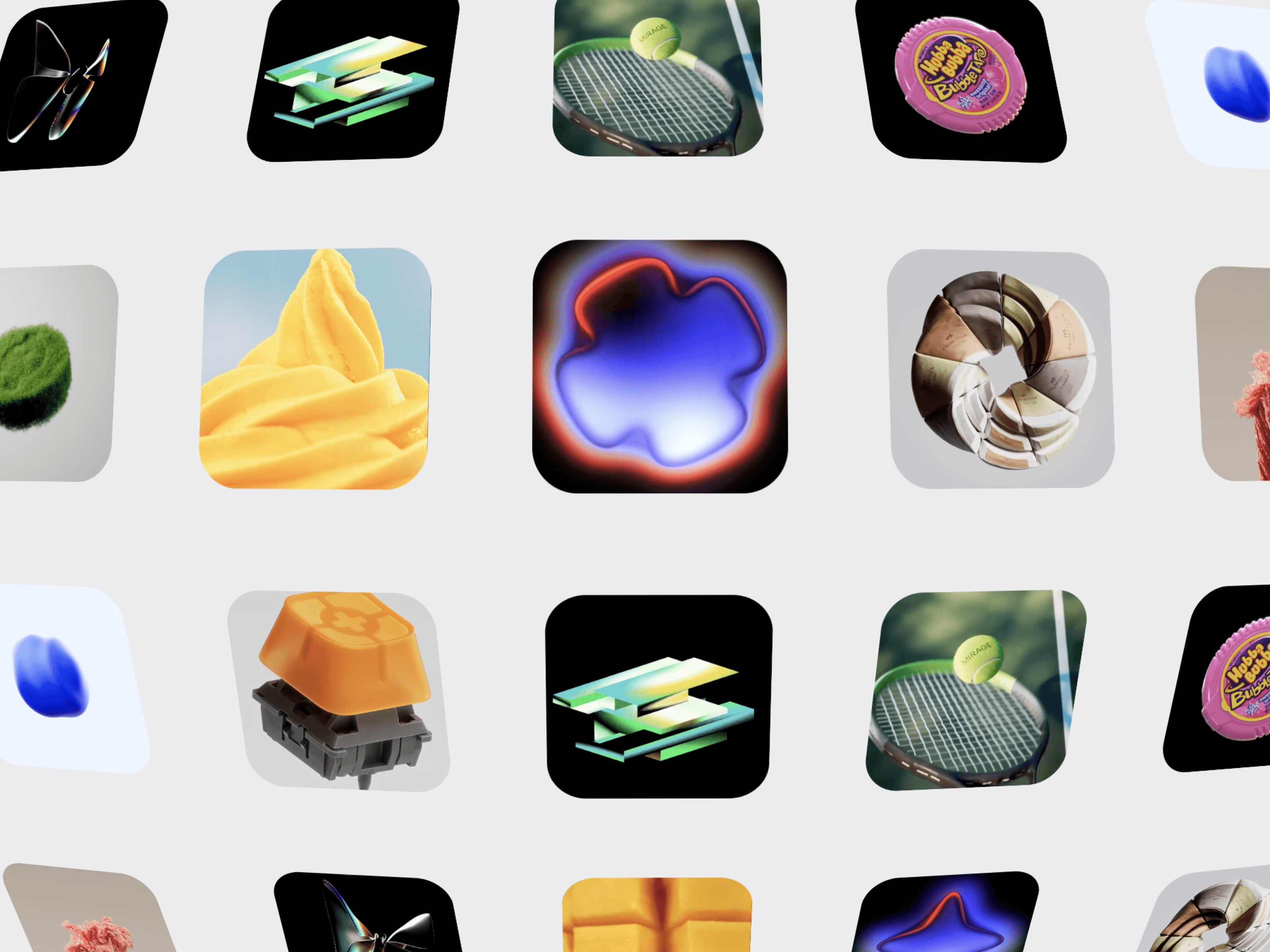
CMS Convex Gallery is a dynamic 3D image gallery for Framer that transforms your images into a smooth, immersive convex grid. Create a striking visual experience with infinite scrolling, 3D perspective, drag interactions, hover effects, and customizable layouts.
Each image can also be connected to its own CMS page or any URL, making it perfect for portfolios, project showcases, and collection-style websites.
Convex 3D Layout — Give your image grid a curved, dimensional appearance with realistic perspective.
Infinite Scrolling — Create a seamless, continuously looping gallery in any direction.
Multiple Rows & Columns — Build layouts from simple grids to large visual galleries.
Adjustable 3D Depth — Control perspective, convexity, curvature, edge rotation, and depth.
Connect every gallery card to its own destination using Framer's Link / CMS Link control.
Connect individual cards to Framer CMS pages.
Use a different CMS page for every image.
Link cards to project pages, case studies, products, or external URLs.
Choose between Same Tab or New Tab.
Perfect for dynamic portfolio and collection pages.
Note: The component itself is not a CMS collection. Instead, each individual card can be connected to the relevant CMS page using its link property.
Drag to Explore — Click and drag through the gallery with momentum.
Wheel Navigation — Navigate the gallery using mouse or trackpad scrolling.
Autoplay — Let the gallery move automatically in your preferred direction.
8 Directions — Choose left, right, up, down, or diagonal movement.
Momentum Control — Fine-tune the feel of drag interactions.
Image source: Upload or URL
Adjustable rows and columns
Tile width and height
Horizontal and vertical spacing
Border radius
Perspective and convexity
X/Y curvature
Edge rotation
Depth scale
Autoplay speed
Animation direction
Drag and wheel controls
Hover scale and rotation
Custom background color

CMS Convex Gallery is a dynamic 3D image gallery for Framer that transforms your images into a smooth, immersive convex grid. Create a striking visual experience with infinite scrolling, 3D perspective, drag interactions, hover effects, and customizable layouts.
Each image can also be connected to its own CMS page or any URL, making it perfect for portfolios, project showcases, and collection-style websites.
Convex 3D Layout — Give your image grid a curved, dimensional appearance with realistic perspective.
Infinite Scrolling — Create a seamless, continuously looping gallery in any direction.
Multiple Rows & Columns — Build layouts from simple grids to large visual galleries.
Adjustable 3D Depth — Control perspective, convexity, curvature, edge rotation, and depth.
Connect every gallery card to its own destination using Framer's Link / CMS Link control.
Connect individual cards to Framer CMS pages.
Use a different CMS page for every image.
Link cards to project pages, case studies, products, or external URLs.
Choose between Same Tab or New Tab.
Perfect for dynamic portfolio and collection pages.
Note: The component itself is not a CMS collection. Instead, each individual card can be connected to the relevant CMS page using its link property.
Drag to Explore — Click and drag through the gallery with momentum.
Wheel Navigation — Navigate the gallery using mouse or trackpad scrolling.
Autoplay — Let the gallery move automatically in your preferred direction.
8 Directions — Choose left, right, up, down, or diagonal movement.
Momentum Control — Fine-tune the feel of drag interactions.
Image source: Upload or URL
Adjustable rows and columns
Tile width and height
Horizontal and vertical spacing
Border radius
Perspective and convexity
X/Y curvature
Edge rotation
Depth scale
Autoplay speed
Animation direction
Drag and wheel controls
Hover scale and rotation
Custom background color