Loupe magnifier for Image & video zoom lens on hover
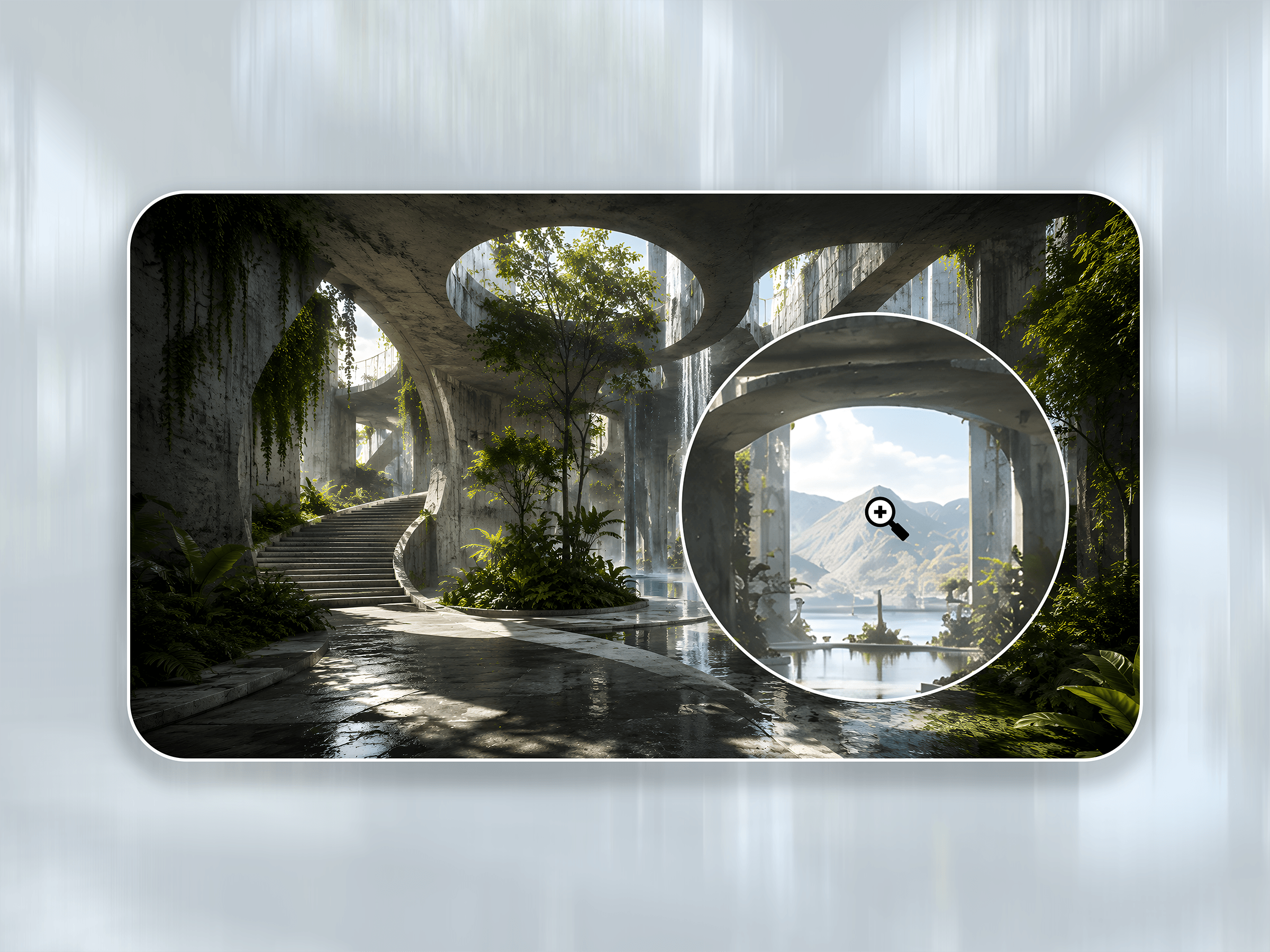
Loupe adds a cursor-following magnifying lens to any image or video, so fine detail becomes readable on hover — diagrams, floor plans, site plans, renderings, maps, product shots, and fly-throughs. Drop it in, add your media, and adjust everything from a clean, organized panel. No code, no dependencies.
Everything it does
- Images and video — magnify a still or a moving clip; the first magnifier on the marketplace that does both
- Three lens styles — Circle, Square, or Sheet Reveal (a wide bar, perfect for floor & site plans)
- Adjustable zoom — 1.1× up to 4× under the lens
- Hi-Res swap — serve a light thumbnail, load a sharp high-res version only on hover (fast pages, crisp zoom)
- Video HQ in the lens — play a light video in the frame and a high-quality version inside the magnifier, lazy-loaded on hover
- Cover poster + fallback — a poster image shows before the video plays and if it ever fails to load
- Autoplay / Loop / Muted — ambient video controls, browser-safe out of the box
- Focal point — reposition the crop with X/Y controls so the important part always shows
- Image radius — round all corners or each corner individually
- Frame border + drop shadow — full control (width, color, X/Y, blur, spread) for a matrix of looks
- Styled lens — set the lens border width, color, and radius
- Accessible & touch-friendly — alt text built in; on touch devices it gracefully shows the static image
- Fully customizable — organized into Media, Appearance, and Magnifier sections for quick editing
Built for architecture, engineering & construction, real estate, photographers, product & e-commerce, and portfolio sites — anyone showing imagery that deserves a closer look.
No code required — just add your image or video and adjust in the panel.
Email christian@omni2design.com with any questions!

Loupe magnifier for Image & video zoom lens on hover
Loupe adds a cursor-following magnifying lens to any image or video, so fine detail becomes readable on hover — diagrams, floor plans, site plans, renderings, maps, product shots, and fly-throughs. Drop it in, add your media, and adjust everything from a clean, organized panel. No code, no dependencies.
Everything it does
- Images and video — magnify a still or a moving clip; the first magnifier on the marketplace that does both
- Three lens styles — Circle, Square, or Sheet Reveal (a wide bar, perfect for floor & site plans)
- Adjustable zoom — 1.1× up to 4× under the lens
- Hi-Res swap — serve a light thumbnail, load a sharp high-res version only on hover (fast pages, crisp zoom)
- Video HQ in the lens — play a light video in the frame and a high-quality version inside the magnifier, lazy-loaded on hover
- Cover poster + fallback — a poster image shows before the video plays and if it ever fails to load
- Autoplay / Loop / Muted — ambient video controls, browser-safe out of the box
- Focal point — reposition the crop with X/Y controls so the important part always shows
- Image radius — round all corners or each corner individually
- Frame border + drop shadow — full control (width, color, X/Y, blur, spread) for a matrix of looks
- Styled lens — set the lens border width, color, and radius
- Accessible & touch-friendly — alt text built in; on touch devices it gracefully shows the static image
- Fully customizable — organized into Media, Appearance, and Magnifier sections for quick editing
Built for architecture, engineering & construction, real estate, photographers, product & e-commerce, and portfolio sites — anyone showing imagery that deserves a closer look.
No code required — just add your image or video and adjust in the panel.
Email christian@omni2design.com with any questions!
 Omni2 Design