PageLock
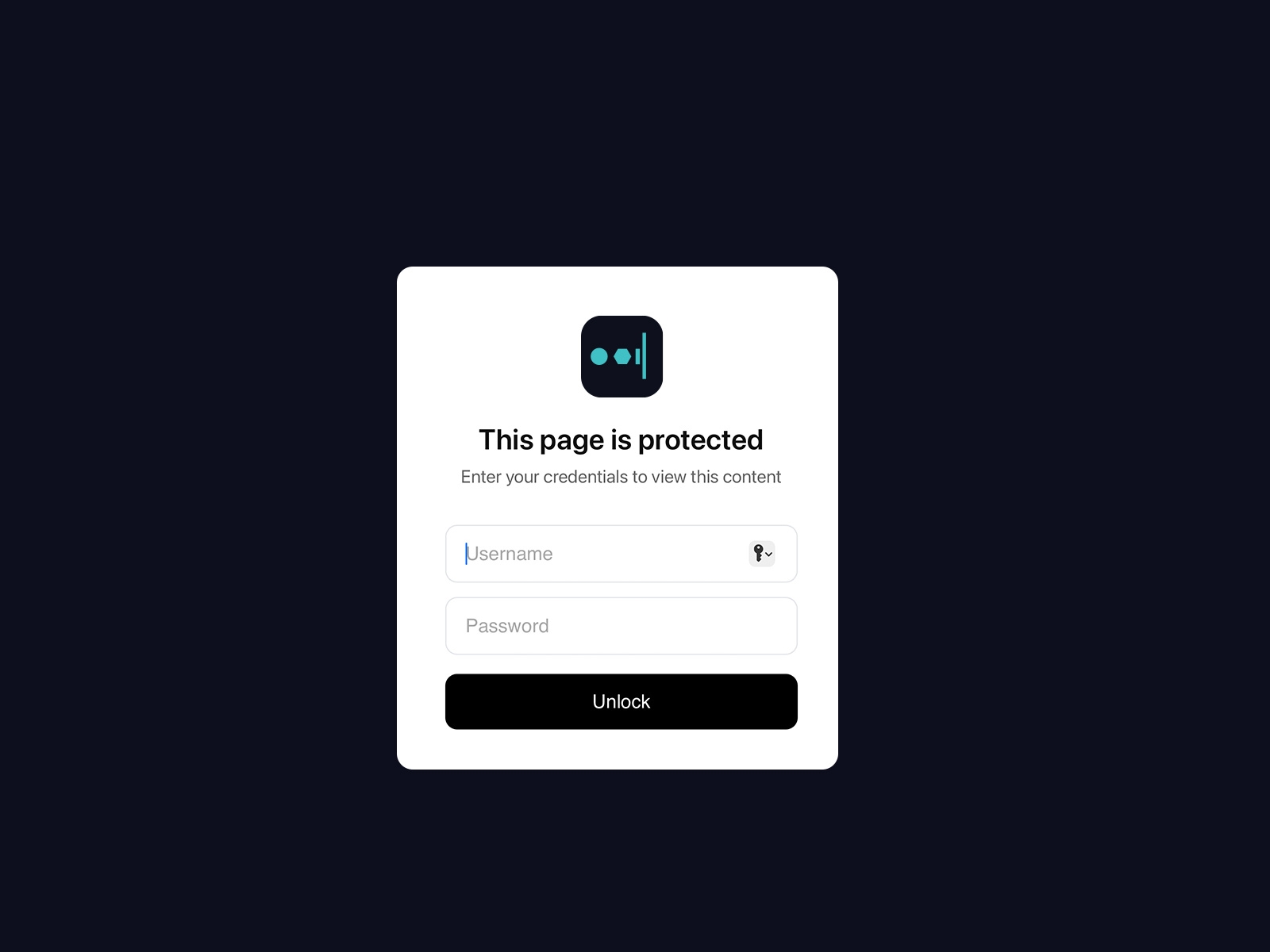
Server-side password protection for Framer pages - impossible to bypass. Content stays hidden until authenticated via secure proxy. Unlike JavaScript solutions, your protected pages can't be viewed by inspecting source code.
About this Plugin
PageLock - Password Protect Your Framer Pages
PageLock lets you instantly add server-side password protection to any Framer page. Unlike client-side solutions that can be bypassed by viewing source code, PageLock uses a secure proxy server - your protected content is never exposed to unauthorized users.
Why PageLock is Different
Most Framer password components use JavaScript to hide content - tech-savvy users can easily bypass them by inspecting the page. PageLock is truly secure:
Original page only contains the login form
Protected content is never sent to the browser until authenticated
Server-side validation - impossible to bypass with browser tools
How It Works
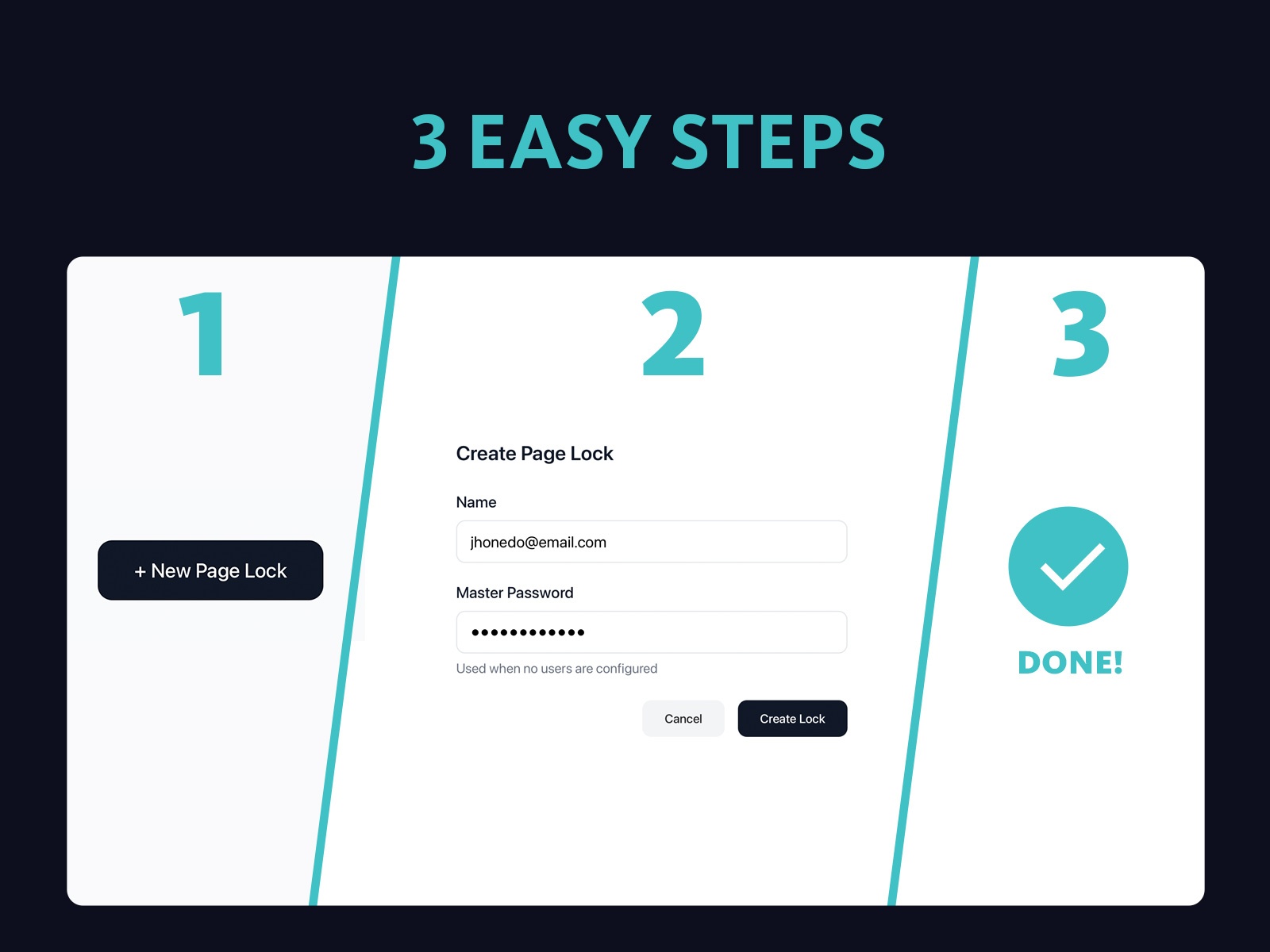
Create a lock in the Proofly dashboard with your desired credentials
Run the plugin on any page you want to protect
Your content is automatically moved to a hidden, unguessable URL
The original page shows a clean login form
After authentication, content is securely served via proxy
Features
Server-Side Security - Content never exposed until authenticated (not bypassable like JS solutions)
Username & Password Auth - Secure two-field authentication
Hidden Content - Original content moved to unguessable URL
Secure Proxy - Content served through secure server after auth
24-Hour Sessions - Users stay logged in for 24 hours
Customizable - Change colors and title to match your brand
No Code Required - One-click protection
Use Cases
Client preview pages
Member-only content
Private portfolios
Gated resources
Internal documentation
Getting Started
Sign up at proofly.ae
Create a lock with username and password
Copy your Lock ID
Run PageLock on your page
Publish and share!
Changelog
Bug fixes