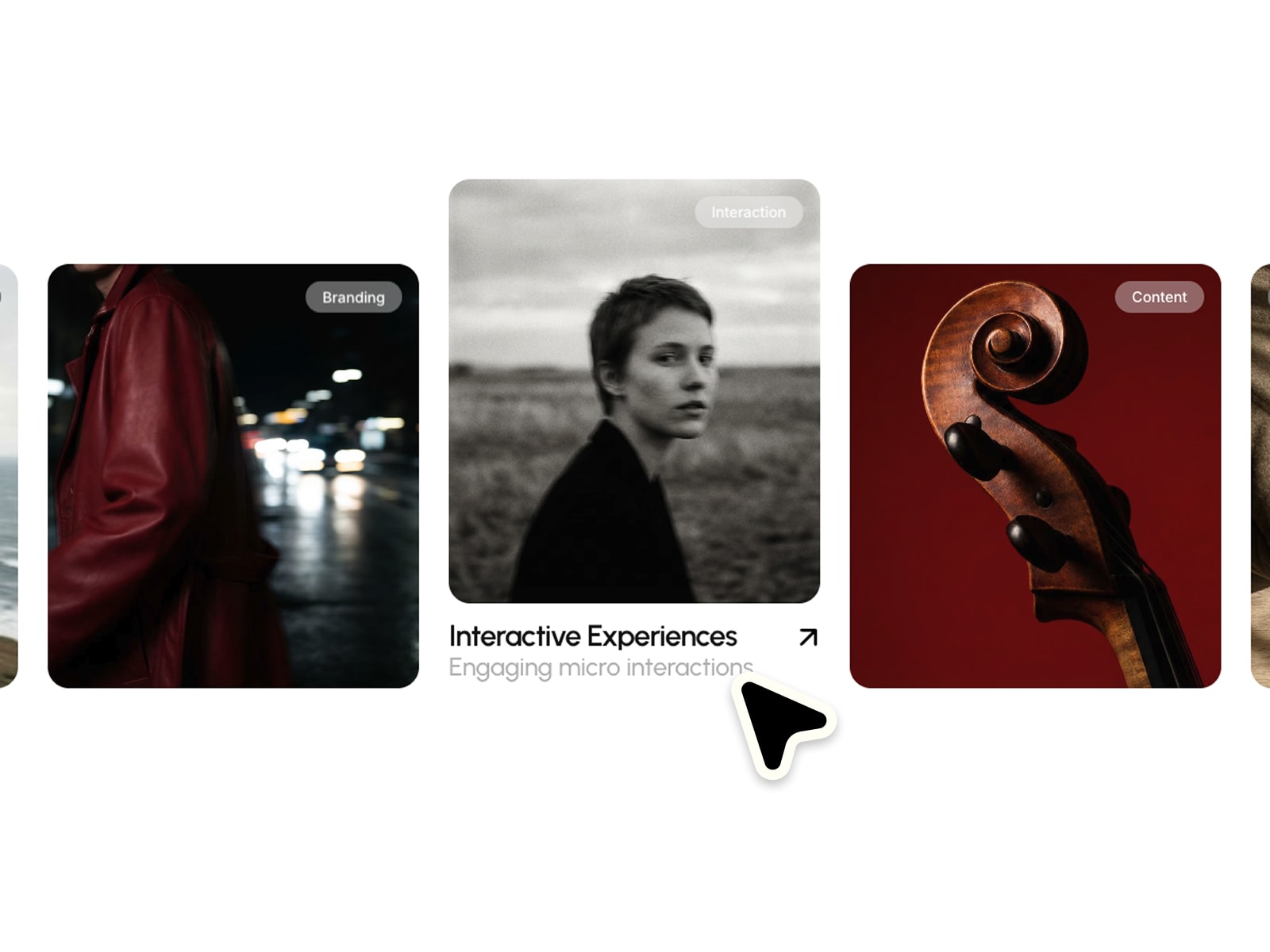
SnapRail is an infinite, center-snap carousel for Framer. Add images, titles, and links, and let visitors drag, scroll, or click through your items, each one clickable straight through to its own destination.
Items scroll in an endless loop with no visible seam, snapping to center as you drag, scroll, or use arrow keys. The active item's title reveals below it while others fade away.
WHAT IT DOES Add items, each with an image, title, and link. Drag, scroll, or use the keyboard to move through the set. The centered item sits at full scale while neighbors shrink and dim. Clicking the active image opens its link directly. Cut-corner arrow buttons flip diagonal and invert color on hover.
KEY FEATURES
True infinite loop in both directions, no visible reset or jump
Center-snap scrolling with smooth momentum
Active item title reveal, other titles fade to keep focus centered
Click-through images, each item links to its own destination
Cut-corner hover-flip arrow buttons with adjustable corner radius
Mouse drag, keyboard arrow keys, and native scroll snap support
Full color controls for background, text, accent, and surface
Adjustable item width and gap for any layout density
Supports up to 20 items
Reduced-motion support for accessibility
Zero third-party dependencies, single self-contained code component
WHY IT WORKS Most carousels loop clumsily or skip the polish that makes browsing feel good. SnapRail handles the loop with clean modulo math under the hood, so it always feels seamless.
PERFECT FOR Portfolios, product showcases, client logos, team members, case studies, album or track covers, and any Framer site presenting a browsable set of clickable items.
WHAT'S INCLUDED A single drop-in code component. Add up to 20 items with image, title, and link, then tune colors, spacing, and corner cut through property controls.

SnapRail is an infinite, center-snap carousel for Framer. Add images, titles, and links, and let visitors drag, scroll, or click through your items, each one clickable straight through to its own destination.
Items scroll in an endless loop with no visible seam, snapping to center as you drag, scroll, or use arrow keys. The active item's title reveals below it while others fade away.
WHAT IT DOES Add items, each with an image, title, and link. Drag, scroll, or use the keyboard to move through the set. The centered item sits at full scale while neighbors shrink and dim. Clicking the active image opens its link directly. Cut-corner arrow buttons flip diagonal and invert color on hover.
KEY FEATURES
True infinite loop in both directions, no visible reset or jump
Center-snap scrolling with smooth momentum
Active item title reveal, other titles fade to keep focus centered
Click-through images, each item links to its own destination
Cut-corner hover-flip arrow buttons with adjustable corner radius
Mouse drag, keyboard arrow keys, and native scroll snap support
Full color controls for background, text, accent, and surface
Adjustable item width and gap for any layout density
Supports up to 20 items
Reduced-motion support for accessibility
Zero third-party dependencies, single self-contained code component
WHY IT WORKS Most carousels loop clumsily or skip the polish that makes browsing feel good. SnapRail handles the loop with clean modulo math under the hood, so it always feels seamless.
PERFECT FOR Portfolios, product showcases, client logos, team members, case studies, album or track covers, and any Framer site presenting a browsable set of clickable items.
WHAT'S INCLUDED A single drop-in code component. Add up to 20 items with image, title, and link, then tune colors, spacing, and corner cut through property controls.
 Hamim Reza