Conditional Show
Show or hide any Framer element based on real-world conditions — device, location, time, URL, cookies, and more. No code. Set rules visually, deploy in one click, and let your site respond to every visitor differently.
About this Plugin
About Conditional Show
Conditional Show is a Framer plugin that lets you control the visibility of any element on your canvas based on real-world conditions — without writing a single line of code. Show a banner only to mobile visitors. Hide a section outside business hours. Display a promotion exclusively to visitors from a specific country. Run time-limited campaigns that turn on and off automatically.
Every rule you create is deployed directly into your Framer project as lightweight custom code that runs instantly on the published site — no external services, no slowdowns, no third-party scripts tracking your visitors.
How It Works
Select an element on your Framer canvas.
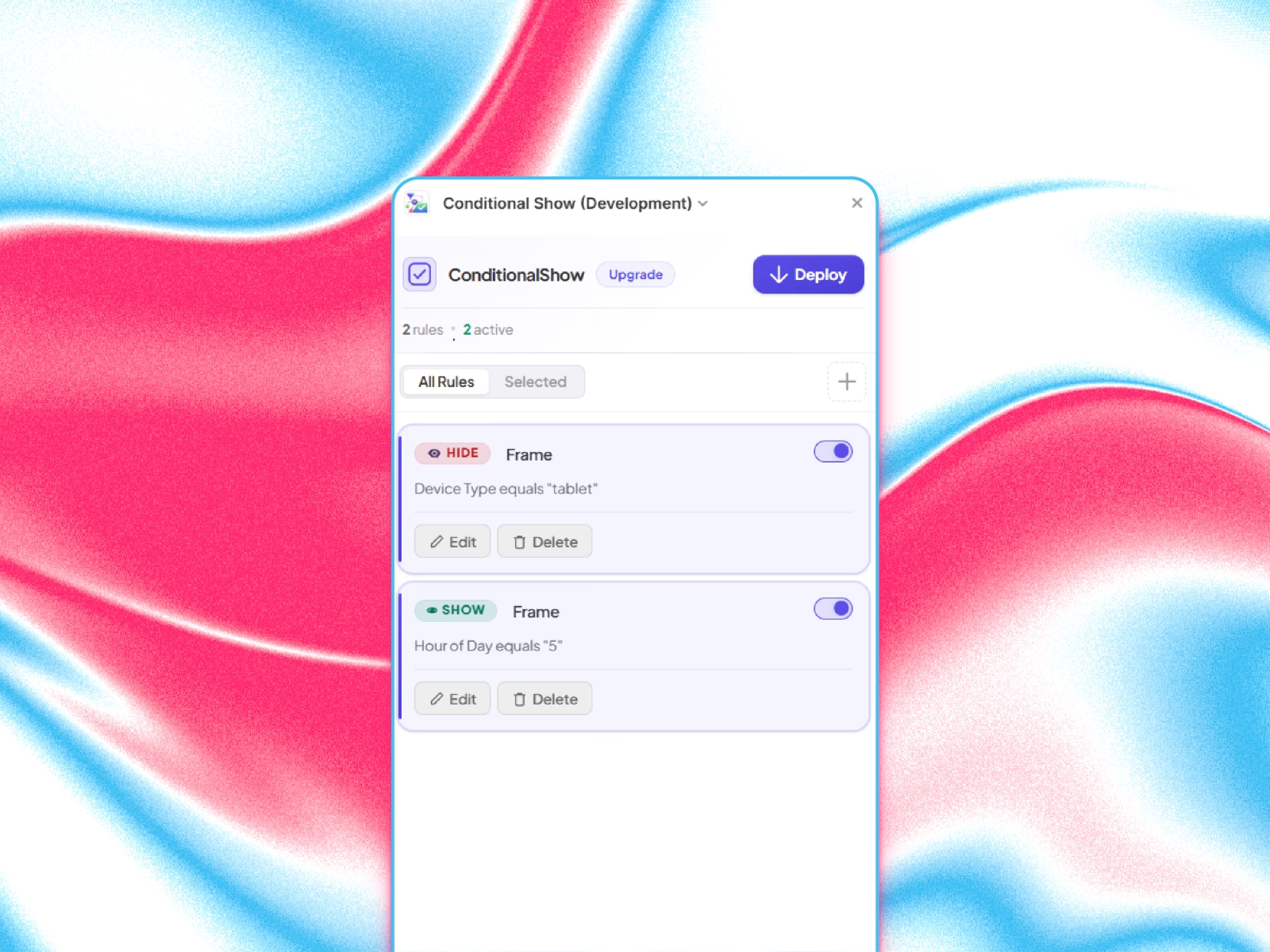
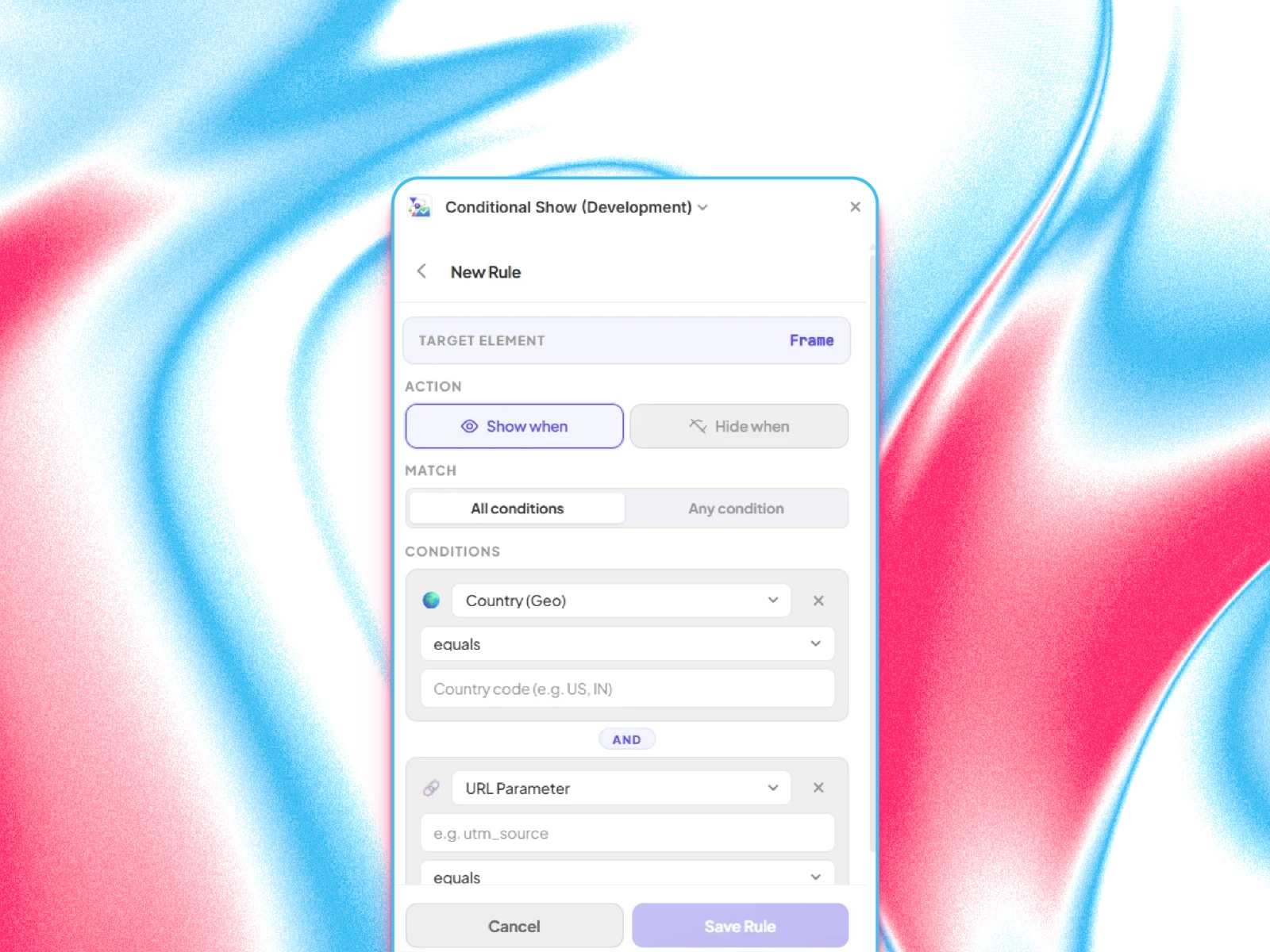
Create a rule — choose Show or Hide, pick your conditions, set your values.
Deploy — click the Deploy button. The plugin writes optimised CSS and JavaScript directly into your project's custom code.
Publish your Framer site as usual. The rules run automatically for every visitor.
That's it. Your elements now respond to the real world.
17 Condition Types
Conditional Show supports 17 different conditions, giving you precise control over who sees what and when.
Link: Notion Guide to Understand every 17 Conditions in detail.
URL & Navigation
🔗 URL Parameter — Show/hide based on query string values like ?utm_source=google or ?plan=pro. Perfect for campaign-specific content, referral links, and personalised landing pages.
📄 Page Path — Target specific pages or sections of your site. Show a sidebar only on /blog, or hide a nav element only on /checkout.
#️⃣ URL Hash (#) — React to the hash fragment in the URL. Useful for one-page sites and anchor-based navigation.
🏠 Hostname — Show content only on your live domain and hide it on staging. Or show a staging warning banner only on staging.mysite.com.
Visitor & Device
📱 Device Type — Desktop, Tablet, or Mobile. Show a "Download our App" banner only to mobile visitors, or display a complex data table only on desktop.
🖥️ Screen Width — More precise than device type. Use pixel breakpoints like less than 768 for narrow screens or greater than 1280 for wide displays.
🌍 Country (Geo) — Target visitors by country using standard 2-letter codes (US, IN, GB, etc.). Show localised promotions, region-specific pricing, or compliance notices to the right audience.
🌐 Browser Language — Detect the visitor's preferred language (en, fr, de, etc.). Show a language switcher banner only when their browser is set to a non-English language.
👤 New / Returning Visitor — Distinguish first-time visitors from returning ones. Show a welcome discount to new visitors or a "What's new" section to returning users.
Time & Date
🕐 Hour of Day — Show or hide content based on the current hour (0–23) in the visitor's local timezone. Ideal for business hours banners, live chat availability, or time-sensitive offers.
⏰ Time Range — Precise time-based targeting with minute-level accuracy. Show a "Happy Hour" promotion between 16:00 and 19:00 exactly.
📅 Day of Week — Target specific days or ranges. Show a weekend sale only on Saturday and Sunday, or display business hours only on weekdays.
🗓️ Date Range — Perfect for campaigns with hard start and end dates. A Black Friday banner that only appears November 29–December 2. A Christmas offer that disappears on December 27.
📆 Month — Seasonal content made easy. Show a Summer Collection in June–August, or a Year-End Review section only in December.
Browser Data
🍪 Cookie Value — Read browser cookies to show content based on login status, user tier, A/B test group, or any value your site stores. Show an "Upgrade to Pro" banner only to logged-in free-plan users.
💾 Local Storage — Read localStorage values set by your app. Show an onboarding tooltip only to users who haven't completed setup, or display a feature only to users who have opted in.
↩️ Referral Source — Show a personalised welcome message to visitors arriving from LinkedIn, a custom landing message for Google Ads traffic, or a special offer for visitors from a partner site.
Combining Conditions
Every rule can have multiple conditions. You choose how they combine:
All conditions (AND) — every condition must be true. Example: Country is US AND Device is Mobile.
Any condition (OR) — at least one must be true. Example: Referrer contains google OR URL Parameter utm_source equals google.
This lets you build highly targeted rules without needing separate rules for each scenario.
Preview Simulator (Pro)
Before publishing, test how your rules will behave under any scenario. The Preview Simulator lets you set a fake environment — device, country, time, page path, URL parameters, cookies, and more — and instantly see which elements would be visible or hidden, without publishing or visiting your live site.
Free vs Pro
Free — always free
6 condition types: URL Parameter, Page Path, Device Type, URL Hash, Referral Source, and Hour of Day
Up to 2 rules per project
Pro — $49 one-time, lifetime access
All 17 condition types, including Geo Country, Cookies, Local Storage, Date Range, Time Range, Day of Week, Month, Browser Language, New/Returning Visitor, and Regex matching
Unlimited rules + Preview Simulator to test rules before publishing
Pro is a one-time purchase — no subscriptions, no renewals, lifetime access.
Built for Framer. Nothing extra required.
No third-party tracking scripts added to your site
Rules compile to pure, minified CSS + JavaScript injected directly into Framer's custom code slots
Works with Framer's SPA navigation — rules re-evaluate on every page change automatically
Fully compatible with both light and dark mode in the Framer editor
Support
For questions, bug reports, or feature requests, contact: info.evixel@gmail.com
Details
 Evixel Studio