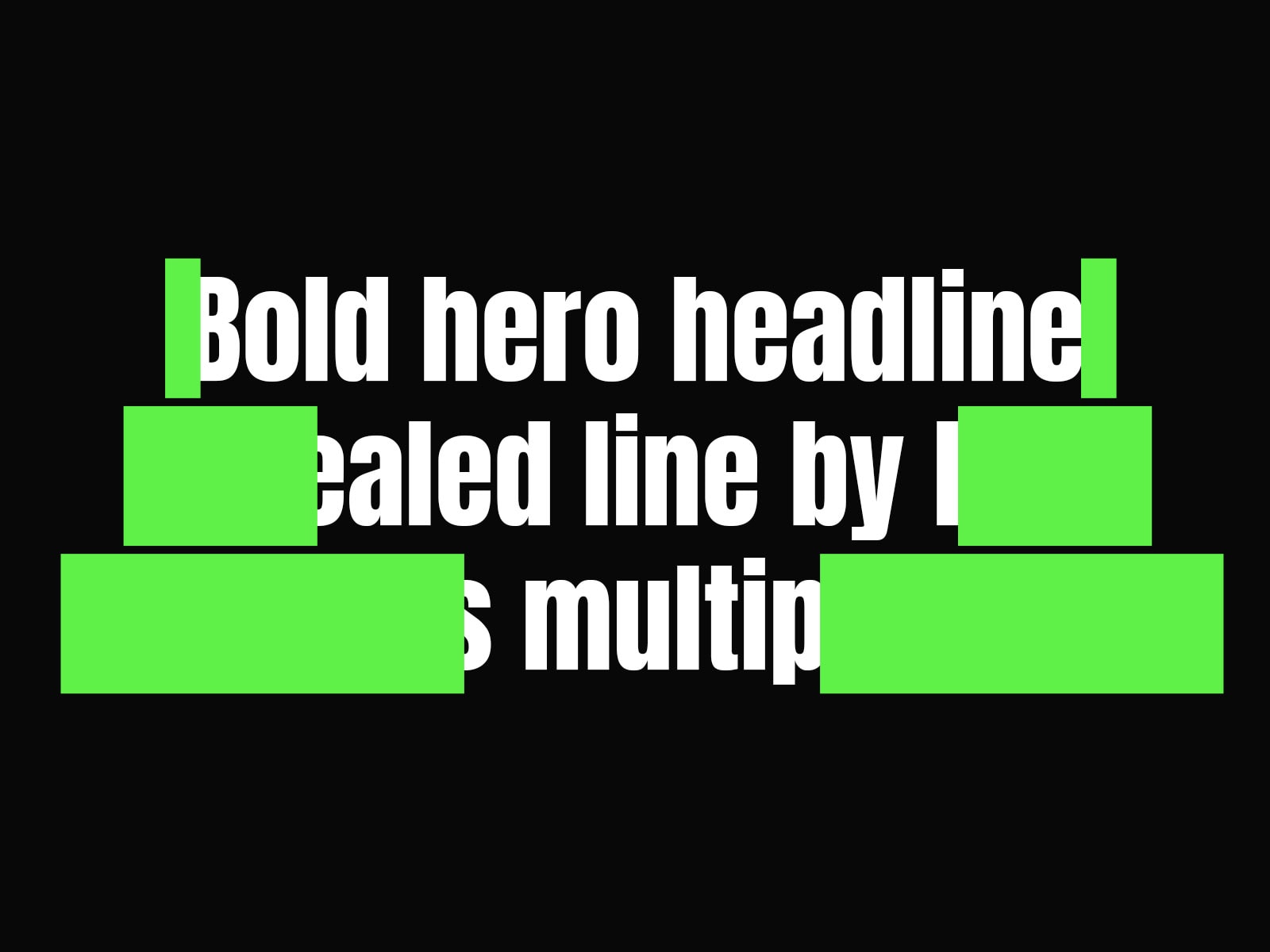
Flap Split Reveal creates a bold, mechanical text animation inspired by retro split-flap displays. Each line of text is covered by a solid color block that splits into two halves and flips away — choose whether it opens from the center outward or the edges inward, on either the horizontal or vertical axis, for four reveal styles in one component. Fully responsive: line count and block sizing recalculate automatically as your layout resizes, so the effect always matches your text.
Key Features:
Four reveal modes: Horizontal or Vertical, Center-Out or Edges-In
Fully responsive — blocks recalculate on resize automatically
Staggered line-by-line animation
Full typography and SEO tag control
Adjustable block padding and corner radius
Scroll-triggered or on-load animation
Text — The paragraph that will be animated. Each line is measured and revealed individually.
SEO Tag — Sets the HTML heading tag (H1, H2, paragraph, etc.) for accessibility and SEO.
Font — Choose the font family for your text. Supports all fonts in your Framer project.
Text Color — Sets the color of the revealed text.
Alignment — Controls the alignment of the paragraph within its container.
Direction — Options: Horizontal or Vertical, Center-Out or Edges-In. Sets the split axis and reveal mode.
Duration — Sets the flip time for each block.
Stagger Delay — Delay between each consecutive line's reveal.
Reveal Color — The solid color covering the text before it's revealed.
Line Spacing — The space between lines of the effect.
Block Pad X / Block Pad Y — Horizontal and vertical padding around each block, independent of the text.
Corners — Sets the corner radius of each block.
Trigger — Options: On Load, On Scroll. Easing — Sets the animation curve for the flip.
Padding — Overall padding around the component.
Questions or issues? Reach out at danielgrafix12@gmail.com and I'll get back to you as soon as possible.

Flap Split Reveal creates a bold, mechanical text animation inspired by retro split-flap displays. Each line of text is covered by a solid color block that splits into two halves and flips away — choose whether it opens from the center outward or the edges inward, on either the horizontal or vertical axis, for four reveal styles in one component. Fully responsive: line count and block sizing recalculate automatically as your layout resizes, so the effect always matches your text.
Key Features:
Four reveal modes: Horizontal or Vertical, Center-Out or Edges-In
Fully responsive — blocks recalculate on resize automatically
Staggered line-by-line animation
Full typography and SEO tag control
Adjustable block padding and corner radius
Scroll-triggered or on-load animation
Text — The paragraph that will be animated. Each line is measured and revealed individually.
SEO Tag — Sets the HTML heading tag (H1, H2, paragraph, etc.) for accessibility and SEO.
Font — Choose the font family for your text. Supports all fonts in your Framer project.
Text Color — Sets the color of the revealed text.
Alignment — Controls the alignment of the paragraph within its container.
Direction — Options: Horizontal or Vertical, Center-Out or Edges-In. Sets the split axis and reveal mode.
Duration — Sets the flip time for each block.
Stagger Delay — Delay between each consecutive line's reveal.
Reveal Color — The solid color covering the text before it's revealed.
Line Spacing — The space between lines of the effect.
Block Pad X / Block Pad Y — Horizontal and vertical padding around each block, independent of the text.
Corners — Sets the corner radius of each block.
Trigger — Options: On Load, On Scroll. Easing — Sets the animation curve for the flip.
Padding — Overall padding around the component.
Questions or issues? Reach out at danielgrafix12@gmail.com and I'll get back to you as soon as possible.