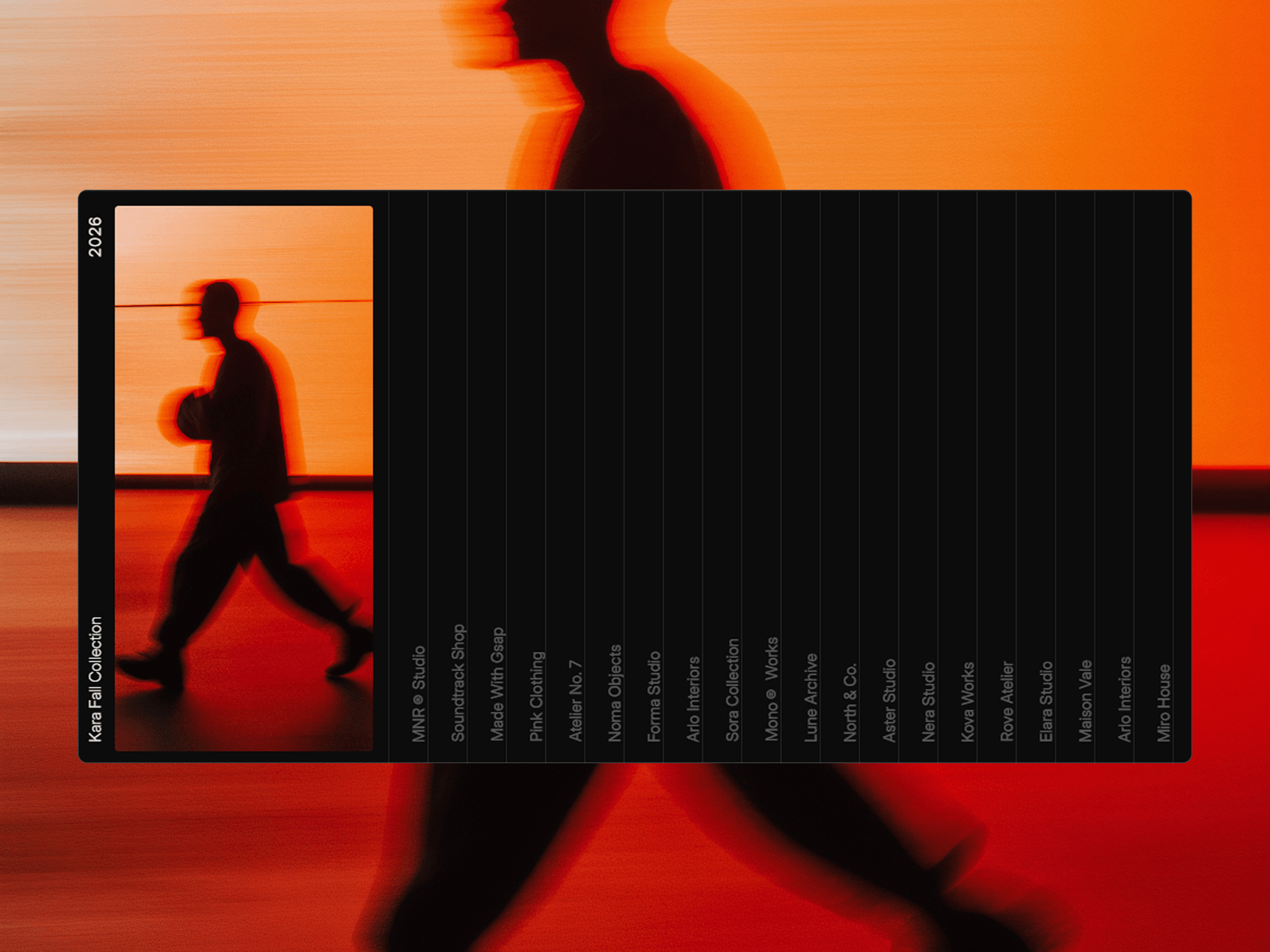
Project scroll Gallery is a minimal, scroll-driven Framer component designed to showcase creative projects, campaigns, collections, or case studies through a focused visual gallery. A featured project stays in focus while visitors move through a curated list of projects, creating an editorial-style browsing experience.
Scroll through projects with a smooth, focused interaction.
Keep the featured project visually prominent while browsing.
Display project names, collections, studios, or categories alongside imagery.
Create an editorial and immersive way to explore multiple projects.
Minimal layout that puts the work at the center of attention.
Responsive experience designed for modern Framer websites.
Project Gallery includes flexible Framer controls to adapt the content, typography, spacing, imagery, and overall presentation to your visual identity.
Projects — Add, remove, reorder, and edit project entries.
Content — Customize project names, categories, labels, and supporting text.
Images — Replace featured visuals with your own project imagery.
Colors — Adjust backgrounds, text, borders, and visual details.
Typography — Customize fonts, sizes, weights, and alignment.
Layout & Spacing — Fine-tune image sizing, gaps, padding, and positioning.
Project Gallery combines a featured visual with a scrollable project list. As visitors move through the gallery, different projects come into focus, creating a smooth and editorial way to browse a collection of work without overwhelming the screen.

Project scroll Gallery is a minimal, scroll-driven Framer component designed to showcase creative projects, campaigns, collections, or case studies through a focused visual gallery. A featured project stays in focus while visitors move through a curated list of projects, creating an editorial-style browsing experience.
Scroll through projects with a smooth, focused interaction.
Keep the featured project visually prominent while browsing.
Display project names, collections, studios, or categories alongside imagery.
Create an editorial and immersive way to explore multiple projects.
Minimal layout that puts the work at the center of attention.
Responsive experience designed for modern Framer websites.
Project Gallery includes flexible Framer controls to adapt the content, typography, spacing, imagery, and overall presentation to your visual identity.
Projects — Add, remove, reorder, and edit project entries.
Content — Customize project names, categories, labels, and supporting text.
Images — Replace featured visuals with your own project imagery.
Colors — Adjust backgrounds, text, borders, and visual details.
Typography — Customize fonts, sizes, weights, and alignment.
Layout & Spacing — Fine-tune image sizing, gaps, padding, and positioning.
Project Gallery combines a featured visual with a scrollable project list. As visitors move through the gallery, different projects come into focus, creating a smooth and editorial way to browse a collection of work without overwhelming the screen.
 Saqlain Nasir