CMS Search
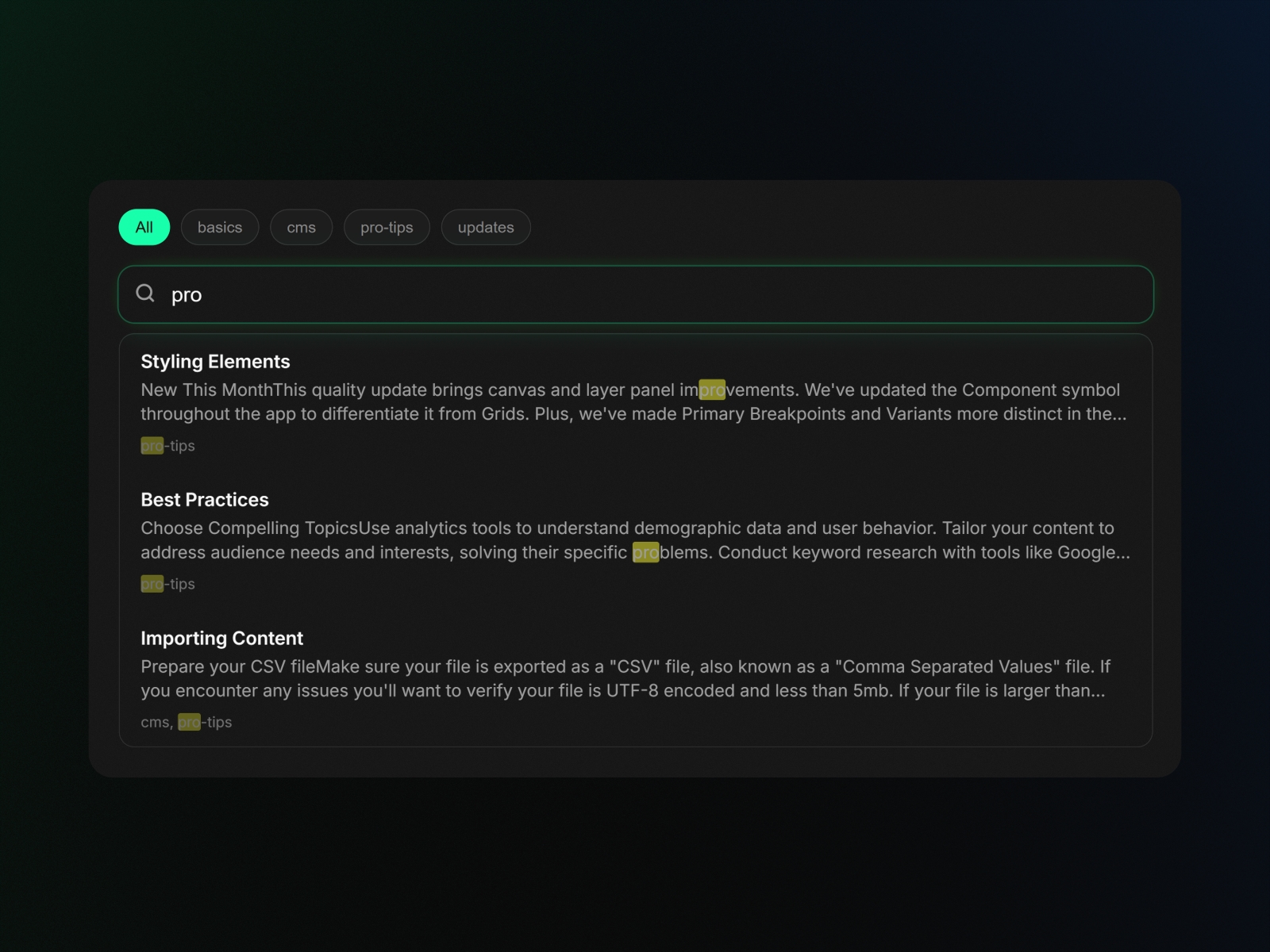
Add search functionality to Framer CMS collections. CMSSearch generates a local index of your content, enabling instant filtering and fuzzy matching without external APIs. Includes support for tags, rich previews, and custom styling.
CMSSearch provides a native-feeling search input for Framer CMS collections. It works by generating a lightweight JSON index of your content, which is stored directly on the component. This allows for immediate search results and filtering without server-side latency.
Core Functions
Free Forever Version
Local Indexing: Search runs entirely in the browser using a pre-generated index.
Fuzzy Search: Uses the Fuse.js algorithm to handle typos and approximate matches.
Styling Control: Full control over input borders, colors, shadows, and typography.
Pro Version
Tag Filtering: Map a CMS field to generate clickable filter tags.
Results Preview: Display content snippets alongside titles in the dropdown.
Premium Micro-interactions: Polished hover effects and smooth dropdown animations for a cohesive feel.
Quick Start
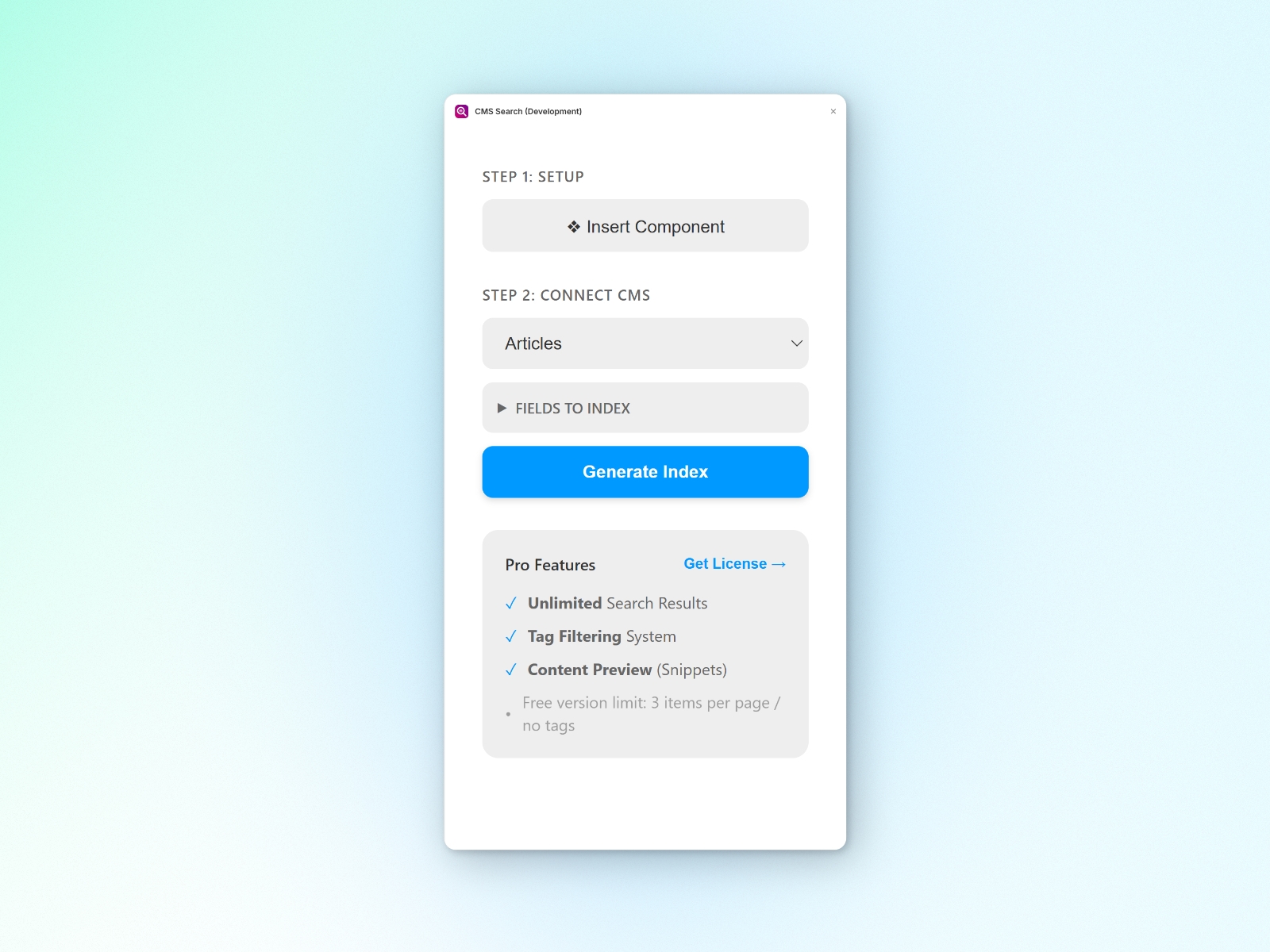
Open the CMSSearch plugin.
Add the CMSSearch component to your page.
Select the target CMS collection.
Click Generate Index to create the search data.
Configure appearance and specialized fields (Tags, Preview) in the properties panel.
Why is Manual Indexing Required?
Framer sites are statically optimized for performance, meaning your CMS database is not directly accessible to the browser at runtime.
CMSSearch bridges this gap by using the Framer Plugin API to safely read your collection at design time and create a search-optimized index. This enables:
Zero Latency: Search runs instantly without waiting for server requests.
Security: Only the data needed for search is exposed to the client.
Reliability: Works perfectly even on static hosting or flaky connections.
Note: You simply need to click "Generate Index" again whenever you add new or update content to your CMS.
Changelog
Optional glow effect
More granular styling
Plugin window tweaks
Details
 CodePerfect