Directus
Connect a Framer collection to Directus and sync both ways. Map fields, then pull from Directus or push Framer edits back. Supports string, number, date, image, rich text, color, link, and collection refs. Needs a regular collection and Directus URL + token.
About this Plugin
What it does
The Directus Framer plugin connects a Framer CMS collection to a Directus collection so you can sync content in both directions. Pull content from Directus into Framer, or push edits you make in Framer back to Directus, without leaving your project. Each Framer collection has its own saved connection and field mapping.
Requirements
- A regular (user-created) Framer CMS collection. Managed collections are not accessible to plugins.
- A Directus instance (cloud or self-hosted) and an API access token with read/write access to the collections you want to sync. Directus turns your database into a shared platform where developers, content teams, and AI all work on the same live data.
Getting started
1. In Framer, create or open a regular CMS collection (Add data → Collection).
2. Open the Directus plugin from that collection.
3. Enter your Directus URL and access token, then click Connect.
4. Select an existing Directus collection, or choose Create new to create one from your Framer fields.
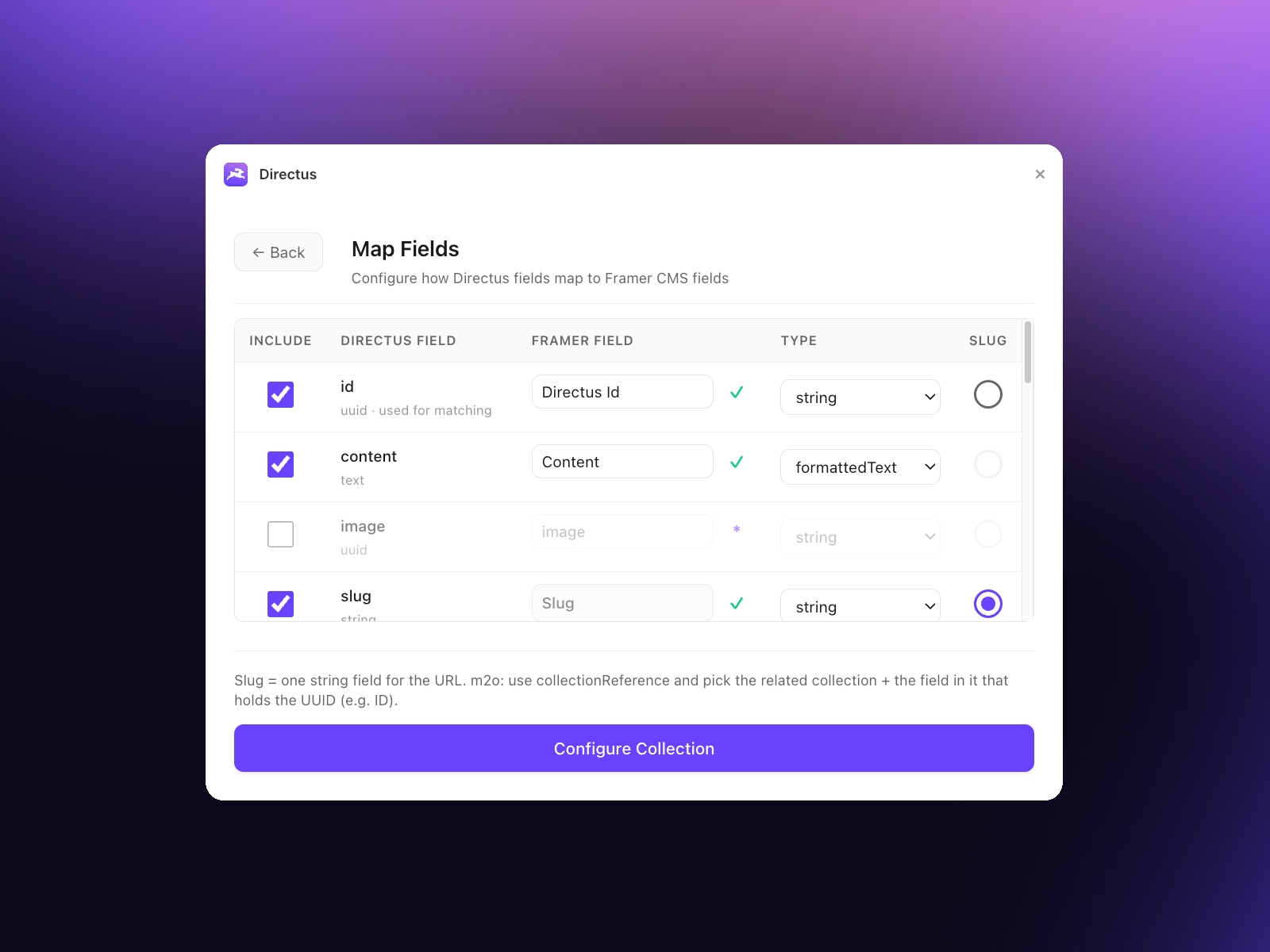
5. Map fields: choose which field is the slug, which is the ID (for matching items), and adjust types as needed. Click Configure Collection.
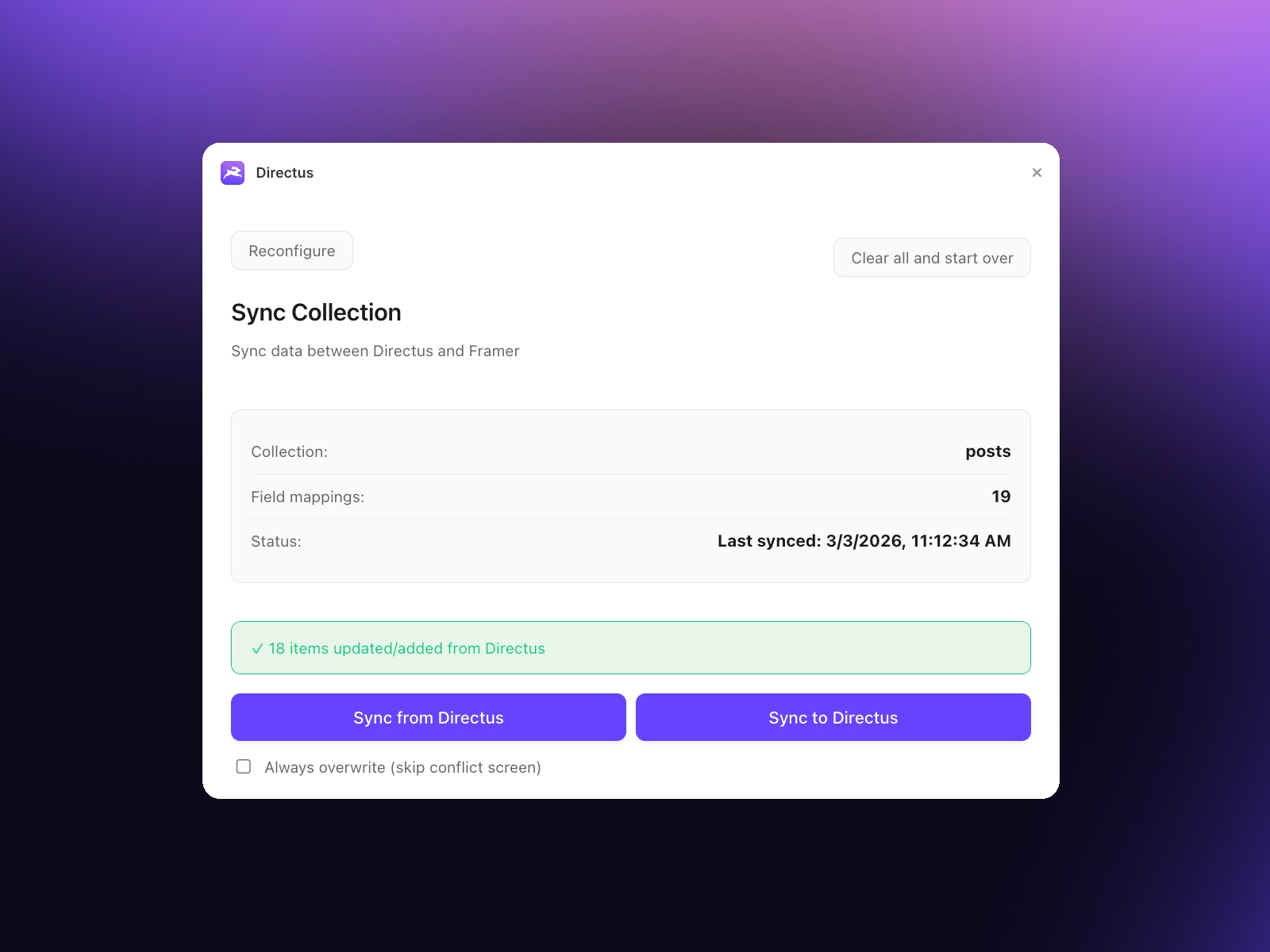
6. Run Sync from Directus to pull items in, or Sync to Directus to push Framer items out.
On later opens, the plugin restores your saved config; use Reconfigure on the sync screen to change the field mapping.
Field types
The plugin maps Directus types to Framer types with sensible defaults (e.g. text → string, integer → number, datetime → date, image relation → image, rich text → formatted text, many-to-one → collection reference). You can change any type in the mapping screen. Enum/dropdown fields in Directus sync as plain strings. JSON and array (gallery) fields are not synced and appear as disabled rows. Only many-to-one relations are supported as collection references; one-to-many and many-to-many are excluded.
Collection references
A collection reference links an item to another Framer collection (e.g. article → author). For Directus many-to-one fields you can enable a collection reference by selecting the related Framer collection and the field in that collection that holds the Directus ID used for lookup.
Syncing
- Sync from Directus: Fetches items from Directus, converts them to Framer items, and adds or updates by matching slug/ID. Does not clear the collection—only adds or updates. Duplicate slugs in Directus cause later items to be skipped (reported in the UI).
- Sync to Directus: Sends Framer items to Directus, creating or updating by slug. Edits in Framer can be pushed back with this action.
Conflicts
If the same item was changed in both Framer and Directus since the last sync, the plugin can detect conflicts. With Always overwrite unchecked, conflicting items are listed and you choose Use Framer or Use Directus per item. With Always overwrite checked, the source side wins for every item and no conflict screen is shown.
Restrictions
- Only regular Framer CMS collections. No managed collections.
- Only many-to-one Directus relations as collection references.
- JSON and array (gallery) fields are not synced.
- Enum/dropdown sync as plain text.
- The plugin does not delete items. Sync only adds or updates; removing an item on one side does not remove it on the other.
Changelog
Fix light/dark mode and small sizing changes