Password Protect

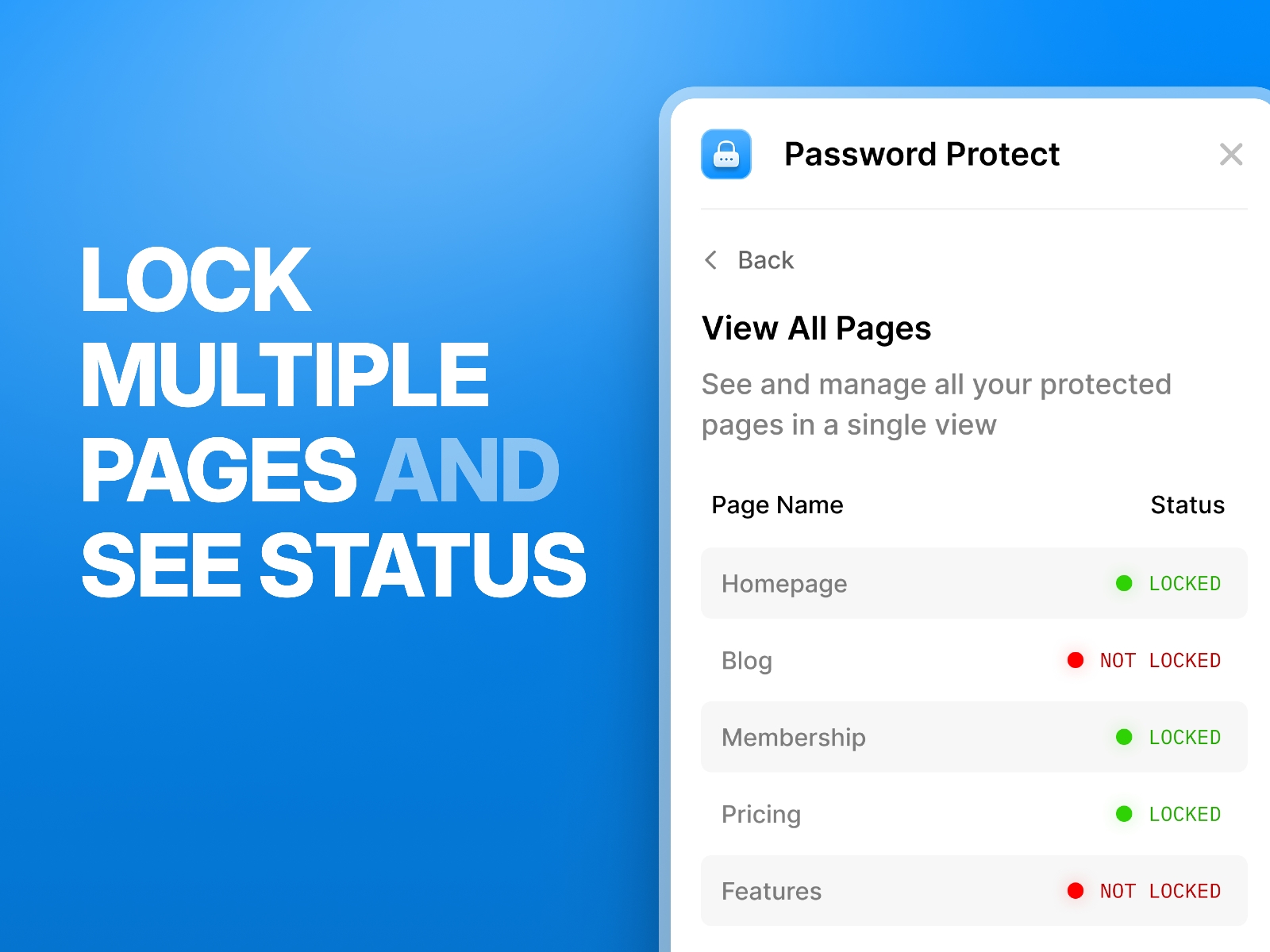
A simple way to password-protect any page in your Framer project. Lock or unlock pages instantly, update passwords, and view protection status for every page in one place.
About this Plugin
Password Protect lets you secure any page inside your Framer project in seconds. Add, edit, or remove page passwords without writing code or leaving the canvas.
The plugin gives you a clear overview of every protected page in one place, showing which pages are locked, which aren’t, and letting you update them instantly. Each password change applies immediately, making it easy to manage access during client reviews, private launches, or internal testing.
Built for simplicity — one click to lock a page, one click to unlock it, and a clean interface that stays out of your way.
Changelog
Fixed an issue where longer text caused a small error across all pages tab.
Added a new improvement so users only need to enter the password once; the session is now remembered and repeated prompts are removed.
Details
 Adheeb