Setting up your Framer site for scale
In this guide, we offer tips for creating a scalable Framer website that evolves with your business.
Set up your design library
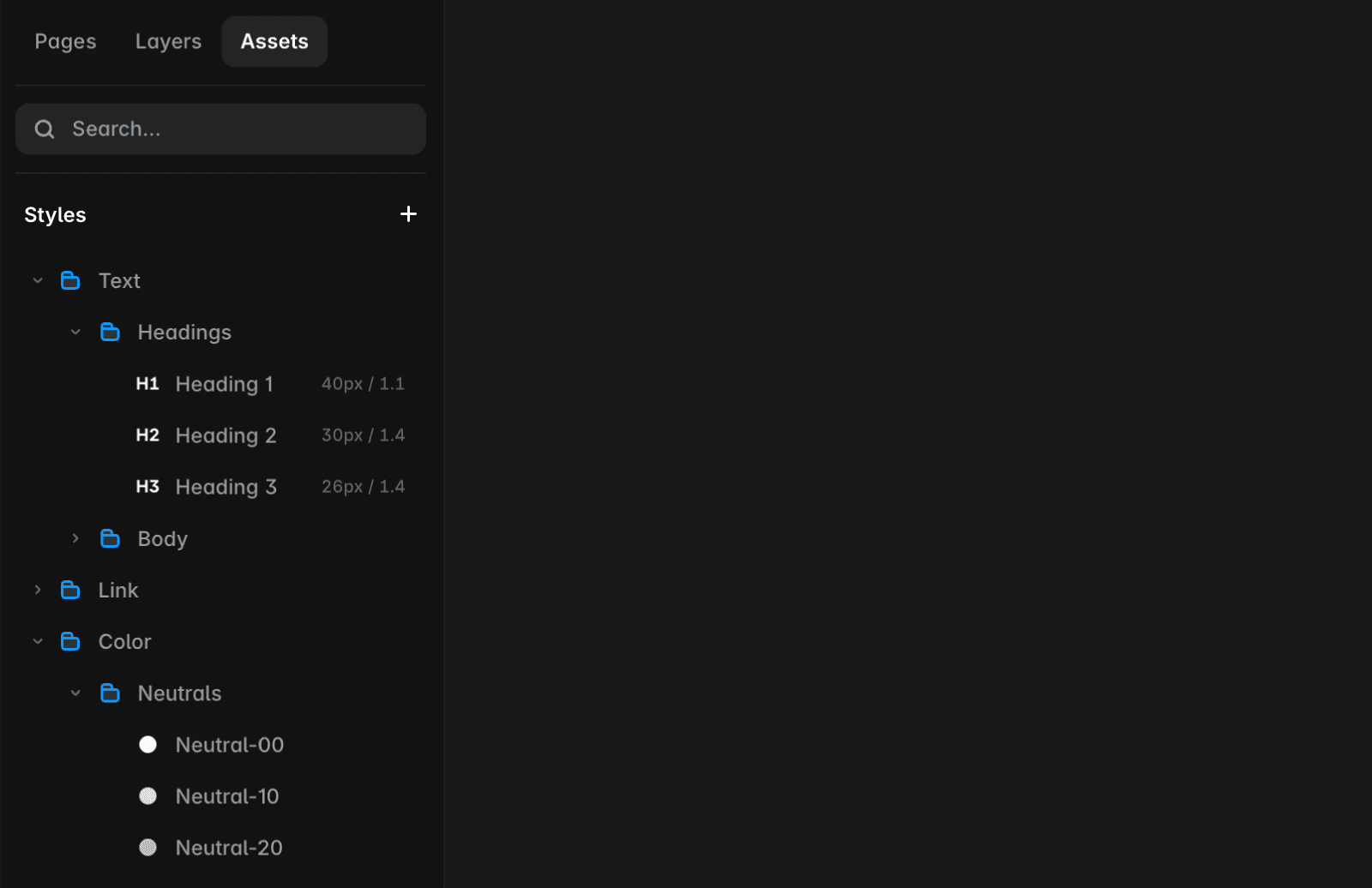
Text styles: Define text styles for headings (H1, H2, etc.), paragraphs, and other elements. Add breakpoints so styles scale automatically across devices.
Color styles: Establish consistent color styles for backgrounds, text, and interactive elements. Set up dark and light values for theming.
Reusable components: Create reusable components like buttons, navigation menus, or product cards. Use variants and variables to maximize flexibility.
Create flexible designs
Modular layouts: Break down pages into sections (e.g., hero, features, testimonials) for easier rearrangement and scalability.
Stacks: Use stacks to create layouts that adjust automatically to content without manual changes.
Primary breakpoint first: Start with a scalable design for the primary breakpoint, then add breakpoints and fine-tune for smaller displays. Learn more here.
Bonus Tip: Use the Figma to Framer or HTML to Framer plugins to convert existing designs and speed up your process!
Leverage the CMS for content needs
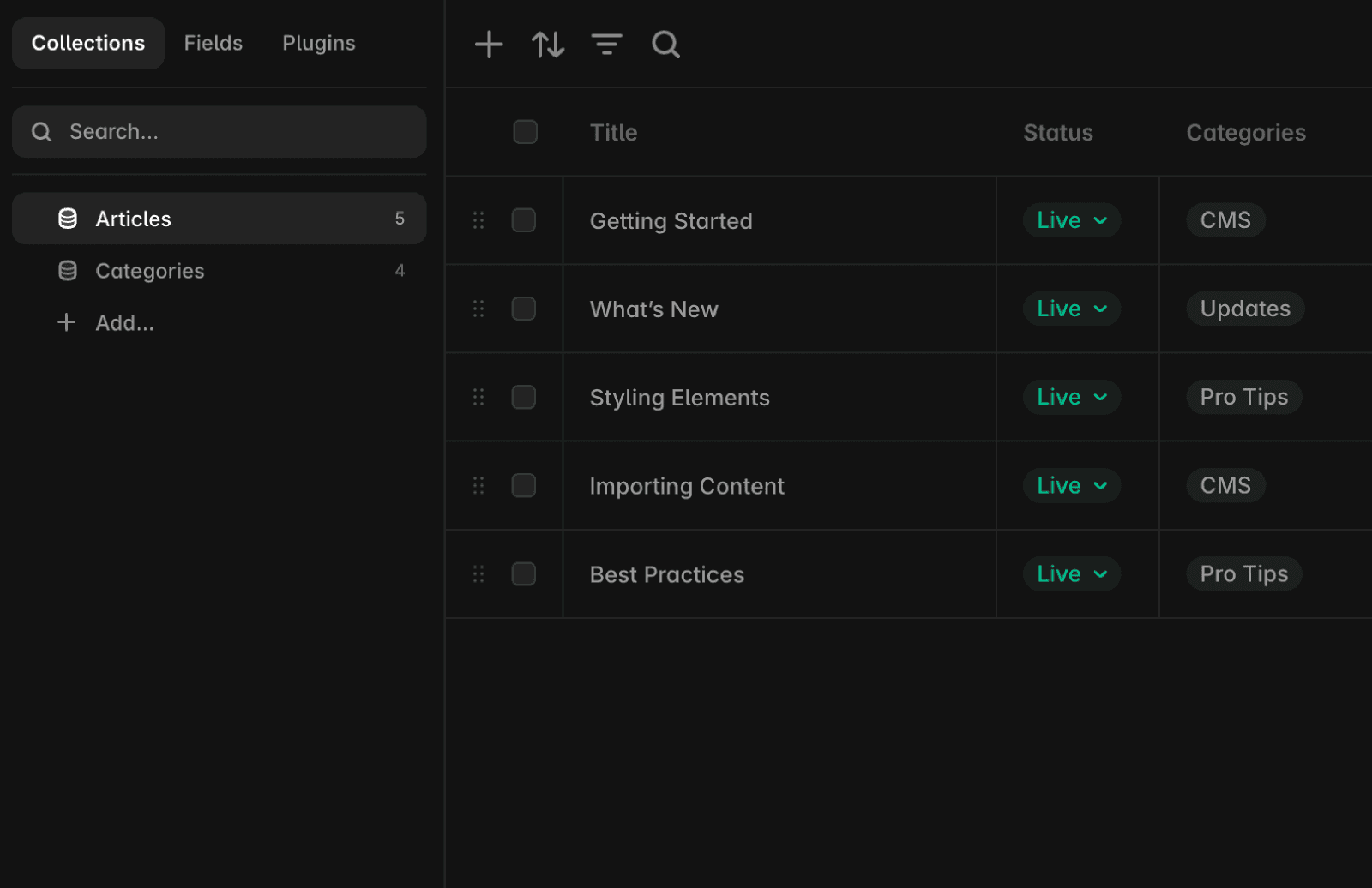
Content collections: Create CMS collections for blog posts, product listings, news articles, FAQs, or any regularly updated content to simplify managing and organizing information.
Components and layouts: Use components and layouts to customize the visual appearance of your CMS collections and adapt designs dynamically.
Prioritize testing & performance
Staging environment: Test updates in a staging environment to ensure they are approved and functioning properly before deploying to the live site.
Optimization: Minimize animations, prefer YouTube or Vimeo over direct video uploads, and avoid unnecessary third-party scripts in custom code. For more tips, check out site optimization.
If you encounter any issues or need further assistance, feel free to contact Framer's support team through our contact page.
FAQ
How do I set up a scalable design library in Framer?
To set up a scalable design library in Framer, define text styles for headings (H1, H2, etc.), paragraphs, and other elements. Add breakpoints so styles scale automatically across devices. Establish consistent color styles for backgrounds, text, and interactive elements, and set up dark and light values for theming. Create reusable components like buttons, navigation menus, or product cards, and use variants and variables to maximize flexibility.
What are best practices for creating flexible and responsive layouts in Framer?
Break down pages into modular sections (such as hero, features, testimonials) for easier rearrangement and scalability. Use stacks to create layouts that adjust automatically to content without manual changes. Start with a scalable design for the primary breakpoint, then add breakpoints and fine-tune for smaller displays.
How can I optimize my Framer site for performance and safe updates?
Test updates in a staging environment to ensure they are approved and functioning properly before deploying to the live site. Minimize animations, prefer YouTube or Vimeo over direct video uploads, and avoid unnecessary third-party scripts in custom code. For more tips, check out Framer’s site optimization resources.
Updated
