How does Automatic Locale work
Framer’s Automatic Locale feature helps visitors land on the correct language or regional version of your website. It uses a combination of the visitor’s browser language preferences and their device timezone to determine when a redirect should occur.
How to enable it
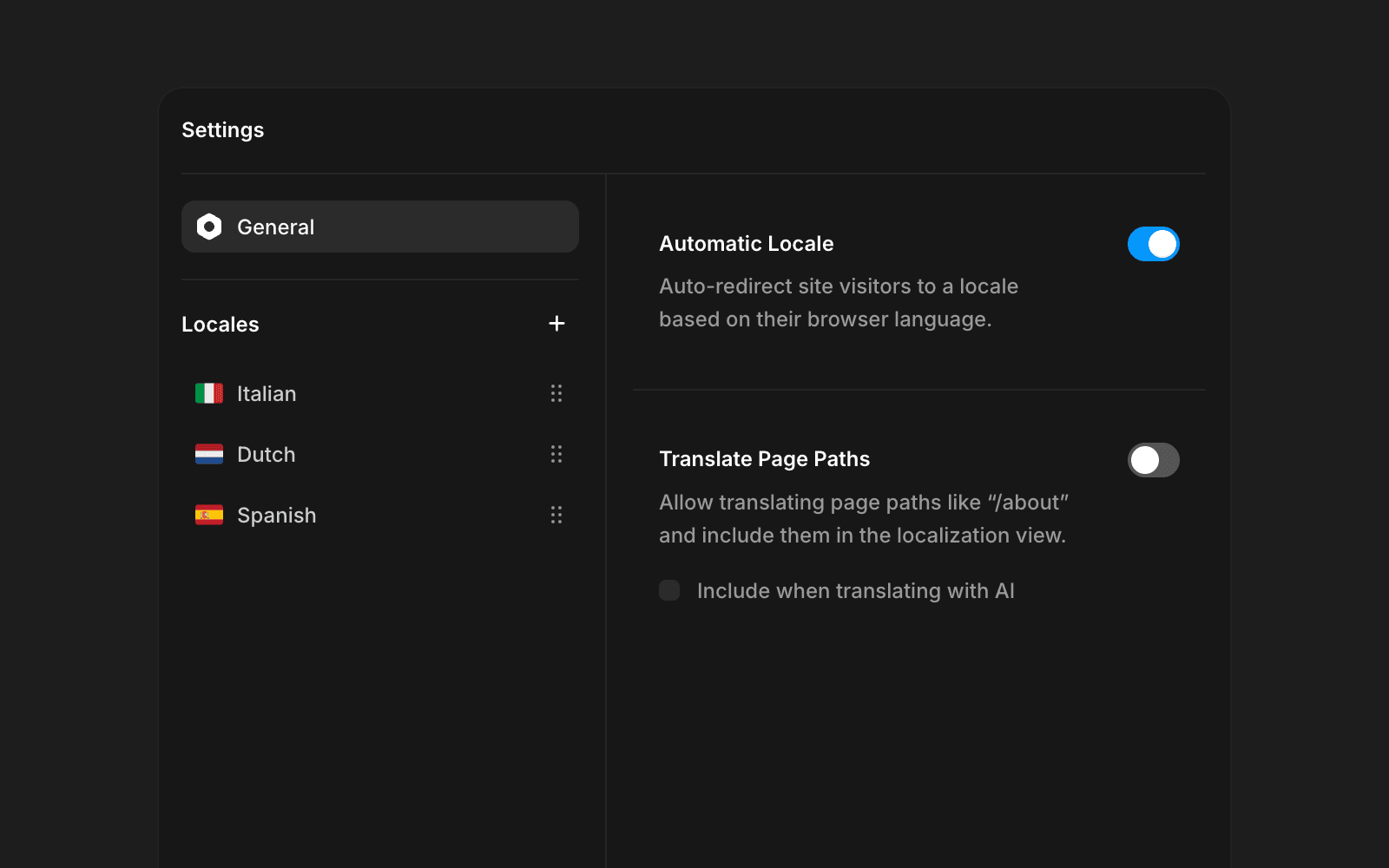
To enable Auto Locale, go to the Localization view, click Settings in the top bar, find the Auto Locale section, and toggle it on.
When automatic locale works
Automatic locale only works on your site’s canonical URL. This means:
If you’re using a custom domain, automatic locale works only on that domain.
If you’ve set a custom canonical URL through a reverse proxy, automatic locale works only when visitors access that URL.
How Framer determines a visitor’s locale
Automatic locale does not use geolocation. Instead, it relies on two signals:
The visitor’s browser language preferences.
The visitor’s device timezone (used only when language alone isn’t specific enough).
These signals work together to determine whether the visitor should be redirected and which localized version they should see.
Framer first checks the visitor’s language settings:
Redirects only from the default locale: If someone lands on your site’s default locale, Framer checks their preferred languages and redirects them when a matching locale exists. Visitors who arrive at a non-default locale (for example,
mysite.com/fr) are not redirected.Checks languages in order: It follows the browser’s language list from most to least preferred.
Looks for an exact match: If the top preference is
es-MX, Framer redirects to the URL of the Spanish Mexican language (e.g./es-MXif your site offers it).Falls back to a general match: If no regional match exists, it picks a general variant e.g.
/es.
In some cases, browser language alone isn’t enough to determine which regional English version a visitor should see. To handle these scenarios, Framer also considers the visitor’s timezone, but only when their primary language is English.
When a visitor’s primary language is English and their timezone corresponds to “Europe/London”, Framer redirects them to the British English locale (e.g. /gb). If their primary language is English but their timezone does not match London, no redirect occurs.
Likewise, if a visitor’s primary language is not English, Framer never redirects based on timezone—even if they happen to be in the Europe/London timezone.
This setup allows you to create an UK market specific version of your site. As an example:
Global landing page in English:
/Dutch market version:
/nlUK market:
/uk
This ensures that visitors in the United Kingdom land on the correct variant rather than the default English locale, while international visitors from outside the UK don’t get redirected to the UK market specific version of your site.
Timezone limitations
Timezones are shared across multiple countries, meaning the London timezone may include visitors outside the UK.
Here’s what happens:
On all platforms: Visitors in England, Scotland, Wales, and Northern Ireland redirect to the UK locale.
On Windows devices: Portugal, Ireland, Isle of Man, Jersey, and Guernsey also map to the London timezone and may redirect to the UK locale.
FAQ
How do I enable Automatic Locale on my Framer site?
To enable Automatic Locale, go to your site settings, find the Auto Locale section, and toggle it on.
When does Automatic Locale work on my website?
Automatic Locale only works on the domain designated as the canonical URL for your website. If you have a custom domain, the feature will function only on that domain. Similarly, if you’ve set a custom canonical URL using a reverse proxy, Automatic Locale will only work when visitors access that URL.
How does Automatic Locale determine which language to show to visitors?
Automatic Locale does not use geolocation. Instead, it relies on the browser’s language settings. If a visitor lands on your site’s default locale, Automatic Locale checks their browser’s preferred languages in priority order and redirects them to a matching locale if available. It looks for an exact match first, and if none exists, it falls back to a general language variant. Visitors who arrive directly at a non-default locale are not redirected.
Updated
