Best practices for setting up RTL on your site
Learn how to configure right-to-left (RTL) layout support so your site reads correctly in languages like Arabic and Hebrew.
This guide walks through enabling RTL, using layout-aware variables, and handling common design adjustments. See Right-to-Left Layout Direction.
How to enable RTL support on your site
Framer supports RTL layouts through the Reverse layout setting. When enabled, layout systems like stacks and grids automatically flip when an RTL locale is active.
To enable RTL support:
Open your project in Framer.
Go to Site settings under General.
Scroll to Layout direction.
Enable Reverse layout.
Save your changes.
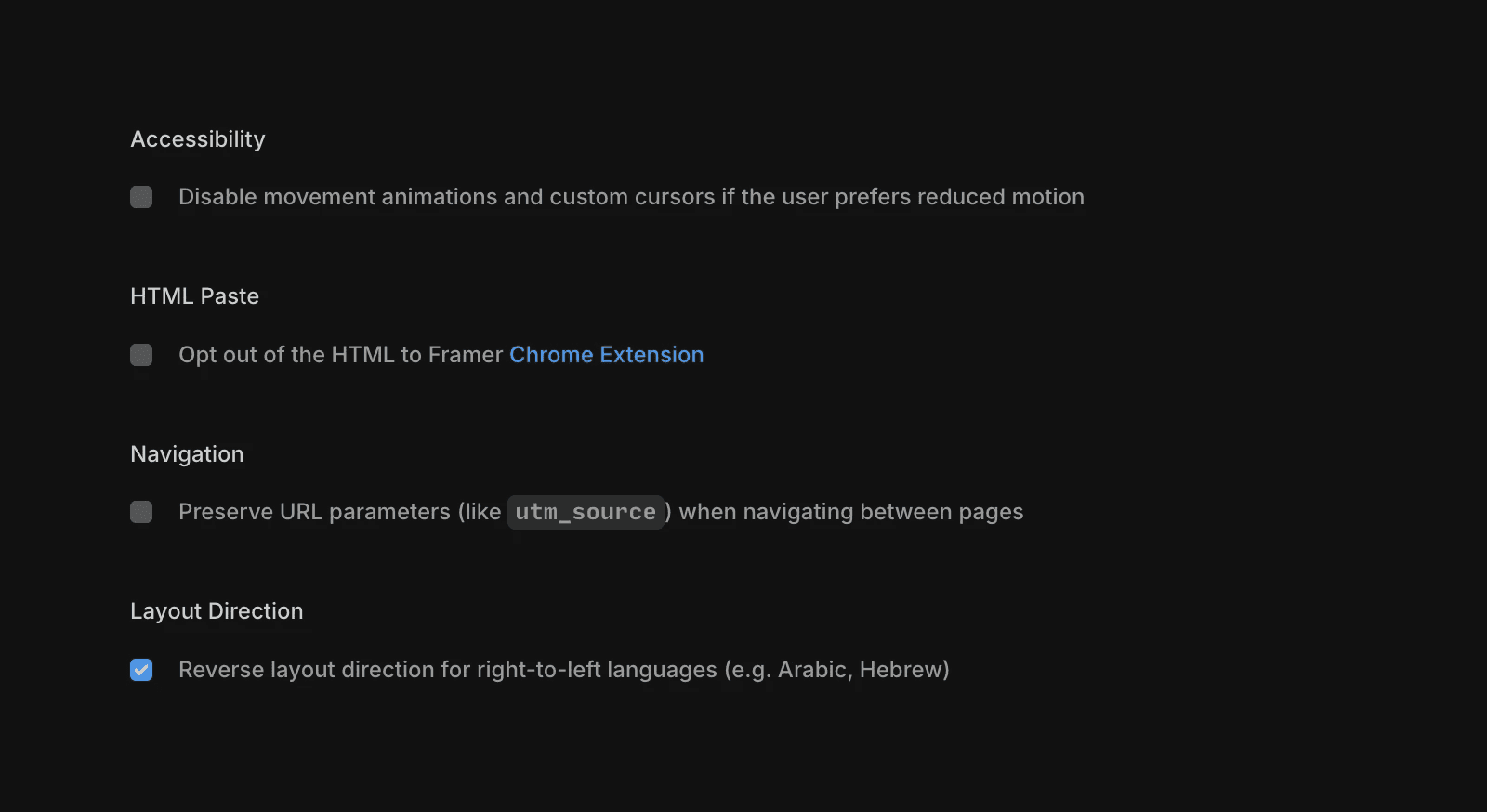
Once enabled, your site will automatically adjust when an RTL locale is active.
Using variables to adjust layouts for RTL
Most properties in the right-side panel support variables, including options in Links, Layout, Styles, and Components. Variables let you adapt specific values based on layout direction without duplicating elements.
To apply a layout-aware variable:
Select the property you want to control.
Click the variable icon next to the property.
Choose Layout direction.
Select the option that matches your use case.
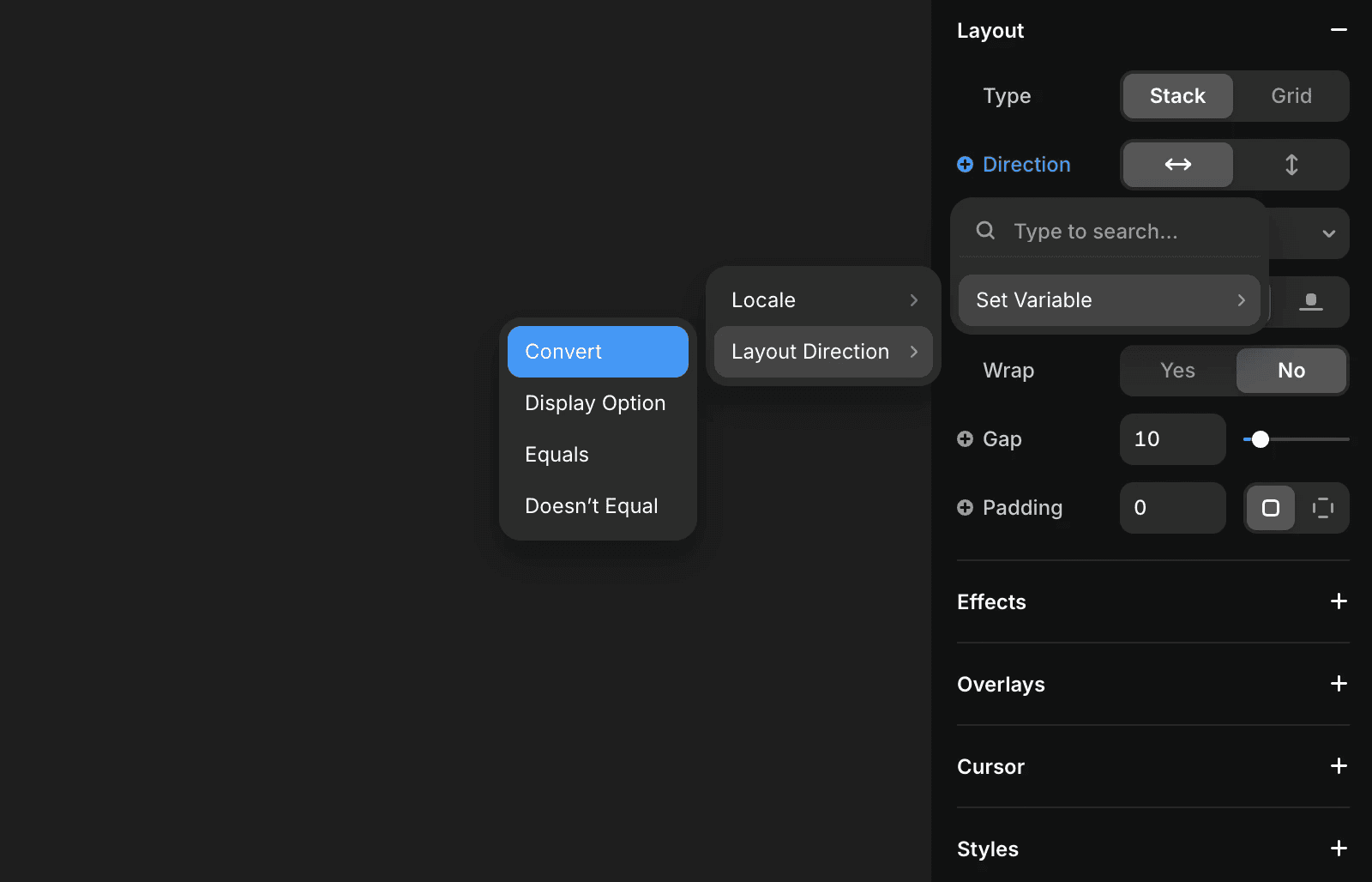
This approach is especially useful for spacing, alignment, and transforms that need to change between LTR and RTL.
Common use cases
Mirroring icons or UI elements
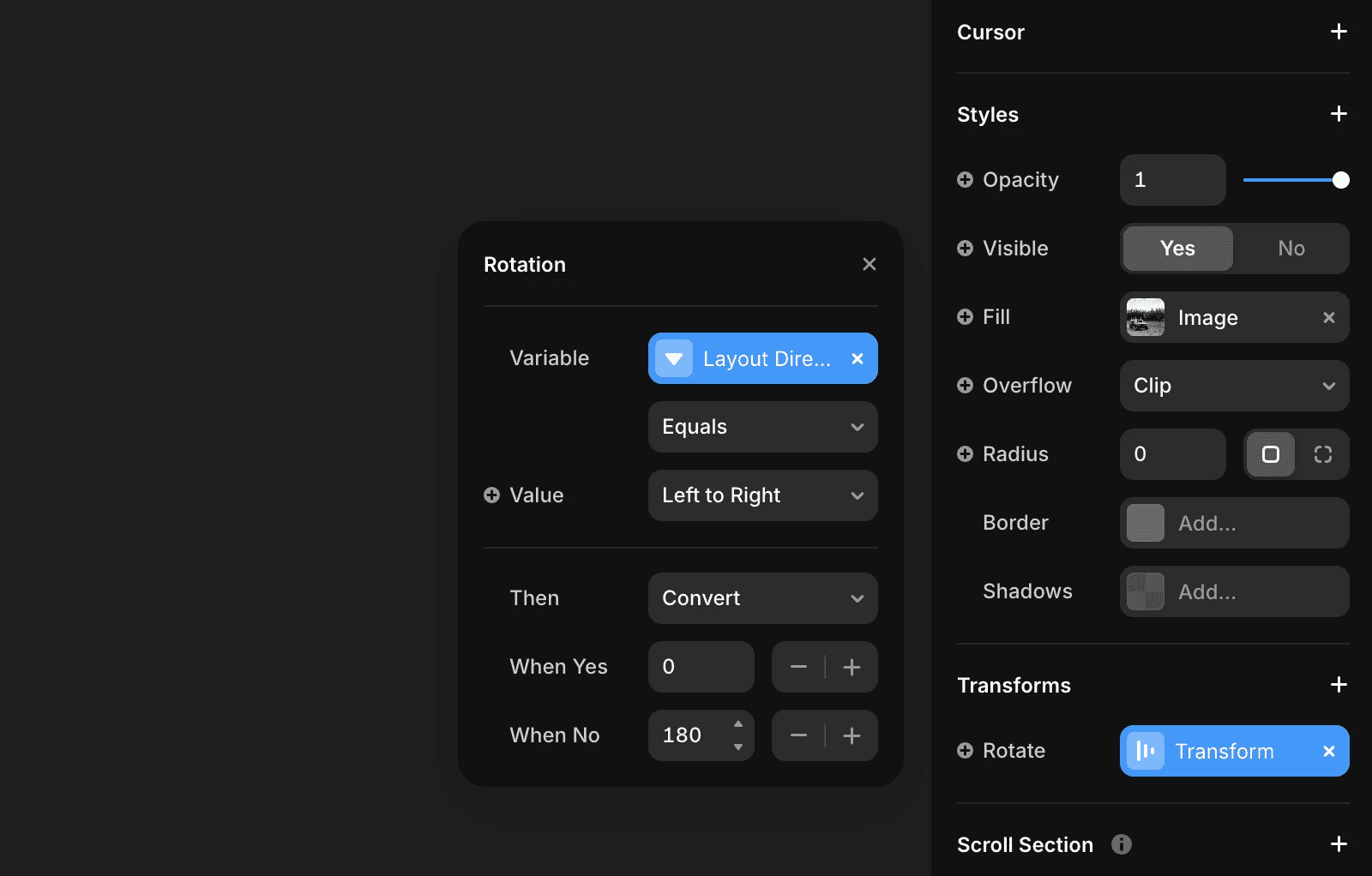
Some icons or directional UI elements may need to flip in RTL layouts.
Select the layer you want to adjust.
Go to Transform in the right-side panel.
Enable Rotate.
Attach a variable and select Layout direction.
Set the condition to Equals.
Enter the rotation value in the When yes field.
Flipping padding and margins
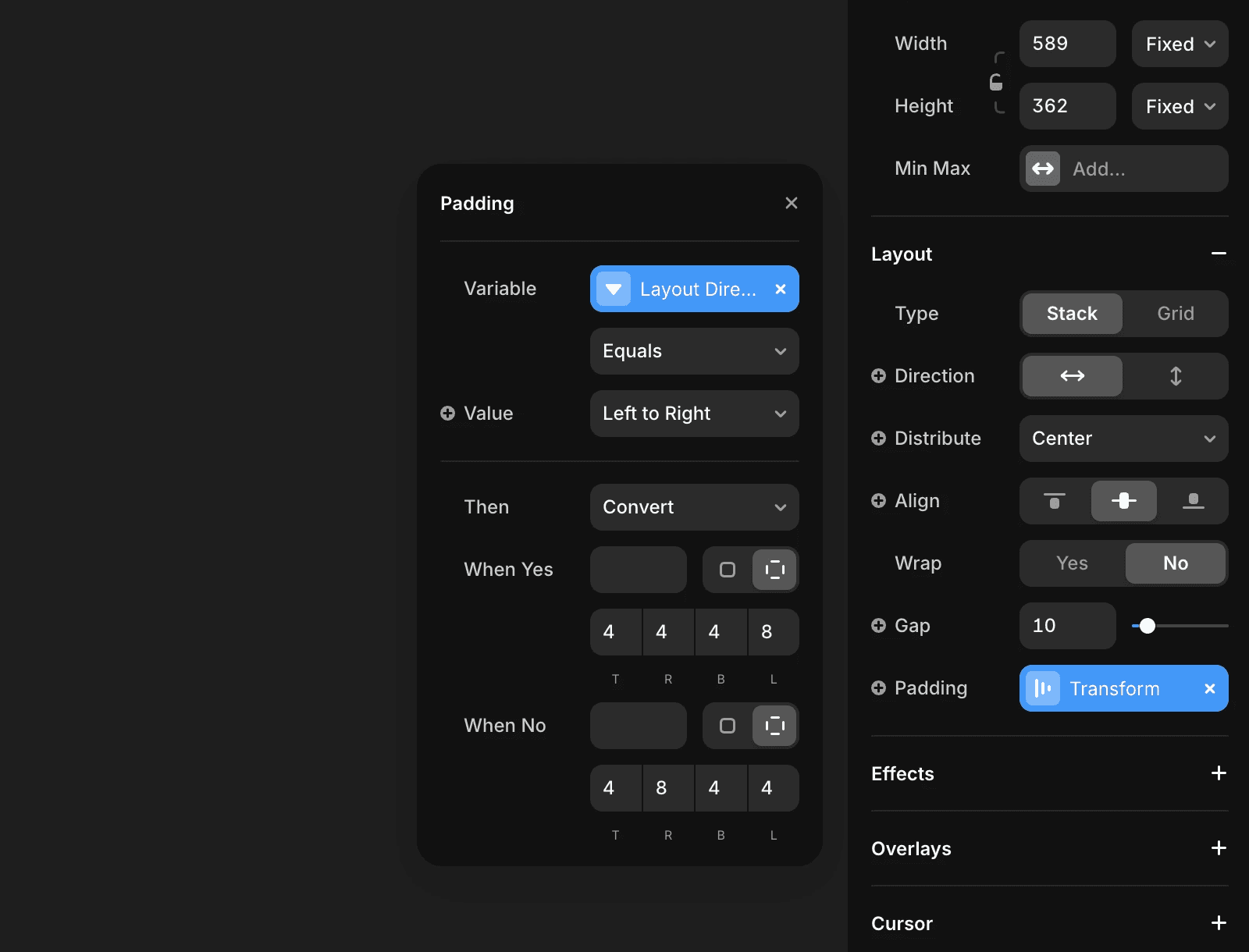
Padding and margins often need to swap values between left and right.
Select the layer you want to adjust.
Go to Layout in the right-side panel.
Open Padding or Margin.
Attach a variable to the property.
Select Layout direction and set it to Equals.
Enter your desired values for the RTL case.
If you encounter any issues or need further assistance, feel free to contact Framer’s support team through our contact page.
Updated