Find the project linked to your plan
Learn how to locate the Framer project associated with an active site plan.
If you have multiple projects in your workspace and need to identify which one has an active site plan, you can quickly find it through your workspace settings.
How to find your paid project
Go to your Dashboard.
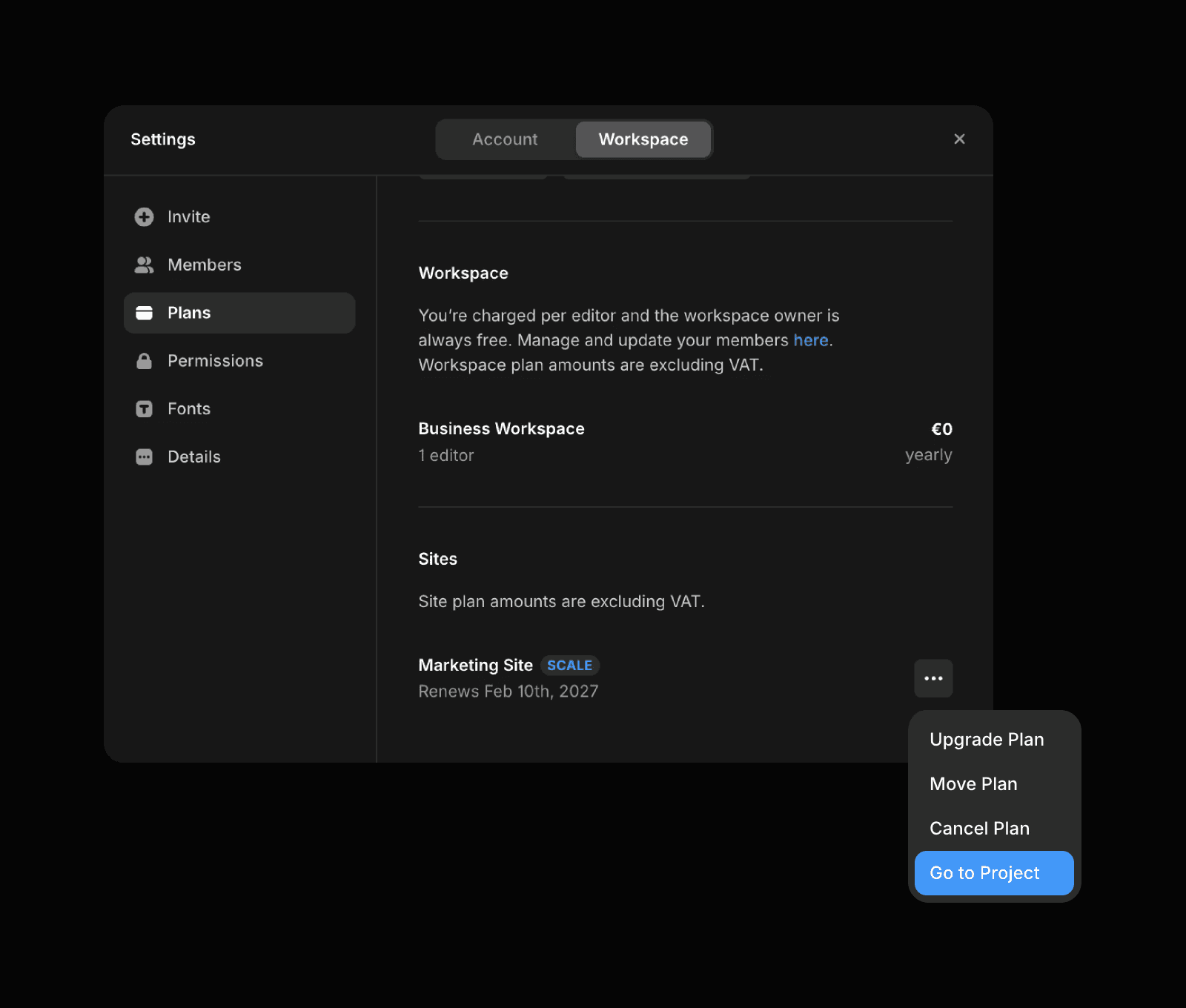
Open Workspace settings from the workspace dropdown, or use the shortcut
⇧ + ,.Select the Plans tab in the sidebar.
Under Sites, you’ll see all projects with an active subscription.
Hover over the relevant project to reveal the three-dot menu, then click “Go to Project”. This opens the project where the plan is currently active.
Updated