Updates
What’s new.
The January Update brings Instant Font Previews. When opening the Font Picker and hovering a font, you will now be able to see how the font will look like when applied to your selected layer. This makes it easier to discover new fonts, and find the right one for you, without having to commit just yet. And that’s not all, we have tons of quality updates that you’ll find below.
Added
Added instant previews of fonts on hover
Added ‘Find’ action to component menu
Added ‘Find’ action to vector menu
Improved
Improved deletion of unused components
Improved finding local components as cursors
Improved finding external vector sets in projects
Improved reliability of importing multiple SVGs
Improved context menus in Safari and Firefox
Improved search results of the Insert Panel
Fixed
Fixed layout collapse when switching from Stack → Grid
Fixed pages made from Design Pages duplicating paths
Fixed layout animations for images within Ticker Effects
Fixed Text Truncation not being cleared when removing
Fixed OpenType features not working properly on sites
Fixed some context menus staying open after clicking
Fixed missing Border Variables crashing Components
Fixed renaming via double-click not always working
Fixed selection using the wrong tint in Components
Fixed Layout Templates not removing page cursors
Fixed Quick Action menu making the
⌘key stickyFixed gradient stops not working with Color Styles
Fixed Color Style selection changing folder colors
Fixed Color Style edits affecting the wrong theme
Fixed gradient fills not being overridden properly
Fixed Components lingering in breadcrumb bar
Fixed opacity being applied twice on Vectors
Fixed Ticker Effects breaking in Breakpoints
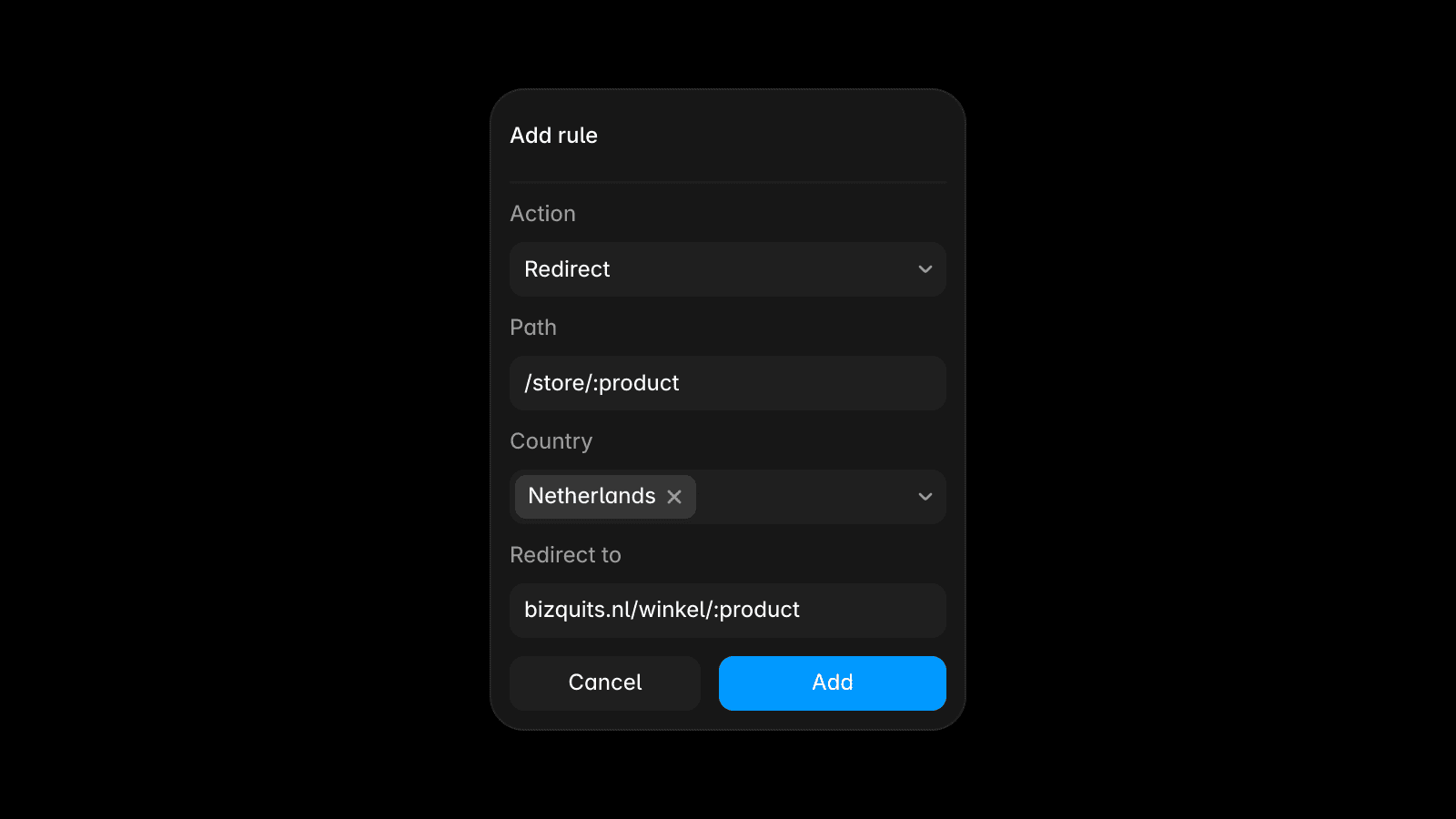
We’re introducing Advanced Hosting, bringing built‑in Multi Site and Custom Headers to Framer. Multi Site lets you host multiple sites, whether other Framer projects or external sources, under one unified domain. This enables gradual page migration or the splitting of larger websites into multiple projects while keeping a seamless URL. With the Custom Headers feature, you are now able to extend Framer’s defaults with ordered, wildcard‑friendly custom rules for security and more. We’re also introducing Domains to the dashboard, bringing all your workspace domains to the sidebar for quick access to a domain overview plus a centralized management of Multi Site, Headers, and Redirects—empowering you to migrate and manage even the most complex site.
Advanced Hosting is available for teams on our Enterprise plan. Teams on the Pro or Scale plan can request private beta access using this form and try these features for free for a limited time.
Today, we’re shipping an update where we offer a free custom domain for the first year when you upgrade your site to a yearly plan. We’ve partnered with Hover to provide a seamless flow where you can select a free or discounted domain that will be automatically connected to your Framer site after purchase. To make use of this offer, upgrade your site to a yearly plan, then head over to the Domains tab in your project settings and select the “Claim a free custom domain” option.
This offer can be redeemed once per subscription
This offer is available only for sites on a yearly plan
Your domain will automatically renew at the standard rate
Redeeming this offer forfeits the option to request a refund
This offer is not valid in combination with a 100% discount code
Your domain and its subscription will be managed through Hover
On-Page Editing in Framer is now more flexible and powerful for both designers and editors. Editors can rearrange content directly on the page, including text, frames, and components, making it easy to reorder elements like sublines, cards, and sections, and experiment with what content should appear first or last. Visual updates are faster too, with the ability to swap icons and component variants with a single click, to better match the content of a page. Designers remain in full control by locking specific layers or sections in Framer using ⌘ + L to prevent accidental changes, while still enabling fast, intentional edits. Additionally, On-Page Editing now fully supports Localization, allowing real time updates to localized text and images simply by visiting a localized page and clicking Edit. By popular demand, the circular Edit button can now be moved anywhere on the screen to avoid overlapping site content, and teams using On-Page Editing extensively can easily manage notifications from email updates for a specific project.
This release is led by the new Create Collection API, which lets plugins create CMS collections, immediately focus them, and continue workflows like importing data without requiring any other manual collection setup. The rest of the update focuses on user experience improvements and reliability across plugins and CMS syncing. It also adds new layout and navigation capabilities, including overflow and text truncation support, plus the improved zoomIntoView behavior. We hope these updates help you to build even more powerful plugins. For more details, click here.
General
Added
z-indexsupport for plugins to control stacking orderAdded overflow support for better scrolling & clipping control
Added support for setting a background message for plugins
Added text truncation support to improve UI layout in plugins
Added API for creating CMS collections
createCollectionAdded
skipIfVisibletozoomIntoViewandnavigateToAllowed disabling “Edit via Plugin” for Code Components
Fixed duplicate items during managed collection syncs
Fixed
Collection.setAsActive()when plugin closesIncreased the plugin SVG size limit from 4KB to 10KB
Plugins
CMS Import: Now auto-detects markdown for rich text
CSV Import: Plugin can now select/create collections
Recruitee: Import now supports optional offer fields
Notion: Formulas can now be used as the slug field
Notion: Improved handling of the API rate limiting
We’ve updated Custom Code in Framer with a new section in your Project Settings dedicated to custom code. With this update, you get a single overview of all the custom code added to your pages, and you can split it up into individual snippets. This makes it much easier to add, find, and update code on your site. We’ve also improved how custom code runs by adding the option to run code “On Every Page Visit”, which is great for tracking events. By default, code is set to execute “Once”, which is similar to how code ran previously and can be used for third-party scripts. You can find this new Custom Code section under Project Settings → Custom Code. Learn more.