
Updates
What’s new in Framer.
Published
Introducing Auto Translate, our newest addition to Localization. This feature keeps your content in sync across all locales automatically, both when you add content in the Canvas and in the CMS. You can find it in locale settings where you’ll also find new AI controls. From there, choose a model or leave the Auto option selected. In this post you can read more about how the latest AI models performed in our translation benchmarks. Once you picked your preference, and the Auto Translate option is enabled, any new or updated content on the Canvas gets immediately translated across all enabled languages, and the same applies to CMS content like blog posts. This way, you can continue editing and publishing without worrying about missing translations. For teams that prefer more control, the Localization view now includes a Translate All action that updates all the locales of the project at once, or lets you manually pick only a subset of them. Additionally, you can now also translate specific layers directly from the Canvas by right clicking a layer and picking Translate Content, or you can do the same for specific pages in the panel. This update aims to save you countless of hours in translations without compromising on quality.
Published
The March Update brings a range of layout tool improvements and fixes. Sorting layers and images in Stacks feels much smoother, and you can now move items freely between Stacks. When you do, the original layout no longer collapses and instead displays a fixed placeholder. Moving images within any Stack or Grid is also noticeably faster. Grid tools have seen several updates as well and now include support for Bento layouts. Check out the video to learn more.
Added
Added support for Bento Grid layouts
Added support for freeform Stack sorting
Added more reliable Stack placeholders
Improved
Improved Layout menu with simpler Stack tool
Improved searching of CMS pages on Canvas
Improved dragging of images on the Canvas
Improved A11Y of Date, now using
<time>
Fixed
Fixed layout collapses in nested Grids
Fixed emojis not showing in Desktop app
Fixed Grids and Masonry Grids collapsing
Fixed sorting layers in Tickers being flashy
Fixed images flashing when sorting in Grids
Fixed images in Grids showing Fill but being Fit
Fixed path handles breaking when using
ShiftFixed close buttons of File inputs showing modal
Fixed keeping query params with Dynamic Filters
Fixed toolbar actions getting stuck in focus states
Fixed the Preview showing up when not available
Fixed the menu icon showing on any Component
Fixed layout collapse when turning Stack to Grid
Fixed copy and paste not working on Decoration
Published
Introducing a brand new addition to our Shader library: Chromatic Aberration. An image shader that adds color distortion to your assets, with modes like Radial, Swirl, Horizontal, and Vertical. Use it to add character or create eye-catching pulsing visuals. Check out the video for a quick look at what’s possible. Available now in the Insert Panel under Shaders. Only in Framer.
Published
Introducing Shaders in Framer. Design stunning visual effects like beautifully animated gradients, image effects, and particles. Built for the web, easy to edit and highly performant. Each shader works like its own tool, highly customizable and capable of endless variations. You can browse shaders in the Insert Panel, and simply drag and drop to add them to your project. Watch the video to learn more, and stay tuned for more shaders to come. We think you’ll love them.
Published
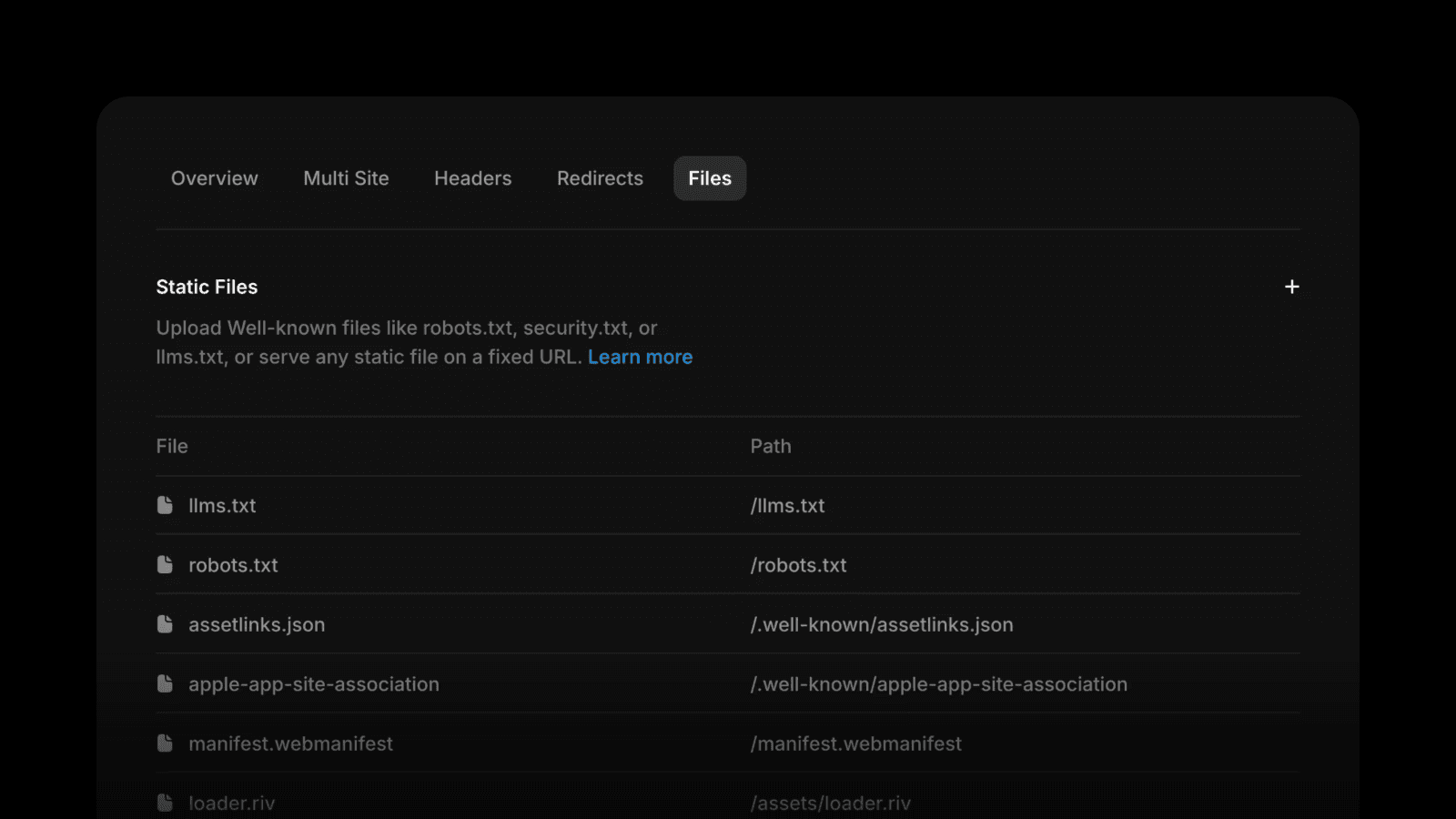
Today we're launching Static Files, a new way to serve files from your Framer domain at any path you choose. Upload files for verification flows, manifests, and other assets, then add, edit, and organize them in one place, alongside the rest of the Advanced Hosting settings. Files support a full lifecycle (create, update path, replace file, delete), with built-in safeguards like size limits, supported format checks, and path validation to help prevent conflicts. If you were previously using redirect workarounds to point root paths to /.well-known/…, with static files, those will no longer be necessary. Static Files is included in the Pro and the Scale Plan. Learn more here.
Published
We’ve shipped a few improvements to our built-in Analytics, starting with the option to set a custom distribution for your A/B tests. This is useful for rolling out variants to a smaller audience first before committing to a wider rollout. This way, you can test redesigns or any other updates and measure the impact quickly. Besides Custom Distribution, we’ve added more improvements.
Added
Added filtering by tracking IDs
Added folders to organize your sidebar
Added Custom Distribution for A/B tests
Added support for A/B testing CMS pages
Added extended history for sites on the Pro plan
Added system languages to the geography section
Improved
Improved bounce rate calculation by including all on-page interactions
Improved average session calculation to include activity on all pages
Improved availability of the Convert add-on on Pro plans
Improved overall accuracy of analytics data