
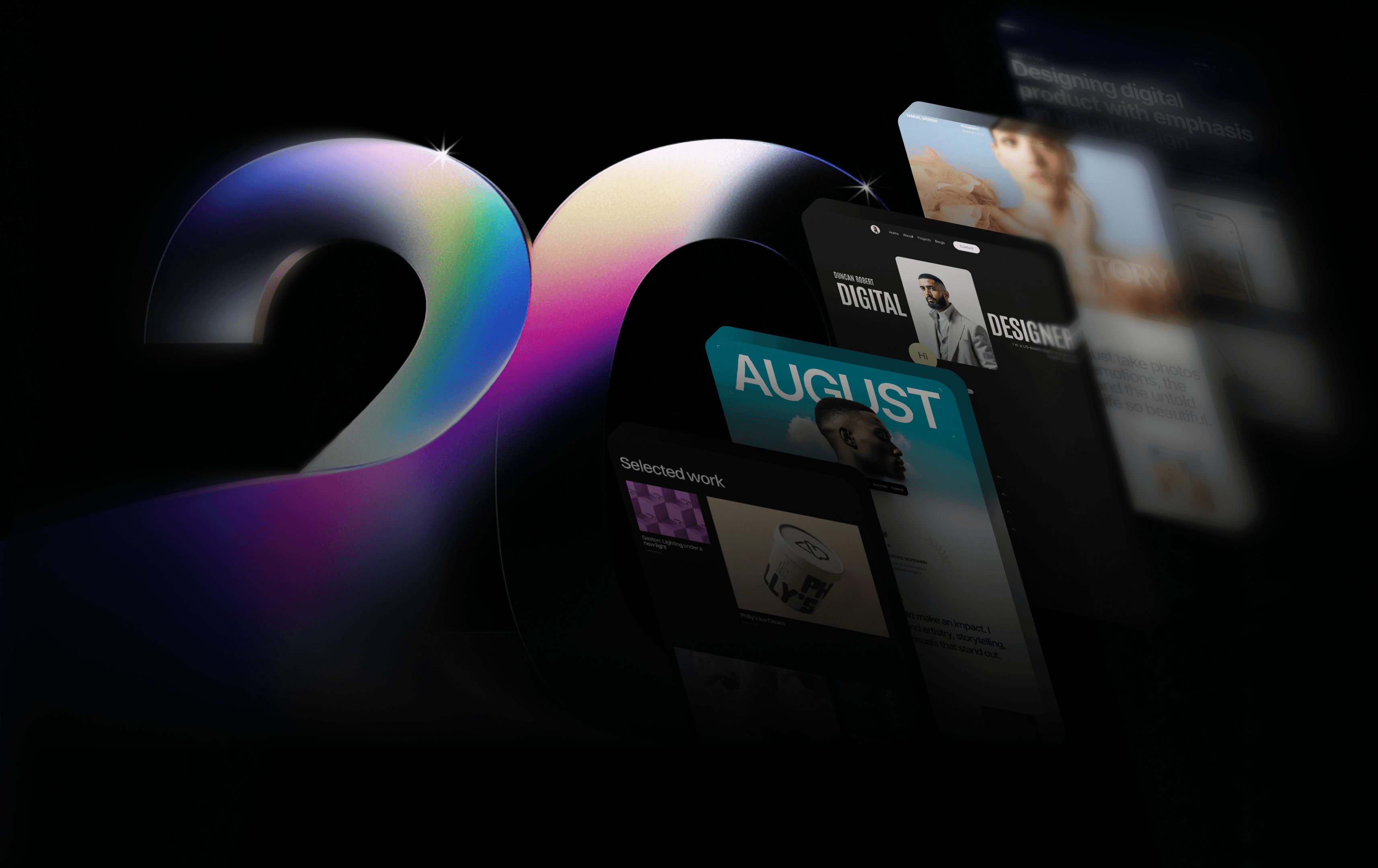
The best sites blend distinctive design with clear purpose, revealing what you do and who you are. With your own domain, you shape your narrative completely. See Why choose Framer for portfolio website building?.
Your own digital portfolio unifies your professional presence. It allows you to present projects with rich context, while creating one central hub for clients, collaborators, employers, and peers to discover your work, learn your story, and connect with you directly.
20 personal website examples
Personal website templates from the Framer Marketplace and Gallery are designed to help you present your polished, most authentic career self.
We’ve grouped these standout templates into four categories: Templates for resume/CV sites, portfolio-based sites, creative/storytelling sites, and content-forward blogs. Zone in on what reflects your specific vision for your personal website – and what converts passive visitors into long-term clients.
Resume/CV websites
Best-suited for: Product designers pitching to agencies and leads, UX specialists highlighting B&A project case studies, design directors sharing career highs.
A strong resume website makes your expertise impossible to overlook. It’s a streamlined, design-forward way to package your experience, outputs, and career arc into a digital gallery that feels alive compared to a static PDF.
1. Core
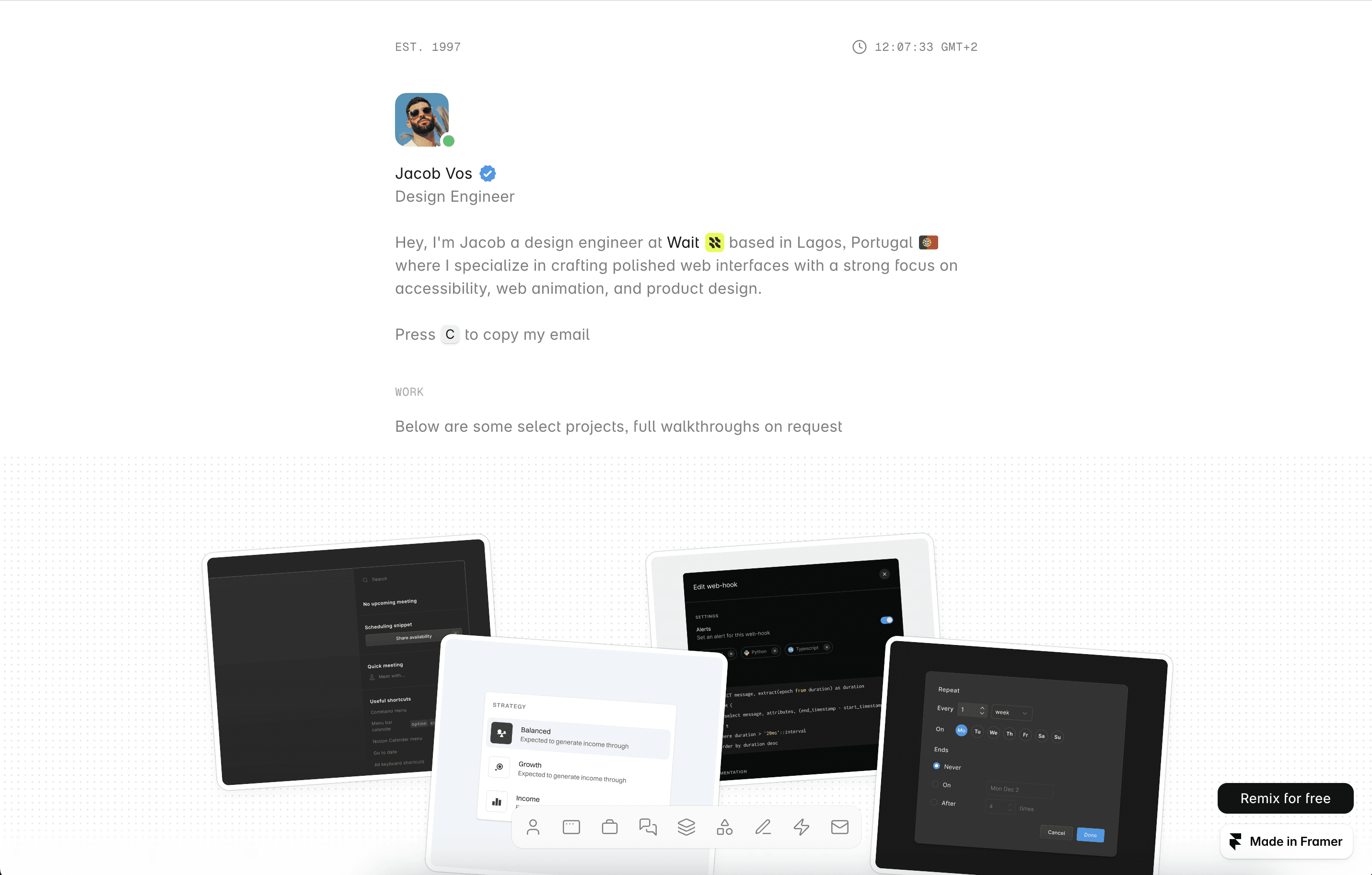
A template living up to its name, Core features a minimalist and distraction-free overall site design. Its visual scale and hierarchy creates a familiar experience for your site viewers, but comes with enough extra touches like custom cursors and light/dark mode toggle for subtle pops.
Functionally, Core’s CMS-backed “Projects” section and built-in forms easily handle inquiries without much extra plugin bloat. Core is your clean, simple gateway to an online presence.
2. Basics
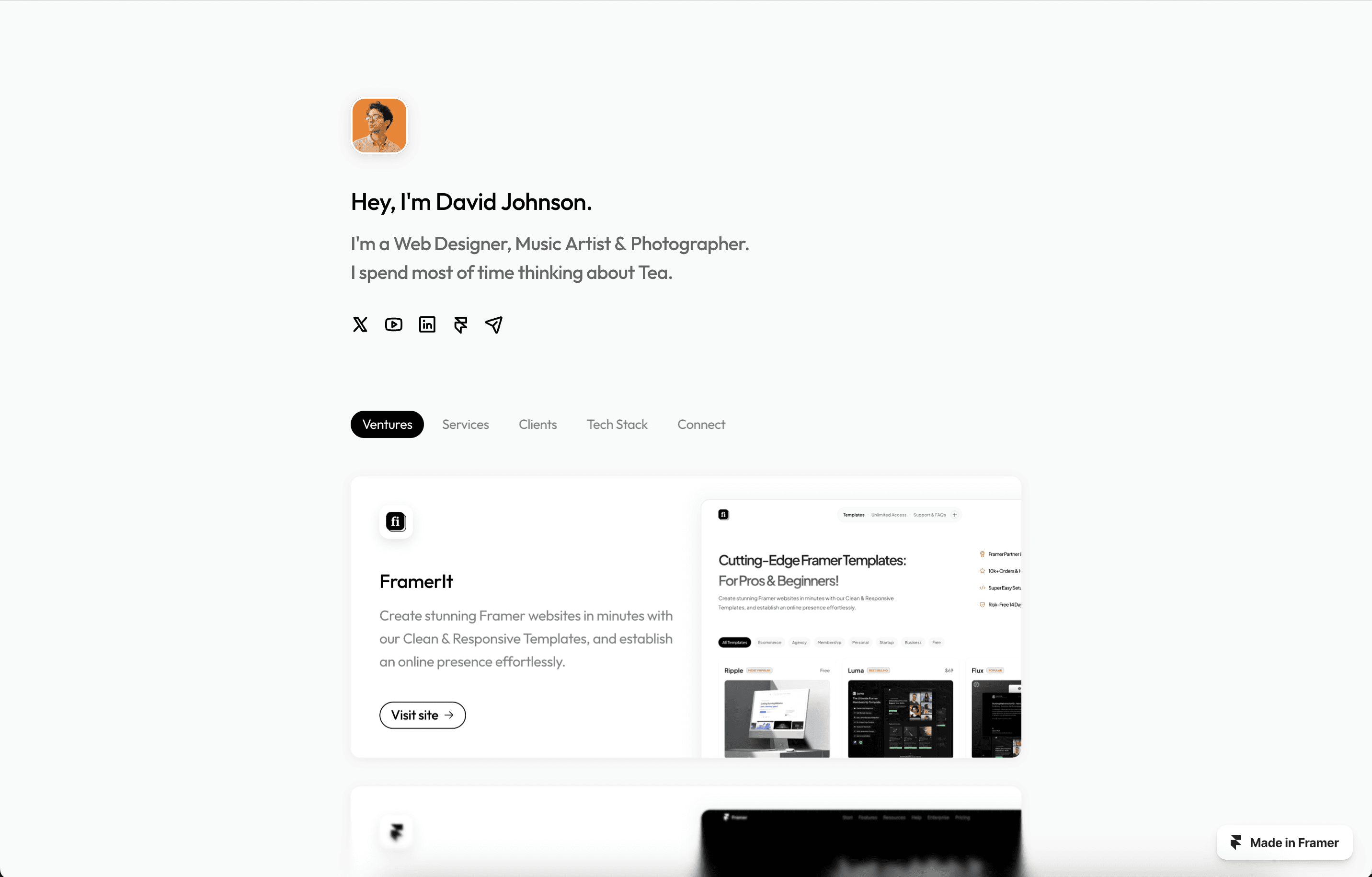
Basics boasts itself as a professional web template “focusing on what truly matters.” That means 2 templated pages with several straightforward sections revealed through vertical scroll, packaged within a light, airy theme.
It’s approachable and ready-to-launch. Your resume/CV will look clear, sharp, and unmissable. Under the hood, it’s SEO user-friendly and responsive across devices.
3. Sharm
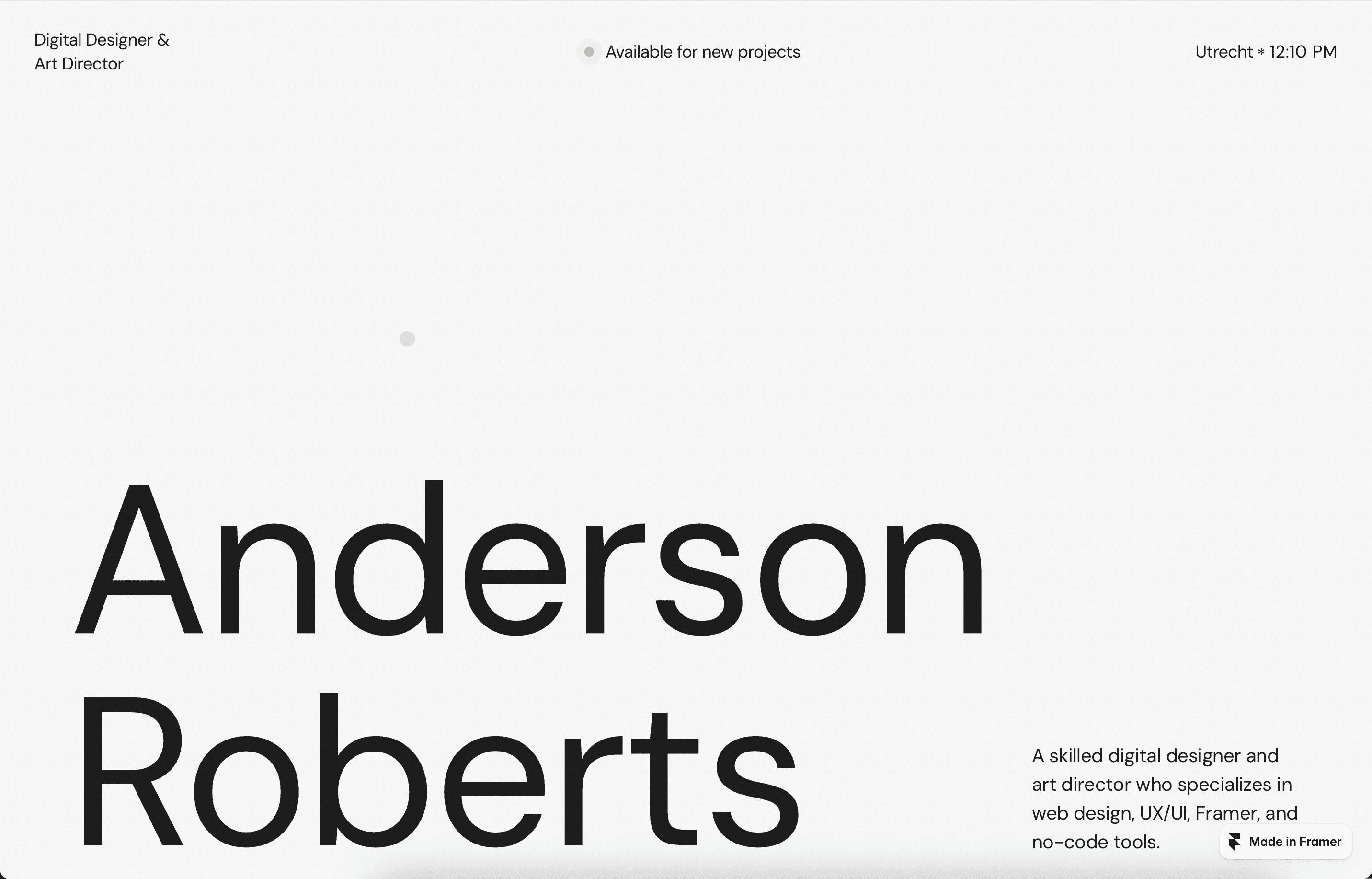
Sharm provides 3 core reusable pages with sleek user navigation. Pros will note the smooth rhythm across its visual hierarchy, the large modern type, clearly distinguished sections, and sticky transitions. Baked-in CMS and analytics help you also keep track of real-time audience insights and make changes that convert.
4. Perform
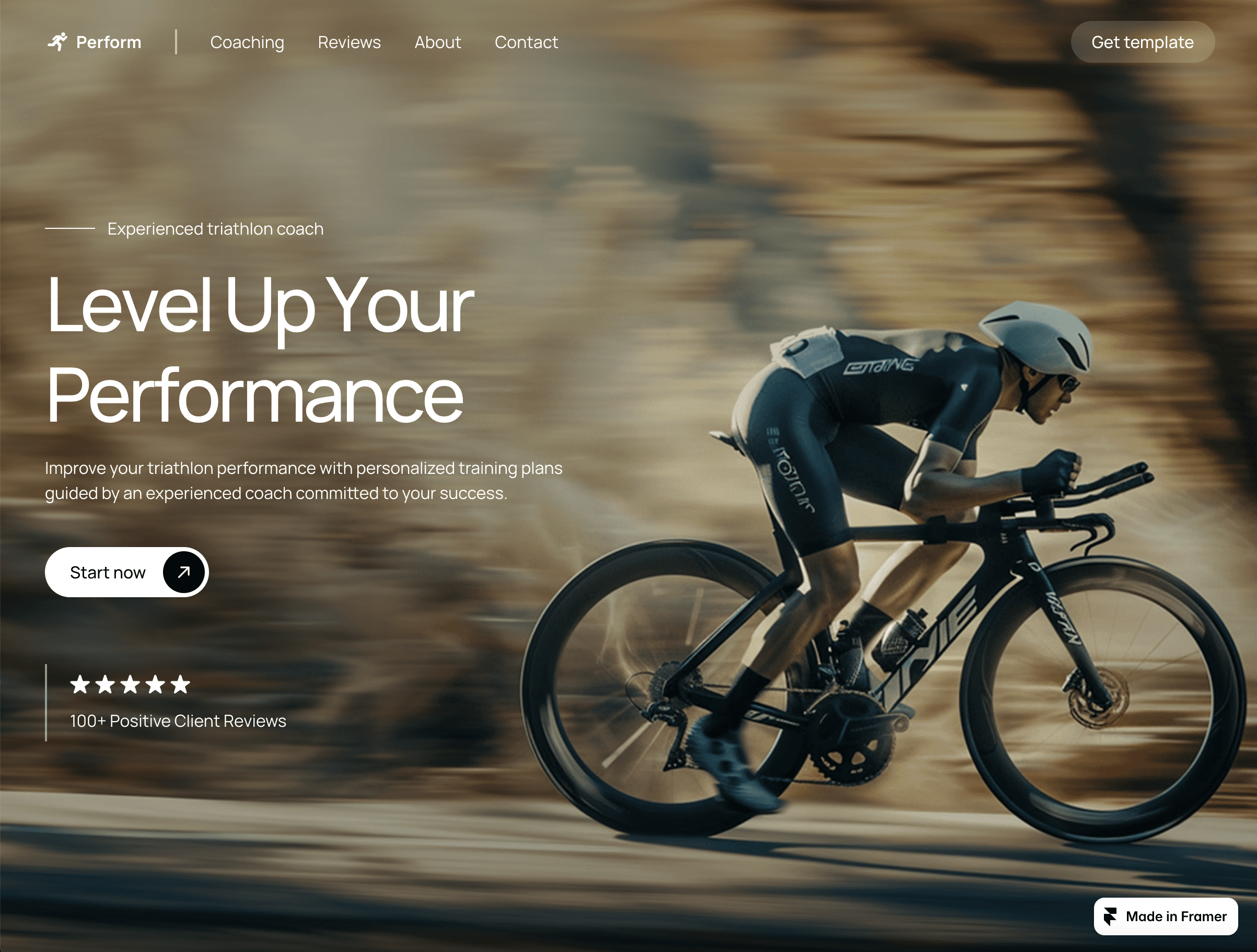
This personal website design strikes a smart balance between professional polish and expressive visual details. A clean grid structure and a set of refined hover animations gives your resume/CV a modern twist. Performance-wise, it’s a lightweight, free template that won’t have any issues with load times, even for media-rich pages.
5. Portfolite
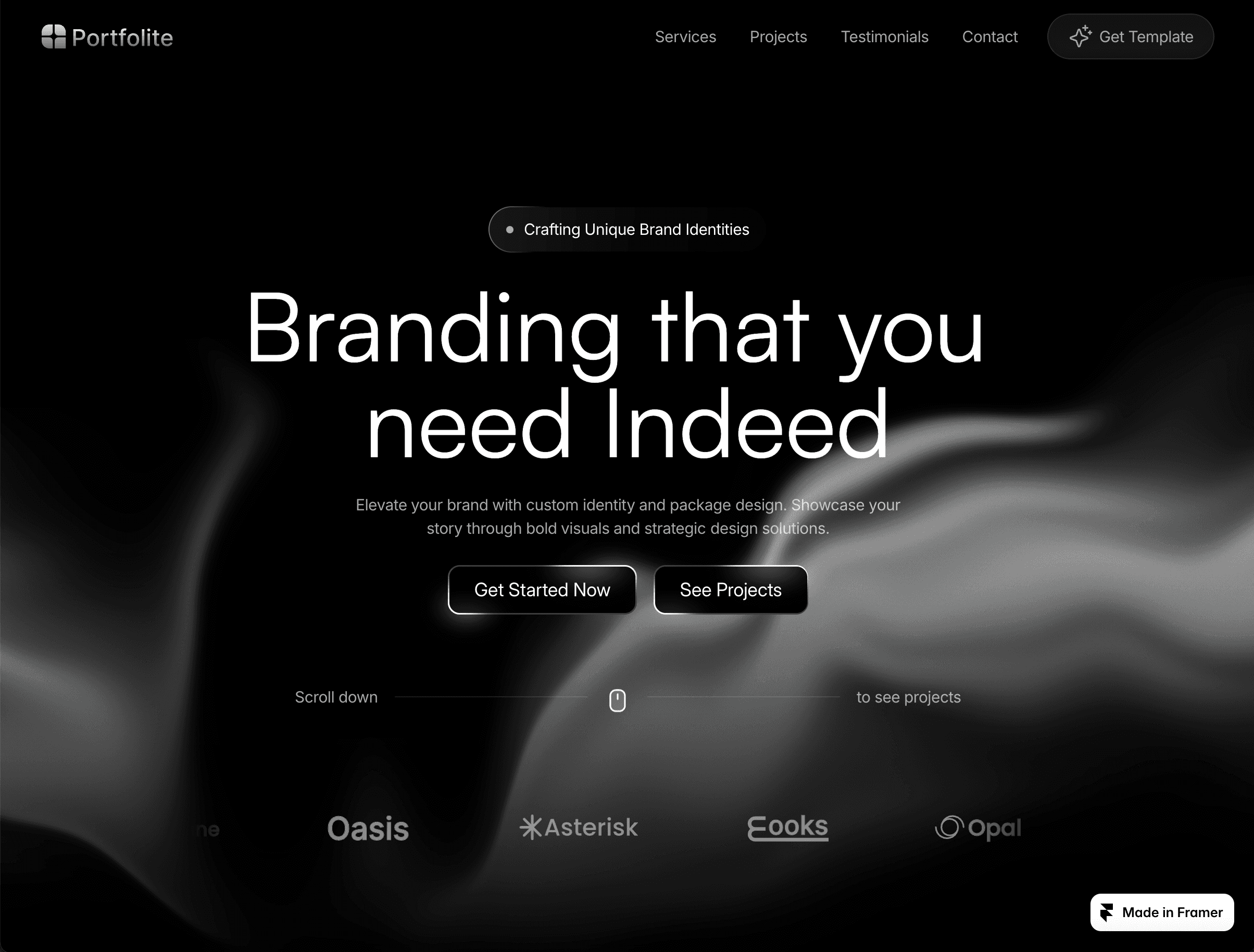
Portfolite’s template works well for agencies showing off years of growth and evolution. Sleek navigation and a monochrome portfolio-editorial layout keep professional accomplishments front and center.
Portfolite’s animation cues also feel intentional, not showy, fitting for an online resume. And coupled with built-in CMS and A/B tested structural hierarchy, this one feels like a no-code win for busy, seasoned designers.
Portfolio websites
Best-suited for: Digital agency’s portfolio variation, freelance visual and UI/UX designers’ case study-heavy sites, product designers showing off career breadth and evolution, motion designers demonstrating dynamic work.
For designers, a portfolio is everything. It doesn’t just showcase your work—it reveals how you think, solve problems, and create. It’s a window into your soul.
6. Luzia
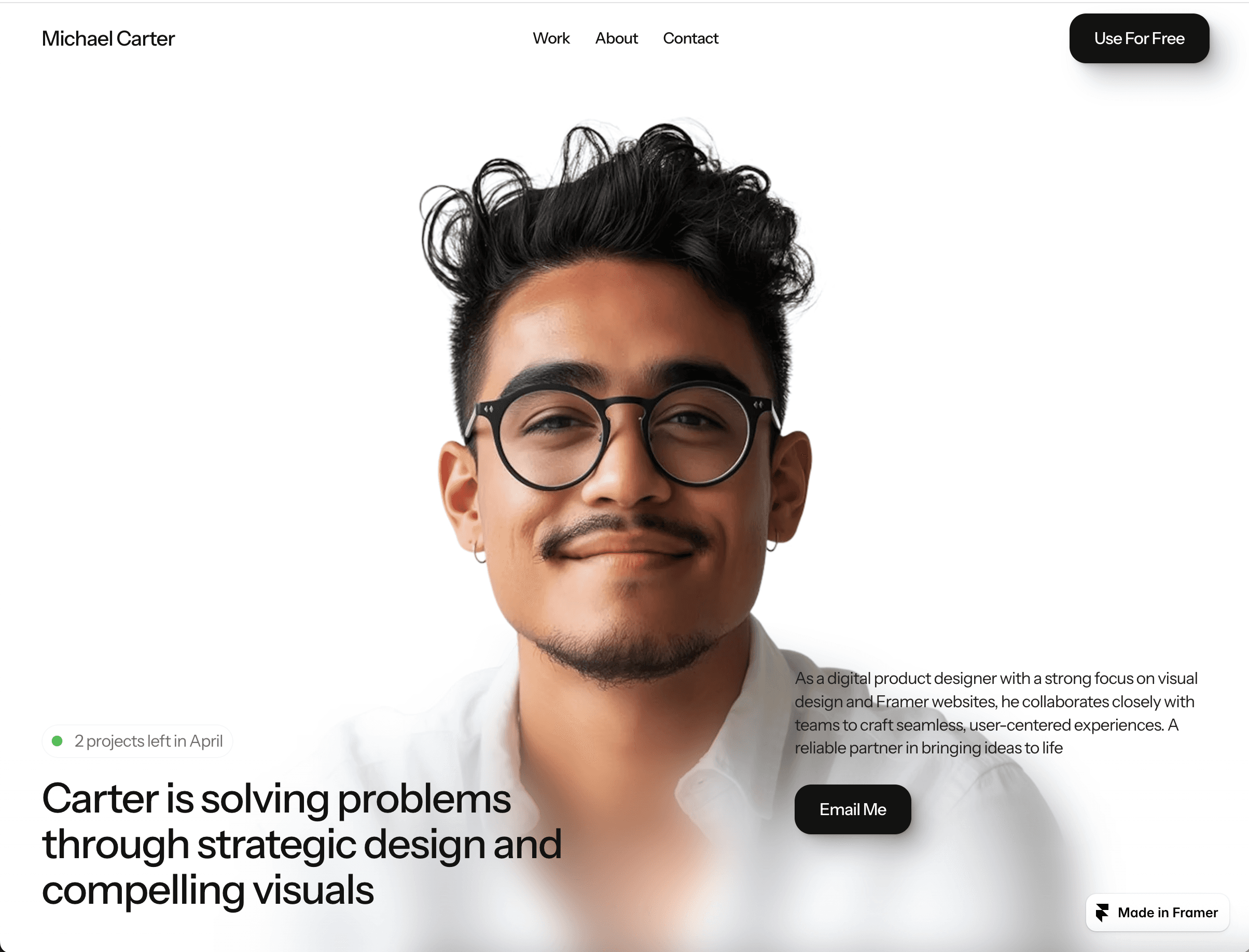
Understated yet light and warm, the Luzia professional template truly lets visual work examples shine. Its wide use of white space and a soft hover keeps the focus on your portfolio of work, with additional touches for featured projects and spots for easy-to-edit personal branding. The Framer CMS-powered “Works” section and accessible structure makes adding your newest work scalable.
7. DevSync
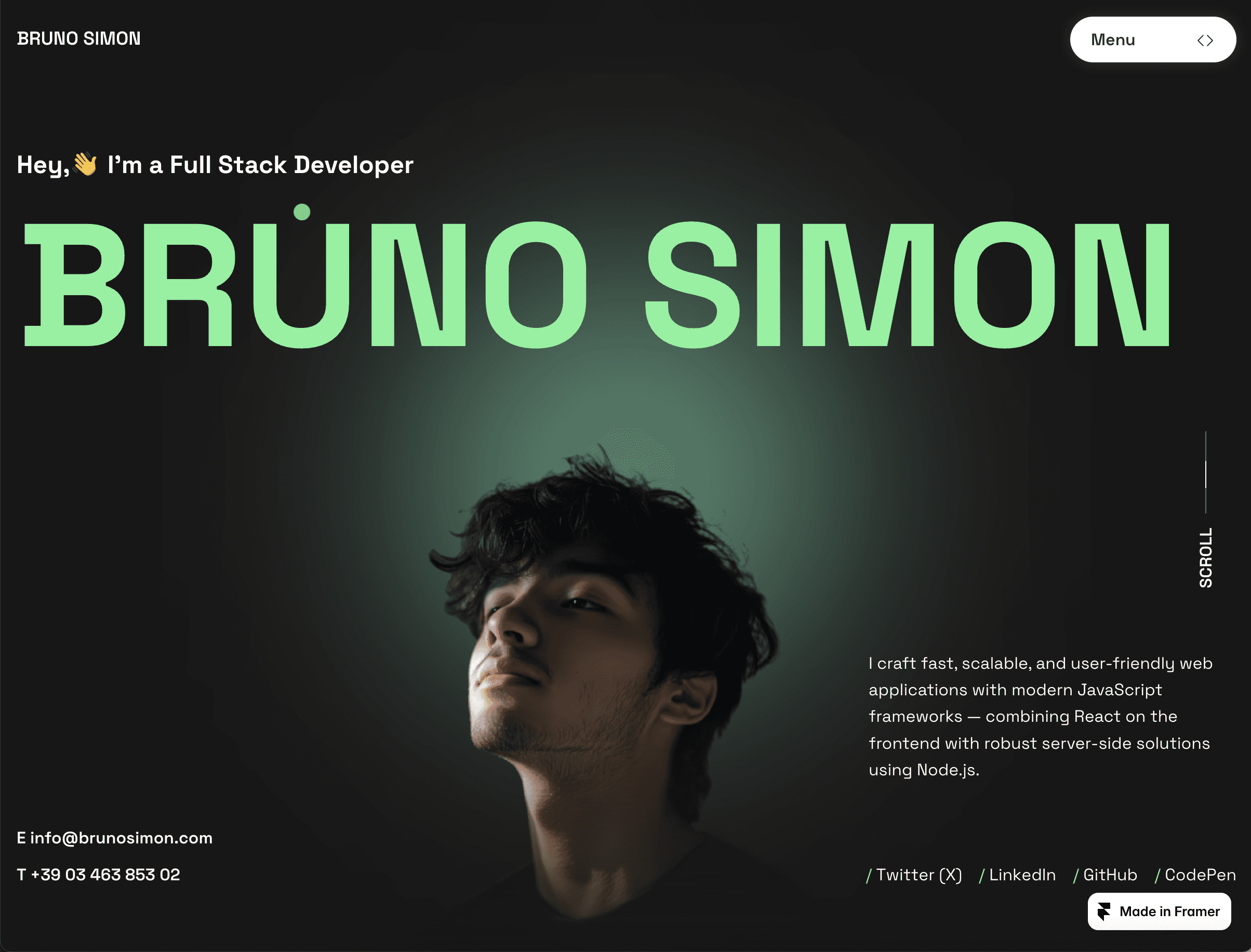
DevSync’s modular layout stands out when designing a premium-looking professional design portfolio. The template features intuitively embedded no-code blocks and a high-contrast text-based hierarchy. Both work to smoothly guide visitors toward key projects, use cases, and even client testimonials. Its conversion-driven forms are the cherry on top for pros trying to drive consistent work straight from their own websites.
8. Darling
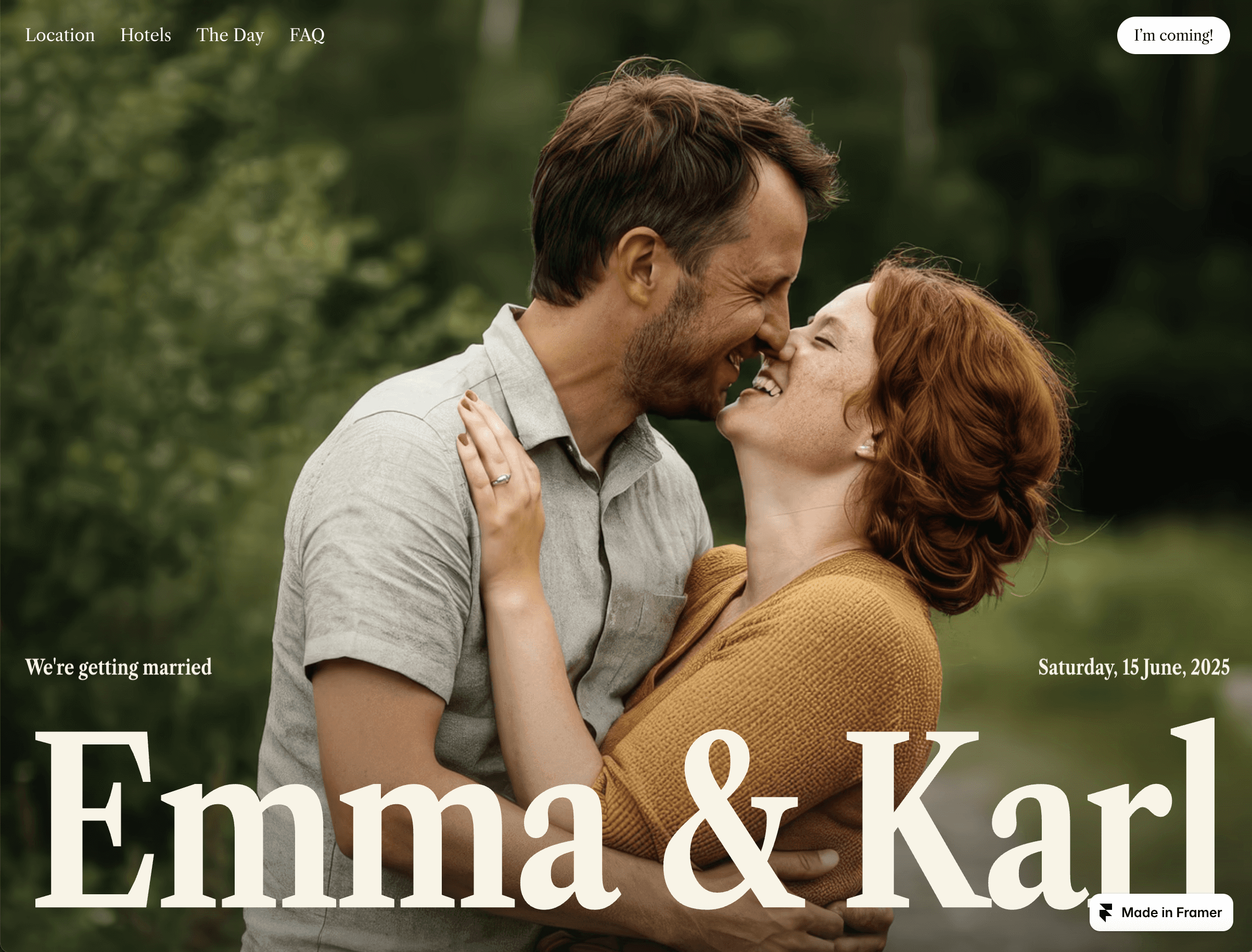
A photo-forward design originally for event promotion, Darling has plenty of places to add conversion CTAs and pops of intentional flare. It’s a whimsical, offbeat approach to showing off a personal or professional portfolio that moves viewers into clients and wins projects – for those with the right creative eye. But its character is undeniable, plus its micro-interactions, fully customizable forms, thoughtful layering, and asymmetric grid all feel fresh. If you want your portfolio to persuade leads to reach out, Darling is your choice.
9. Portavia
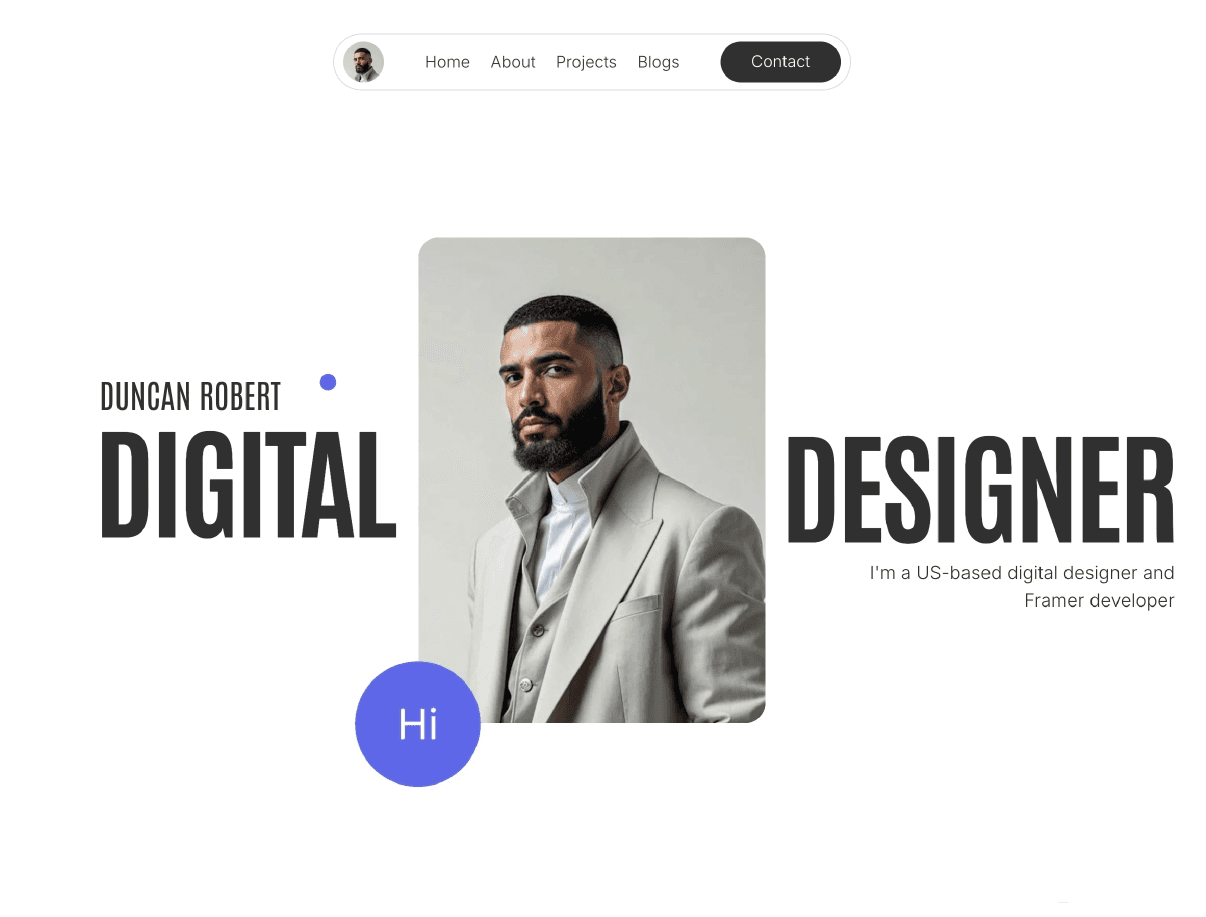
Fluid visuals meet a clean, modular layout in Portavia. This template guides viewers’ to your most important work examples, with a thoughtfully placed “About Me” section.
Portavia comes with 5 core templated pages containing hover-based transitions, as well as a “featured project” element – a dedicated space for you to showcase your best work. It’s a design scheme clearly geared toward creative professionals.
10. Avexa
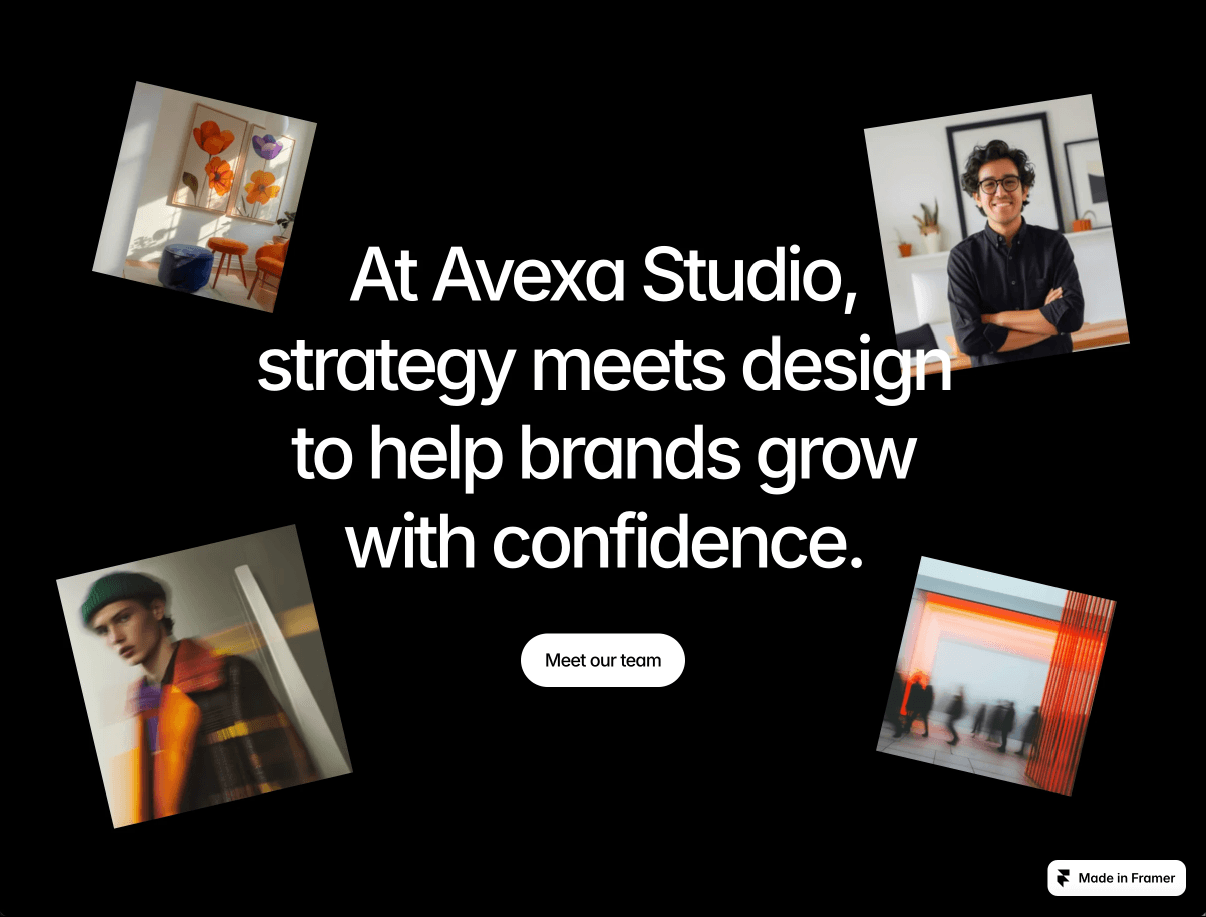
Ideal for agencies, studios, and seasoned creative directors, Avexa mixes a bold, highly polished aesthetic with a package of commercial-intent pages to secure business. It’s got several on-page elements to drive conversions and highlight your portfolio’s range, including two sets of highly customizable “Work/Service” blocks, feature/benefits text blocks, and pages for case studies and testimonials embeds.
Creative websites
Best-suited for: Creative directors highlighting career-spanning portfolios, illustration/animation-focused pros, and physical craft specialists and designers.
Some creative work demands more than a grid of thumbnails. Narrative-driven website examples let you invite visitors into your world. With these creative templates, you create a distinct visual and content atmosphere sparking emotion just as much as it brings new work.
11. Billie
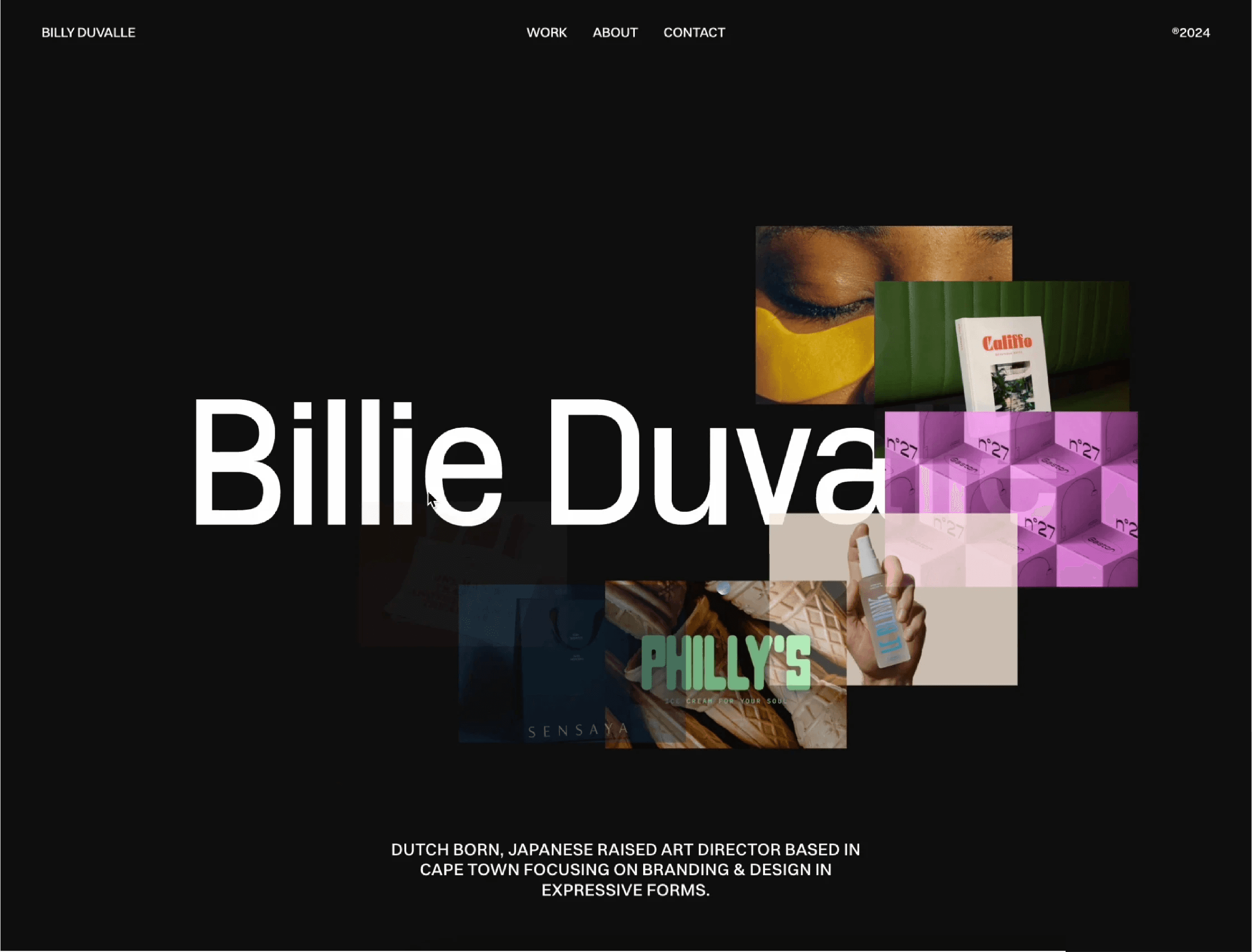
Billie is perfect for bold personal branding. Its striking, full-screen hero banner and high-contrast typography set an unforgettable and contemporary first impression.
The design is especially ideal for art directors and illustrators, given Billie’s balance of visual confidence with structural clarity: grid-based layouts to show off projects, plus fluid responsiveness that ensures your portfolio looks powerful on any device.
12. Captured
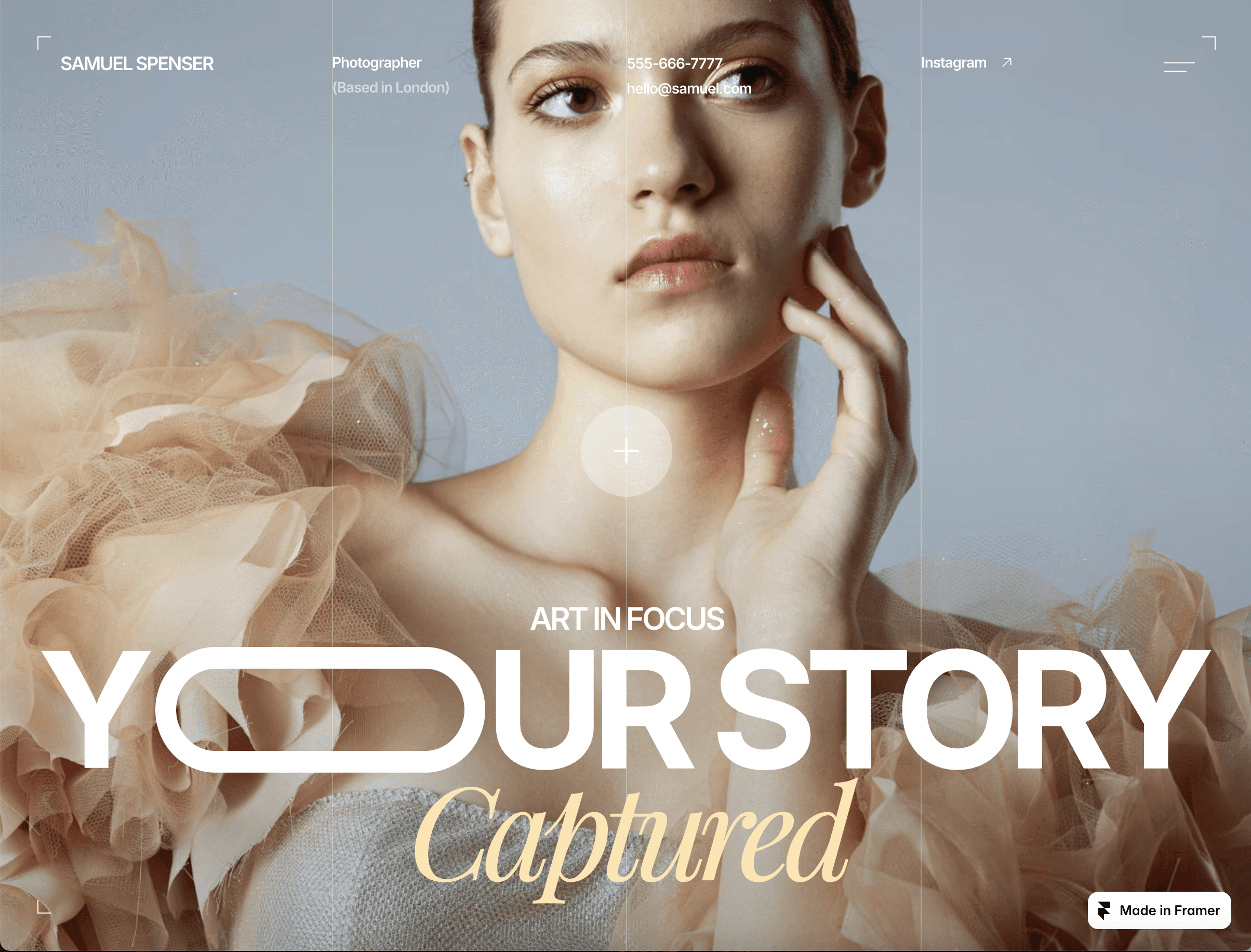
Captured is all about immersive visual storytelling. It takes viewers on a journey through a central, large-format gallery and uses cinematic scrolling transitions to keep attention where it belongs – on your design work. If you’re interested in showing and telling your designer story, Captured is for you.
On the functional side, you also get Framer’s CMS-powered collections and an adaptive light/dark mode included across all 6 pages, all to curate and update your portfolio.
13. Foucault
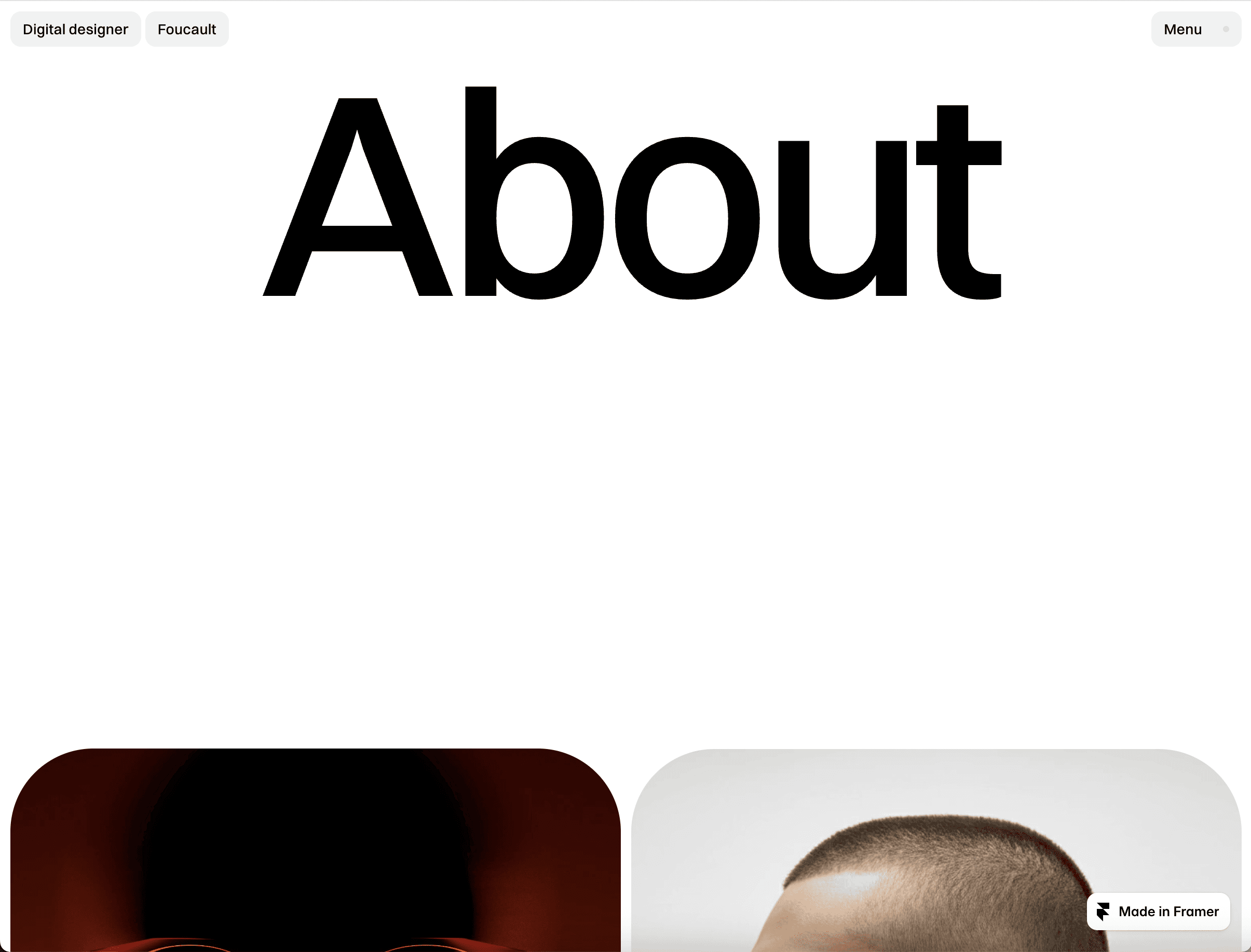
Moody, editorial, and deeply atmospheric, Foucault suits creatives in need of a narrative-heavy portfolio. Think conceptual designers or pros and agencies whose work requires deeper product or feature descriptions. Its strong visual contrast, dark themes, and dramatic scroll effects set a storytelling tone, while CMS integration and flexible navigation allow complex projects to unfold elegantly.
14. Aperture
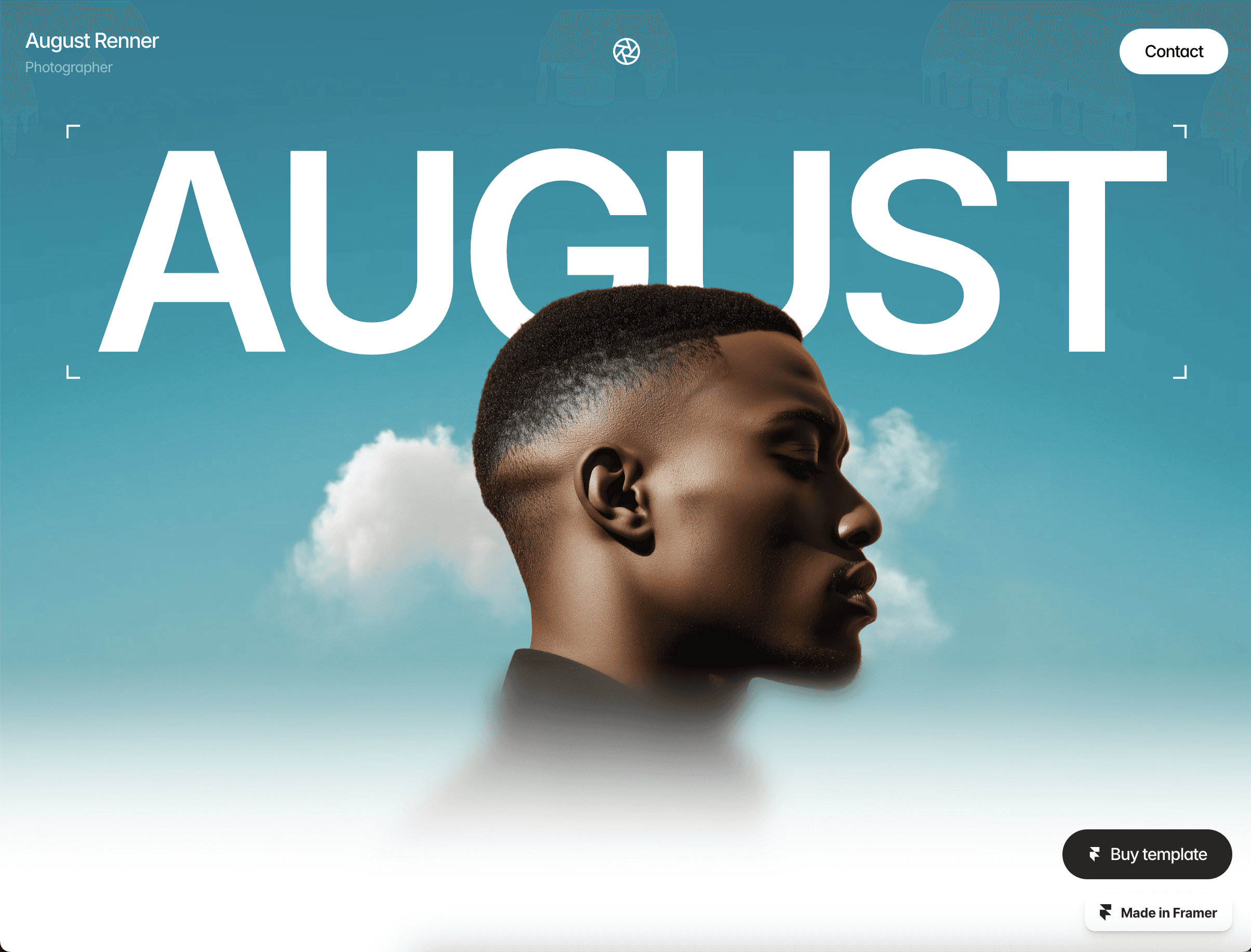
Want your work to feel like a gallery exhibition? Meet Aperture, the personal website design with full-screen, edge-to-edge imagery, soft transitions, and a lot of intentional white space to lock focus on the work. It’s also one of Framer’s most popular templates – over 10,000+ users rave about its strong design, easy customizations, and SEO optimization.
15. Showcasy
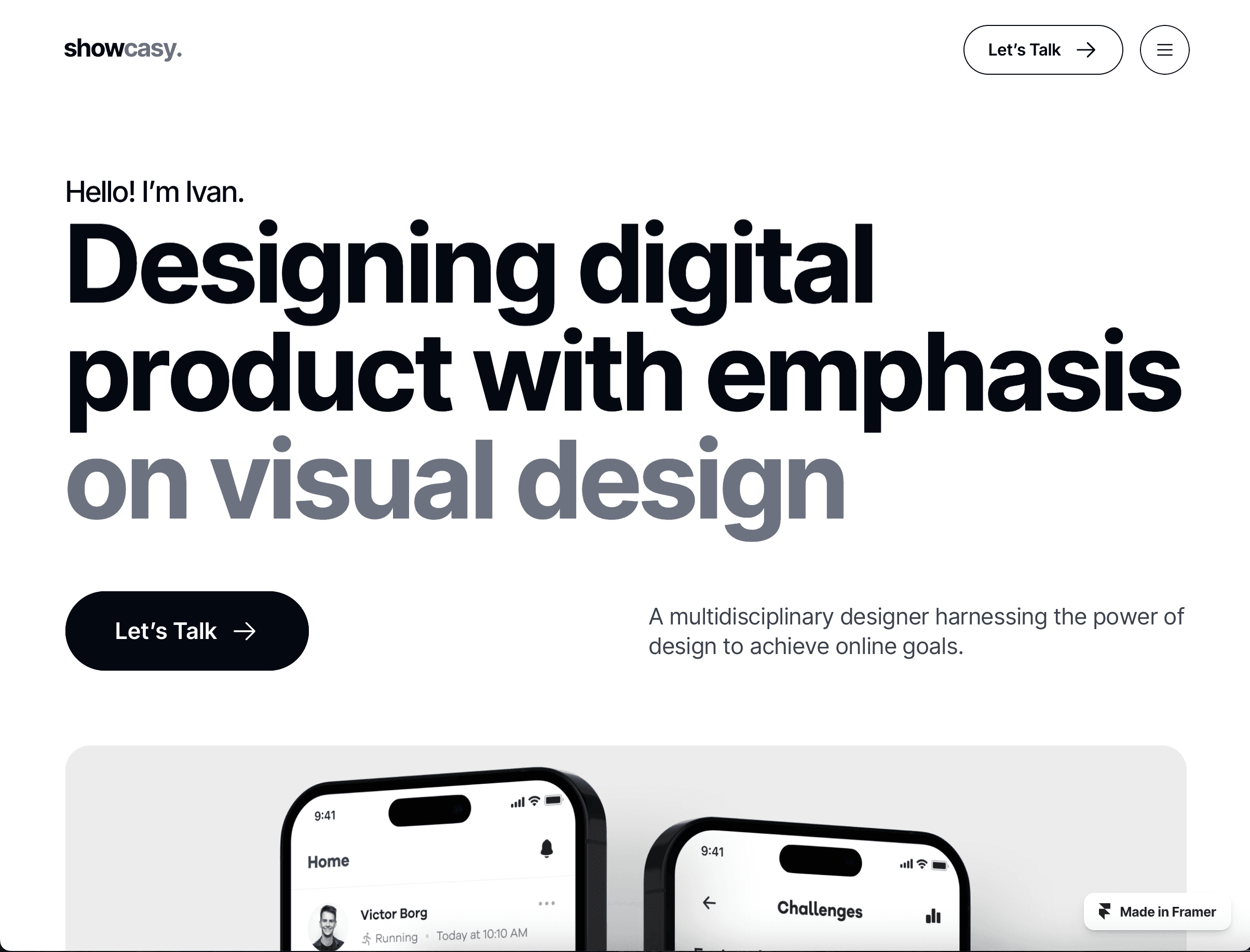
Showcasy is about a polished presentation – perfect for products designers, graphic designers, stylists, or UX/UI pros. Pros love its hero sliders and image-led page templates that leave a strong impact, while the modular CMS is flexible and easy to update. Expect thoughtful hover states and layered content that feels editorial without being fussy.
Blogs
Best-suited for: Design thought leadership, niche long-form case studies, personal brand storytelling, and design educators.
A blog elevates your entire professional presence. It positions you as a designer with a strong and relevant perspective. Use yours to publish industry news, trend analysis, thought leadership, or long-form think pieces.
16. OneDollar
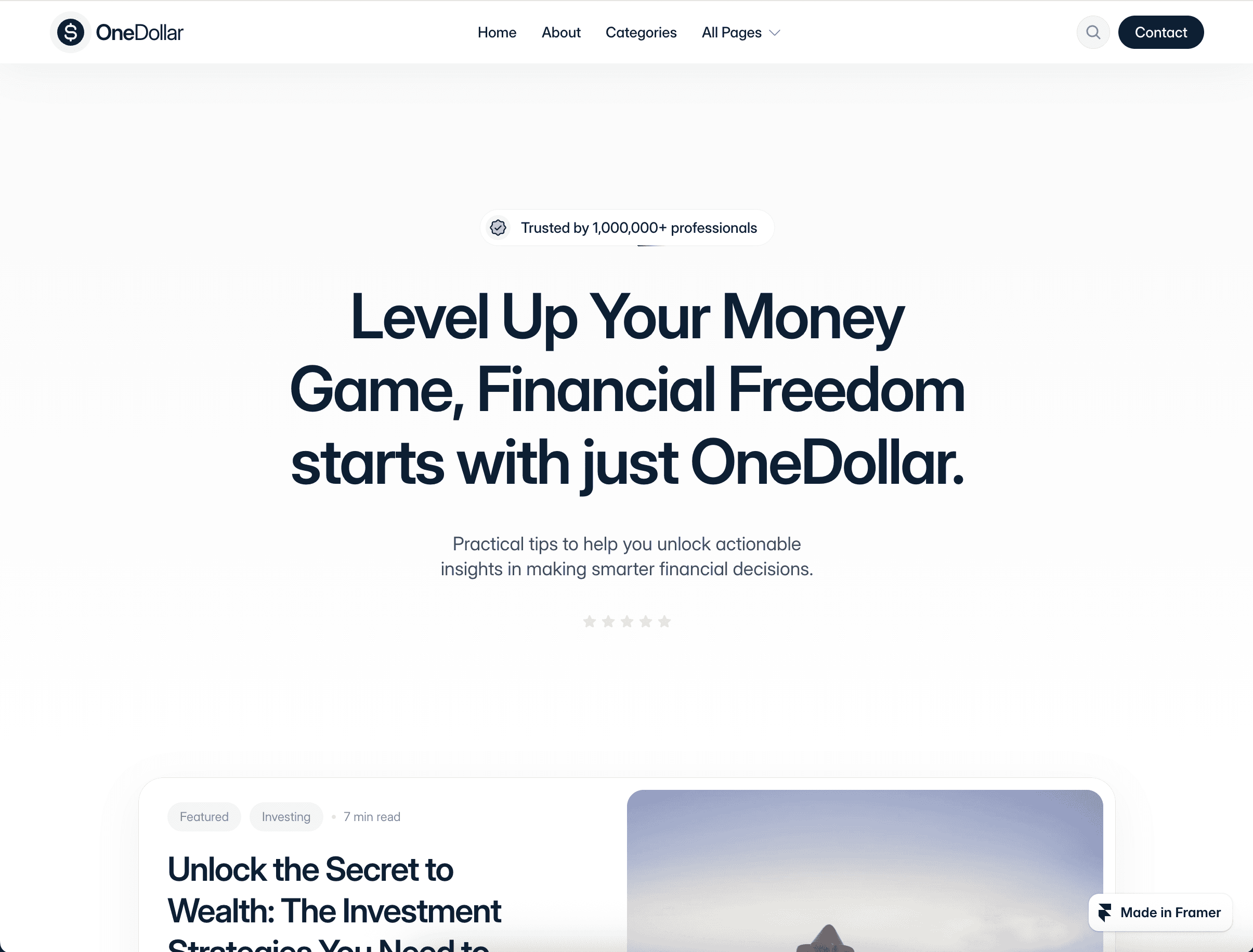
OneDollar shines for freelancers and independent designers broadening their personal brand via written content. Bold typography and an assertive, author-focused layout will feel familiar to blog natives and help secure trust in your professional or personal blog’s purposes.
Plus, OneDollar’s lean grid layout keeps any additional portfolio elements clutter-free, while its responsive structure and SEO elements ensures your website brings traffic.
17. Fuselle
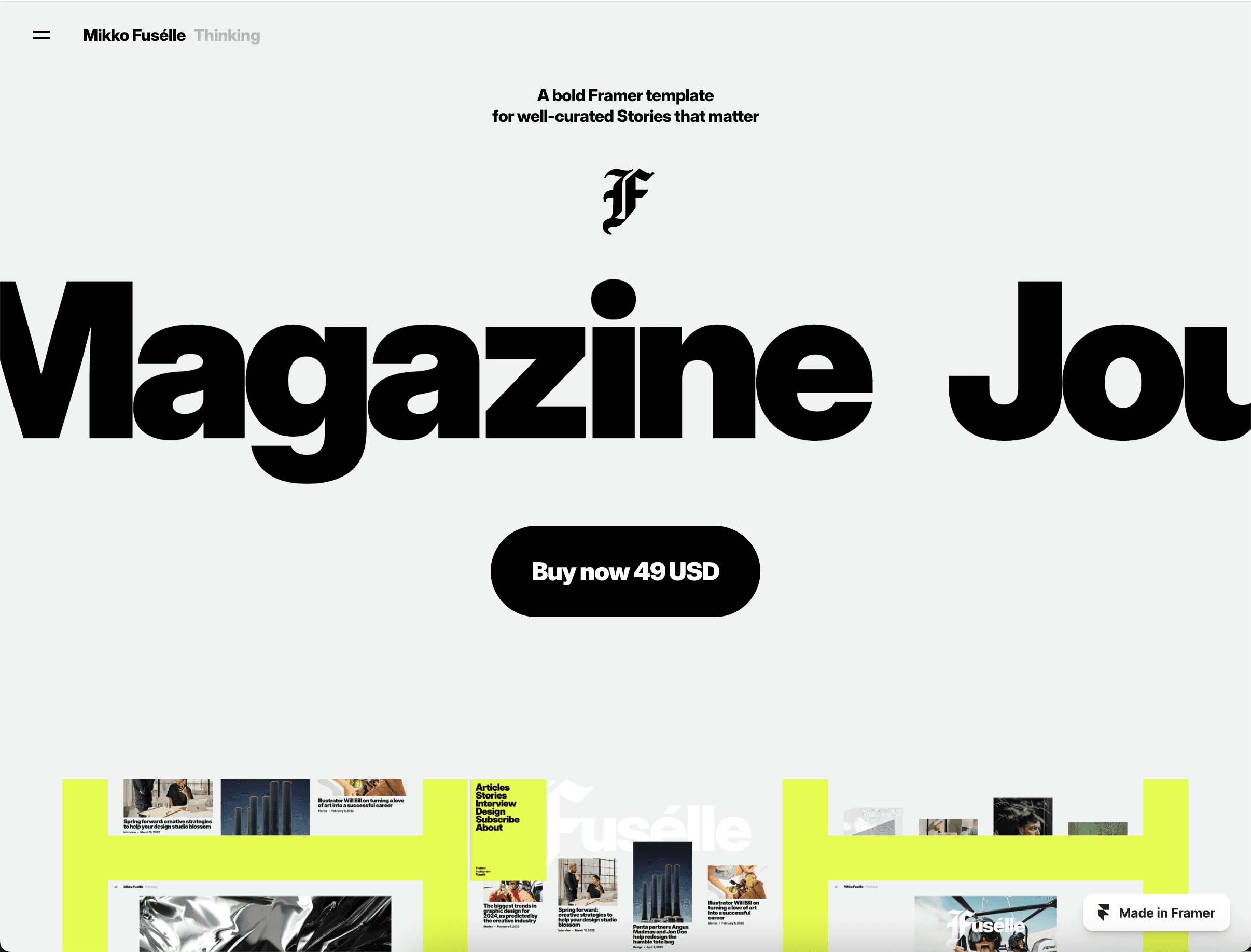
Elegant, expressive, and bold, Fuselle is proof you don’t have to sacrifice striking aesthetics for a word-heavy site.
The template contains a core set of customizable article and category pages to “curate stories that matter,” while its bold type pairings, animated transitions, and a fluid page-hover effect gives your blog an active, kinetic, and memorable fingerprint. Choose Fuselle if your blog focuses especially on print-style editorials.
18. Pering
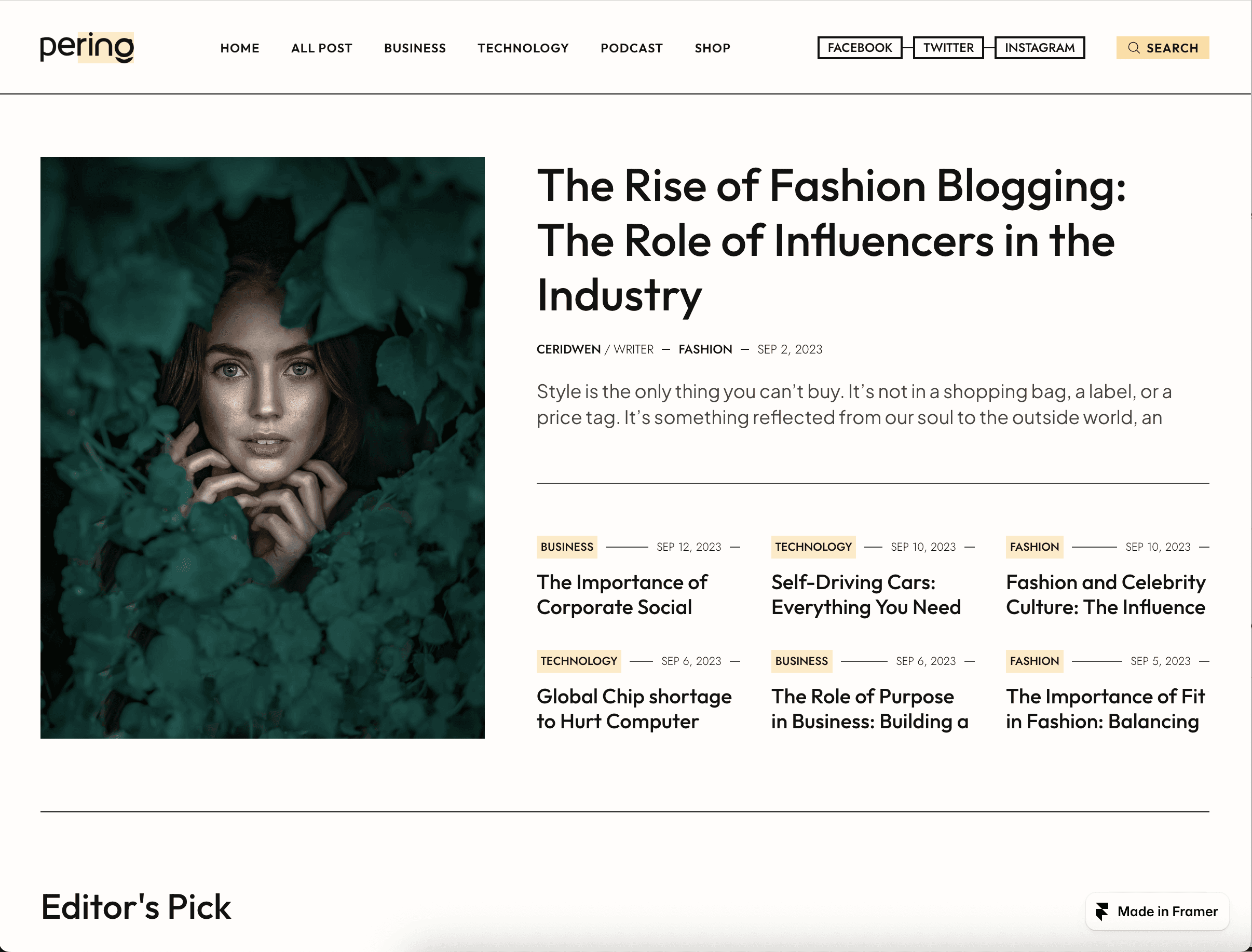
A hybrid blog-magazine template, Pering is perfect for design educators, thought-leaders, or even design podcast hosts who mix text, graphics, and audio seamlessly. Its editorial grid and modular sections feel structured and professional, while integrated podcast embeds and CMS categories keep content organized and interactive.
19. Elrond
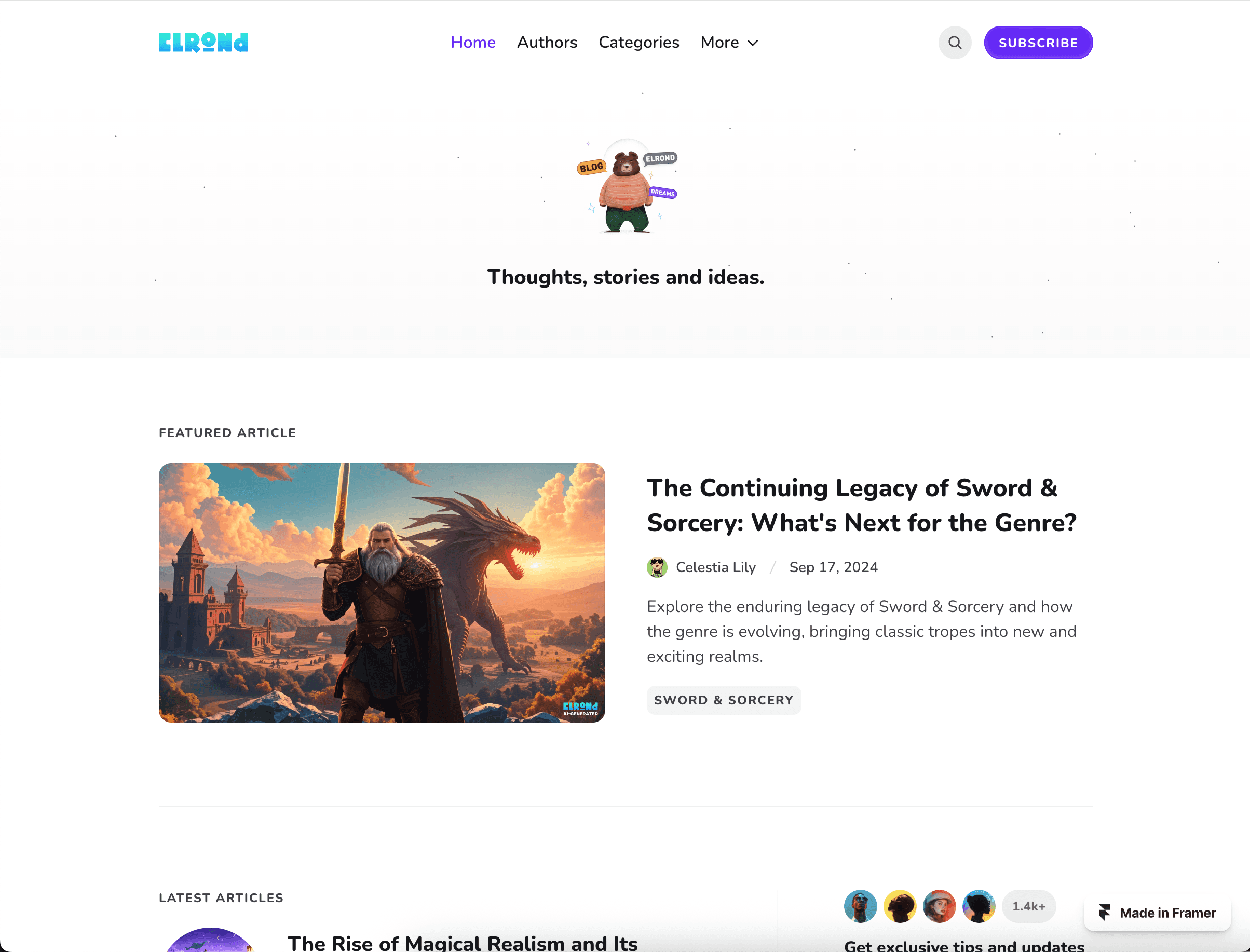
Elrond is a clean, high-quality, and user-friendly personal blog example. With crisp fonts, intentional spots to include strategic graphics, and disciplined dark/white space, it offers a great choice for creative pros showcasing written case studies, thought leadership, or product flows. Its functional strengths include responsive breakpoints, Framer CMS project organization, and fast load times.
20. Full Story
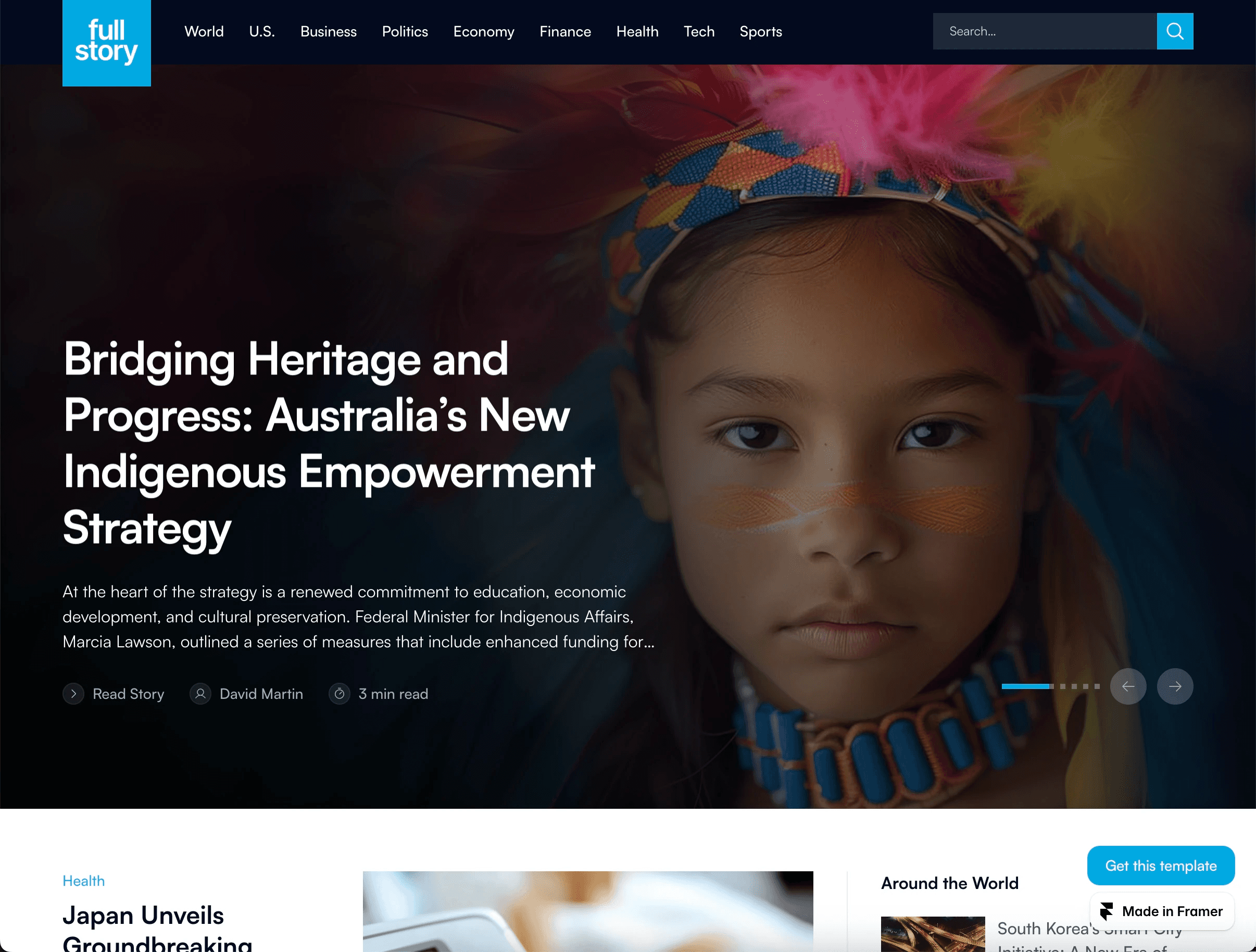
Full Story emphasizes creative narrative through full-width visuals and text-forward sections. Long-scroll storytelling feels cinematic, with parallax effects and soft pacing to hold your readers’ attention.
Full Story’s Framer’s CMS collection makes it easy to publish sequenced chapters or multi-part series. Content is the true focus with Full Story, and its templated pages even come with an option to feature multiple Author bios and deeper story categories.
How to design a personal website
Stand apart from your design peers by creating a personal or professional website equal parts aesthetically polished, purposeful, and memorable.
Plenty of templates offer the basics: A site that looks good, maybe even stunning. Yet pros also need website performance and optimization elements, a content management system, plus other user-minded features adding functionality.
Combined, you’ll put forward the kind of website undeniably for and by creatives. And, ultimately, one that lands you work.
All the successful personal website examples on this list, at a minimum, contain the following:
1. On-brand visuals.
Color palette, typography, photo tone (or animations), and spacing help shape and communicate your brand’s personality. Each works together to signal your aesthetic instantly, a must for creative pros.
2. Logical site hierarchy.
Well-structured navigation ensures visitors find work, your bio or About page, contact points, and links to other platforms without friction. Logical site hierarchy also ensures visuals, animations, or interactive page elements don’t clutter your entire portfolio, or work against CTAs.
3. Clear results with focused work examples.
Great personal websites show outcomes, not just outputs. Templates should amplify the impact of your creative process and final work, plus user-friendly enough you don’t get a headache trying to update your portfolio.
4. Niche-relevant SEO.
Think of SEO as part of your design system: it frames how people discover your work before they even see the visuals. Titles and meta descriptions tied to your niche signal search intent and improve discovery, whether that’s a recruiter searching “app UX designer” or a brand looking for “editorial art direction.”
5. Responsive design.
As a designer, you wouldn’t present a portfolio that only looks good on one single screen size. If your site shifts awkwardly on mobile or tablet, it signals a lack of credibility or professional neglect. While responsive layouts prove your attention to detail, respect for the audience, and a craft that extends over every pixel.
6. Fast load times.
No matter how beautiful your work is, if the site hangs on load, you lose credibility (and visitors). Optimizing assets – for example, compressing images, cutting lazy-loading video, and refining scripts – keeps the experience crisp and immediate. For a prospective client, speed reads as professionalism.
7. Consistent typography scale.
You know the saying, “typography is invisible until it’s wrong.” Clear, rhythmic, and logical text sizes guide website flow and visual hierarchy. Which in turn guides the viewer’s entire on-site experience. It’s a subtle signal of your deep design maturity.
8. Intentional animations.
Use motion (subtle hover states, scroll-linked reveals, and micro-interactions) to signal important transitions and information. Animation is especially impactful in places like page heroes and CTAs, areas you want eyes and attention. Not to mention animation adds a level of delight to your website – never a bad thing for your personal or professional brand.
Simplify designing your personal website
Ready to build something that moves viewers, nails your personal brand, and grows visibility?
Start with discovering ideas and designs with templates in the Framer Marketplace. Search more than 2,000 responsive website examples according to category or niche, then remix temples with your best work, on-brand visuals, CMS content, and About Me story.
When you’re not starting from scratch, you can launch faster and smarter. For even more visual inspiration, drop into Framer’s Gallery of live sites capturing real-world design chops in action. Then, when you’re ready sign up for Framer and start building your own site.
