Static files
Learn how to upload and host files on your site using static files
Static files allow you to upload and host files directly on your site. You can use them to serve PDFs, verification files, media assets, or custom configuration files from specific URLs on your domain.
This feature is available on Pro, Scale, and Enterprise plans.
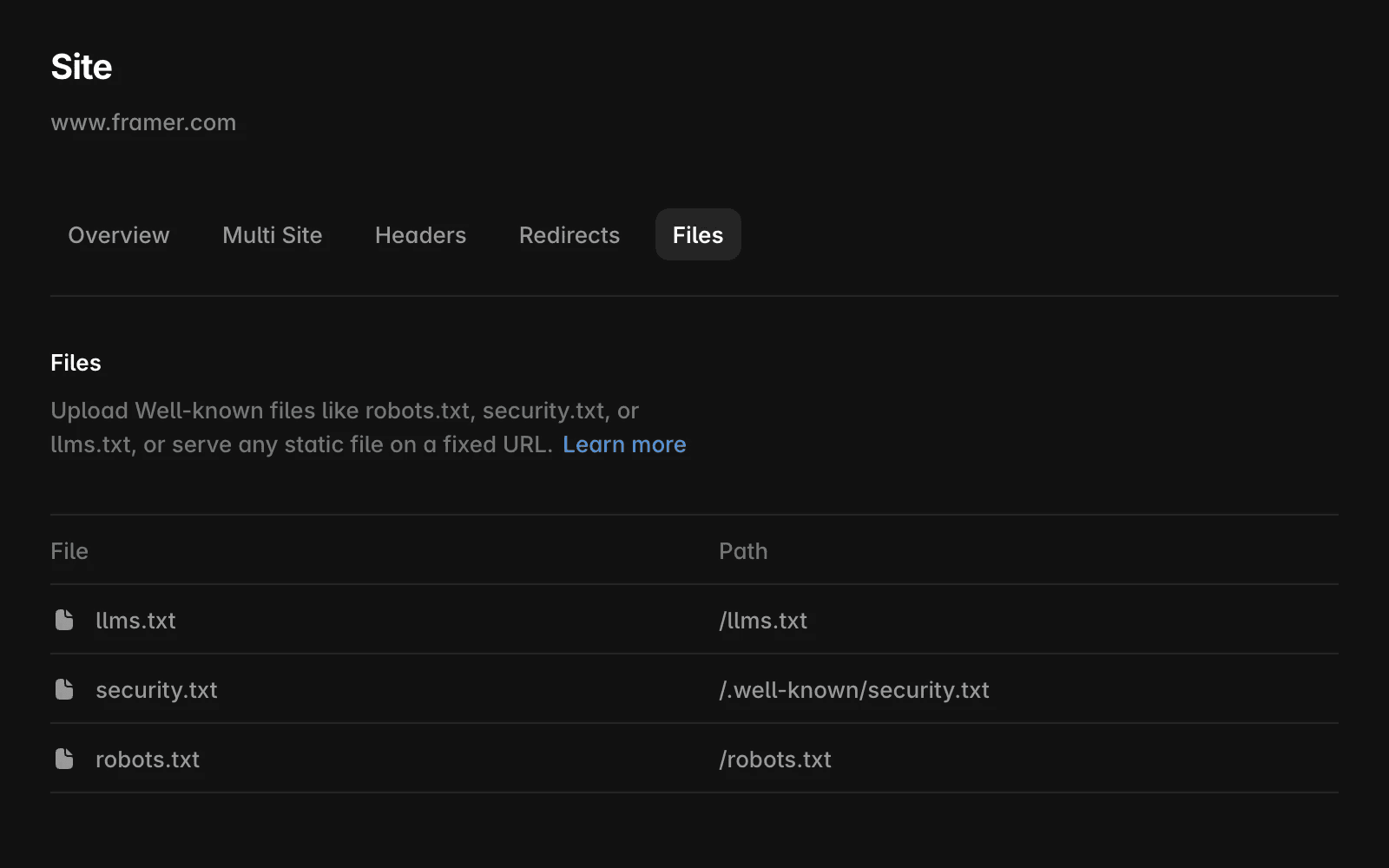
How to upload a static file
Follow these steps to upload a file and make it accessible on your domain:
Open your dashboard
Select your domain from the sidebar
Go to the “Files” tab
Click the “+” button
Upload your file
Set the file path (do not include the file name)
For example, to host
example.com/pdfs/example.pdf, set the path to/pdfs
Publish your site
Supported file types
You can upload a wide range of file types, grouped into the following categories:
Text: PDF, TXT, CSV, JSON, XML, MD, VCARD
Images: PNG, JPG, JPEG, WEBP, GIF, AVIF, ICO
Audio & video: MP3, WAV, OGG, MP4, WEBM
Other: EXE, ZIP, files without extensions
If you’d like to upload a file with an extension not listed, please contact us.
How files are delivered
The way a file behaves in the browser depends on its MIME type. Files that render in the browser include:
text/plaintext/xmlapplication/jsonapplication/pdfapplication/xmlimage/*audio/*video/*
All other file types will automatically download instead of rendering.
Common use cases
File Path | Description |
|---|---|
| Helps AI agents and LLMs to understand your website. As an example, OpenAI search, Anthropic’s Claude and Perplexity make use of it to provide better search results. Learn more |
| Instructs web crawlers, like search engine bots, which pages or directories they should or should not access. Learn more |
| Allows you to ask search engines that support IndexNow to re-crawl pages right away. More details for how to use Bing IndexNow here. |
| Defines metadata for integrating an AI plugin, including name, authentication method, API endpoints, and logo. Used by platforms like ChatGPT for discovery and connection. Learn more |
| Enables Universal Links and Shared Web Credentials for iOS apps by allowing Apple to verify domains linked to apps. Learn more |
| Verifies the domain for Apple Pay web transactions, allowing the merchant ID to process payments securely. Learn more |
| Used for Digital Asset Links on Android, enabling app-linking and domain verification. Learn more |
| Declares the decentralized identifier (DID) for AT Protocol services like Bluesky, enabling secure identity resolution. Learn more |
| Custom configuration endpoint for Discord integrations or bot verification, used in some community and guild configurations. Learn more |
| Verifies domain ownership for Google services such as Search Console or Workspace. Learn more |
| Provides contact and vulnerability disclosure information for security researchers. Learn more |
You can find more examples on Wikipedia or well-known.dev.
Organizing file paths
You can organize files into folders by setting a path such as:
/pdfs/assets/.well-known
The file will then be served from that path with its file name appended automatically.
FAQ
Can I host files at the root of my domain (like /ads.txt or /llms.txt)?
Yes. You can upload a file and assign it to a root-level path such as
/ads.txtor/llms.txt. This ensures it is accessible at the exact required URL.How many files can I upload?
The number of files depends on your site plan. Check our pricing page for specific limits based on your subscription.
Why does my file download instead of opening in the browser?
This depends on the file’s MIME type. Common formats like PDFs, images, and videos will render in the browser, while unsupported types will automatically download.
Updated