AI agents for designing, updating, and improving sites

Agent workflow preview image

Update your existing site

The agent updates copy, structure, sections, and layout across your site while keeping everything editable on the canvas.

Content updates

Replace all mentions of “Acme Corp” with “Nebula Labs” across the entire site.

Update the pricing page. Change the Pro plan from $29/mo to $39/mo and add a new Enterprise tier with custom pricing.

Find all text that says “2025” and update it to “2026” across the entire project.

Content updates

Replace all mentions of “Acme Corp” with “Nebula Labs” across the entire site.

Update the pricing page. Change the Pro plan from $29/mo to $39/mo and add a new Enterprise tier with custom pricing.

Find all text that says “2025” and update it to “2026” across the entire project.

Layout changes

Reorganize the features section from a list layout to a 2x3 grid of feature cards.

Reorganize the homepage flow based on conversion best practices. Move social proof higher, put pricing before the FAQ, and make sure every section leads naturally into the next with a clear CTA.

Redesign the homepage layout so the hero takes full viewport height, features stack in an alternating left-right pattern, and the CTA section spans full width with a background image.

Layout changes

Reorganize the features section from a list layout to a 2x3 grid of feature cards.

Reorganize the homepage flow based on conversion best practices. Move social proof higher, put pricing before the FAQ, and make sure every section leads naturally into the next with a clear CTA.

Redesign the homepage layout so the hero takes full viewport height, features stack in an alternating left-right pattern, and the CTA section spans full width with a background image.

New sections

Add a contact form section with name, email, and message fields, and a submit button that shows a success message.

Add an FAQ section at the bottom of the homepage with 6 questions and answers about our product.

Add a testimonials carousel section between the features and CTA sections using 3 placeholder testimonials with photos, names, and roles.

Insert a banner at the top of every page announcing “Black Friday: 40% off all plans. Ends Monday.”

Agent workflow preview image

Style your site

Describe the look you want. The agent takes care of colors, fonts, component styles, motion and effects across your site.

Colors & styles

Replace all instances of the old orange accent (#FF5733) with our new brand color (#E94560) everywhere on the site.

Update the entire site to use our new brand colors: primary #1A1A2E, accent #E94560, and light background #F5F5F5.

Switch the site from light mode to dark mode with dark backgrounds, light text, and updated component colors throughout.

Colors & styles

Replace all instances of the old orange accent (#FF5733) with our new brand color (#E94560) everywhere on the site.

Update the entire site to use our new brand colors: primary #1A1A2E, accent #E94560, and light background #F5F5F5.

Switch the site from light mode to dark mode with dark backgrounds, light text, and updated component colors throughout.

Typography

Update the entire site’s typography. Use Fraunces for headings and Inter for body text.

Find a font that feels like a luxury fashion magazine, elegant and editorial with italic support, and apply it to all headings.

Establish a consistent type scale: H1 = 64px, H2 = 48px, H3 = 36px, body = 18px. Apply it across all pages.

Typography

Update the entire site’s typography. Use Fraunces for headings and Inter for body text.

Find a font that feels like a luxury fashion magazine, elegant and editorial with italic support, and apply it to all headings.

Establish a consistent type scale: H1 = 64px, H2 = 48px, H3 = 36px, body = 18px. Apply it across all pages.

Style components

Update all buttons on the site to match our new brand style: fully rounded, filled with the new primary color, and white text.

Refresh the card components. Update the corner radius, shadow style, and border colors to match the new brand.

Update the footer design to match the new brand with new colors, updated font styles, and a refreshed layout.

Style components

Update all buttons on the site to match our new brand style: fully rounded, filled with the new primary color, and white text.

Refresh the card components. Update the corner radius, shadow style, and border colors to match the new brand.

Update the footer design to match the new brand with new colors, updated font styles, and a refreshed layout.

Animations & effects

Add a liquid gradient shader to the hero background with slow, ambient motion.

Set up staggered animations on the feature cards so each one fades in slightly after the previous.

Add scroll-triggered animations to every section so each one fades in and slides up as it enters the viewport.

Add a parallax effect to the hero background so it scrolls slower than the content above it.

Agent workflow preview image

Build new sites from scratch

The agent creates pages, navigation, sections, typography, colors, images, and layout from a description or reference.

Simple landing pages

Build a landing page for a coffee roastery called “Ember Roast” with a hero featuring a large background image, a “What We Roast” section with 3 coffee blends, testimonials, and a contact form.

Create a one-page site for a freelance photographer. Minimal black and white design, full-screen photo grid, about section, and inquiry form.

Make a pre-launch coming soon page for an app called Flowdeck. Dark theme, waitlist email signup, animated gradient background, and a countdown timer.

Simple landing pages

Build a landing page for a coffee roastery called “Ember Roast” with a hero featuring a large background image, a “What We Roast” section with 3 coffee blends, testimonials, and a contact form.

Create a one-page site for a freelance photographer. Minimal black and white design, full-screen photo grid, about section, and inquiry form.

Make a pre-launch coming soon page for an app called Flowdeck. Dark theme, waitlist email signup, animated gradient background, and a countdown timer.

Multi-page sites

Build a full website for a design agency with these pages: Home, Work, About, Services, Contact. Modern sans-serif font, blue/charcoal color scheme.

Create a 4-page site for a SaaS product: a landing page with feature sections, pricing with 3 tiers, a blog index page connected to CMS, and a changelog.

Build a restaurant website with a homepage, menu page pulled from CMS, reservations page with a form, and a gallery.

Multi-page sites

Build a full website for a design agency with these pages: Home, Work, About, Services, Contact. Modern sans-serif font, blue/charcoal color scheme.

Create a 4-page site for a SaaS product: a landing page with feature sections, pricing with 3 tiers, a blog index page connected to CMS, and a changelog.

Build a restaurant website with a homepage, menu page pulled from CMS, reservations page with a form, and a gallery.

Specific industries

Create a law firm website. Professional design. Include a hero with a “Schedule a Consultation” CTA, practice areas, attorney profiles, and a contact form.

Build a personal portfolio for a product designer with case studies as large cards, an experience timeline, and a working contact form.

Make a site for a real estate agent with property listings from CMS with filters, an agent bio, testimonials, and a contact form.

Specific industries

Create a law firm website. Professional design. Include a hero with a “Schedule a Consultation” CTA, practice areas, attorney profiles, and a contact form.

Build a personal portfolio for a product designer with case studies as large cards, an experience timeline, and a working contact form.

Make a site for a real estate agent with property listings from CMS with filters, an agent bio, testimonials, and a contact form.

From references

Here’s a screenshot of a competitor’s site. Build something similar but with our brand colors and logo.

Reference the layout and structure of example.com/contact as a guide for this page. Use our brand language for the copy.

Here’s my current WordPress site. Rebuild it in Framer with the same structure and content but a more modern design.


Agent workflow preview image

Migrate from another tool

The agent recreates pages, structure, and CMS content in Framer from a live site, export, or reference.

Agent workflow preview image

Migrate from another tool

The agent recreates pages, structure, and CMS content in Framer from a live site, export, or reference.

Agent workflow preview image

Migrate from another tool

The agent recreates pages, structure, and CMS content in Framer from a live site, export, or reference.

From live sites

Here’s a URL of our current site. Rebuild its structure and visual style in Framer, using our existing brand colors.

I’m attaching a screenshot of our Webflow site. Rebuild it as closely as possible in Framer.

Our WordPress site is at this URL. Rebuild the homepage and services page in Framer.

From live sites

Here’s a URL of our current site. Rebuild its structure and visual style in Framer, using our existing brand colors.

I’m attaching a screenshot of our Webflow site. Rebuild it as closely as possible in Framer.

Our WordPress site is at this URL. Rebuild the homepage and services page in Framer.

Pages and structure

Recreate these 5 pages from our old site: Home, About, Services, Blog, and Contact. Match the information hierarchy.

Rebuild our navigation structure with a top nav with dropdowns and a matching footer with grouped links.

Set up the same page hierarchy we had in Webflow: Home > Services > [Service Name].

Pages and structure

Recreate these 5 pages from our old site: Home, About, Services, Blog, and Contact. Match the information hierarchy.

Rebuild our navigation structure with a top nav with dropdowns and a matching footer with grouped links.

Set up the same page hierarchy we had in Webflow: Home > Services > [Service Name].

CMS and content

Migrate our WordPress blog posts into a Framer CMS Blog collection. Map the post title, body, date, and featured image.

Move our Contentful content model into Framer CMS. Here are the fields for each collection.

Import our old FAQ data from a spreadsheet and populate a new Framer FAQ collection.

Agent workflow preview image

Make your site responsive

The agent improves layouts, spacing, hierarchy, and breakpoints across your site for tablet and mobile screens.

Full responsive pass

Make the entire site responsive. Set up tablet and mobile breakpoints, stack columns vertically on mobile, and resize text for readability.

Do a full responsive pass on all pages and fix any layouts that break at tablet or mobile widths.

Reset all responsive breakpoints and rebuild from scratch with a mobile-first approach.

Full responsive pass

Make the entire site responsive. Set up tablet and mobile breakpoints, stack columns vertically on mobile, and resize text for readability.

Do a full responsive pass on all pages and fix any layouts that break at tablet or mobile widths.

Reset all responsive breakpoints and rebuild from scratch with a mobile-first approach.

Breakpoints and spacing

The features grid should go from 3 columns on desktop to 2 on tablet to 1 on mobile.

The nav should collapse into a hamburger menu on tablet and mobile.

On mobile, hide the sidebar and make the main content full width.

Breakpoints and spacing

The features grid should go from 3 columns on desktop to 2 on tablet to 1 on mobile.

The nav should collapse into a hamburger menu on tablet and mobile.

On mobile, hide the sidebar and make the main content full width.

Cleanups

Fix the hero section on mobile. The headline is too large, the image overlaps the text, and the CTA button is too small.

The mobile version looks off. Go through each section and fix any overlaps, text truncation, or layout issues.

Clean up spacing inconsistencies across breakpoints. Some sections have too much padding on mobile, others too little.

Agent workflow preview image

Build custom components

The agent builds custom components from creative interactions to practical tools, including animations, calculators, forms, and dynamic content.

No-code components

Make an FAQ accordion where each row expands and collapses when clicked.

Create a tabbed pricing section that switches between Monthly and Yearly plans.

Build a multi-step onboarding card with Back and Next buttons that steps through 3 screens.

No-code components

Make an FAQ accordion where each row expands and collapses when clicked.

Create a tabbed pricing section that switches between Monthly and Yearly plans.

Build a multi-step onboarding card with Back and Next buttons that steps through 3 screens.

Advanced code components

Build a cursor trail where images follow the mouse, getting smaller and fading out as they fall behind, with a soft delay so it feels smooth.

Build a 3D carousel that displays images in a draggable, rotating ring that speeds up on scroll and gently decelerates when released.

Add a confetti burst animation that fires when the waitlist form is submitted successfully.

Agent workflow preview image

Add SEO and gain analytics insights

The agent handles titles, descriptions, alt text, and Open Graph content, and surfaces analytics insights so every page is discoverable and measurable.

Site-wide SEO

Set up SEO metadata for every page including the page title, meta description, and Open Graph image.

Audit the site for SEO basics. Check all pages have unique titles, descriptions, and proper heading hierarchy.

Check this page for missing semantic HTML tags. Set proper tags on frames (header, nav, section, article, footer etc.) and headers (h1–h6) for better structure.

Site-wide SEO

Set up SEO metadata for every page including the page title, meta description, and Open Graph image.

Audit the site for SEO basics. Check all pages have unique titles, descriptions, and proper heading hierarchy.

Check this page for missing semantic HTML tags. Set proper tags on frames (header, nav, section, article, footer etc.) and headers (h1–h6) for better structure.

Metadata & Open Graph

Write compelling meta descriptions for all 5 pages, under 160 characters, with relevant keywords.

Add Open Graph tags to the homepage so it previews correctly when shared on social. Set the OG title, description, and image.

Make a pre-launch coming soon page for an app called Flowdeck. Dark theme, waitlist email signup, animated gradient background, and a countdown timer.

Metadata & Open Graph

Write compelling meta descriptions for all 5 pages, under 160 characters, with relevant keywords.

Add Open Graph tags to the homepage so it previews correctly when shared on social. Set the OG title, description, and image.

Make a pre-launch coming soon page for an app called Flowdeck. Dark theme, waitlist email signup, animated gradient background, and a countdown timer.

Alt text

Add alt text to every image on this site based on its context and surrounding content.

Create a one-page site for a freelance photographer. Minimal black and white design, full-screen photo grid, about section, and inquiry form.

Make a pre-launch coming soon page for an app called Flowdeck. Dark theme, waitlist email signup, animated gradient background, and a countdown timer.

Alt text

Add alt text to every image on this site based on its context and surrounding content.

Create a one-page site for a freelance photographer. Minimal black and white design, full-screen photo grid, about section, and inquiry form.

Make a pre-launch coming soon page for an app called Flowdeck. Dark theme, waitlist email signup, animated gradient background, and a countdown timer.

Analytics

What are my top traffic sources right now, and roughly how big is each one?

What’s my overall bounce rate on the pricing page this month? Compare it to last month.

Out of all my blog posts, which one is getting the most traffic this quarter?

Did visitor numbers spike after I launched the new landing page on Tuesday?

What’s my average session duration this year, and is it trending up or down?

Agent workflow preview image

Manage your CMS content

The agent creates collections, updates fields, imports content, and connects your CMS directly to pages on your site.

Collections

Create a Blog CMS collection with fields: Title, Slug, Author, Category (dropdown), Publish Date, Featured Image, Body (rich text), and an “Is Featured” toggle.

Set up a Team Members collection with: Name, Role, Department, Photo, Bio, LinkedIn URL, and Sort Order.

Create a Jobs collection with: Title, Department, Location (dropdown), Type (Full-time/Contract), Description (rich text), and Application URL.

Collections

Create a Blog CMS collection with fields: Title, Slug, Author, Category (dropdown), Publish Date, Featured Image, Body (rich text), and an “Is Featured” toggle.

Set up a Team Members collection with: Name, Role, Department, Photo, Bio, LinkedIn URL, and Sort Order.

Create a Jobs collection with: Title, Department, Location (dropdown), Type (Full-time/Contract), Description (rich text), and Application URL.

Field updates

Add a “Read Time” field to the Blog collection and calculate it for all existing posts based on content length.

Reorganize the CMS categories. Merge “UI Design” and “UX Design” into a single “Design” category across all posts.

Add a “Published” toggle field to the Portfolio collection and set it to true for all existing items.

Field updates

Add a “Read Time” field to the Blog collection and calculate it for all existing posts based on content length.

Reorganize the CMS categories. Merge “UI Design” and “UX Design” into a single “Design” category across all posts.

Add a “Published” toggle field to the Portfolio collection and set it to true for all existing items.

Content imports

Move every item from the “News” collection into “Articles”, and convert the Category text field into a dropdown using its existing values.

Import this CSV file into the Blog collection and match columns to the CMS fields Title, Slug, Author, Publish Date, and Body.

Migrate all the blog content from my old site into the CMS using this JSON file.

Agent workflow preview image

Fix and audit your site

The agent scans your site, catches broken links, accessibility issues, and inconsistencies, then fixes them.

Broken links & redirects

Scan the entire site for broken external links and list any that return a 404.

Find all internal links that point to pages that no longer exist and suggest replacements.

Find any redirects that are chained together — where one redirect points to another — and make them go directly to the final destination.

Broken links & redirects

Scan the entire site for broken external links and list any that return a 404.

Find all internal links that point to pages that no longer exist and suggest replacements.

Find any redirects that are chained together — where one redirect points to another — and make them go directly to the final destination.

Accessibility

Add descriptive alt text to every image that’s missing it, using the surrounding content as context.

Check all form fields have proper labels and that error messages are readable by screen readers.

Check every page for text that’s too small or low contrast to read comfortably — fix anything that fails basic readability standards.

Accessibility

Add descriptive alt text to every image that’s missing it, using the surrounding content as context.

Check all form fields have proper labels and that error messages are readable by screen readers.

Check every page for text that’s too small or low contrast to read comfortably — fix anything that fails basic readability standards.

Consistency & QA

Audit the site for consistency — heading sizes, button styles, and spacing should be uniform across all pages.

Find every page where body text is smaller than 16px and fix it.

Scan for any hardcoded colors that aren’t part of the design system and replace them with the correct tokens.

Agent workflow preview image

Connect external agents to Framer

The agent connects Framer to tools like Claude, Cursor, and Codex so they can read, update, and help build your site.

Agent workflow preview image

Connect external agents to Framer

The agent connects Framer to tools like Claude, Cursor, and Codex so they can read, update, and help build your site.

Populate the Team CMS collection with headshots from my local /assets/headshots folder — match each image to the right team member by filename.

Merge the landing page from my other Framer project into this one and remap all the text and color styles to match this project’s design system.

Using Xquik, find 12 recent tweets praising @framer, build a tweet card component in dark mode, and create a fading ticker section with the tweets.

Ensure every URL in this redirects spreadsheet has a redirect set up in Framer pointing to its new destination.

Import the “Changelog” Notion database into the CMS using the Notion API. Sync every hour and update changed rows.

Your toolkit for building with Agents

Skills

/cms

Write content

/component

With variants

/code

Custom component

GPT 5.5

Skills. Type / to run focused AI actions for layouts, CMS, styling, and more.

Skills

/cms

Write content

/component

With variants

/code

Custom component

GPT 5.5

Skills. Type / to run focused AI actions for layouts, CMS, styling, and more.

Agents

Agents

Sonnet 4.6

Agents

GPT 5.5

Agents

Agents

Sonnet 4.6

Agents

GPT 5.5

Contexts. Select layers on the canvas and add them as context to your chat.

Chats. Start a new one for each task to keep the agent focused.

Models. Choose between Sonnet, Opus, and GPT depending on the task.

Skills

/cms

Write content

/component

With variants

/code

Custom component

GPT 5.5

Mentions. Type @ to reference pages, CMS collections, styles, or assets.

Skills

/cms

Write content

/component

With variants

/code

Custom component

GPT 5.5

Mentions. Type @ to reference pages, CMS collections, styles, or assets.

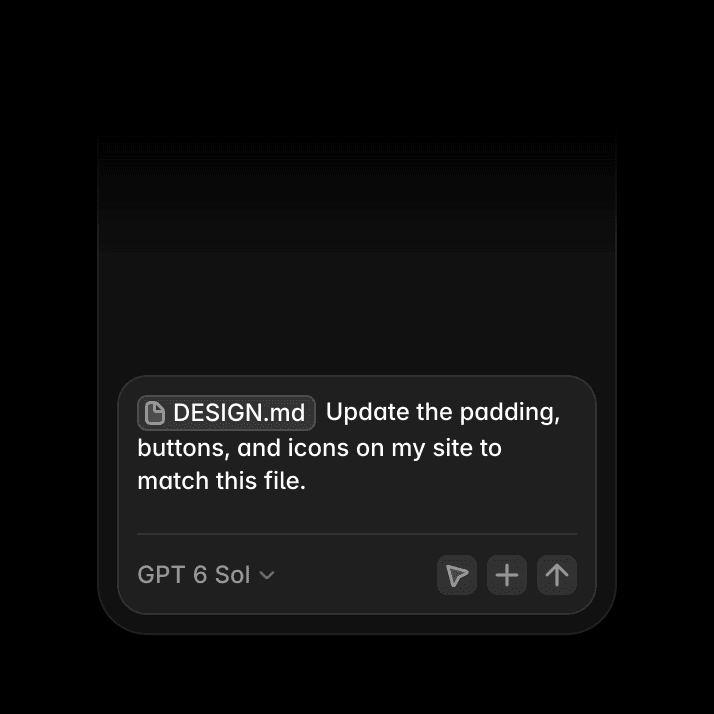
DESIGN.md

Update the padding,

buttons, and icons on my site to match this file.

GPT 5.5

Google Sheets file icon

blog.csv

Google Sheets file icon

DESIGN.md

AI file management preview

shader.mp4

Google Sheets file icon

data.json

Google Sheets file icon

component.tsx

AI file management preview

screenshot.png

Google Sheets file icon

blog.csv

Google Sheets file icon

DESIGN.md

AI file management preview

shader.mp4

Google Sheets file icon

data.json

Google Sheets file icon

component.tsx

AI file management preview

screenshot.png

Google Sheets file icon

blog.csv

References. Upload images, files, or URLs to guide AI toward the exact result you want.

DESIGN.md

Update the padding,

buttons, and icons on my site to match this file.

GPT 5.5

Google Sheets file icon

blog.csv

Google Sheets file icon

DESIGN.md

AI file management preview

shader.mp4

Google Sheets file icon

data.json

Google Sheets file icon

component.tsx

AI file management preview

screenshot.png

Google Sheets file icon

blog.csv

Google Sheets file icon

DESIGN.md

AI file management preview

shader.mp4

Google Sheets file icon

data.json

Google Sheets file icon

component.tsx

AI file management preview

screenshot.png

Google Sheets file icon

blog.csv

References. Upload images, files, or URLs to guide AI toward the exact result you want.

DESIGN.md

Update the padding,

buttons, and icons on my site to match this file.

GPT 5.5

Google Sheets file icon

blog.csv

Google Sheets file icon

DESIGN.md

AI file management preview

shader.mp4

Google Sheets file icon

data.json

Google Sheets file icon

component.tsx

AI file management preview

screenshot.png

Google Sheets file icon

blog.csv

Google Sheets file icon

DESIGN.md

AI file management preview

shader.mp4

Google Sheets file icon

data.json

Google Sheets file icon

component.tsx

AI file management preview

screenshot.png

Google Sheets file icon

blog.csv

References. Upload images, files, or URLs to guide AI toward the exact result you want.

Branches. Iterate safely by moving agent edits to a branch.

Get started with Framer

Get started with Framer

Get started with Framer