

Each workflow has its own Grok Bot chat, so I can pick up where I left off without explaining the job again. I can bring chats together in a group chat when a task spans multiple workflows, or share a Bot with someone on the team who needs it.
Through External Agents, Grok Bot can work directly in our Framer project. Some workflows return findings; others prepare changes in Framer. We check the sources and review the results before deciding what goes live.
Keeping community numbers up to date
As Framer creators publish new templates, components, and plugins to the Marketplace, the resource count on the framer.com homepage needs to keep up.
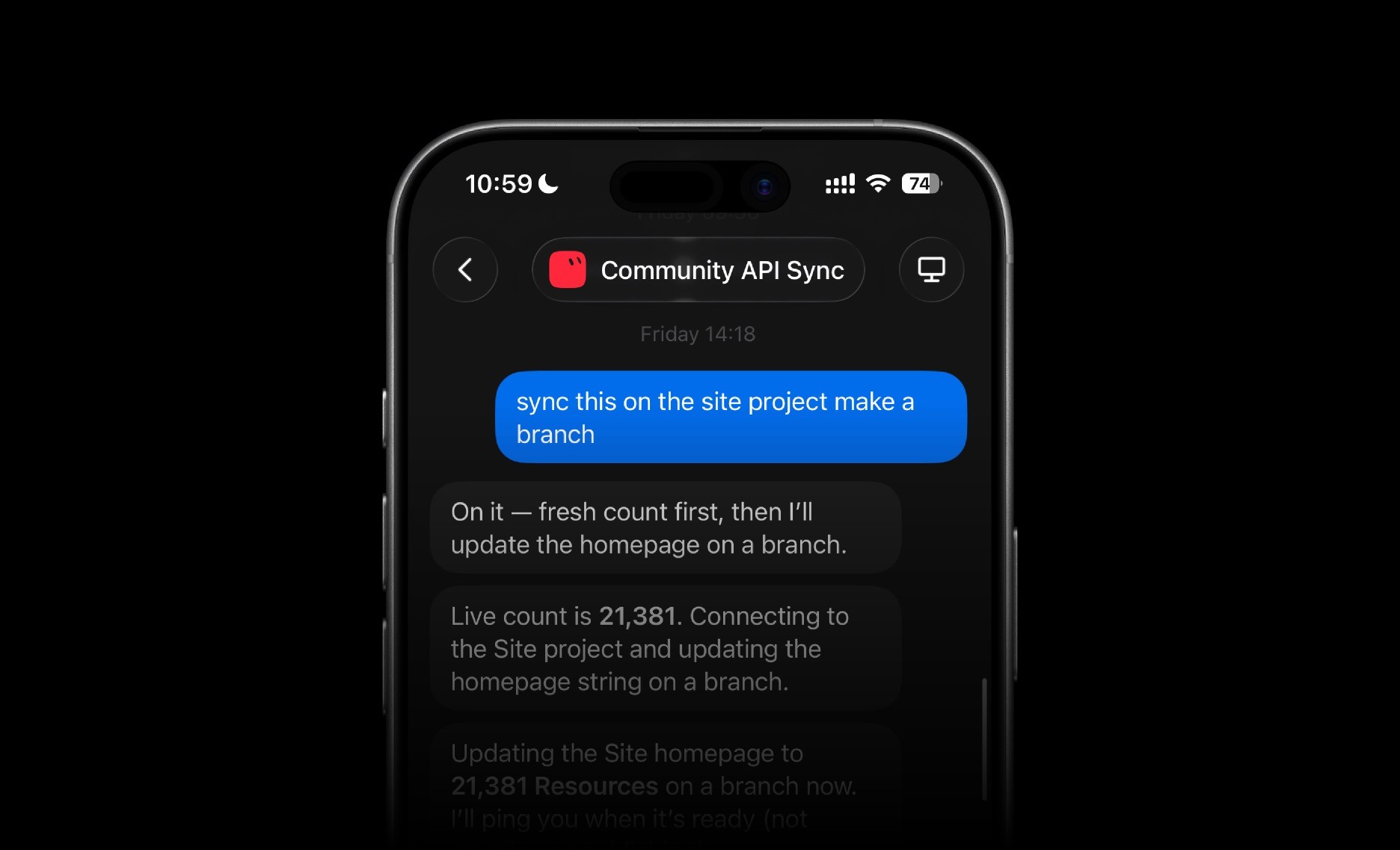
I set up a chat that checks the Community API every day. When the count changes, the workflow updates the homepage in a new branch and pings me when it’s ready for review.
That saves me from copying numbers between tools. The team only needs to check the change and publish it, keeping the Marketplace count up to date and taking one task off my list.
Turning a company name into a customer story draft
When companies like Perplexity, Mixpanel, and Miro use your product, and agencies like 27b and ++hellohello do too, their success stories deserve to be told.

When the team wants to draft a new customer story, I give the Customer Stories chat a company name. The workflow asks our internal data agent for metrics, gathers public context and relevant Slack conversations, and determines whether to frame it as a startup, enterprise, or agency story. From there, it creates a first draft directly in the customer stories CMS, ready for the team to review and share with the customer.
It also checks the customer stories CMS for outdated metrics, broken links, missing fields, and images that need updating or resizing, then reports any issues.
Finding SEO and AEO opportunities
I also use a dedicated chat in Grok Bot to review pages on framer.com for SEO and AEO issues. The workflow checks things like metadata, heading structure, internal links, and answer-first copy, then returns a short list of specific improvements.

For example, it has caught heading inconsistencies across pages that we had missed manually. Instead of just flagging the issue, it points to the affected elements and explains what needs to change. This gives us a clear review list we can work through in Framer before publishing changes.
Staying on top of active A/B tests
The A/B Tester chat keeps us up to date on the experiments running on framer.com. It reads the latest Analytics data and reports the goal, traffic split, and status of each active test, giving us the full picture in one place.

We still use Analytics to evaluate results and decide what to do next. Grok Bot handles the routine status checks, so we can focus on what we’re learning and what might be worth testing next.
Give each chat one clear task
These workflows work well because every chat has a focused, repeatable job. One syncs data, another prepares drafts, and others review pages or report on experiments. That makes each workflow easier to reuse, improve, and share with the team. Depending on the task, the result can come back as a branch to review, CMS content to edit, or a list of changes to make on the canvas.
Build your own External Agent workflow
These four Grok Bot workflows are a starting point. With External Agents, Framer can work with ChatGPT, Claude, Cursor, Codex, or another agent your team already uses. You can give each agent a specific job in your Framer workflow, with access to the project context and tools it needs to get that job done.

Start small with one recurring task you would like to automate and define the result you want. From there, keep experimenting. These four workflows barely scratch the surface of what agents can do with your Framer project.
