Adding a layout grid
Learn how to set up and customize layout grids to keep your designs aligned across breakpoints.
Layout grids help you align elements on the canvas so your designs stay balanced, clean, and consistent across screen sizes.
Show layout guides
Before adjusting a grid, make sure layout guides are visible. Guides only appear when a breakpoint is selected.
Select the breakpoint you want to edit.
Click the Framer logo in the top-left corner to open the menu.
Hover over View.
Click Show Guides.
If no breakpoint is selected, the Show Guides option won’t appear.
Adjust grid properties
After guides are visible, you can customize the grid for the selected breakpoint.
Select the breakpoint you want to edit.
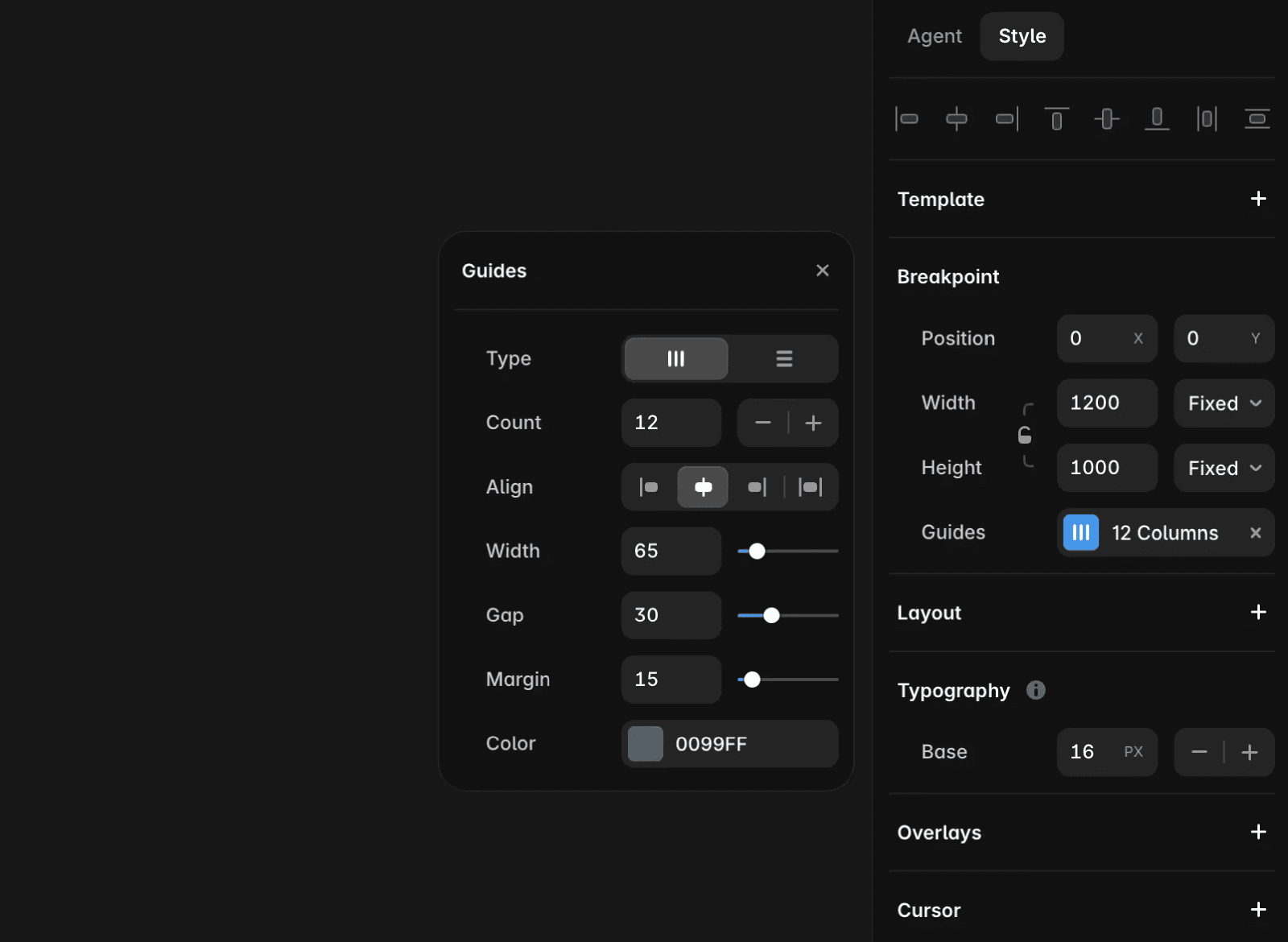
In the right panel, adjust the grid settings:
Grid type: Choose columns or rows.
Gap: Set the spacing between grid items.
Margins: Set the outer spacing around the grid.
Width: Set the total grid width.
Each breakpoint can have its own grid settings, making it easier to adapt your layout for different screen sizes.
FAQ
Can each breakpoint use a different layout grid?
Yes. Each breakpoint can have its own grid settings, including grid type, gap, margins, and width.
Why can’t I see the Show Guides option?
Show Guides only appears when a breakpoint is selected. Select the breakpoint you want to edit, then open the View menu again.
Do layout grids affect published sites?
No. Layout grids are design guides in the editor and do not appear on your published site.
Updated
