February Update: Scale
Published
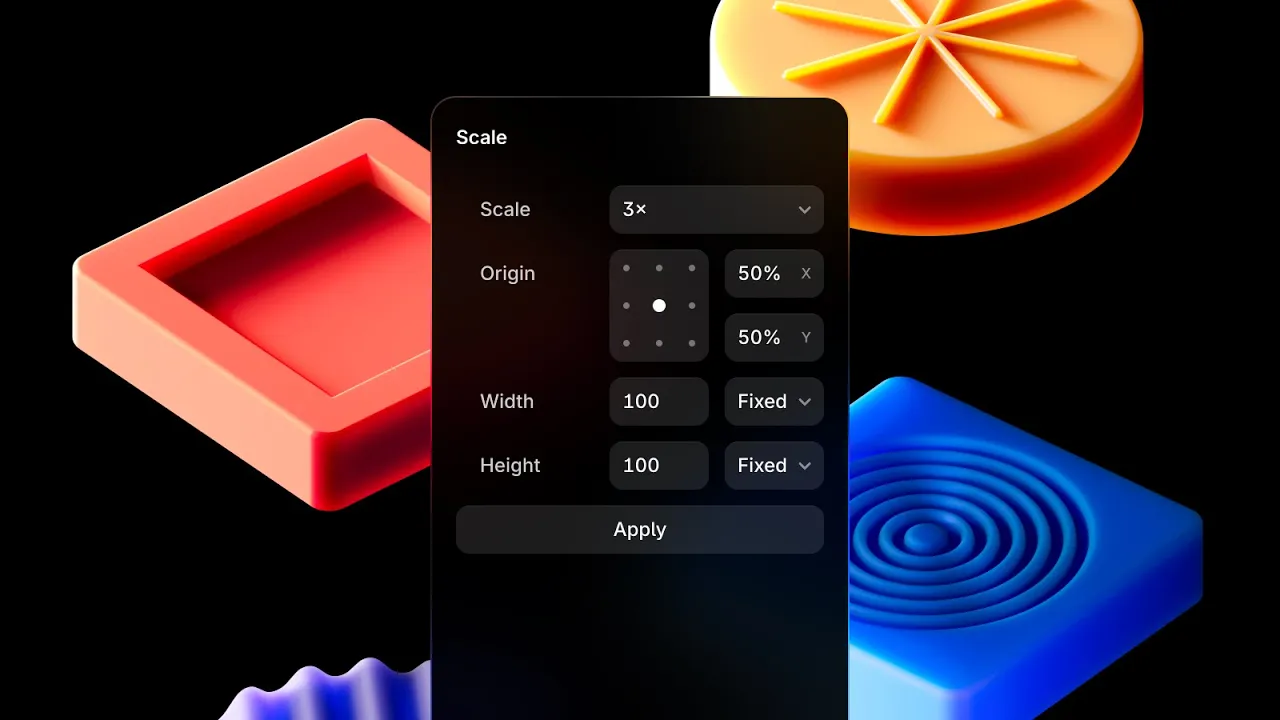
The February Update introduces the Scale Tool. You can enable it by hitting K, which takes over the property panel on the right. Scale layers by a factor or to any size, with all styles like Radius, Border, and Font Size taken into account. You can control scale entirely via the keyboard—after hitting the K key, you can type any number like 2 or 0.5 and then hit Enter for rapid iteration. Alternatively, you can scale by resizing with the canvas controls. Find the full changelog below. See Scale elements in Framer with the scale tool (K).
Added
Added the Scale Tool via
Kand Tools menuAdded new Canvas controls when scaling
Added new controls for Origin X and Y
Improved
Improved the speed of locale redirects by 100%
Improved lazy-loading of the Video Component
Improved INP of the Slideshow Component
Improved INP of the Search Component
Fixed
Fixed Gap controls when using Variables for Padding
Fixed Link auto-complete results jumping on first open
Fixed hashes in URLs being gone after locale redirects
Fixed a Slideshow bug making content hide on refresh
Fixed style mismatches when using Layout Templates
Fixed fonts not loading correctly in Layout Templates
Fixed tooltip arrows being cut-off when near edges